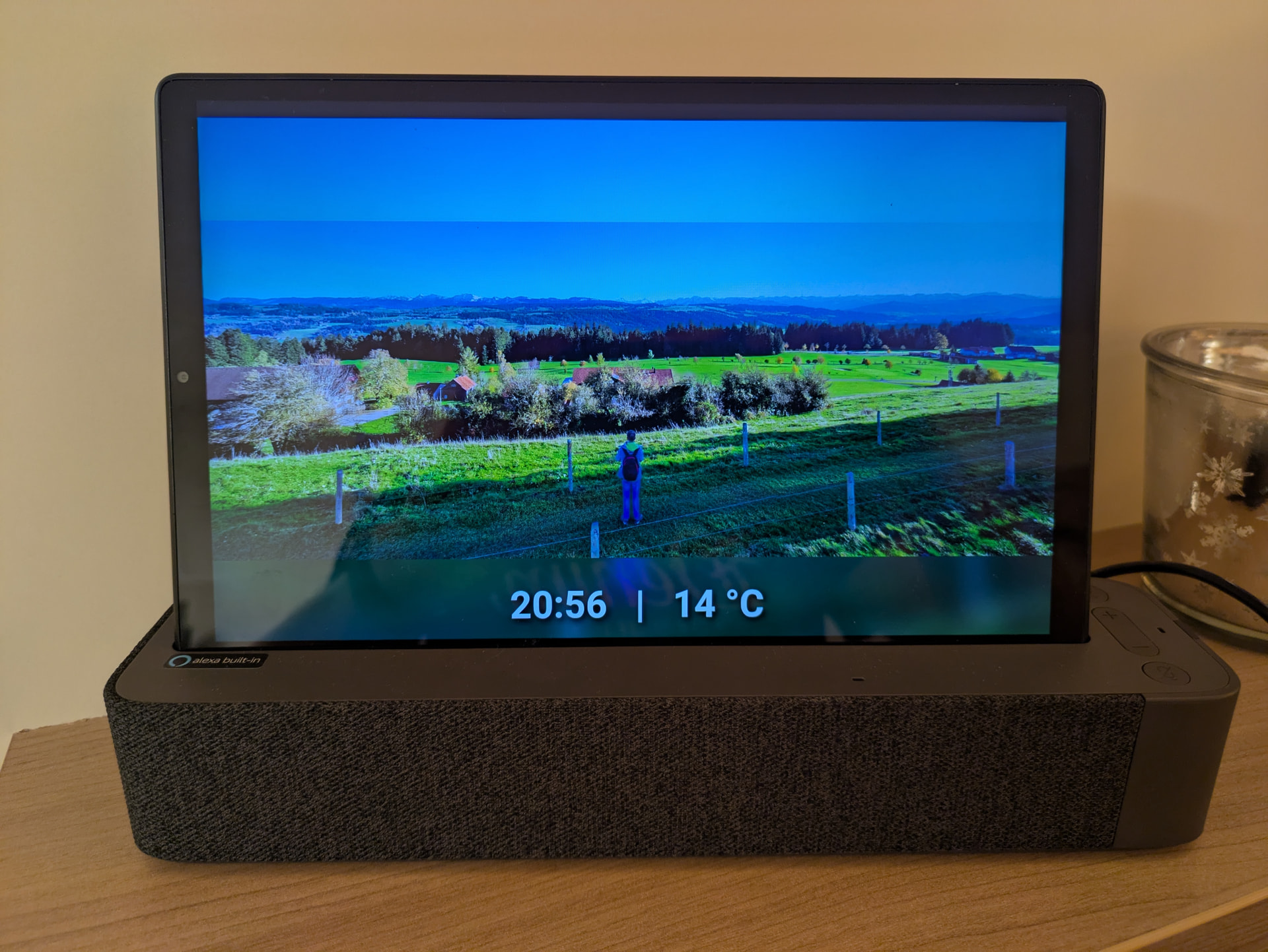
I used to rely on the Google Photos custom integration to display family photos on my dashboards (screensaver + cards), but since Google changed their API policies about a year ago, I couldn’t find a good replacement.
Thank you eyalgal for that great integration!
I'm using it since yesterday and I'm really happy. That's my feedback
You are also asking for ideas for improvements - one thing I'd really like would be the possibility for a transition from one image to the next, for example crossfading. Ideally with an adjustable transition time.
And maybe you could help me unterstanding the topic with the API and the public end points. As far as I understand, at the moment an album can have 20.000 images, but kind of "guaranteed" by google are only 300. Is my understanding correct? These 300 images - does that mean an album with e.g. 1.000 images would not work, or does it mean that only 300 new images can be downloaded at a time?
That's not very important - more a question out of curiosity...
Thanks for the idea about transitions, really appreciate it! I’ll definitely look into adding something like that.
As for Google Photos, unfortunately there’s no open official API (closed about a year ago) we can use. In earlier versions I used a workaround that could pull up to ~300 photos, but in the latest version I’m able to scrape the full album contents (up to 20k photos).
Since this isn’t something Google officially supports, there’s always a chance it could break in the future if they change things on their side.
To avoid relying on that long-term, I also back up my Google Photos albums locally on my NAS, so if the Google Photos method ever stops working I can simply point the integration to the local folder instead.
I have one more question. Under Features, you list "Multiple albums / sources". Does that mean multiple albums in 1 camera definition? If so, could you please show me how to add more than one album? I only see an input field for one link during the setup process.
Good question What I meant is that you can create multiple camera entities from different sources (Google Photos, local folders, NAS folders, etc.), but currently each camera entity can only use a single source. So at the moment you can’t combine multiple albums into one camera entity yet.
@der-optimist I really liked your transitions idea! check out release v0.7.0!
The transitions are rendered entirely in the browser via a new custom Lovelace card that ships with the integration (no extra HACS repo or resource setup needed). The server keeps doing what it did before - rendering one still per slide - and the card cross-fades in CSS. That keeps it smooth even on lower-end hardware.
So I think at the moment I can use either the clock and the temperature (combined as one template sensor) via the picture-elements card without transition, or I can use your new card with transition, but then without clock and temperature. Is that correct or am I missing something?
Your card is very similar to something I use. If you have button-card and mushroom card installed, try this (don't forget to replace my entities with yours):
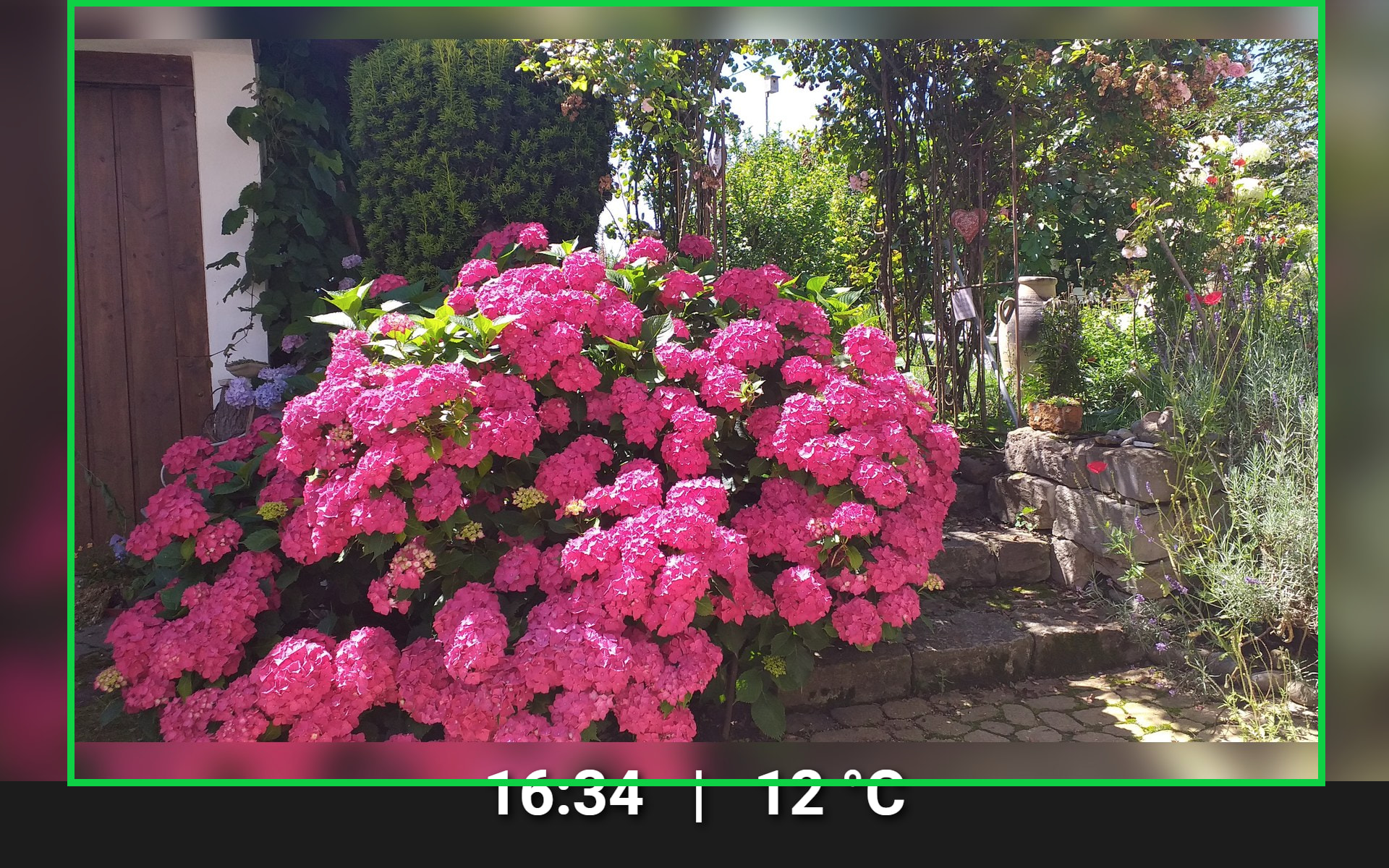
Thank you for that idea! With your config, I had my sensors below the image. So I tried to use your custom card inside the picture-elements card and display my sensors as I did before. With that setup, I had issues with the aspect ratio - I'm using 16:10 in the camera settings, but I always received a 16:9 image, even with a 16:10 "placeholder" in the card. For example this image, originally 16:9 and brought to 16:10 by your integration (as intended), but it gets forced to 16:9 again at a later point and by that gets too small:
At that point I asked Gemini for help - I know there are mixed opinions, but I didn't get futher on my own. It told me that your custom card is hard-coded for 16:9 (which I do not believe), but it showed a way via card-mod and this is working for me now:
  - type: panel
    path: bilderrahmen-mp
    title: Bilderrahmen MP
    cards:
      - type: picture-elements
        image: >-
          data:image/svg+xml,%3Csvg xmlns='http://www.w3.org/2000/svg'
          viewBox='0 0 16 10'%3E%3C/svg%3E
        elements:
          - type: custom:album-slideshow-card
            entity: camera.album_slideshow_bilderrahmen_mp
            transition: fade
            duration: 3000
            blur: false
            card_mod:
              style: |
                ha-card {
                  background: none !important;
                  border: none !important;
                  box-shadow: none !important;
                  height: 100% !important;
                  width: 100% !important;
                  padding: 0 !important;   /* Killt interne Abstände */
                  margin: 0 !important;    /* Killt äußere Abstände */
                  display: flex !important;
                  align-items: center !important;
                  justify-content: center !important;
                }
                /* Wir zentrieren das Bild-Element hart in der Mitte */
                img, #container, .st-image, .slideshow-image {
                  object-fit: cover !important;
                  object-position: center !important; /* DAS ist der Anker für die Mitte */
                  width: 100% !important;
                  height: 100% !important;
                  margin: 0 !important;
                }
            style:
              top: 0      /* Wir setzen die Karte fest oben links an... */
              left: 0
              width: 100% /* ...und lassen sie die volle Fläche füllen. */
              height: 100%
              transform: none
          - type: state-label
            entity: sensor.tablet_bildschirmschoner_info
            style:
              bottom: 20px
              left: 50%
              transform: translateX(-50%)
              color: white
              font-size: 4.5vw
              font-weight: 600
              text-shadow: 4px 4px 10px rgba(0,0,0,1)
              pointer-events: none
I think that's a quite hacky solution and maybe I find a better one in the future, but at the moment I can use your great transitions in my setup - that's really cool!
In the camera entity, I do want the the blur. I don't want to image to be cut. But the result of the camera entity is what I marked green here and it is how I want it to be, brought from 16:9 to 16:10 by adding blur on top and bottom:
The problem happens after that, when a second round of blur areas get added at the side - by that the result is not 16:10 any more.
Gemini claimed that this happens in your custom card, but I rather think this happens somehow by the way I tried to use in in the picture-elements card
Hmm I tried to reproduce this on my end using your exact YAML (and my sensors), but I'm not getting the extra blurred frame on the sides - the image renders correctly for me. I'll keep digging into it, but without being able to reproduce it locally it's going to be tricky to pin down
If you don't mind, a couple of things that would help:
Your HA version, browser, and card-mod version
The fill_mode attribute on your camera entity (Developer Tools → States)
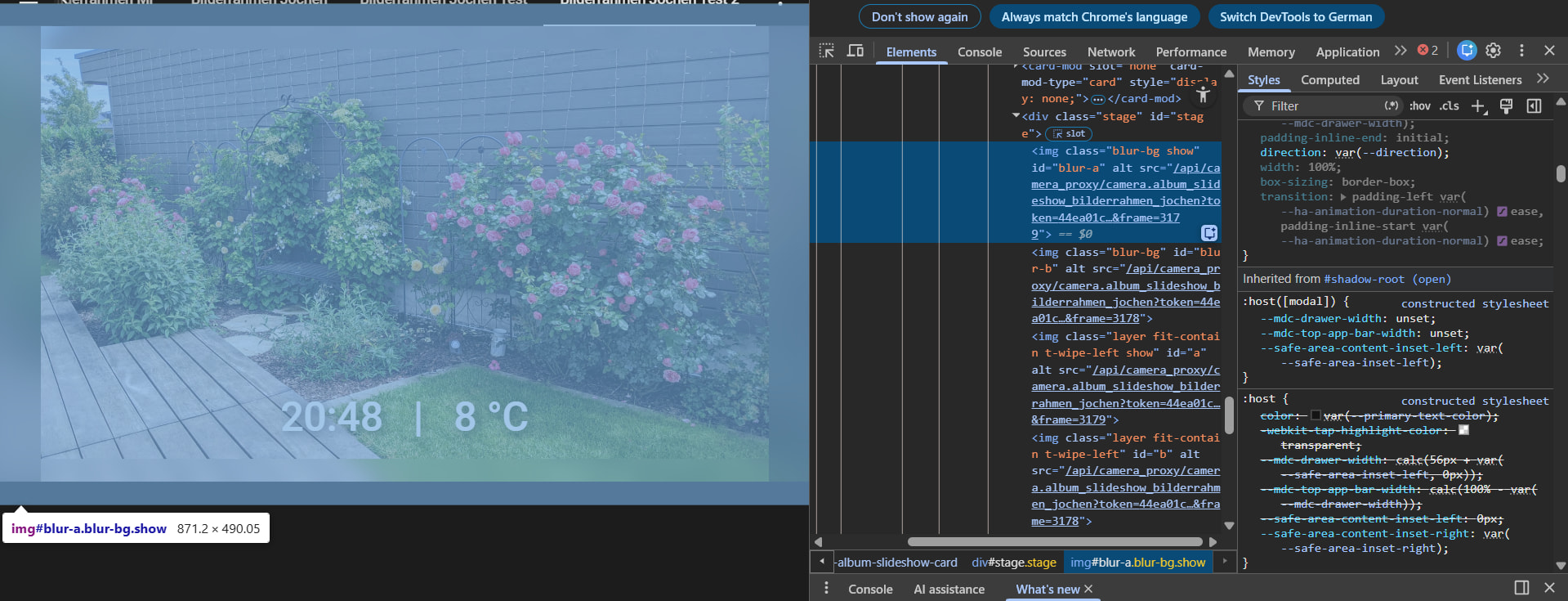
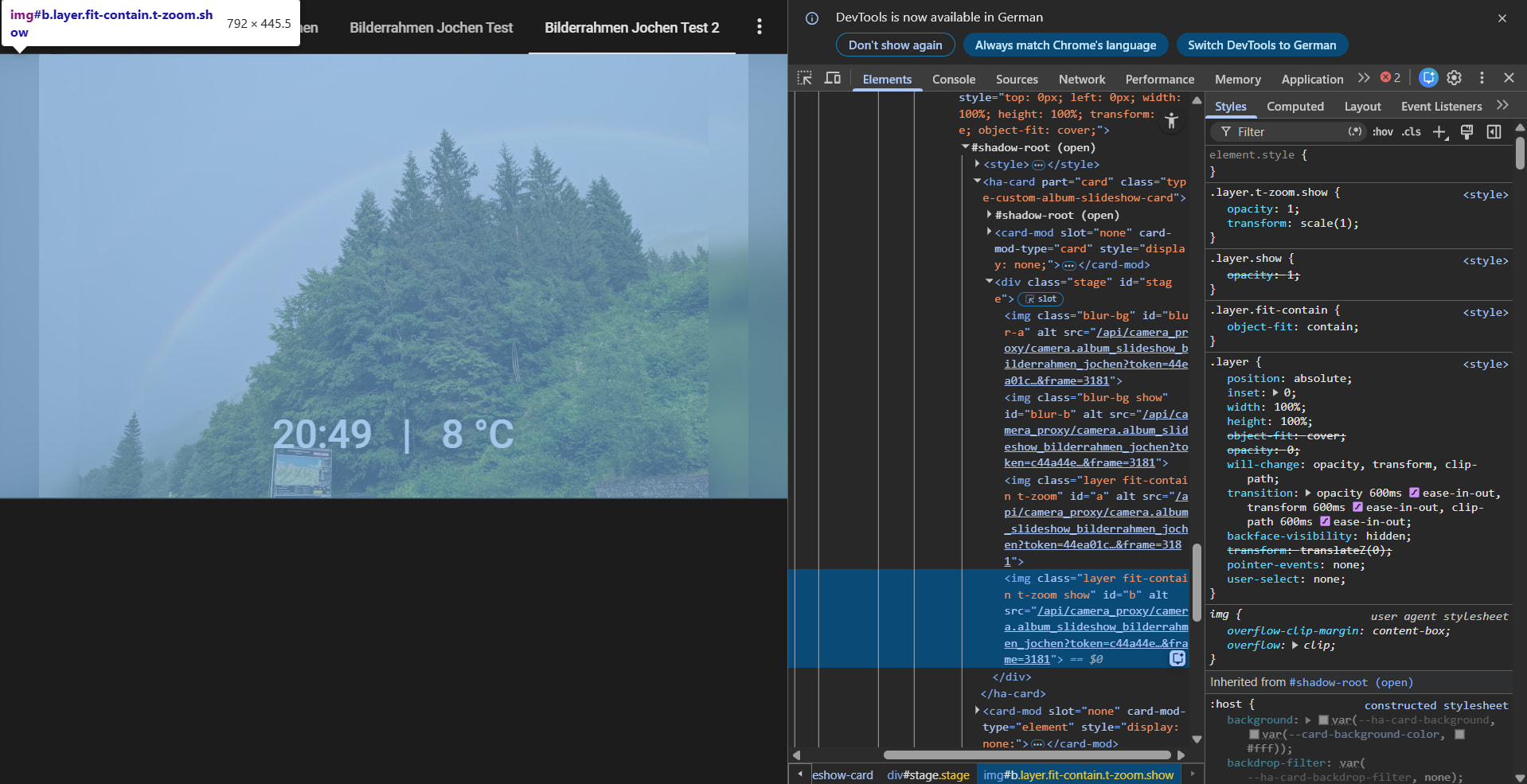
A screenshot with browser DevTools open, inspecting the <album-slideshow-card> element so I can see the computed size of the inner .layer and .blur-bg elements
That should make it much easier to figure out what's different between our setups. Thanks!
Thank you for your help! I'm sorry, I think my post was confusing and unclear - sorry for that.
The code I posted is the "hacky" code with wich it's working now, without the 2nd round of blur areas.
The problem happened (and that's where the image was from) when I tried to use a code that looks easier and cleaner to me (but with this code, I get the 2nd blur areas and the wrong aspect ratio at the end). I show you that code, that created the shown image, but which I do not use at the moment as I have the "hacky" solution from above. But maybe it helps finding out what happened:
The idea was, to only use custom cards and mods if really needed.
My HA is 2026.3.0 and I'm using Chrome on the Laptop and Fully Kiosk Browser on an Android 10 tablet.
I'm using these settings for the camera entity:
fill_mode: blur
aspect_ratio: 16:10
I attach 3 Screenshots: 1st the one I hope you can see the .blur-bg and the 2nd the one of which I think should be the .layer => both of them are from the code of this post.
The 3rd image is a snapshot from tha camera entity. I'm sorry that those are different images, but I think the most important is the aspect ratio. The one from the camera is 16:10 as intended, the other 2 are 16:9 which I did not want.
If I can provide anything else, I'm happy to do so.
I use the paid version of Fully, but for other reasons - you don't need it for just showing the photos in full screen I think.
You need 3 things:
Create a HA Dashboard that shows only one card => panel mode (my posted code can be a starting point or the one posted by eyalgal)
Install "Kiosk Mode" from HACS => when adding "?kiosk" to the url, all bars are hidden and you have real fullscreen
Some browser that shows that stuff without showing anything of itself, kiosk mode => In my case it's Fully, but I think alternatives like "WallPanel" or "FreeKiosk" should be able to do the same. But I do not have experience with them
Hello @eyalgal
I'm trying to combine your integration with the wallpanel addon. I used your google photos "camera" as source, but somehow the images are not displayed, and even the wallpanel integration doesn't start when I setup your camera entity. It works however with my other webcams in the house.
I referenced the google photos integraiton the following way:
media-entity-video://camera.album_slideshow_slides
Here is also the documentation to the wallpanel. It says that I can use a camera source for the images. It works with a normal webcam.
Could you maybe help why the google photos camera entit doesn't work there?
Hey @attilan, the issue is the URL scheme. media-entity-video:// tells WallPanel to treat the entity as a streamable video source (HLS/WebRTC under the hood), which is why it works for your IP webcam. The Album Slideshow camera isn't really a video stream though. It's a still image that swaps in a new frame on each slide, and it advertises that via entity_picture (with a per-frame cache-buster so browsers don't keep showing the previous slide).
media_entity_load_unchanged: false makes WallPanel reload whenever the entity emits a new frame, so it follows the slideshow's own cadence instead of fighting it.
If you'd rather have WallPanel pace the transitions, set slide_duration on the integration to something short (e.g. 5s) and let display_time in WallPanel drive what's actually shown.
WallPanel's Ken Burns / crossfade will work on top of this, but if you also have transitions enabled on the slideshow itself you'll get a "double transition" feel, so pick one side to do it.
Let me know if it still doesn't show up after switching the scheme. If so, open the browser devtools Network tab while WallPanel is active and check whether the entity_picture URL is being fetched and what status it returns. That'll tell us whether it's a WallPanel config issue or an auth/CORS thing on your setup.
Hello @eyalgal
Thank you for the recommendation and the help. It was indeed the problem that I used "media-entity-video" however it works perfectly with "media-entity-image".
I have to play a little bit with the parameters to make it to my taste.
Thank you very much for this great integration, which I use in combination with wallpanel, too. It works fine, but every time the screensaver goes off, I see this message, which also appears in the logs:
Logger: frontend.wallpanel
Quelle: components/system_log/__init__.py:329
Erstmals aufgetreten: 13:46:48 (1 Vorkommnis)
Zuletzt protokolliert: 13:46:48

{"0":"Failed to update media from /api/camera_proxy/camera.album_slideshow_bilderrahmen?token=xxxxxxxxxxxx&frame=347&width=1280&height=800&ts=1782042409173:","1":{}}
Hi Volker, thanks for the kind words and glad it's working for you.
That message is harmless, the slideshow keeps running. It's just WallPanel logging one failed image fetch. For full disclosure I don't run WallPanel myself (I use Fully Kiosk for my dashboards, with a separate dashboard tab as the screensaver), so this is from reading the logs and the camera code rather than your exact setup. But the cause is pretty clear: the camera URL includes a token=... that Home Assistant rotates every few minutes for security. When the screensaver wakes after sitting idle, WallPanel tries the old cached URL once with a token that has already expired, that fetch fails, and the next frame fixes it. So you get exactly one log line each time the screen wakes.
To make WallPanel re-read a fresh URL each time, the image scheme works best:
media_entity_load_unchanged: false tells WallPanel to reload when the entity emits a new frame instead of holding the cached one. If you ever want to confirm what's going on, open the browser devtools Network tab as the screen wakes and check that camera_proxy request, a 401/403 there just confirms the expired-token theory.
Either way it's nothing to worry about. Let me know if it keeps logging after the change.

 https://github.com/eyalgal/album_slideshow