yeah there mite be be change required, since a part of my smart-home is currently shut-downed for a year i’m not able to check it now. feel free for merge request
Hi @akrigator, can you please explain how you disable/terminate the BLE connection and then enable once again when you need to issue a command?
I have just set this up on an ESP device and I am already seeing a large battery drain on the blind so would be keen to understand how to terminate the BLE connection.
First you need to create a switch which will allow disable/enable connection for each pairing devices, like:
switch:
  - platform: ble_client
    name: "Bedroom Left Blind BLE"
    id: bedroom_left_blind_ble
    internal: true
    ble_client_id: bedroom_left_blind
    disabled_by_default: true
Then create two scripts to handle connections for previously created switchers
script:
  - id: enable_ble
    mode: restart
    then:
      - logger.log:
          format: "Enabling BLE..."
          level: INFO
      - switch.turn_on: bedroom_left_blind_ble
      - switch.turn_on: bedroom_right_blind_ble
      - wait_until:
          condition:
            and:
              - binary_sensor.is_on: bedroom_left_blind_connected
              - binary_sensor.is_on: bedroom_right_blind_connected
          timeout: 3min
      - if:
          condition:
            and:
              - binary_sensor.is_on: bedroom_left_blind_connected
              - binary_sensor.is_on: bedroom_right_blind_connected
          then:
            - logger.log:
                format: "BLE clients connected"
                level: INFO
          else:
            - logger.log:
                format: "Fail connect BLE clients"
                level: WARN

  - id: disable_ble
    mode: restart
    then:
      - logger.log:
          format: "Disabling BLE..."
          level: INFO
      - switch.turn_off: bedroom_left_blind_ble
      - switch.turn_off: bedroom_right_blind_ble
Finally, use enable_ble in your custom scripts before apply command/action to ble client , like
script:
  - id: open_action
    mode: restart
    then:
      - script.execute: enable_ble
      - script.wait: enable_ble
      - if:
          condition:
            and:
              - binary_sensor.is_on: bedroom_left_blind_connected
              - binary_sensor.is_on: bedroom_right_blind_connected
          then:
            - cover.open: bedroom_left_blind_cover_internal
            - cover.open: bedroom_right_blind_cover_internal
and call disable_ble inside sleeping_ble , which is cycled in main_loop
  - id: sleeping_ble
    mode: restart
    then:
      - while:
          condition:
            not:
              and:
                - binary_sensor.is_on: bedroom_left_blind_connected
                - binary_sensor.is_on: bedroom_right_blind_connected
          then:
            - logger.log:
                format: "Conencting BLE again..."
                level: INFO
            - script.execute: enable_ble
            - script.wait: enable_ble

      - logger.log:
          format: "Updating sensors..."
          level: INFO
      - delay: 2min

      - logger.log:
          format: "Check that scripts not running..."
          level: INFO
      - while:
          condition:
            or:
              - script.is_running: open_action
              - script.is_running: close_action
              - script.is_running: stop_action
              - script.is_running: position_action
          then:
            - logger.log:
                format: "Still executing..."
                level: INFO
            - delay: 10s
      - script.execute: disable_ble
      - script.wait: disable_ble

  - id: main_loop
    mode: single
    then:
      - while:
          condition:
            - lambda: "return true;"
          then:
            - script.execute: sleeping_ble
            - script.wait: sleeping_ble
            - delay: 60min
Purpose of sleeping_ble usage - hide direct call of disable_ble from action* scripts to avoid their collisions and wait sensor updates, which could not be forced.
So, in other words, the sketch tries to terminate connection politely in main loop as soon as possible, but all actions initiate connections.
To get more info you should prepare a strong coffee and read thoroughly this
Amazing, thank you so much. Going to give this a try later today. Cheers
UPDATE: got it working, Thanks @akrigator. Appeciate it
@akrigator thank you for your work!
Works perfectly now! Had to make minor change to get positioning working right:
globals:
  - id: position
    type: float
    restore_value: no
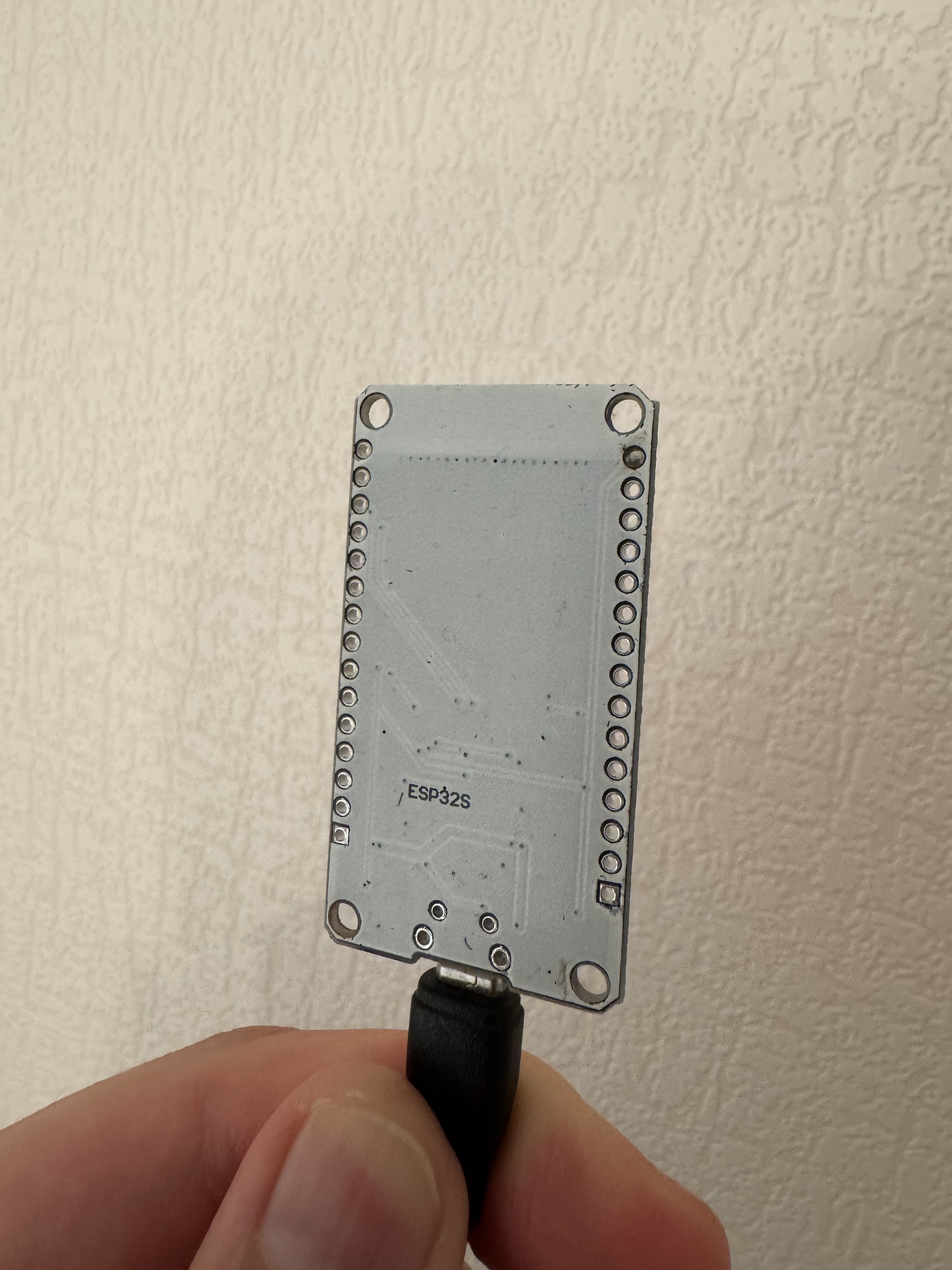
Hello. I’ve just started playing around with Home Assistant and so far I’ve managed to integrate all the devices in my home except for the AM43, which I bought a few years ago. I’ve read the entire thread, but I have one question, the most important one so far: What type of ESP32? I definitely see that the ESP32-WROOM-32UE connects to the AM43. Could you tell me which modules you’re using that can connect to the AM43?
Best regards.
here is mine

And the latest revision am43_esphome_ha/am43.yaml at 1c053e8ec75d29f4255e7f71b38e1a3ff4f813ec · akrigator/am43_esphome_ha · GitHub
I bought the ESP32-WROOM-32UE because a friend wrote that he was able to connect to an AM43 using this module. I should have it home tomorrow and will start configuring it. If I run into any problems, I’ll ask for your help.
OK. I managed to get it working!!! However, I need to change it because my Blind Motors are in different rooms and I have 3 of them.
As I remember, esphome bluetooth stack has limitation for 3 devices, so it should work in your case
Unfortunately, I have a problem. I have three devices, each in a different room of the house, facing different directions, so I had to control each separately. I modified your am43.yaml file to control only one blind motor. And if I add one in ESPHome, everything works perfectly! But when I modify the file for the second blind motor, I validate it, and everything is fine. However, when I install it, it can’t connect and is offline.
The log at the end of the installation contains this entry:
<============================ [SUCCESS] Took 14.52 seconds ===============================
INFO Successfully compiled program.
ERROR Error resolving IP address of [‘gospital.local’]. Is it connected to WiFi?
ERROR (If this error persists, please set a static IP address: WiFi Component - ESPHome - Smart Home Made Simple)
ERROR Timeout resolving IP address: Timeout while resolving IP address for [‘goscinny.local’]
WARNING Failed to upload to [‘goscinny.local’]>
There’s a problem connecting to your device, but I don’t know what’s causing it.
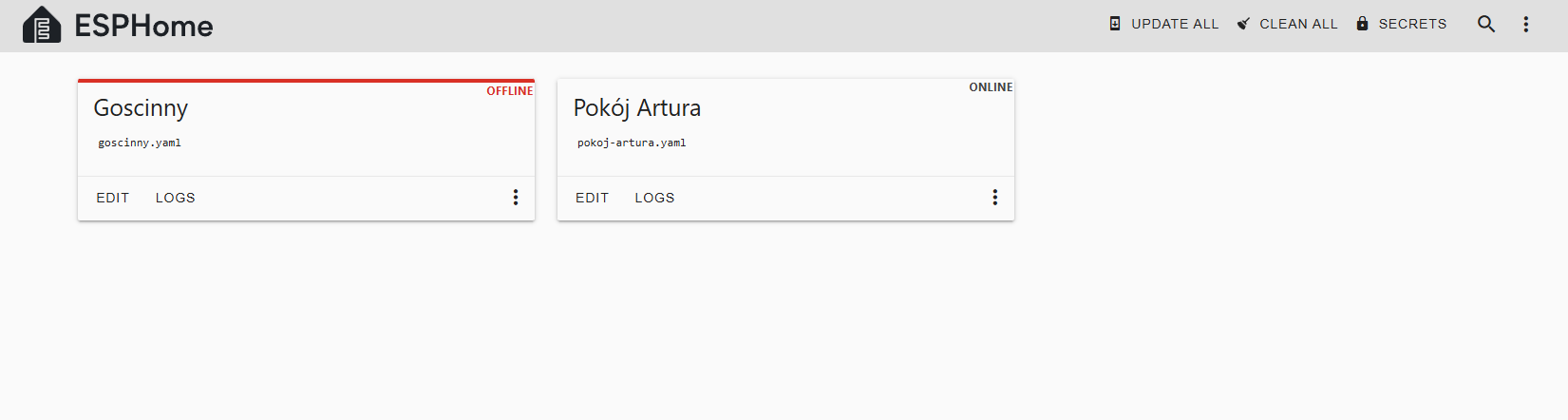
As i understand you are trying to flash he second esp via wireless option, have you try with wired option?
Yes, and that’s when the previous configuration is disconnected. Just like in the screenshot above. I’m trying to find a way to make these configurations work simultaneously. Some YouTube channels claim it’s possible, but no one has shown how. Perhaps I’m making a small mistake. In one of the materials the author said that a new upload deletes the entire previous one.