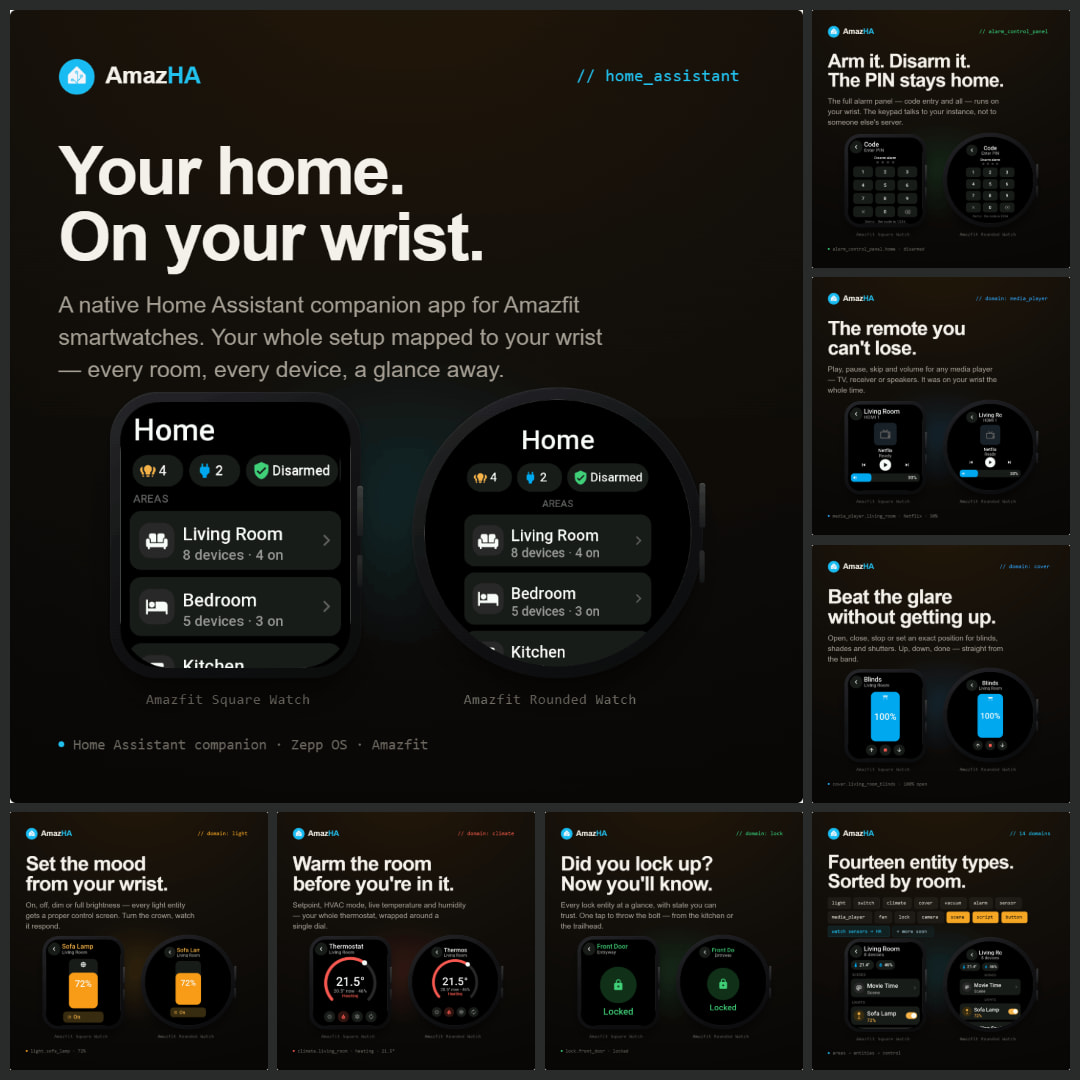
I'd like to share a project I've been working on: AmazHA, a native companion app that lets you control Home Assistant from an Amazfit watch.
The goal was a watch app that feels like part of Home Assistant rather than a bolt-on: your home is organised by area, and each entity gets a proper control screen.
What it does today
Control screens for lights, switches, climate, covers, vacuums, locks, media players, fans and alarm panels
Run scenes, scripts and buttons
Camera snapshots on the watch
A user-defined Favorites area
Local + remote URLs with automatic LAN-first failover
Optionally push watch health/activity data into HA as sensors (heart rate, SpO2, steps, calories, sleep, stress, etc.) to use in automations
Translated in 12 languages
Design notes
I leaned on the action-centric, per-entity icon+colour style so it's quick to read and operate on a small screen, and I put effort into launch speed and smooth scrolling.
Love the UI layout but ive noticed a few things compared with Tito Aguacatec version.
1-Theres no way to add the external HA address to be able to work away from home.
2- The switches toogles dont update, i.e. if i turn it on on the watch and then in home assistant i turn them back off the the state in the watch doesnt reflect that change. I didnt tested the AC units for example but i believe the behavior should be the same at this point?
3-Where do i find the sensors created in home assistant?
Thank you for this wonderfull app, im sure you will make it even better.
The external HA address option is already implemented in the update I released about four days ago. It's currently in the approval phase, so it should be available very soon.
Good catch on the toggle states. I'll double-check the syncing and make sure it's properly addressed in the next version.
The sensors show up in Home Assistant once the watch is connected and sensors are enabled in the app settings. You'll find them as entities in HA (search by the AmazHA device or the sensor names). If they don't appear, let me know and we'll dig into it together.
@Kokesh, about the Demo mode showing up on launch: this happens because the license check needs a moment to sync when the app starts, and tapping the banner forces that refresh. I'm looking into making the licensed state persist properly on startup so you won't see the demo screen at all. It'll be smoother in an upcoming update.
Thanks again to both of you, feedback like this is exactly what helps me improve AmazHA!
Thank you for really awesome app! I had already other apps, one for reporting my watch data to my HomeAssistant and another one for controlling it. But this one combines both
My problem with the demo mode is it is there practically every time I open the app. Can't you store some variable like paid=1 on the watch, so it doesn't have to sync the app license state every time?
You nailed exactly what was happening: the app was re-syncing the license state on every launch. I've already fixed this by storing the licensed state locally on the watch, so it won't fall back to demo mode anymore.
The fix won't make it into the update landing in the next few days (that one is already in review), so it'll come in the one right after.