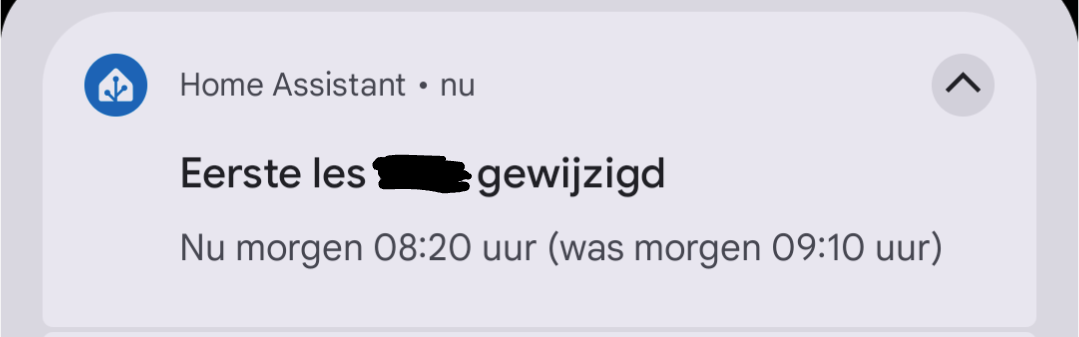
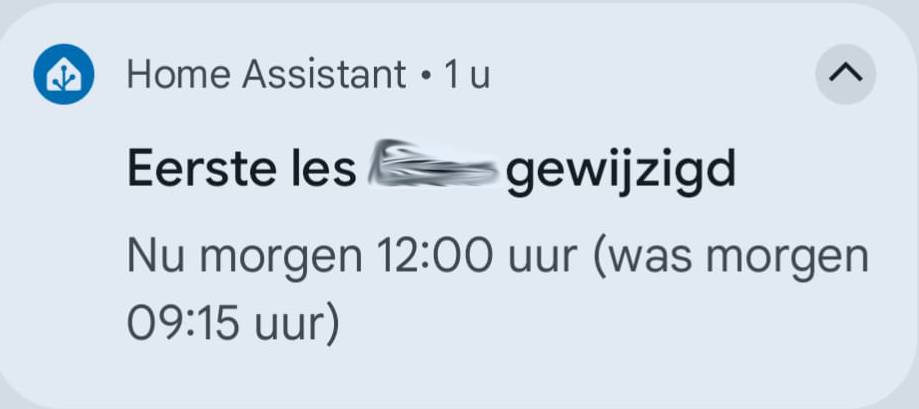
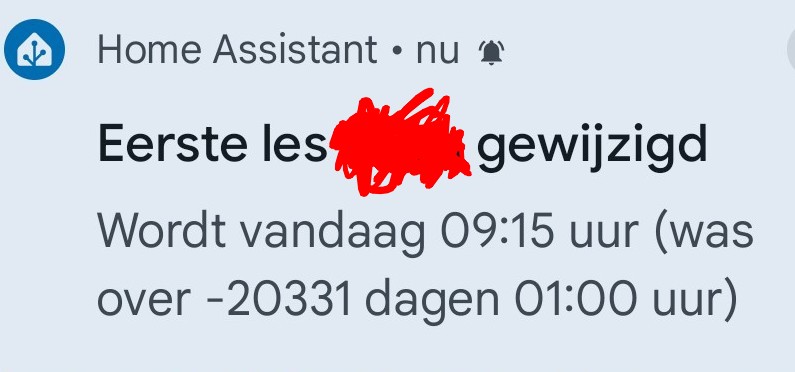
We’re really enjoying this project! Works like a charm; particularly when the first lesson is cancelled at school - much to the delight of my adolescent son who then does not get woken up unnecessarily early. Thanks again for the great work.
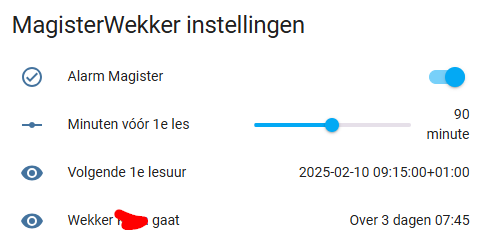
I still have one thing that doesn’t work: I have now set the ‘Magister alarm clock’ to run 90 minutes before the first lesson starts. However, when I adjust that value, it does not seem to carry over into automation. I have created a dashboard card in which I read and set a number of settings:
The slider refers to entity “input_number.alarm_magister_offset” following @Emphyrio 's instructions.
The automation is as follows:
alias: Wekker Magister
description: ""
triggers:
  - trigger: template
    value_template: "  {{ (as_timestamp(states('sensor.nextup_lesson_magister')) - (states('input_number.magister_offset')|int(default=90) * 60) )|timestamp_custom('%H:%M', true) == states('sensor.time') }}"
conditions:
  - condition: state
    entity_id: input_boolean.alarm_magister
    state: "on"
  - condition: template
    value_template: >-
      {{ (as_timestamp(states('sensor.nextup_lesson_magister')) -
      (states('input_number.magister_offset')|int(default=90) * 60)
      )|timestamp_custom('%Y-%m-%d', true) == states('sensor.date') }}
actions:
  - data: <CUT>
# EDIT: since all actions run smoothly, I cropped this part of my code out]
Can anybody tell me what I’m missing? EDIT: After writing this post, I noticed the probable error myself… I followed the instructions literally but I now notice the helper is named “input_number.alarm_magister_offset” where the entity in the template sensor and the automation is “input_number.magister_offset”. How could I not have seen that before I don’t know…
Happy to be able to provide a slight contribution @Emphyrio I couldn’t even come close to inventing something like this. Wonder how many people actually use it, it’s an unprecedented automation and we’re very enthousiastic about it.
What would be really nice to have as an addition: an automation that would send a notification in case the Magister roster changes (first lesson is canceled) - would that be feasible based on the current sensors you think?
Hi @ChielB, here is an automation for a notification on change of first lesson. Prerequisite: Home Assistant companion app installed on the phone you wish to notify (check out Introduction | Home Assistant Companion Docs for more info about that).
Edit: replaced the previous draft version of the automation with this tested & approved version below. This triggers when the next-up lesson changes from the originally known time. But not at midnight & noon, because those are the regular moments when the alarm time gets updated. We deemed those irrelevant
- alias: 'Notification Magister first lesson changed'
  id: notification_magister_first_lesson_changed
  mode: single
  trigger:
    - platform: state
      entity_id: sensor.nextup_lesson_magister
  conditions:
    - not:
      - alias: 'Not at midnight'
        condition: time
        after: "00:00:00"
        before: "00:05:00"
      - alias: 'Not at noon'
        condition: time
        after: "11:59:59"
        before: "12:00:10"
      - alias: 'To_state not unavailable'
        condition: template
        value_template: "{{ trigger.to_state.state in ['unavailable','unknown'] }}"
      - alias: 'From_state not unavailable'
        condition: template
        value_template: "{{ trigger.from_state.state in ['unavailable','unknown'] }}"
  action:
  - action: notify.mobile_app_pixel_7
    data:
      title: "First lesson changed"
      message: >-
        {% set midnight = now().replace(hour=0, minute=0, second=0, microsecond=0).timestamp() %}
        {% set event = trigger.to_state.state | as_timestamp(default=0) %}
        {% set delta = ((event - midnight) / 86400) | int %}
        {% if delta == 0 %} Nu vandaag {{ trigger.to_state.state|as_timestamp(default=0)|timestamp_custom('%H:%M', true)}}
        {% elif delta == 1 %} Nu morgen {{ trigger.to_state.state|as_timestamp(default=0)|timestamp_custom('%H:%M', true)}}
        {% else %} Nu over {{ delta }} dagen {{ trigger.to_state.state |as_timestamp(default=0) |timestamp_custom('%H:%M', true)}}
        {% endif %} uur (was
        {% set event = trigger.from_state.state | as_timestamp(default=0) %}
        {% set delta = ((event - midnight) / 86400) | int %}
        {% if delta == 0 %} vandaag {{ trigger.from_state.state|as_timestamp(default=0)|timestamp_custom('%H:%M', true)}}
        {% elif delta == 1 %} morgen {{ trigger.from_state.state|as_timestamp(default=0)|timestamp_custom('%H:%M', true)}}
        {% else %} over {{ delta }} dagen {{ trigger.from_state.state |as_timestamp(default=0) |timestamp_custom('%H:%M', true)}}
        {% endif %} uur)
      data:
        clickAction: "/lovelace/slaapkamer"
This also requires an extra trigger in the two template sensors:
      - trigger: time
        at: "12:00:00"  #at noon switch to tomorrow's first lesson instead of today's
Well, that didn’t take you too long to find some time
I’ll give it a try on my own phone prior to notifying my son’s phone and report back about the experience. Thanks for your efforts!
@ChielB The automation was updated (two posts up). We tested it this week and removed the false / irrelevant triggers.
Apparently, the iCal sensor regularly fails to update and temporarily gets a state ‘unknown’ or ‘unavailable’. This caused irrelevant notifications and was fixed in the automation.
The funny thing is: prior to updating the automation, I notice the automation sends a notification at 12.00, when the “next lesson” is changed from today to tomorrow.
Two weeks ago I had the unavailable state as well, but I thought that was because of the ongoing “toetsweek”, where the school appaerantly mess around in the roster.
I will modify the automation following your instructions and let you know how it works. How do I simulate a change in the firste lesson / test the automation?
I tested it through Developer Tools > States > search for ‘nextup_lesson’ > click on the title > at the top of the screen, change the state to e.g. a different time and click Update State button.
Here at home, we agreed we did not need to get a notification at noon. The kids know their regular schedule. We are only interested when there is an unexpected change in the roster, that causes the alarm to shift to a different time. I think this automation should take care of that.
If you would like to receive the notification at noon, you can simply remove the ‘not at noon’ condition from the automation.
@Emphyrio: As the new school year is about to start and the new roster appears to be available in Magister, I noticed the entities did not update. Any idea what happened? Or should I move to the Remote Calendar integration instead?
For some reason Magister only opens the connection when all schools in the Netherlands have started. So that will be 1 September this year. Just check again next week.

 I couldn’t even come close to inventing something like this. Wonder how many people actually use it, it’s an unprecedented automation and we’re very enthousiastic about it.