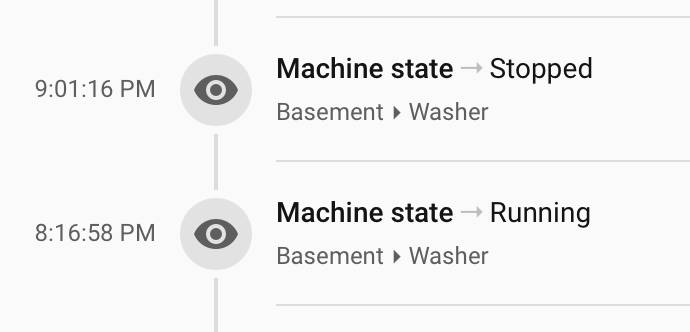
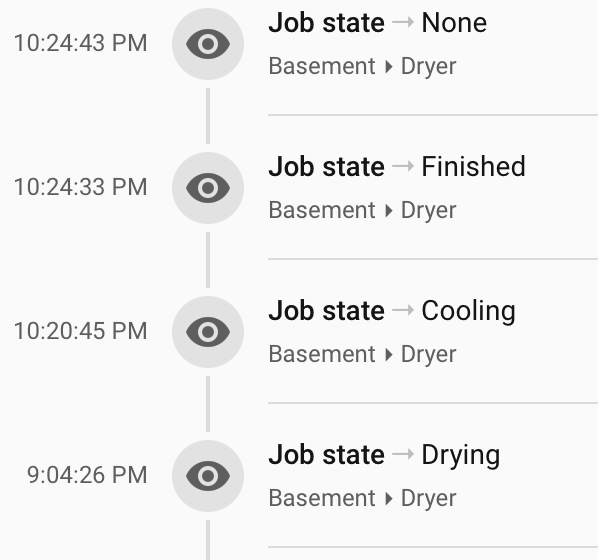
Hey! This is my first blueprint, so please bear with me — and feedback is very welcome.
At the time of writing, Live Activities are still available through the TestFlight version of the Home Assistant Companion app and must be enabled through Labs. Source. They currently require iOS 17.2 or later and Home Assistant Core 2026.7.0 or later. I’m not sure when the feature will reach the regular App Store release.
This blueprint makes it easy to create a Live Activity for your washing machine, dryer, dishwasher, or another appliance with a known start and finish time.

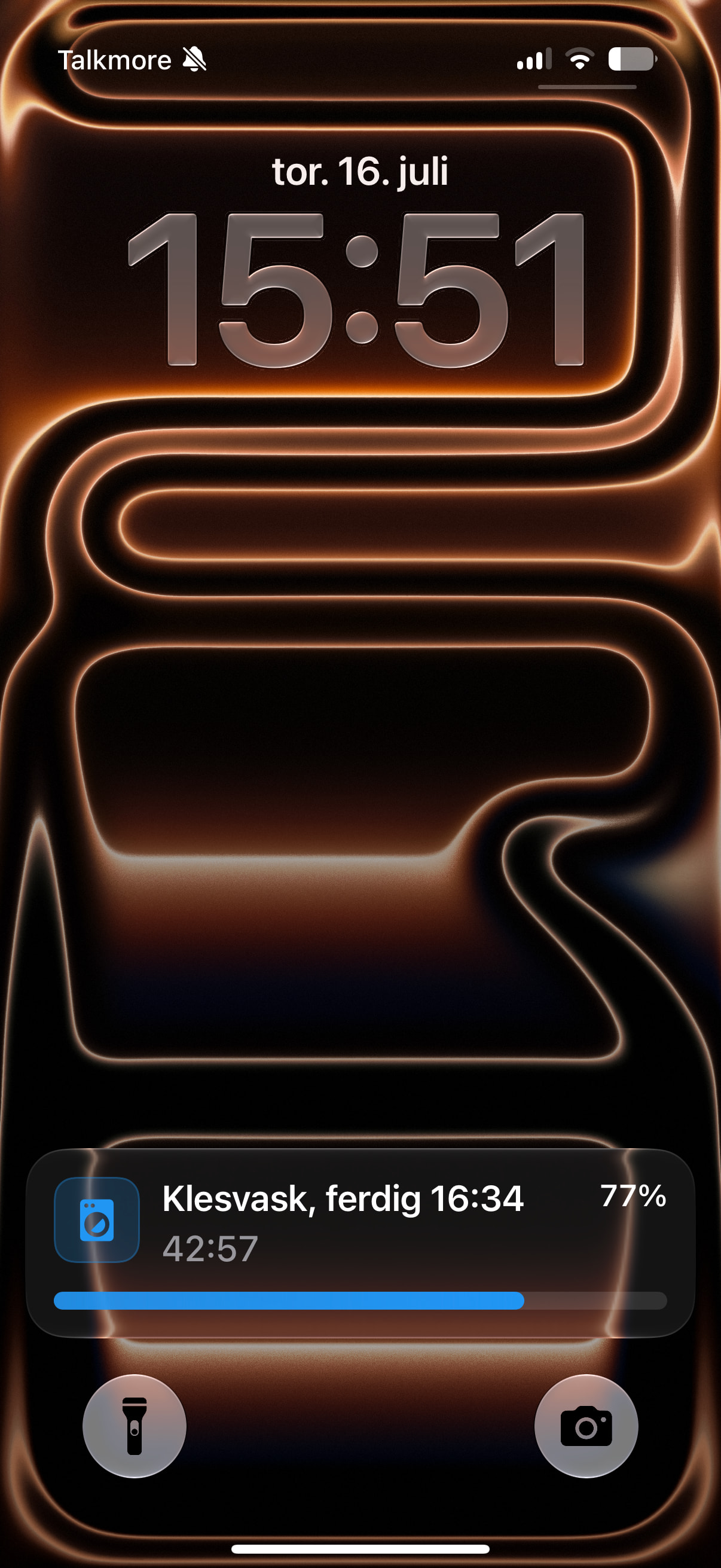
While the appliance is running, the Live Activity can show:
- A countdown that updates locally on the iPhone
- A progress bar and percentage
- The estimated completion time
- A configurable icon and color
- Updates on multiple phones
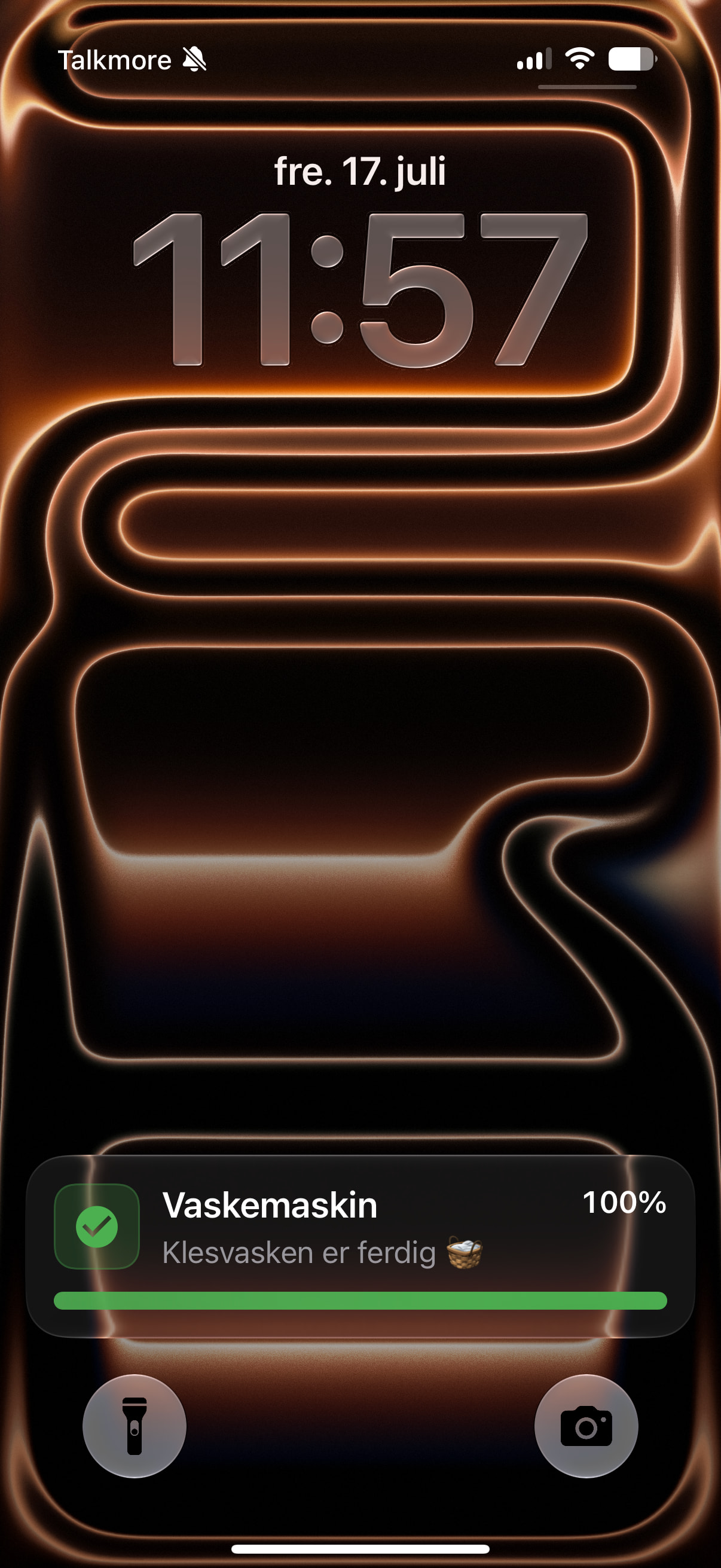
When the appliance enters one of the configured finished states, the Live Activity changes to a completed state with a full progress bar and completion icon. It can also send a regular completion notification.
The countdown uses the Live Activity chronometer, so it continues ticking on the phone without Home Assistant having to send an update every second. The progress bar is refreshed at a configurable interval to avoid excessive push updates and iOS throttling. I have not tested this on an Android, sorry.
Required entities
The appliance must provide:
- A start timestamp sensor
- A finish timestamp sensor
- An entity that reports the appliance’s current state
Example:
start_sensor: sensor.washing_machine_start
finish_sensor: sensor.washing_machine_finish
state_entity: sensor.washing_machine_state
You then configure one or more raw states that indicate completion:
finished_states: |
  finished
  completed
  program_ended
The start and finish sensors should contain ISO 8601 timestamps, preferably using device_class: timestamp:
2026-07-15T13:46:00+00:00
The finish timestamp is used by the iPhone’s built-in chronometer, while progress is calculated from the interval between the start and finish timestamps.
Example appearance
While running:
Washing machine, done at 16:53
01:42:18
████████░░░░ 43%
When finished:
Washing machine
Laundry is complete 🧺
████████████ 100%
(Will update with screenshots)
Blueprint
blueprint:
  name: Appliance Live Activity countdown
  description: >
    Creates an iOS Live Activity with a locally updating countdown and a
    periodically refreshed progress bar for an appliance.

    When the configured appliance state changes to one of the configured
    finished states, the Live Activity changes to a completed state. An
    optional regular completion notification can also be sent.

    REQUIREMENTS

    The appliance must provide:

    - A start timestamp sensor
      The sensor state must be an ISO 8601 date and time. A sensor with
      device_class: timestamp is recommended.

      Example:
        2026-07-15T13:46:00+00:00

    - A finish timestamp sensor
      The sensor state must be an ISO 8601 date and time. A sensor with
      device_class: timestamp is recommended.

      Example:
        2026-07-15T16:53:00+00:00

      The finish timestamp must be later than the start timestamp.

    - An appliance state entity
      The entity must expose a state indicating when the appliance has
      completed its cycle.

      Example entity:
        sensor.washing_machine

      Example finished states:
        finished
        completed
        program_ended

    The countdown and progress are calculated from the start and finish
    timestamps. The appliance state is used to determine when the cycle has
    completed.

    State matching is case-insensitive and ignores surrounding whitespace.
    Use raw entity states from Developer Tools > States, not translated
    dashboard labels.

    The running title supports these placeholders:

      {appliance}
      {finish_time}

    This allows the title wording and word order to be customized for
    different languages.

    Examples:

      English:
        {appliance}, done at {finish_time}

      Norwegian:
        {appliance}, ferdig {finish_time}

      German:
        {appliance} ist um {finish_time} fertig

    Disable older automations that control the same Live Activity tag to
    avoid duplicate notifications.

  domain: automation
  author: Håkon Åreskjold

  homeassistant:
    min_version: 2024.6.0

  input:
    appliance:
      name: Appliance
      icon: mdi:washing-machine
      input:
        appliance_name:
          name: Appliance name
          description: Displayed while the appliance is running.
          default: Washing machine
          selector:
            text:

        running_title_template:
          name: Running title format
          description: >
            Title shown while the appliance is running.

            Available placeholders:

              {appliance}
              {finish_time}

            Examples:

              English:
                {appliance}, done at {finish_time}

              Norwegian:
                {appliance}, ferdig {finish_time}

              German:
                {appliance} ist um {finish_time} fertig
          default: "{appliance}, done at {finish_time}"
          selector:
            text:

        completed_title:
          name: Completed title
          default: Washing machine
          selector:
            text:

        completed_message:
          name: Completed message
          default: Laundry is complete 🧺
          selector:
            text:

        start_sensor:
          name: Start timestamp sensor
          description: >
            Must contain an ISO 8601 timestamp, for example
            2026-07-15T13:46:00+00:00.
          selector:
            entity:
              filter:
                - domain: sensor
                  device_class: timestamp

        finish_sensor:
          name: Finish timestamp sensor
          description: >
            Must contain an ISO 8601 timestamp later than the start timestamp,
            for example 2026-07-15T16:53:00+00:00.
          selector:
            entity:
              filter:
                - domain: sensor
                  device_class: timestamp

        state_entity:
          name: Appliance state entity
          description: >
            Entity whose state indicates whether the appliance is running,
            finished, idle, or in another operating phase.

            Example:
              sensor.washing_machine
          selector:
            entity:
              filter:
                - domain: sensor

        finished_states:
          name: Finished states
          description: >
            Enter one raw entity state per line. Matching is case-insensitive
            and ignores surrounding whitespace.

            Example:

              finished
              completed
              program_ended

            Be careful with states such as "idle". Some appliances are idle
            both before and after a cycle, which can cause false completion
            detection after a restart.
          default: |
            finished
            completed
          selector:
            text:
              multiline: true

    notifications:
      name: Notifications
      icon: mdi:cellphone
      input:
        notify_services:
          name: Mobile notification actions
          description: >
            Enter a YAML list of mobile-app notification actions.

            Example:
              - notify.mobile_app_x
              - notify.mobile_app_y
          selector:
            object:

        activity_tag:
          name: Live Activity tag
          description: Use a unique tag for each appliance blueprint instance.
          default: appliance_live_activity
          selector:
            text:

        dashboard_url:
          name: Tap destination
          description: >
            Home Assistant path opened when the Live Activity is tapped.

            The default "/" opens the Home Assistant landing page. You may specify
            a dashboard or view path instead, for example:

              /lovelace
              /lovelace/laundry
              /dashboard-mobile/laundry
          default: "/"
          selector:
            text:

        send_completion_notification:
          name: Send regular completion notification
          description: >
            Send a normal push notification when the appliance first enters a
            configured finished state.
          default: true
          selector:
            boolean:

    appearance:
      name: Appearance
      icon: mdi:palette
      collapsed: true
      input:
        running_icon:
          name: Running icon
          default: mdi:washing-machine
          selector:
            icon:

        completed_icon:
          name: Completed icon
          default: mdi:check-circle
          selector:
            icon:

        running_color:
          name: Running color
          default: "#2196F3"
          selector:
            text:

        completed_color:
          name: Completed color
          default: "#4CAF50"
          selector:
            text:

        finished_text:
          name: Finished Live Activity text
          default: Done
          selector:
            text:

    behavior:
      name: Behavior
      icon: mdi:cog
      collapsed: true
      input:
        update_pattern:
          name: Progress update pattern
          description: >
            Time-pattern minute value. "/10" updates at minutes 0, 10, 20,
            30, 40, and 50. The countdown itself updates locally every second.
          default: "/10"
          selector:
            text:

mode: restart
max_exceeded: silent

triggers:
  - trigger: state
    entity_id:
      - !input start_sensor
      - !input finish_sensor
    id: timestamps_changed

  - trigger: state
    entity_id: !input state_entity
    id: appliance_state_changed

  - trigger: time_pattern
    minutes: !input update_pattern
    id: progress_update

  - trigger: homeassistant
    event: start
    id: home_assistant_started

variables:
  appliance_name: !input appliance_name
  running_title_template: !input running_title_template
  completed_title: !input completed_title
  completed_message: !input completed_message

  start_sensor: !input start_sensor
  finish_sensor: !input finish_sensor
  state_entity: !input state_entity
  finished_states_input: !input finished_states

  notify_services: !input notify_services
  activity_tag: !input activity_tag
  dashboard_url: !input dashboard_url
  send_completion_notification: !input send_completion_notification

  running_icon: !input running_icon
  completed_icon: !input completed_icon
  running_color: !input running_color
  completed_color: !input completed_color
  finished_text: !input finished_text

  appliance_state: >
    {{ states(state_entity) | lower | trim }}

  finished_states_list: >
    {{
      finished_states_input
      .splitlines()
      | map('trim')
      | map('lower')
      | reject('equalto', '')
      | list
    }}

  is_finished: >
    {{ appliance_state in finished_states_list }}

  previous_appliance_state: >
    {% if trigger.id == 'appliance_state_changed'
          and trigger.from_state is not none %}
      {{ trigger.from_state.state | lower | trim }}
    {% else %}
      unknown
    {% endif %}

  previous_state_was_finished: >
    {{ previous_appliance_state in finished_states_list }}

  entered_finished_state: >
    {{
      trigger.id == 'appliance_state_changed'
      and is_finished
      and not previous_state_was_finished
    }}

  start_timestamp: >
    {{ as_timestamp(states(start_sensor), 0) | int }}

  finish_timestamp: >
    {{ as_timestamp(states(finish_sensor), 0) | int }}

  now_timestamp: >
    {{ as_timestamp(now()) | int }}

  has_valid_cycle: >
    {{
      start_timestamp > 0
      and finish_timestamp > start_timestamp
    }}

  total_seconds: >
    {{ [finish_timestamp - start_timestamp, 1] | max }}

  elapsed_seconds: >
    {{
      [
        [now_timestamp - start_timestamp, 0] | max,
        total_seconds
      ] | min
    }}

  finish_local: >
    {% if finish_timestamp > 0 %}
      {{ finish_timestamp | timestamp_custom('%H:%M', true) }}
    {% else %}
      unknown
    {% endif %}

  running_title: >-
    {{
      running_title_template
      | replace('{appliance}', appliance_name)
      | replace('{finish_time}', finish_local)
    }}

  cycle_active: >
    {{
      has_valid_cycle
      and finish_timestamp > now_timestamp
      and not is_finished
    }}

actions:
  - choose:
      ############################################################
      # Completed
      ############################################################
      - alias: Show completed Live Activity
        conditions:
          - condition: template
            value_template: >
              {{ has_valid_cycle and is_finished }}
        sequence:
          - repeat:
              for_each: "{{ notify_services }}"
              sequence:
                - action: "{{ repeat.item }}"
                  data:
                    title: "{{ completed_title }}"
                    message: "{{ completed_message }}"
                    data:
                      tag: "{{ activity_tag }}"
                      live_update: true

                      critical_text: "{{ finished_text }}"

                      progress: 100
                      progress_max: 100

                      alert_once: true
                      silent: true

                      notification_icon: "{{ completed_icon }}"
                      notification_icon_color: "{{ completed_color }}"
                      progress_bar_color: "{{ completed_color }}"
                      color: "{{ completed_color }}"

                      url: "{{ dashboard_url }}"

          # Send only when the appliance transitions into a finished state.
          - if:
              - condition: template
                value_template: >
                  {{
                    send_completion_notification | bool
                    and entered_finished_state
                  }}
            then:
              - repeat:
                  for_each: "{{ notify_services }}"
                  sequence:
                    - action: "{{ repeat.item }}"
                      data:
                        title: "{{ completed_title }}"
                        message: "{{ completed_message }}"
                        data:
                          tag: "{{ activity_tag }}_complete"
                          notification_icon: "{{ completed_icon }}"
                          color: "{{ completed_color }}"
                          url: "{{ dashboard_url }}"

      ############################################################
      # Running
      ############################################################
      - alias: Start or update running Live Activity
        conditions:
          - condition: template
            value_template: "{{ cycle_active }}"
        sequence:
          - repeat:
              for_each: "{{ notify_services }}"
              sequence:
                - action: "{{ repeat.item }}"
                  data:
                    title: "{{ running_title }}"
                    message: Running
                    data:
                      tag: "{{ activity_tag }}"
                      live_update: true

                      chronometer: true
                      when: "{{ finish_timestamp }}"

                      progress: "{{ elapsed_seconds | int }}"
                      progress_max: "{{ total_seconds | int }}"

                      alert_once: true
                      silent: true

                      notification_icon: "{{ running_icon }}"
                      notification_icon_color: "{{ running_color }}"
                      progress_bar_color: "{{ running_color }}"
                      color: "{{ running_color }}"

                      url: "{{ dashboard_url }}"

    default: []