Sure.
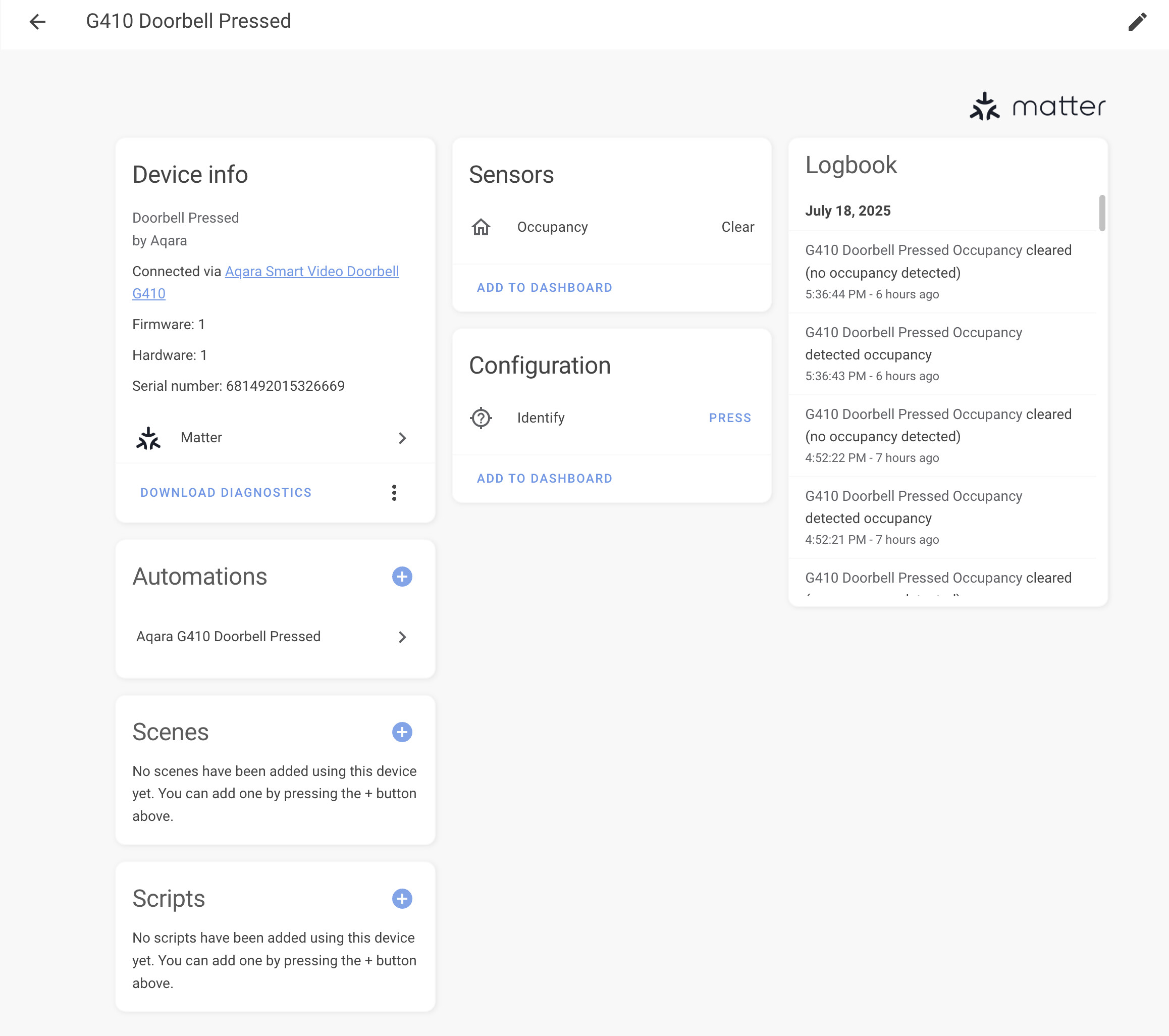
I use Home Assistant in German, so please excuse, if I use some different transations to the HA GUI
Settings
Devices and services
HomeKit Device
I added the repeater here.
It shows 1 device with 10 entities
Controls
Security system
at home
away
night
deaktivated
I dont know what this can be used for. It is possible to change the settings for example from deactivated to at home.
Sensors
camera.aqara_g410 shows the stream of the cam
binary_sensor.aqara_g410_repeater_motion_sensor shows recognition (movement, no movement)
Events
event.aqara_g410_repeater_video_doorbell shows when the bell was ringed, I use this for my automations
Configuration
switch.aqara_g410_repeater_mute
switch.aqara_g410_repeater_mute_2
switch.aqara_g410_repeater_mute_3
switch.aqara_g410_repeater_pairing_mode
I dont know why there are 3 muting swiches
Diagnostics
sensor.aqara_g410_repeater_battery_sensor
I use wired supply
button.aqara_g410_repeater_identify
Repeater makes a noise
For RTSP activation, I opened the Android Aqara App. In device settings, there is
RTSP settings
I activated id, it gives the links to the streams:
1536 p
rtsp://192.168.178.21:8554/ch1
960p
rtsp://192.168.178.178:8554/ch2
480 p
rtsp://192.168.178.21:8554/ch3
IP has to be changed to your individual ip.
Username and password are also given there (3 numbers)
Username: 123
Password: 321
In Home Assistant:
Settings
Devices and services
Generic camera
Add device
Picture url: empty
stream url: rtsp://192.168.178.21:8554/ch1
RTP protocoll: UDP
Authentification: basic
Username: 123
Password: 321
Frequency (Zz): 2
SSL: unchecked
URL-change: unchecked
Timestamp: checked