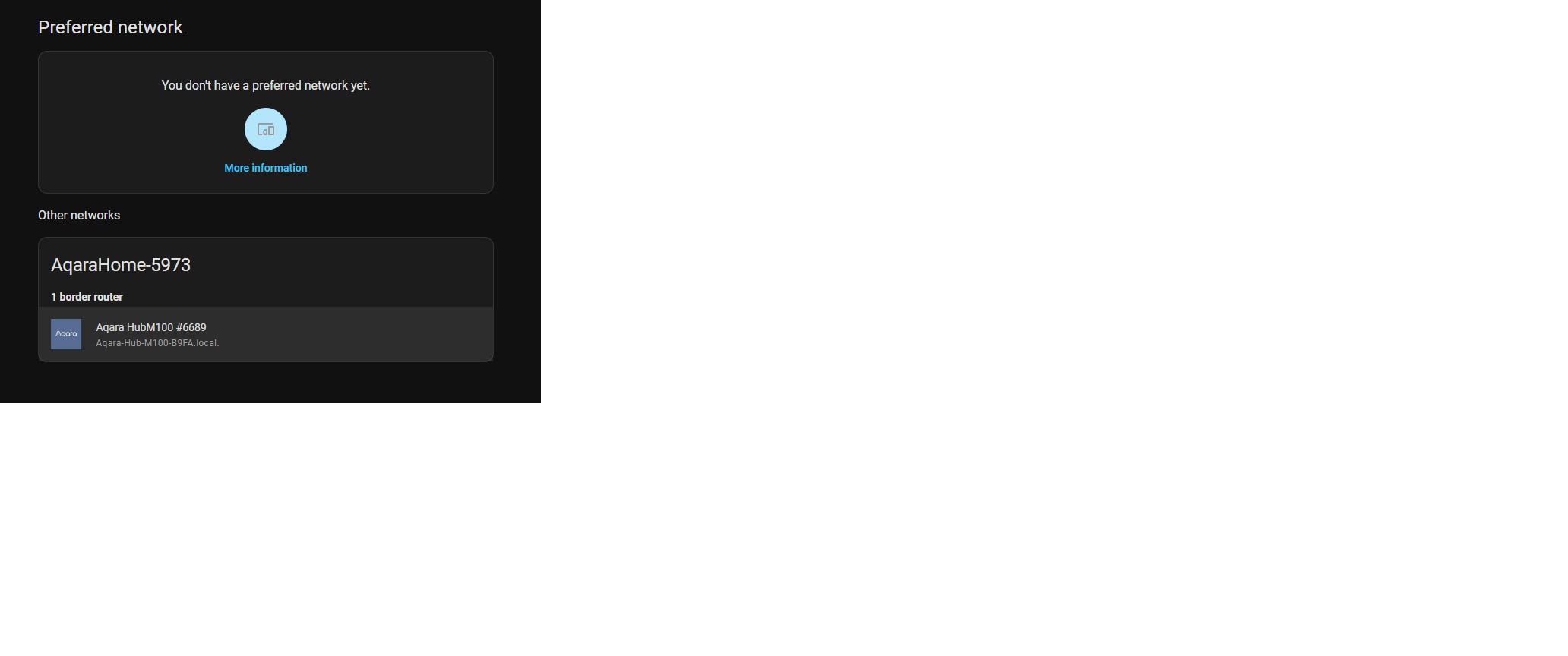
I recently added the Aqara M100 to Home Assistant and I see it under the Matter devices but when I go to the Thread configuration there isn’t an option to use it. It says I don’t have any preferred networks yet and it shows the Aqara under other networks.
A Thread Border Router is different from a Matter Controller. Thread is a connectivity protocol (analogous to WiFi) while Matter is a control protocol (analogous to HAP). A Thread Border Router is a network device that moves packets around your network, specifically between WiFi and Thread subnets. A Matter Controller does not move traffic, it is an endpoint that communicates with Matter devices on your (Thread and WiFi) networks. Often, but not always, the two functions are merged into a single device.
Your screenshot of the Thread integration settings shows a list of Thread networks detected on your network (using mDNS service discovery announcements). In other words, your Aqara Thread Border Router is advertising itself to your LAN and HA sees the advertisements.
One of the detected Thread networks can be chosen as “preferred” — but only if HA learns the network credentials, which it can then use to setup (“commission”) new devices. If a Thread network’s credentials are known to HA, it displays a circled (i) info icon beside the network name (this is very non-intuitive, I know).
There is no requirement for HA to have a preferred Thread network, unless you need to use the HA mobile companion app (iOS/ANdroid) to commission new devices. If you are currently using the Aqara app for commissioning, you can ignore the Thread settings page.
I’m not sure if this answers your question because you didn’t really ask a question, but I hope it helps clarify what you are seeing. You can also try reading the HA documentation about Thread and Matter for more information.
3 Likes