Local, cloud-free control of Aroma-Link / DeWoo / Crearoma WiFi scent diffusers in Home Assistant. Verified on the Pro300 (firmware V1.0.20250416). After the one-time network setup the vendor cloud and app are no longer involved. Diagrams are in the replies below.
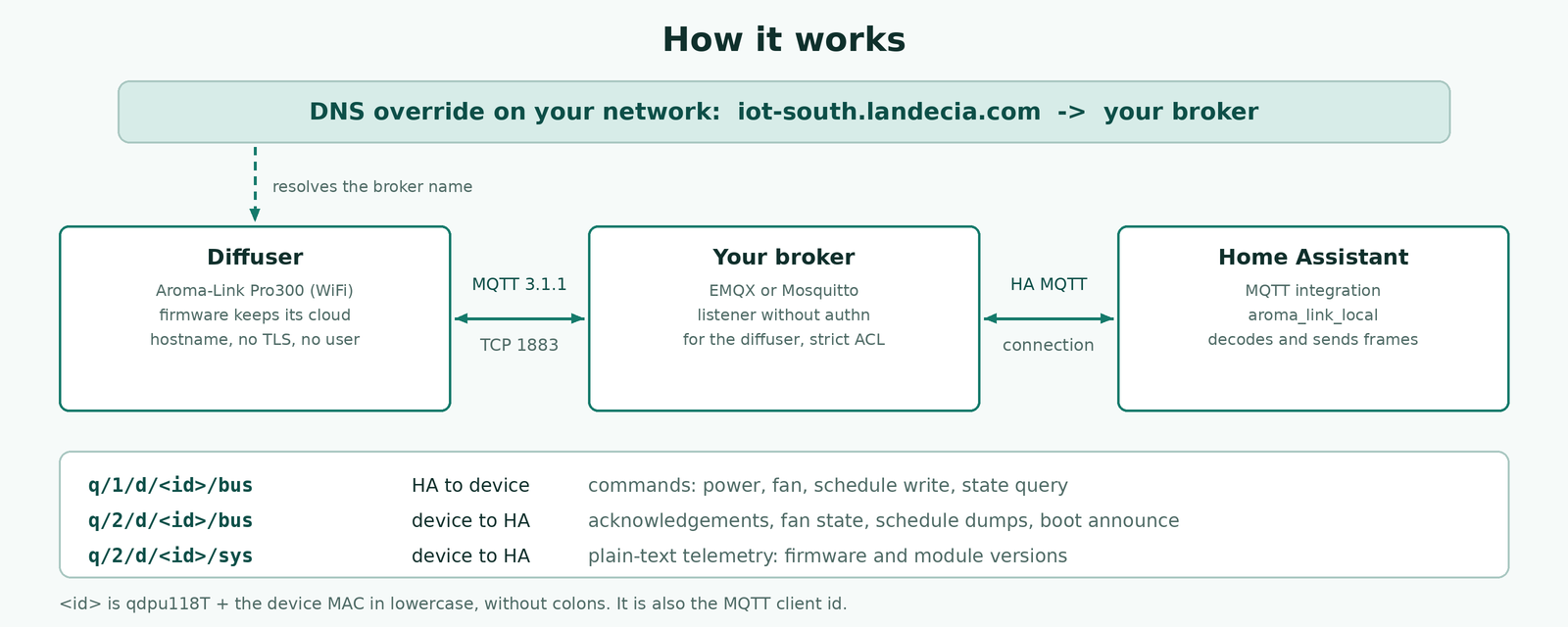
How it works
The diffuser speaks plain MQTT 3.1.1 (TCP 1883, no TLS) to a broker it finds by DNS name. Override that one name on your network so it points at a broker you own. The integration rides on Home Assistant’s MQTT integration: it decodes the device frames and sends exactly the commands the cloud would send. A fan command from Home Assistant is acknowledged by the device within a second, the device reports the new state on the bus, and the power draw at the wall changes accordingly.
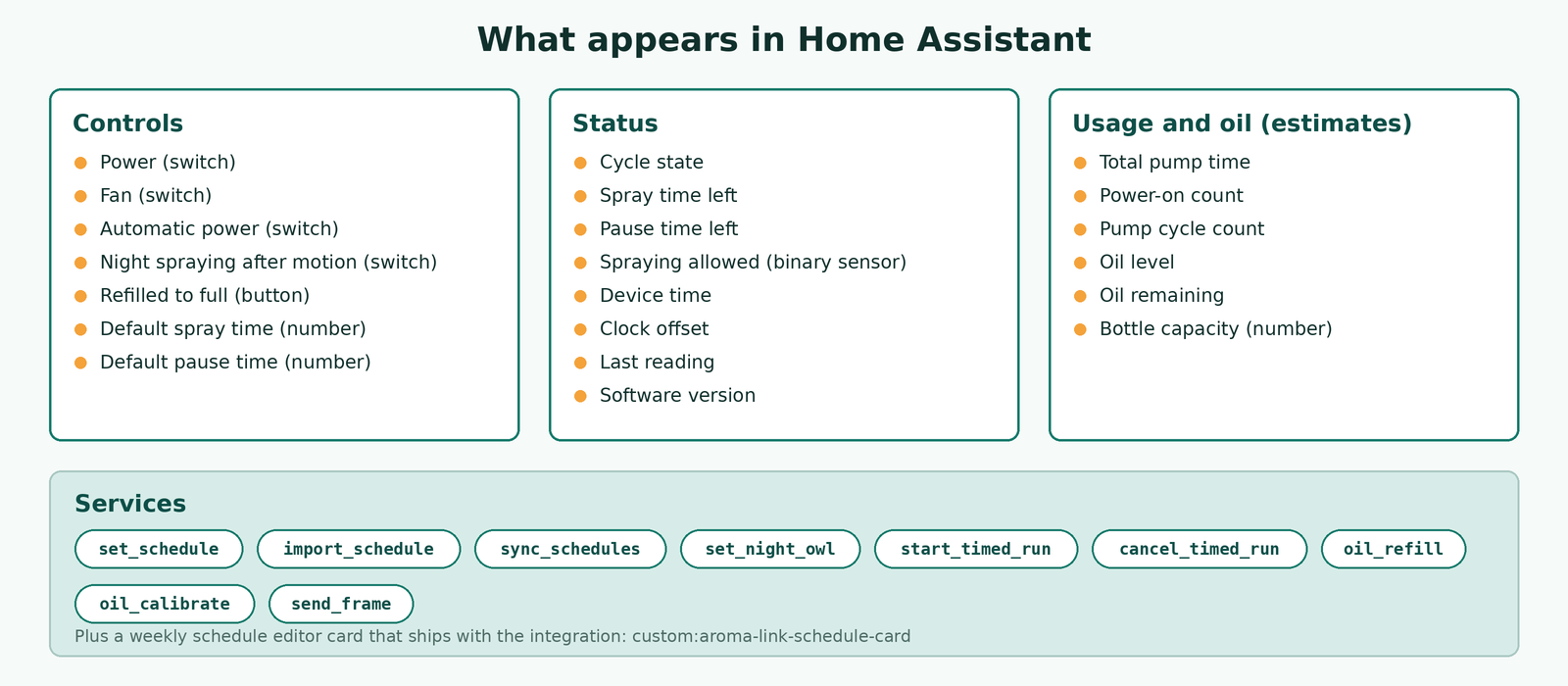
What you get
- Power and Fan switches, state read back from the device
- Status: cycle state, spray and pause time left, device clock and clock offset, last reading, firmware version
- Weekly schedule (up to 4 windows per weekday, level 1 to 3), written to the device and verified, with the schedule card shipped inside the integration
- Night Owl (low-intensity spray outside the windows, motion-gated), timed runs, optional HVAC / occupancy / motion gating
- Runtime counters, oil level and oil remaining (estimates), with oil calibration services
- Python standard library only, depends on the core MQTT integration
Install
HACS, Custom repositories, add GitHub - jrx-code/hassio-integration-aroma-link: Home Assistant custom integration for Aroma-Link / DeWoo / Crearoma WiFi scent diffusers: local MQTT control, no cloud, auto-discovery (HACS) · GitHub as an Integration, download, restart, then add “Aroma-Link Local”. There are no fields: diffusers appear as soon as they publish on the broker.
What you need
- Home Assistant 2024.1 or newer with MQTT configured against a broker you control
- A listener without authentication for the diffuser (its password is a rotating signed token), with strict topic ACLs. Verified with EMQX, Mosquitto notes are in the README
- A router or resolver where you can override one DNS name, and depending on topology a NAT rule and a firewall rule
- A way to power-cycle the diffuser: it keeps its cloud socket open indefinitely
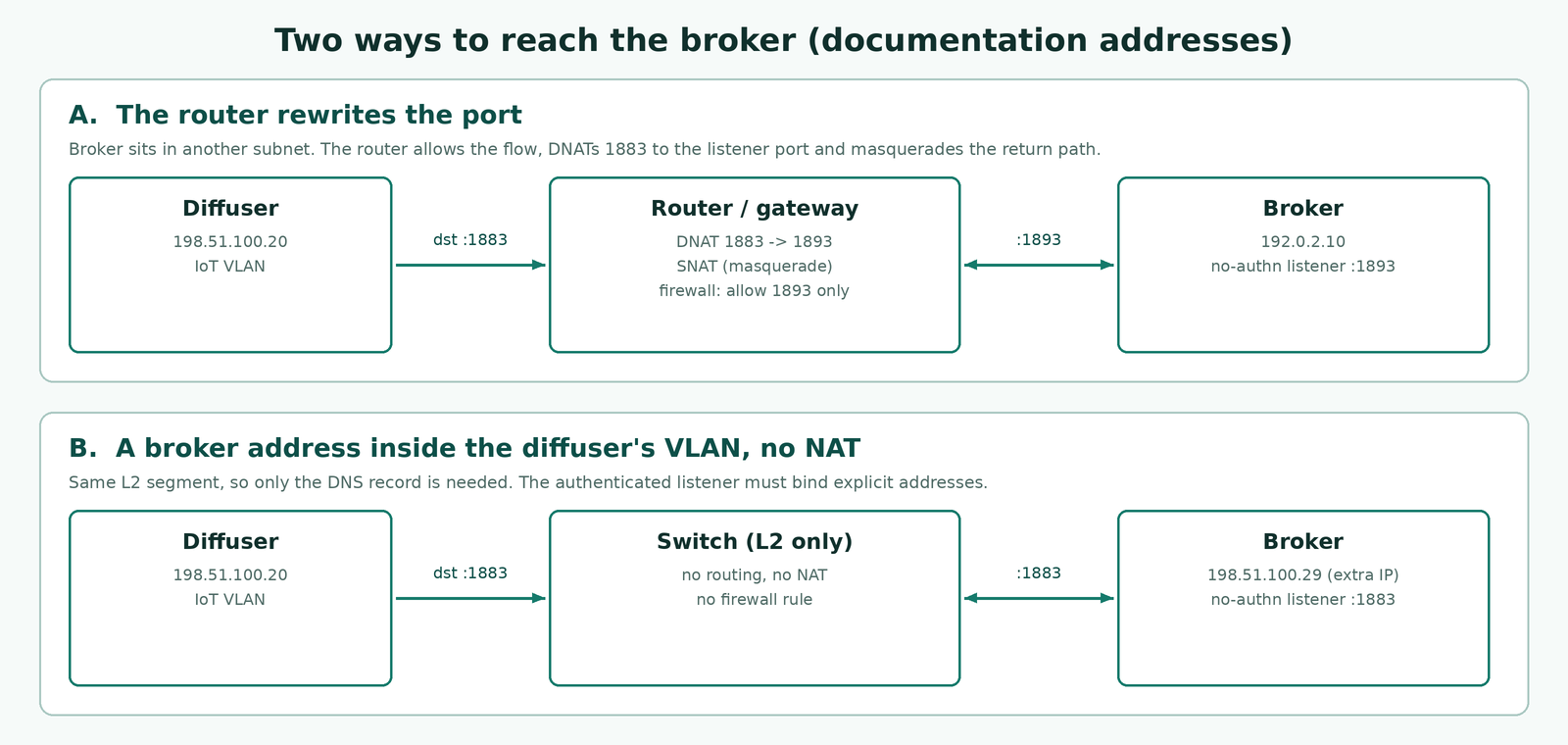
Two topologies are documented step by step in the README: the router rewrites the port, or the broker gets a second address inside the diffuser’s VLAN so no NAT is needed.
Caveats
- While the redirect is active the vendor app shows the diffuser offline. Pairing a new diffuser needs a temporary return to the cloud (documented).
- Counters and oil are estimates, the device reports no counters. No signal strength locally.
- The device clock can be minutes off and cannot be set; the integration measures the offset and shifts schedule windows so they mean real time.
- Tested with one Pro300. Other Aroma-Link models use the same app, but I have not tested them. A packet capture from another model would help a lot.
The protocol was reverse-engineered from packet captures; the wire format is documented in the repo. The entity model follows the cjam28 cloud integration (cjam28/homeassistant_aroma-link on GitHub). Not affiliated with Aroma-Link, DeWoo or Crearoma. Feedback and issues welcome on GitHub.