I’ve already got the TubesZB Z-Wave controller (POE), but not implemented yet.
What I REALLY want, is for HA to allow multiple Z-Wave controllers/networks.
I’m at the point where I’m seriously thinking to go with linked multiple HA instances.
Main use case is two radio-isolated buildings that already have Ethernet connectivity. (One building is basically a Faraday cage.) How do I connect Z-Wave devices in that building? I’ve already handled Zigbee, using Zigbee2MQTT with a UZG-01 gateway.
You can add multiple Z-wave integrations already, and there are simple hacks to add multiple Z-wave-JS UI Add-ons by simply adding a “/” to the second instance. Check the forum here for details. Someone recently posted about adding 3 Add-on instances this way.
Plenty of people are running multiple Z-wave networks with Home Assistant.
I would love to see a Z-Wave stick/device. I must say that I really like the SM Light POE Zigbee stick POE version, so POE would have my preference, put it anywhere where I like it. USB is very limited.
Hopefully it supports Ethernet, ideally PoE. There’s plenty of USB dongles already available, but Ethernet is much more flexible as you can put it anywhere reachable via Ethernet cable, instead of being limited to just being plugged in to your server.
Releasing anything without Ethernet and PoE is IMO, a waste of time. It would be a big money loser.
It’s for sale, but you buy it knowing that it’s not yet certified. So that makes you a “tester” - you can get it on AliExpress right now (when it’s not out of stock)
With one or more ethernet-connected Z-Wave controllers. You can simply wire back to your LAN OR with your own VPN/tunnel, you can even place this controller anywhere else on the planet connected to the internt and treat it as if it’s local. This is easy with the SM Light products, but I can’t speak for any others.
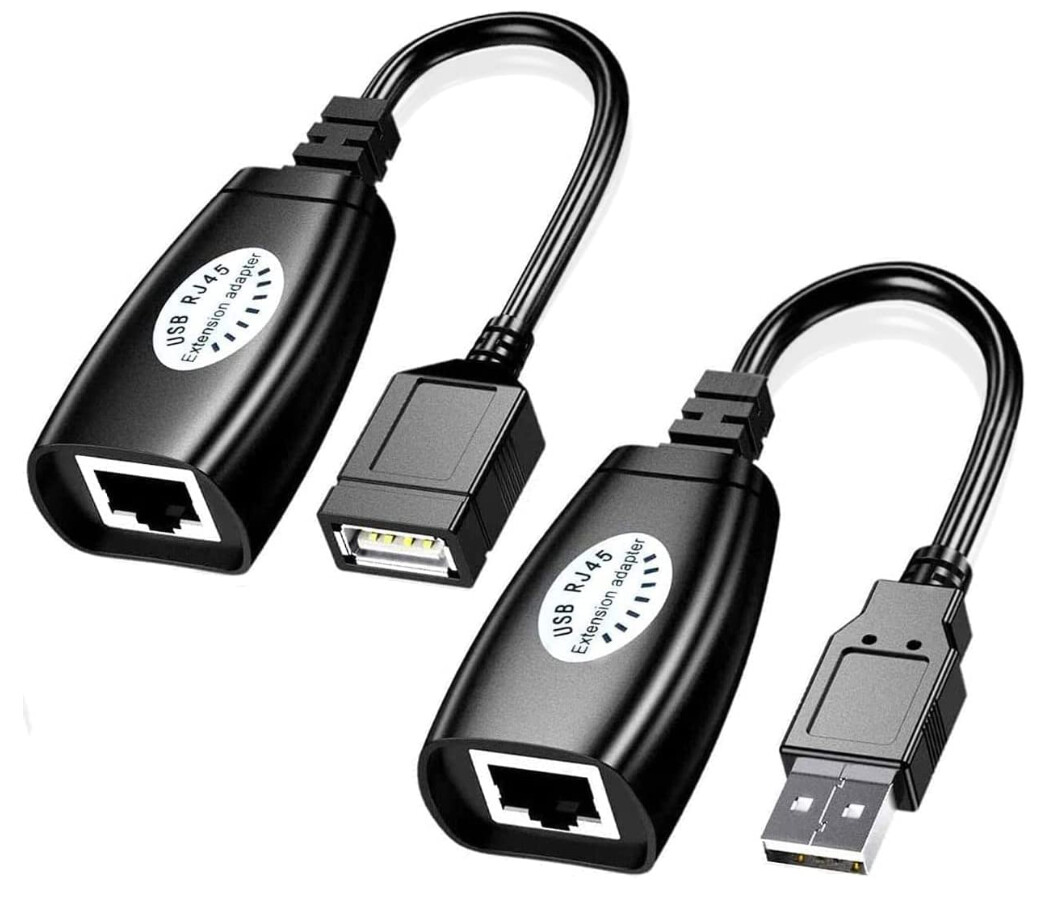
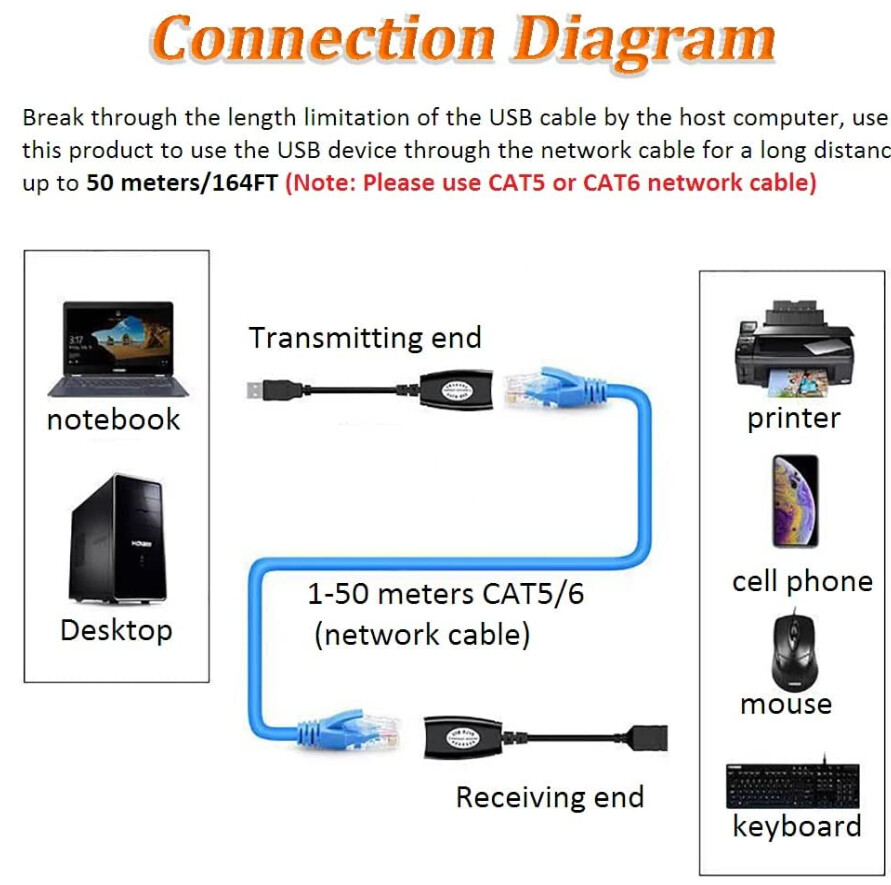
Instead of a Ethernet-bridge I use a a pair of dumb “USB to RJ45” converter-adapters which are passive-plugs that as a set can easily convert practically any CAT5e/CAT6 shielded Ethernet cable into a very long USB extension cable. See for example these USB extension solutions:
For my current setup this is actually a better solution that Ethernet PoE solution as it has less complexity and fewer things that can go wrong. Note though that 30 meters or 100 feet is the recommended maximum length if you want to use full-speed USB 2.0 data traffic over a such passive cable:
PS: There is by the way a lot more related tips here a most there also applies to Z-Wave as well:
That is a very bad idea in practice because the serial-protocol used by these to communicate between the application and radio is not designed to handle disconnections (you see it was designed using the assumption that the connection is stable), which is why there are warning against using WiFi or WLAN/VPN for Zigbee Coordinator with ZHA. So be warned as you can get serious issues with such a setup unless you have a 100% stable connection all the time. → https://www.home-assistant.io/integrations/zha#other-supported-but-not-recommended-zigbee-radio-adapters-or-modules (and Zigbee2MQTT has a similar warning that also specifically recommoned against connecting a adapter via WiFi/WAN/VPN → Connect to a remote adapter | Zigbee2MQTT )
FYI, if you search you will find several discussions dedicated about such setups, see example:
Ok. So let’s say a person get a brand new shiny ZWA-2. Is there a good wave to move network from controller_old to controller_zwa2?
EDIT
So at the 1:08:00 point of live stream they go over migration.
I hadn’t finished watching stream and right after I posted I went back to watch and just happened to be at the point where they were going over UI design and migration steps.