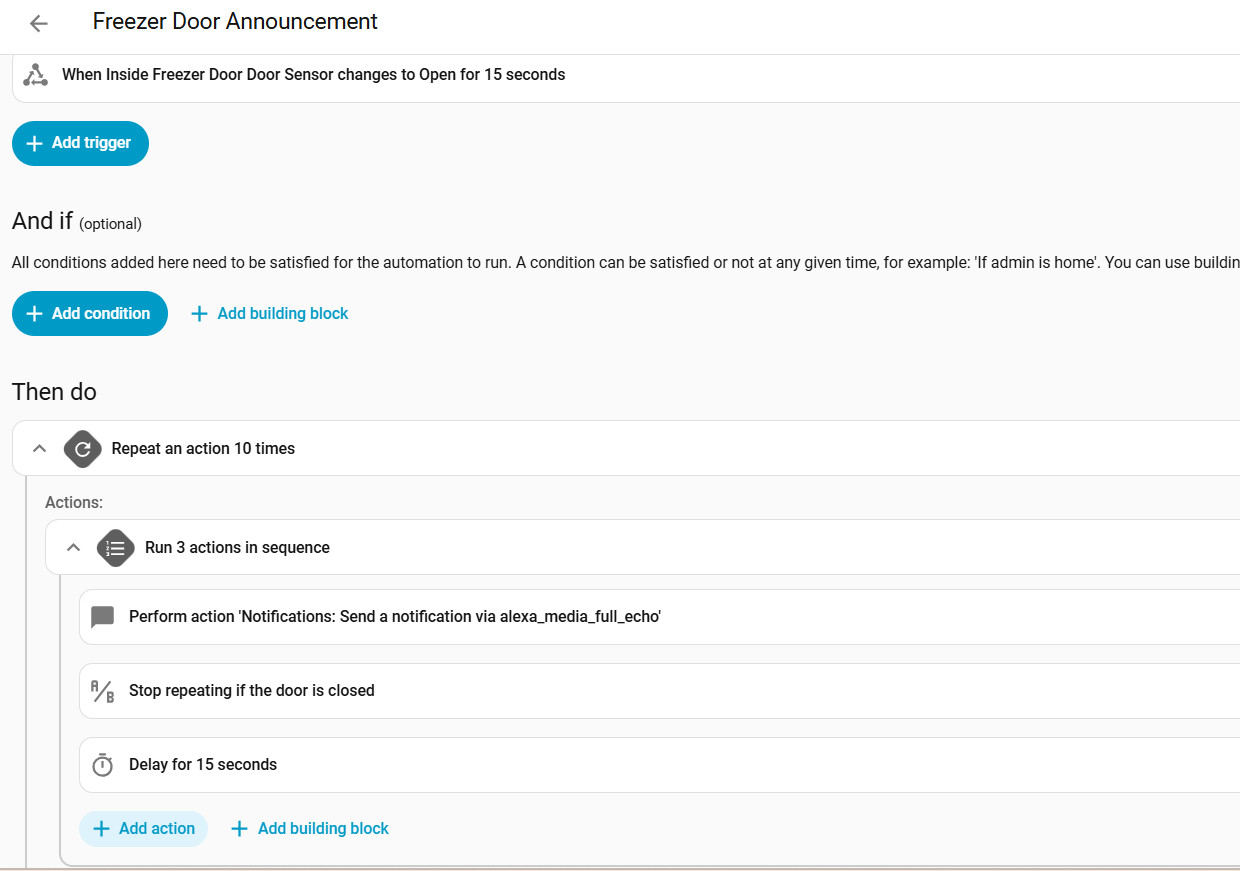
I can’t get this to work and chatgpt hasn’t helped much. The use case is pretty simple, if the freezer door gets left open, tell me until its shut OR you have told me X times.
This configuration seems like it should do it, but it results in each action occuring x times in a row, so the notification happens 10 times, then it checks the door state 10 times, then it delays 105 times.
alias: Freezer Door Announcement
description: Announces when door is left open repeatedly up to 5 times
triggers:
  - entity_id:
      - binary_sensor.a233ce_door_sensor
    to: "on"
    for:
      hours: 0
      minutes: 0
      seconds: 15
    trigger: state
conditions: []
actions:
  - repeat:
      count: 10
      sequence:
        - sequence:
            - data:
                message: Laundry Freezer Door Left Open.
                data:
                  type: announce
              action: notify.alexa_media_full_echo
            - alias: Stop repeating if the door is closed
              condition: state
              entity_id: binary_sensor.a233ce_door_sensor
              state: "off"
            - delay:
                seconds: 15
mode: restart
alias: Freezer Door Announcement
description: Announces when door is left open repeatedly up to 5 times
triggers:
  - entity_id:
      - binary_sensor.a233ce_door_sensor
    to: "on"
    trigger: state
conditions: []
actions:
  - repeat:
      count: 5
      sequence:
        - delay:
            seconds: 15
        - alias: Stop repeating if the door is closed
          condition: state
          entity_id: binary_sensor.a233ce_door_sensor
          state: "on"
        - data:
            message: Laundry Freezer Door Left Open.
            data:
              type: announce
          action: notify.alexa_media_full_echo
mode: restart
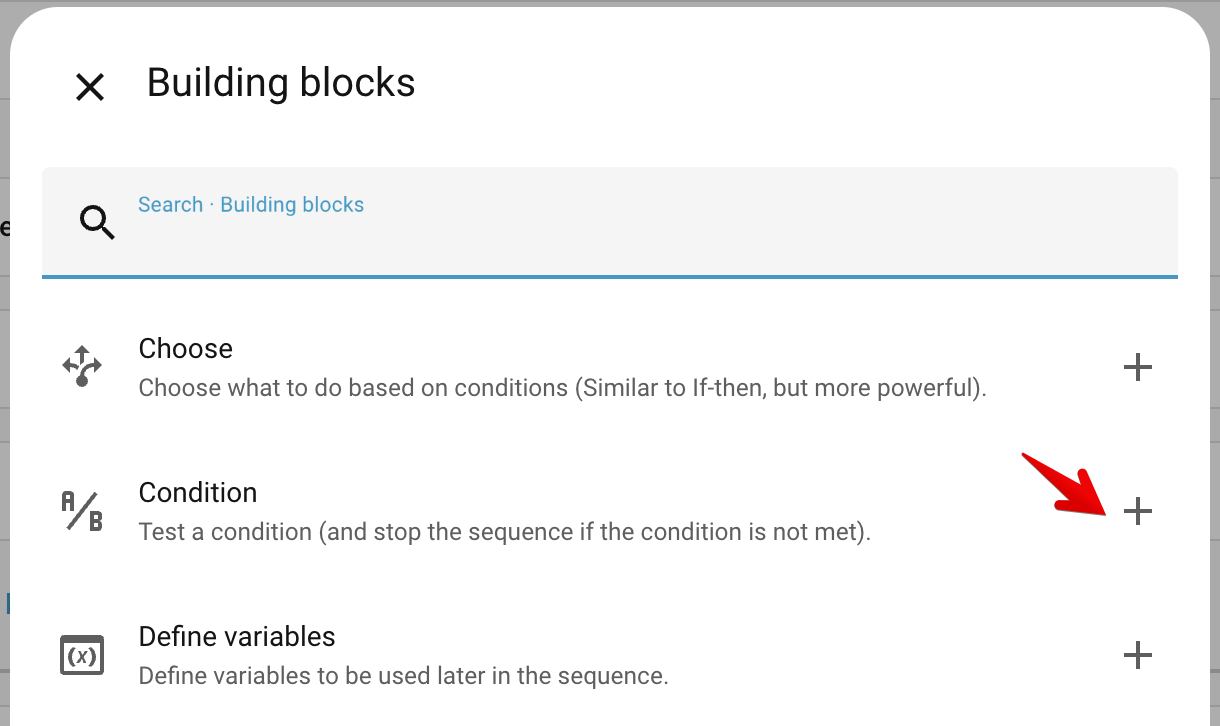
The primary issue with your version is your stop condition was inverted (I changed off to on because the test continues (when true) not aborts.
The rest of the changes I made, were just cleanup.
You had unnecessary nested sequences.
I swapped the order of the notify and the wait.
I removed the “on for” check since the 15 second delay will effectively do the same thing.
Thanks David, your fix addressed it, for the benefit of anyone else reading and who didn’t want to make my mistakes
I interpreted “Perform an action” singular as it would only do a singular next step so I did an extra step of nesting so it saw my multiple steps as a single one- looks like it actually will perform everything after whether it is an action or actionS
I was interpreting the condition as an If X then Exit its instead a If X then continue, if false Exit. I also thought it would stop the loop so placement didn’t really matter, it seems the loop continues to the max every time but the condition just stops evaluating subsequent steps each time the loop fires
You made a good point about leaving the initial triggering on every open and then using the delay in the loop to account for normal open and close <15 sec scenarios. I didn’t make this change while less efficient having the automation trigger only in the odd ball cases seems to fit my thought process better. It also allows a different trigger vs announcement interval. So here is where I ended up
alias: Freezer Door Announcement
description: Announces when door is left open for longer than 30 seconds
triggers:
  - entity_id:
      - binary_sensor.a233ce_door_sensor
    to: "on"
    for:
      hours: 0
      minutes: 0
      seconds: 30
    trigger: state
conditions: []
actions:
  - repeat:
      count: 10
      sequence:
        - alias: Is Door still open
          condition: state
          entity_id: binary_sensor.a233ce_door_sensor
          state: "on"
        - data:
            message: Laundry Freezer Door Left Open.
            data:
              type: announce
          action: notify.alexa_media_full_echo
        - delay:
            seconds: 15
mode: restart
Thank you - I did come across this in my searches. I wanted to start a bit simpler as I am trying to learn native automations a bit more ( I have always used Node-red), I have book marked this for when I want to turbo charge my automations
You don’t have to actually use it.
Blueprints are just a form of automation, so the code you are looking for is probably in there. That’s my point.
Pull it down, take control, and study it a bit, see if what you are trying to do is samples there.
I wasn’t able to find any documentation describing it’s exact behavior with respect to control structures such as loops and conditionals.
Some experimentation seems to indicate that when the condition evaluates to false the current “sequence” that the condition belongs to aborts its execution or to say that another way execution "goto"s the end of the current sequence.
Higher level structures; loops, ifs or just nested sequences are not affected.
Further I would say the word “stop” (in the description above) is at best confusing, a better word would be “skips” (the remainder of the sequence).
Given the additional insight from my latest the testing I would say your final solution is better than mine, since mine always executes all of the delay calls, where as yours will break out of the loop (well technically it will spin until the end of the loop) as soon as the condition becomes false.
Another option may be to use a “stop” building block however given the surprising behavior outlined here, I would want to do additional testing first.