AWTRIX NG Electricity Consumption — Power, Percentage, Progress Bar and Alerts
Author: ML
Release: v1.0.0
Repository: https://github.com/mlopez721/awtrix-ng-electricity-consumption
This Home Assistant automation blueprint displays real-time electrical power and consumption percentage on a Ulanzi TC002 running AWTRIX NG. It communicates with AWTRIX NG over MQTT and keeps a persistent app in the display rotation.
Demonstrations
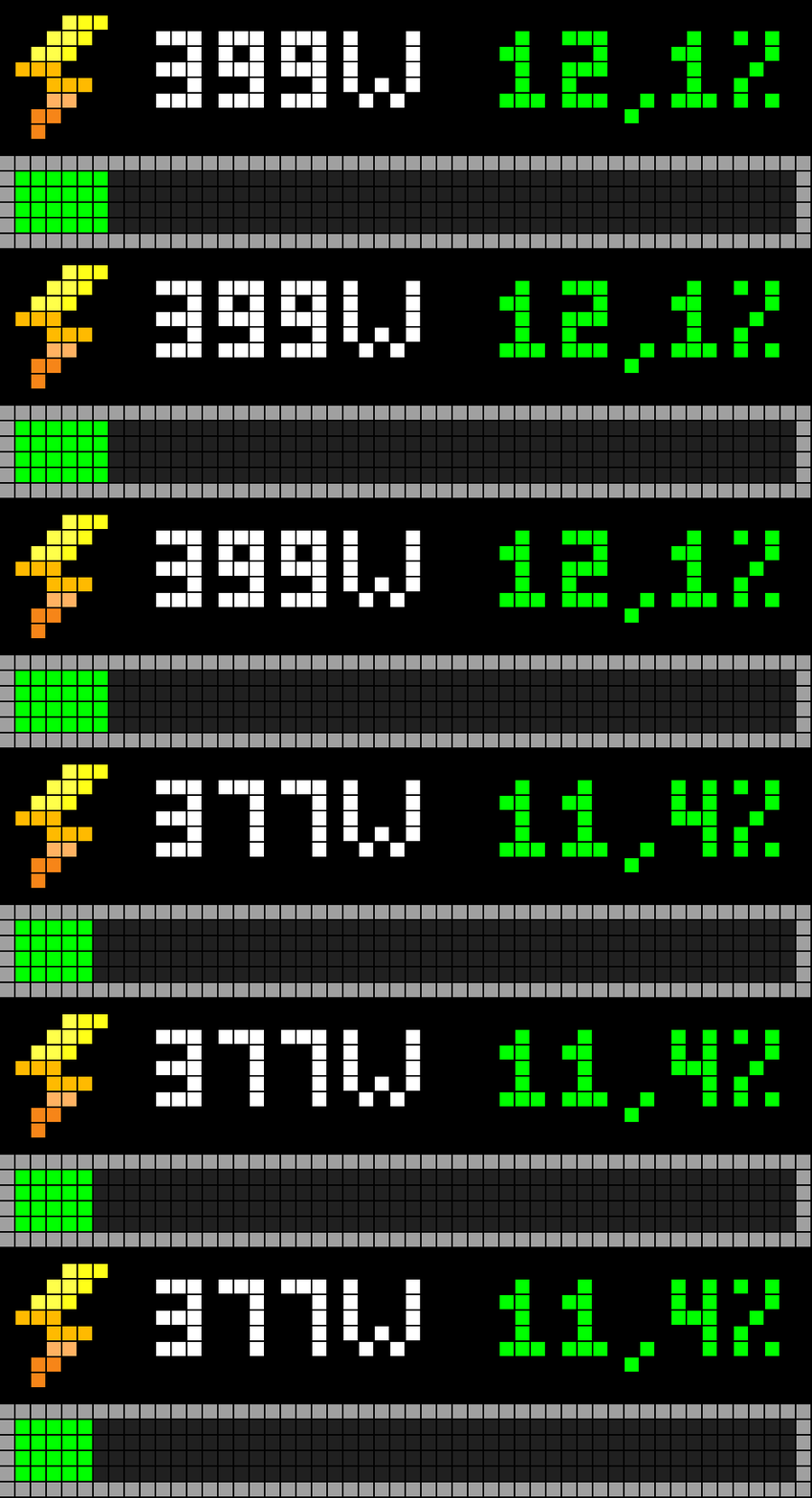
Normal operation
A few seconds of normal operation on the TC002.
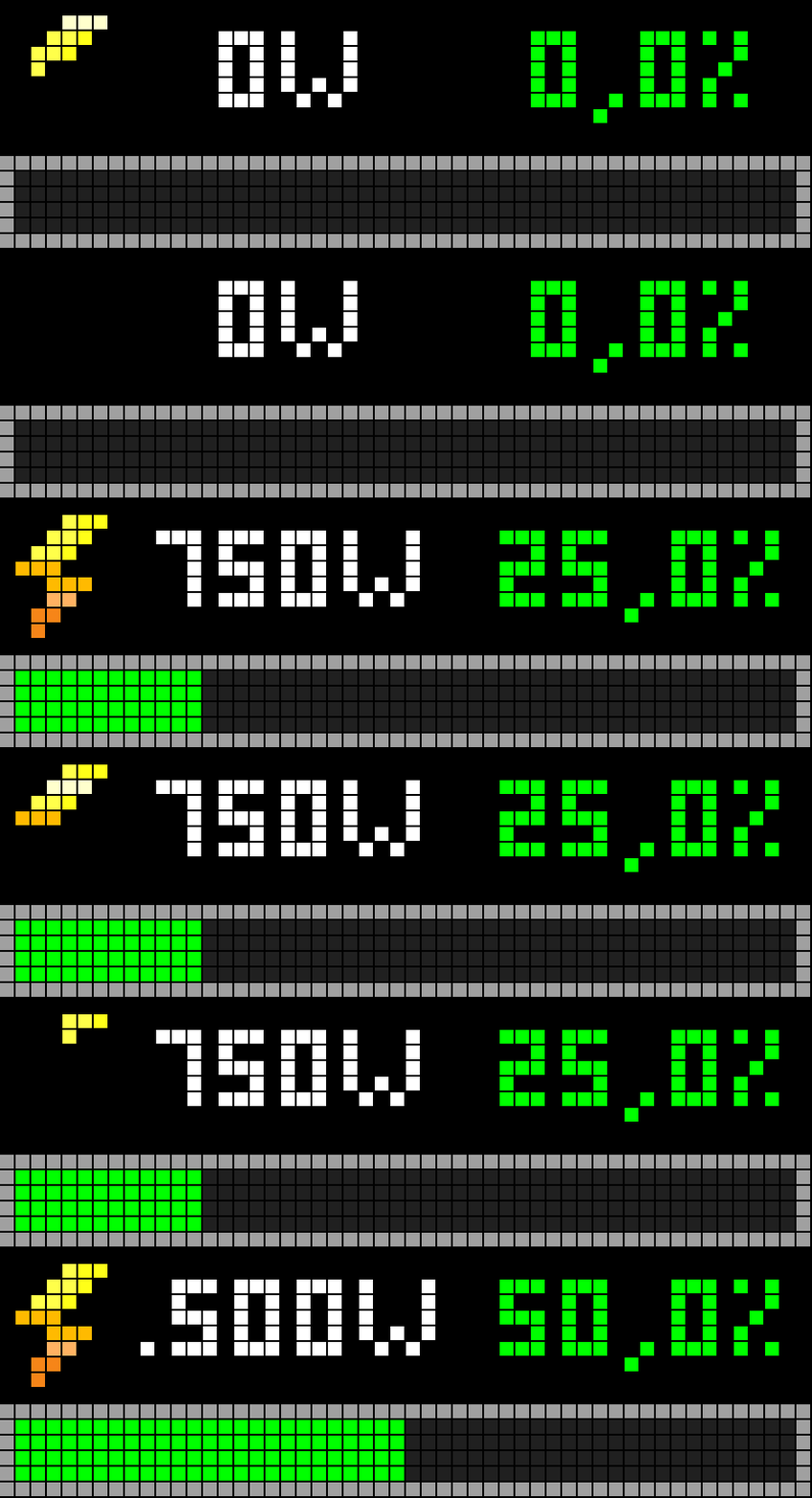
Test mode: 0% to 50%
The built-in test mode simulates consumption from 0% to 50%.
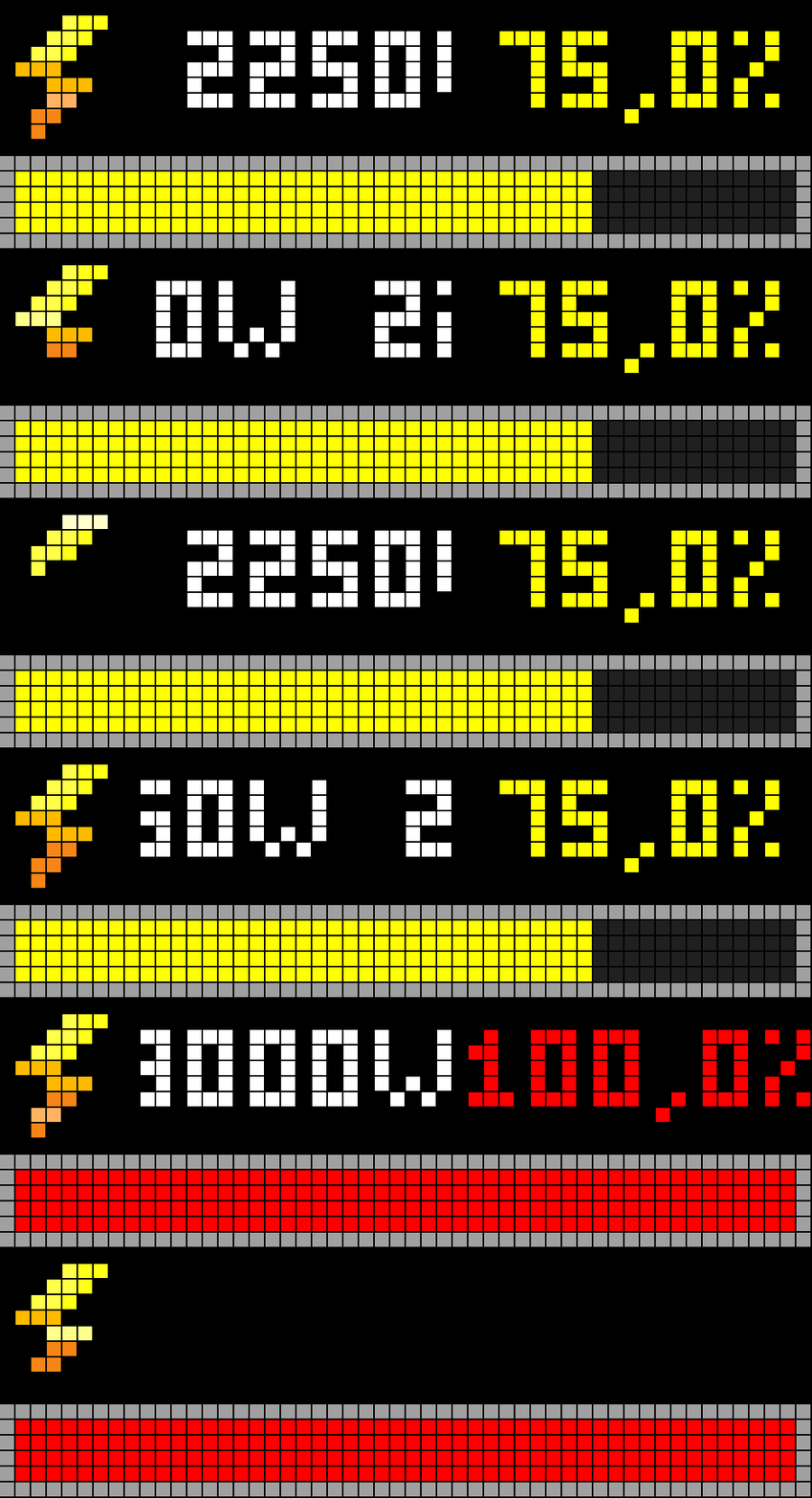
Test mode: 75% to 100%, including the alert
The second part of the test simulates 75% to 100% and demonstrates the alert at the limit.
Features
- Displays current power in watts and consumption percentage.
- Independently scrolls the power and percentage text when either value does not fit.
- Shows a configurable progress bar with a visible grey border and adjustable inner height.
- Supports configurable green, yellow, and red zones.
- Shows percentage values above 100%, while visually capping the progress bar at 100%.
- Optional blinking text at or above 100%.
- Optional threshold alert: RTTTL siren or English speech (select one alert mode).
- Test mode simulates 0%, 25%, 50%, 75%, and 100% at five-second intervals and can test the alert at 100%.
- Publishes on Home Assistant startup, when sensor values change, and every five seconds.
Requirements
- Home Assistant with MQTT configured for AWTRIX NG.
- Ulanzi TC002 running AWTRIX NG (52 × 16 pixel display).
- A power sensor in watts and a consumption-percentage sensor.
- The
lightningboltanimated icon installed locally on the TC002.
The icon file is not included in this repository. Install it on your own device through the AWTRIX NG web interface: Icons → Add → AWTRIX Hub, search for lightningbolt, then send it to AWTRIX. Confirm the installed ID is exactly lightningbolt, without .gif.
Import a blueprint
Choose your preferred interface language. The five variants are intended to provide the same functionality, with names and interface options localized. The spoken alert remains in English.
| Language | Import |
|---|---|
| English | Import English blueprint · YAML |
| Spanish | Import Spanish blueprint · YAML |
| German | Import German blueprint · YAML |
| French | Import French blueprint · YAML |
| Portuguese | Import Portuguese blueprint · YAML |
Installation and first run
- Import the blueprint using one of the links above and confirm the import in Home Assistant.
- Create an automation from the imported blueprint.
- Select the AWTRIX MQTT device (or enable the option to allow all MQTT devices), the power sensor, and the consumption-percentage sensor.
- Configure the thresholds, bar height, colours, blinking, and alert mode as required.
- Enable test mode first to verify the display and alert before using normal operation.
Testing status
The Spanish blueprint has been tested successfully on the author’s TC002. The English, German, French, and Portuguese variants have not yet been fully validated in a live Home Assistant installation. Feedback and reports from other setups are welcome.
English blueprint YAML
The complete English blueprint is included below for review and for users who prefer to inspect the YAML directly. The repository is the canonical source for updates.
blueprint:
  name: AWTRIX NG - TC002 electricity consumption (animated icon)
  description: >-
    Persistent electricity-consumption app for AWTRIX NG. It is published at
    Home Assistant startup, when sensors change, and periodically to
    ensure the app exists even if sensor values do not change. Includes
    test mode and three color zones. Uses the lightningbolt animated icon installed on the TC002.
  domain: automation
  author: ML

  input:
    device_filter:
      name: Device filter
      description: Choose whether to limit the selection to the Blueforcer manufacturer or allow all MQTT devices.
      default:
        active_choice: Blueforcer only
        Blueforcer only: {}
        All MQTT devices: {}
      selector:
        choose:
          choices:
            Blueforcer only:
              selector:
                device:
                  integration: mqtt
                  manufacturer: Blueforcer
                  multiple: false
            All MQTT devices:
              selector:
                device:
                  integration: mqtt
                  multiple: false

    power_entity:
      name: Power sensor (W)
      description: Numeric entity reporting current electrical power in watts.
      selector:
        entity:
          domain: sensor

    percentage_entity:
      name: Consumption percentage sensor
      description: Numeric entity reporting consumption as a percentage of the limit.
      selector:
        entity:
          domain: sensor

    test_mode:
      name: Test mode
      description: >-
        Enable to simulate 0, 25, 50, 75 and 100%, changing every 5 seconds.
        When it reaches 100%, the sound alert is also tested if enabled.
      default: false
      selector:
        boolean: {}

    app_name:
      name: Application name
      description: Fixed name of the persistent app in the AWTRIX NG rotation.
      default: ha_electricity_consumption
      selector:
        text: {}

    low_threshold:
      name: Green-to-yellow threshold (%)
      default: 70
      selector:
        number:
          min: 0
          max: 100
          step: 1
          unit_of_measurement: "%"
          mode: box

    high_threshold:
      name: Yellow-to-red threshold (%)
      default: 90
      selector:
        number:
          min: 0
          max: 200
          step: 1
          unit_of_measurement: "%"
          mode: box

    bar_height:
      name: Progress bar height
      description: >-
        Inner bar height in pixels, excluding the border. The outer box
        adds a 1 px border at the top and bottom, so the total height is the
        selected height plus 2 px. Range: 1 to 6 px.
      default: 4
      selector:
        number:
          min: 1
          max: 6
          step: 1
          unit_of_measurement: px
          mode: slider

    low_color:
      name: Green zone color
      default:
        active_choice: RGB palette
        RGB palette: [0, 200, 60]
        Hexadecimal: "#00C83C"
      selector:
        choose:
          choices:
            RGB palette:
              selector:
                color_rgb: {}
            Hexadecimal:
              selector:
                text: {}

    medium_color:
      name: Yellow zone color
      default:
        active_choice: RGB palette
        RGB palette: [255, 190, 0]
        Hexadecimal: "#FFBE00"
      selector:
        choose:
          choices:
            RGB palette:
              selector:
                color_rgb: {}
            Hexadecimal:
              selector:
                text: {}

    high_color:
      name: Red zone color
      default:
        active_choice: RGB palette
        RGB palette: [255, 30, 30]
        Hexadecimal: "#FF1E1E"
      selector:
        choose:
          choices:
            RGB palette:
              selector:
                color_rgb: {}
            Hexadecimal:
              selector:
                text: {}

    blink_on_overload:
      name: Blink text at 100% or above
      default: true
      selector:
        boolean: {}

    text_blink_ms:
      name: Blink speed (ms)
      default: 600
      selector:
        number:
          min: 100
          max: 5000
          step: 100
          unit_of_measurement: ms
          mode: slider

    sound_alert_enabled:
      name: Enable alert when crossing 100%
      description: Triggers the alert when consumption crosses from below 100% to 100% or higher, or reaches 100% in test mode.
      default: true
      selector:
        boolean: {}

    alert_mode:
      name: Alert type
      description: >-
        Choose a siren or English speech. AWTRIX NG replaces an alert that is already
        playing with the next one, so only one alert type is selected.
      default: siren
      selector:
        select:
          options:
            - label: Siren (RTTTL)
              value: siren
            - label: Speech (English)
              value: speech
          mode: dropdown

    speech_alert_text:
      name: Speech text (English)
      description: >-
        English sentence of up to 512 bytes. It is read when the alert is triggered
        if Speech (English) is selected.
      default: "Warning. Electricity consumption has exceeded the limit."
      selector:
        text: {}

    sound_rtttl:
      name: Alert melody (RTTTL)
      description: >-
        Melody sent directly to the TC002; no installed sound file is required.
        Used when the selected alert type is Siren (RTTTL).
      default: "siren:d=8,o=6,b=180:a,e,a,e,a,e,a,e"
      selector:
        text: {}

mode: restart
max_exceeded: silent

triggers:
  - trigger: state
    entity_id: !input power_entity
    id: sensor_update
  - trigger: state
    entity_id: !input percentage_entity
    id: sensor_update
  - trigger: homeassistant
    event: start
    id: startup
  - trigger: time_pattern
    seconds: "/5"
    id: periodic

actions:
  - variables:
      device_filter_choice: !input device_filter
      power_entity_value: !input power_entity
      percentage_entity_value: !input percentage_entity
      test_mode_value: !input test_mode
      app_name_value: !input app_name
      low_threshold_value: !input low_threshold
      high_threshold_value: !input high_threshold
      bar_height_value: !input bar_height
      low_color_choice: !input low_color
      medium_color_choice: !input medium_color
      high_color_choice: !input high_color
      blink_enabled: !input blink_on_overload
      blink_ms_value: !input text_blink_ms
      sound_enabled: !input sound_alert_enabled
      alert_mode_value: !input alert_mode
      speech_alert_text_value: !input speech_alert_text
      sound_rtttl_value: !input sound_rtttl

  - condition: template
    value_template: >-
      {{ (test_mode_value and trigger.id in ['periodic', 'startup'])
         or (not test_mode_value and trigger.id in ['sensor_update', 'startup', 'periodic']) }}

  - variables:
      awtrix_device_value: >-
        {% if device_filter_choice.active_choice == 'Blueforcer only' %}
          {{ device_filter_choice['Blueforcer only'] }}
        {% else %}
          {{ device_filter_choice['All MQTT devices'] }}
        {% endif %}
      mqtt_prefix: >-
        {% set entities = device_entities(awtrix_device_value)
          | select('search', 'mqtt_prefix') | list %}
        {{ states(entities[0]) if entities else 'unknown' }}
      test_phase: "{{ ((as_timestamp(now()) // 5) | int) % 5 }}"
      effective_power: >-
        {% if test_mode_value %}
          {{ (test_phase | int) * 750 }}
        {% elif is_number(states(power_entity_value)) %}
          {{ states(power_entity_value) | float(0) | round(0) | int }}
        {% else %}
          none
        {% endif %}
      effective_percentage: >-
        {% if test_mode_value %}
          {{ (test_phase | int) * 25 }}
        {% elif is_number(states(percentage_entity_value)) %}
          {{ states(percentage_entity_value) | float(0) }}
        {% else %}
          none
        {% endif %}
      power_display: >-
        {% if effective_power is not none %}
          {{ effective_power | int }}W
        {% else %}
          --W
        {% endif %}
      percentage_display: >-
        {% if effective_percentage is not none %}
          {{ ('%.1f' | format(effective_percentage | float(0))) | replace('.', '.') }}%
        {% else %}
          --%
        {% endif %}
      progress_value: >-
        {% if effective_percentage is not none %}
          {{ [100, [0, (effective_percentage | float(0))] | max] | min | round(0) | int }}
        {% else %}
          0
        {% endif %}
      low_color_hex: >-
        {% set choice = low_color_choice %}
        {% if choice.active_choice == 'RGB palette' %}
          {% set rgb = choice['RGB palette'] %}
          {{ '#%02X%02X%02X' | format(rgb[0] | int, rgb[1] | int, rgb[2] | int) }}
        {% else %}
          {{ choice['Hexadecimal'] }}
        {% endif %}
      medium_color_hex: >-
        {% set choice = medium_color_choice %}
        {% if choice.active_choice == 'RGB palette' %}
          {% set rgb = choice['RGB palette'] %}
          {{ '#%02X%02X%02X' | format(rgb[0] | int, rgb[1] | int, rgb[2] | int) }}
        {% else %}
          {{ choice['Hexadecimal'] }}
        {% endif %}
      high_color_hex: >-
        {% set choice = high_color_choice %}
        {% if choice.active_choice == 'RGB palette' %}
          {% set rgb = choice['RGB palette'] %}
          {{ '#%02X%02X%02X' | format(rgb[0] | int, rgb[1] | int, rgb[2] | int) }}
        {% else %}
          {{ choice['Hexadecimal'] }}
        {% endif %}
      progress_color: >-
        {% set p = effective_percentage | float(0) %}
        {% if p <= low_threshold_value | float(70) %}
          {{ low_color_hex }}
        {% elif p <= high_threshold_value | float(90) %}
          {{ medium_color_hex }}
        {% else %}
          {{ high_color_hex }}
        {% endif %}
      overload_blink: >-
        {{ blink_enabled and effective_percentage is not none
           and (effective_percentage | float(0) >= 100) }}
      safe_app_name: >-
        {{ app_name_value | lower | regex_replace('[^a-z0-9_-]', '_') | truncate(32, true, '') }}

  - condition: template
    value_template: >-
      {{ mqtt_prefix not in ['unknown', 'unavailable', 'none', ''] }}

  - action: mqtt.publish
    data:
      topic: "{{ mqtt_prefix }}/cmd/apps/pushed/{{ safe_app_name }}"
      qos: 0
      retain: false
      payload: >-
        {% set blink = (blink_ms_value | int(600)) if overload_blink else 0 %}
        {{ {
          "layout": {
            "version": 1,
            "backgroundColor": "#000000",
            "regions": [
              {
                "id": "icon_lightningbolt",
                "box": [0, 0, 8, 14 - (bar_height_value | int(4))],
                "icon": "lightningbolt",
                "align": "center",
                "valign": "center"
              },
              {
                "id": "power",
                "box": [9, 0, 20, 14 - (bar_height_value | int(4))],
                "text": power_display | trim,
                "color": "#FFFFFF",
                "align": "center",
                "valign": "center",
                "scroll": {
                  "mode": "loop",
                  "direction": "left",
                  "whenFits": "static",
                  "speed": 70,
                  "gap": 4,
                  "holdMs": 700
                },
                "textBlinkMs": blink
              },
              {
                "id": "percentage",
                "box": [30, 0, 22, 14 - (bar_height_value | int(4))],
                "text": percentage_display | trim,
                "color": progress_color,
                "align": "center",
                "valign": "center",
                "scroll": {
                  "mode": "loop",
                  "direction": "left",
                  "whenFits": "static",
                  "speed": 70,
                  "gap": 4,
                  "holdMs": 700
                },
                "textBlinkMs": blink
              },
              {
                "id": "progress_border",
                "box": [0, 14 - (bar_height_value | int(4)), 52, (bar_height_value | int(4)) + 2],
                "draw": [["rect", 0, 0, 52, (bar_height_value | int(4)) + 2, "#A0A0A0"]]
              },
              {
                "id": "progress",
                "box": [
                  1,
                  15 - (bar_height_value | int(4)),
                  50,
                  bar_height_value | int(4)
                ],
                "progress": progress_value | int(0),
                "color": progress_color,
                "trackColor": "#202020"
              }
            ]
          }
        } | to_json }}

  # Modo real: suena solo al cruzar desde menos del 100 % hasta el 100 % o más.
  # Test mode: reproduce el sonido al llegar al paso simulado del 100 %.
  - choose:
      - conditions:
          - condition: template
            value_template: >-
              {{ sound_enabled and (
                   (test_mode_value and trigger.id == 'periodic'
                    and (test_phase | int) == 4)
                   or
                   (not test_mode_value and trigger.id == 'sensor_update'
                    and trigger.entity_id == percentage_entity_value
                    and trigger.from_state is not none
                    and trigger.to_state is not none
                    and is_number(trigger.from_state.state)
                    and is_number(trigger.to_state.state)
                    and (trigger.from_state.state | float(0) < 100)
                    and (trigger.to_state.state | float(0) >= 100))
                 ) }}
        sequence:
          - action: mqtt.publish
            data:
              topic: "{{ mqtt_prefix }}/cmd/audio/play"
              qos: 0
              retain: false
              payload: >-
                {%- if alert_mode_value == 'speech' -%}{{ {'speech': speech_alert_text_value | trim} | to_json }}{%- else -%}{{ {'rtttl': sound_rtttl_value} | to_json }}{%- endif -%}