Hi,
I have the following error:
Error creating backup: ‘BackupManager.do_backup_partial’ blocked from execution, system is not running - freeze
Yes, I have tred to reboot the system already 
Any help appreciated.
Hi,
I have the following error:
Error creating backup: ‘BackupManager.do_backup_partial’ blocked from execution, system is not running - freeze
Yes, I have tred to reboot the system already
Any help appreciated.
Just upgraded myself and was able to perform a manual backup via action: backup.create.
I’m running HA container.
Hi,
thank you for the Tip.
I am still having the problem:
➜ ~ ha backups new
Processing… Done.
Error: ‘BackupManager.do_backup_full’ blocked from execution, system is not running - freeze
Sorry, I have no further ideas.
okay. Thank you for your help.
greetings
Matthias
I get this error also. I have configured (incorrectly perhaps, but hard to tell on Home Assistant) an smb share on another computer just for the purpose of holding HA’s backups, and have set automatic backups to go to this destination.
Having the same problem here.
Having the same problem
Is there already a solution for this
Still struggling that I cannot create any backup!
Error handling message: Error creating backup: 'BackupManager.do_backup_partial' blocked from execution, system is not running - freeze (home_assistant_error) <user> from <external IP> (Mozilla/5.0 (Windows NT 10.0; Win64; x64) AppleWebKit/537.36 (KHTML, like Gecko) Chrome/133.0.0.0 Safari/537.36 Edg/133.0.0.0)
This has been introduced since the update of the new Backup GUI.
Restarting HA ( and OS) does not resolve the issue.
Any hints or tips are more then welcome.
getting a little bit nervous without backups 
Performed a full reboot of HA ( OS level ) and backups seem to be running again, will check tomorrow morning if the nightly full backup will do it’s work and revert
Status? Fixed?
Sorry for the late reply, something with life that came in between.
Full backup now works as expected every day and no more errors to be found in the logs.
Will create a second system (isolated) in the coming days and will start testing recovery.
Topic can be closed for now
Not that anyone is still following this… but I also had this issue. Doing a “Reboot System” did solve this problem. Doing a “Reboot Home Assistant” didn’t seem to help.
Has someone found a solution?
This is serious issue. Having a system as important as your home control center without backups for weeks is very risky.
There are several topics in this issue, and it doesn’t look like anyone is taking care of it.
Is there a bug to track this?
Because a lot of people can make backups without problems.
So maybe start by telling how you want to make a backup (old system, new automatic system, google drive backup, …) and to which destination.
Fair.
I’m trying to do a backup using the new system, to both a Network storage over Samba and to home assistant cloud.
Everytime I try a manual backup, or to force an automatic backup fails instantly.
I also tried disabling the network destination and I get the same results.
I have rebooted the OS and nothing has changed.
I have the old google drive extension backup still installed (I think)
All that I get in the logs is what people has already reported
EDIT
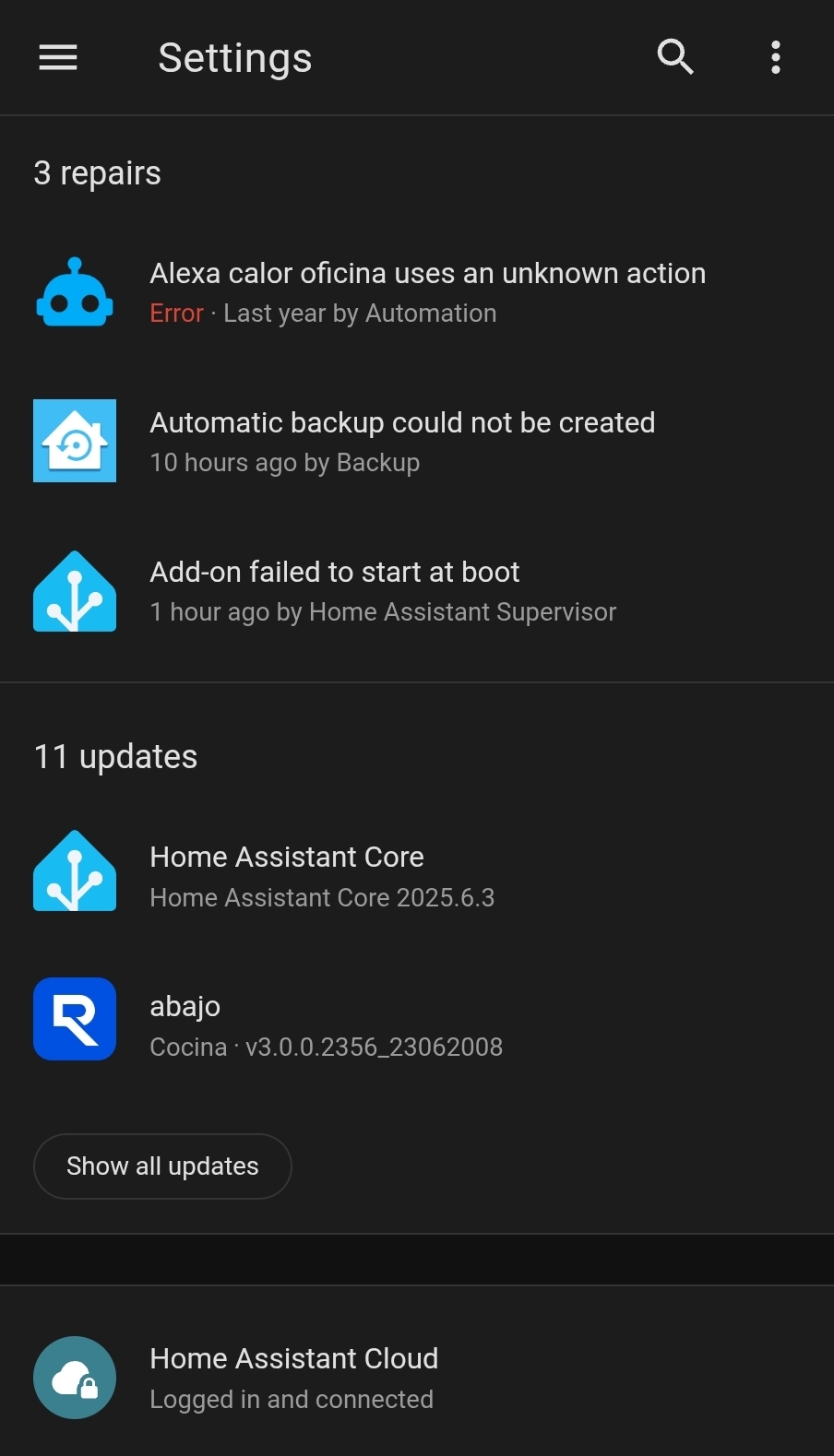
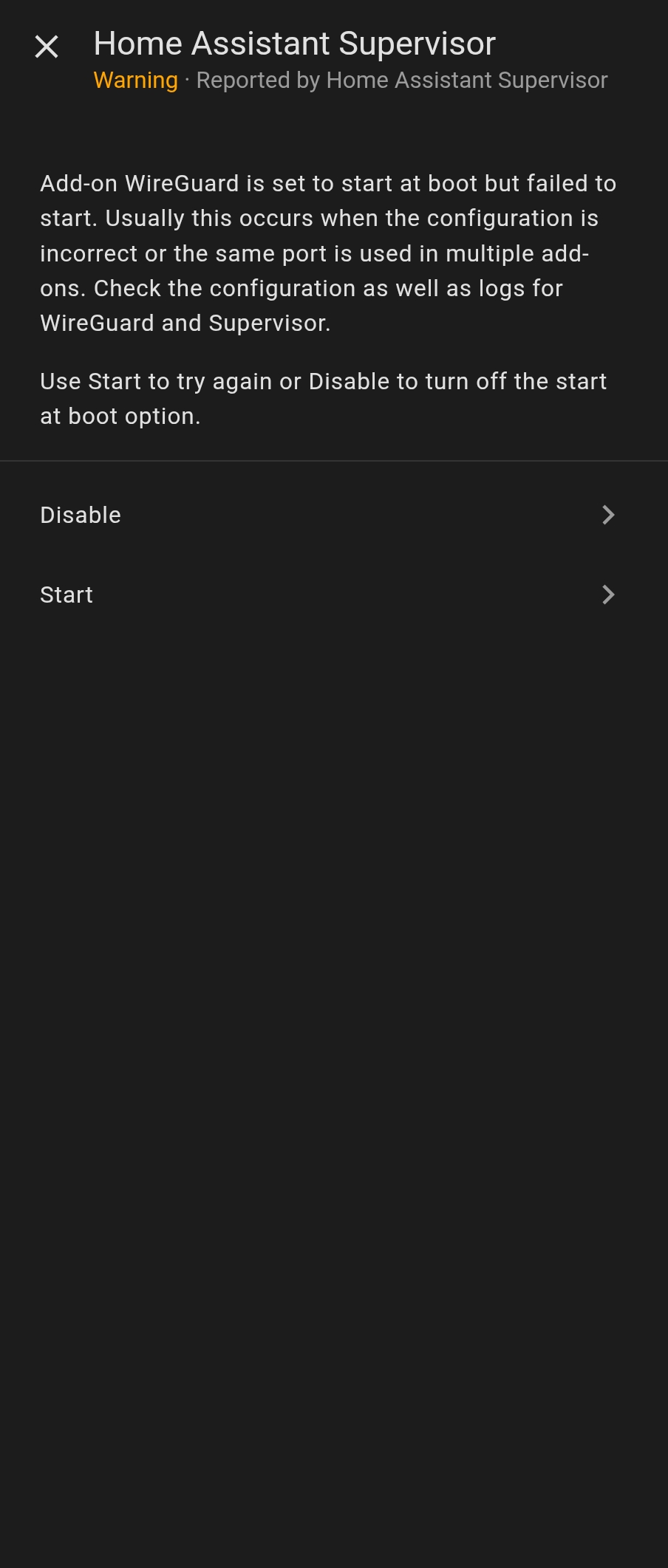
just saw this repairs:
Maybe one of those is the root cause
After fixing those issues I triggered another backup.
This time it looked like it was going fine, but then it also failed.
Ar some point it worked, not sure if it required a host restart, but it is failing again. If anything should be reliable that is the backup system
I restarted the VM I have Home Assistant OS running on, no dice. I continue to get this error:
Error handling message: Error creating backup: 'BackupManager.do_backup_partial' blocked from execution, system is not running - startup (home_assistant_error)
there are two serious problems here:
so not only would I expect a notification telling me the backup failed, I’d also expect a notification about all uncaught errors around HA’s backup system.
It’s failed for two weeks now, and I only found out when I wanted to change where it was backing up to!
I also cannot find any further logs about the backup system failing to start on reboot! This is honestly a terrible first-party backup experience.
 Workaround Solution
I opened the terminal to HAOS on my VM Manager and ran backups new and that reported “Processing…” eventually adding “Done.”
Home Assistant actually detected that, and updated the backup status on the settings page right away.
I was then able to successfully trigger a new automatic backup within the web interface! Things seem to be good again, but time will tell.
I got the same issue when I disconnected my NAS from HA.