Title
Balboa Spa (Robust) — a supervised connection wrapper for the flaky BWA Wi-Fi module (part 50350)
Body
Hey all,
I’ve spent three years alternately loving and hating my hot tub’s Home Assistant integration. This post is about the “hating” part — and what I finally did to make it stop.
The setup
Three years ago I retrofitted a Balboa BWA Wi-Fi Module (part 50350) to my spa’s BP control system — the little aftermarket TCP-over-Wi-Fi board you can grab off Amazon for about £50. Great in principle: no proprietary cloud, direct local TCP to port 4257, pybalboa and the stock balboa integration in HA just work.
Except they don’t. Not with this module.
The pain
For three years I put up with:
- The spa card in Lovelace showing
Unavailablefor hours at a stretch, seemingly at random - HA logs full of
TimeoutErrorandConnectionResetError - Occasional (rare, but scary) HA restarts triggered by memory pressure while the integration was reading from a hung socket
- Automations firing into the void because
climate.spahad been stale for 40 minutes and nobody knew - The classic “is it my Wi-Fi?” rabbit hole — nope, RSSI is −44 dBm, the tub is 3 metres from the AP
I put up with it because there’s no supported alternative that doesn’t involve opening the spa panel and soldering to the RS485 bus (which is a great fix — see HyperActiveJ’s project — but I didn’t want to void warranty or crawl behind the tub in February).
Actually measuring it
Before writing anything I wrote a 24-hour soak harness (one shared connection.py between the soak tool and the HA integration, so what I measure on the Mac is what runs in HA). Ran it against the real spa on excellent Wi-Fi.
Results after 14.75 hours:
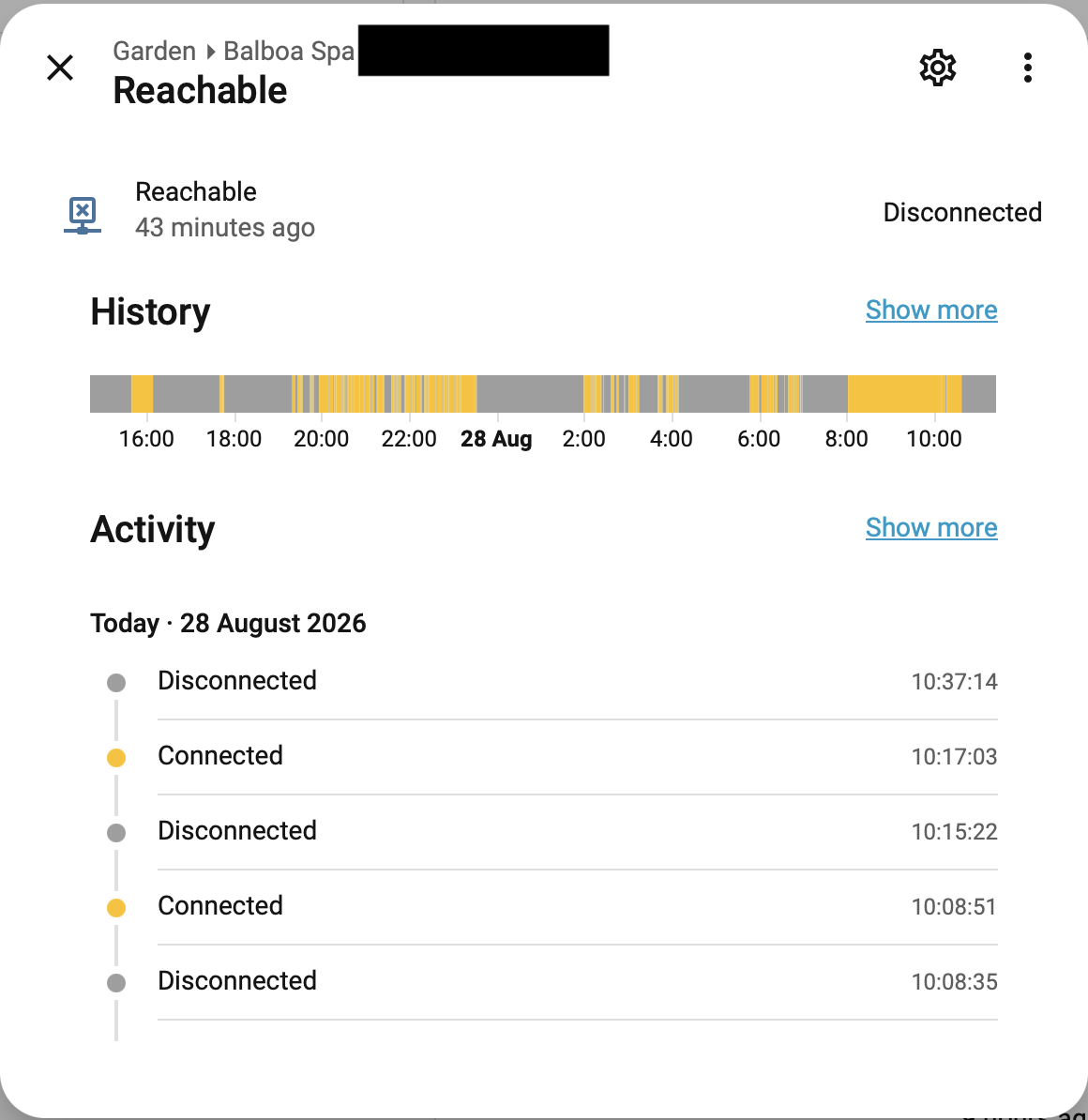
- Effective uptime: 33.85% — the module is unreachable two-thirds of the time
- 41 of 42 disconnects were “stale sockets” — the module accepts TCP, streams ~30 s of data, then goes silent without closing. TCP-level, the connection is still “up.” No data ever arrives again.
- Peak silent window: 104 minutes (overnight, at 05:17)
- Not a Wi-Fi problem. Not a channel problem. The module’s firmware just… stops.
This is why the stock integration struggles: pybalboa reads from a zombie socket, waits for a message that will never come, and hangs. Multiply by a few hours of unattended operation and you get memory pressure and, occasionally, an HA restart.
What I built
paw2paw/balboa_robust — a custom integration that wraps pybalboa in a supervised connection manager:
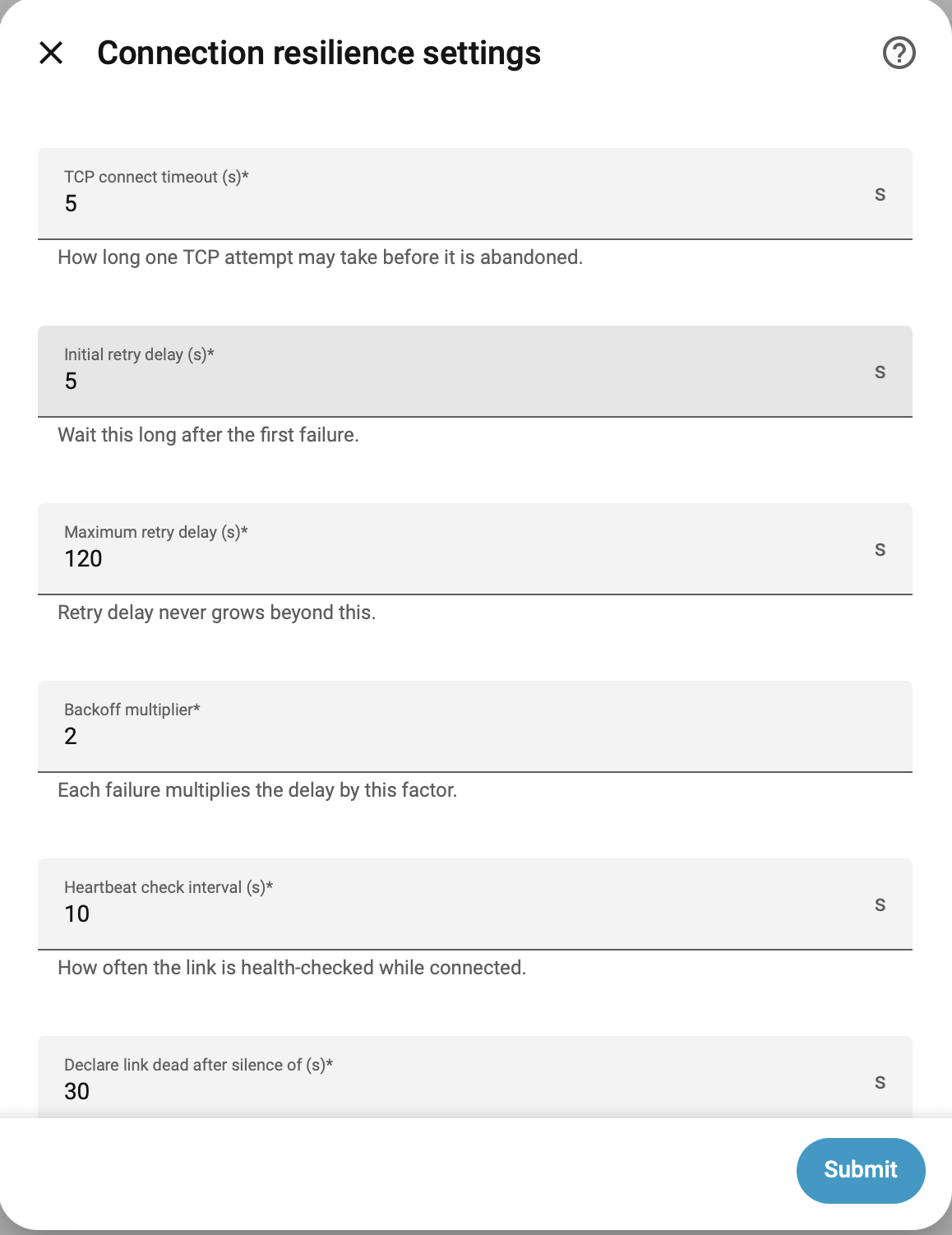
- Heartbeat / staleness detection — the spa streams ~1 msg/s; silence beyond
stale_after(default 30 s) means the link is dead, kill it and reconnect - Zombie-socket rejection — TCP SYN-ACK without spa data within the connect timeout is treated as a failure, not a success
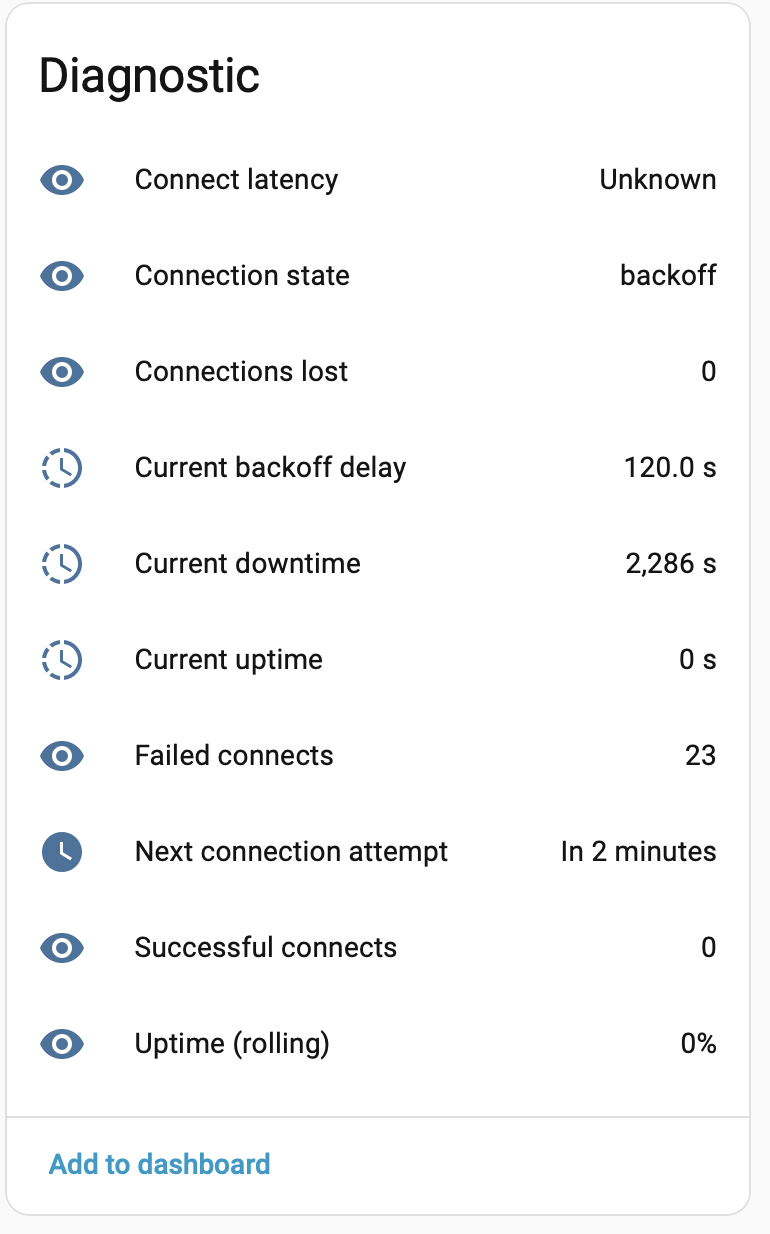
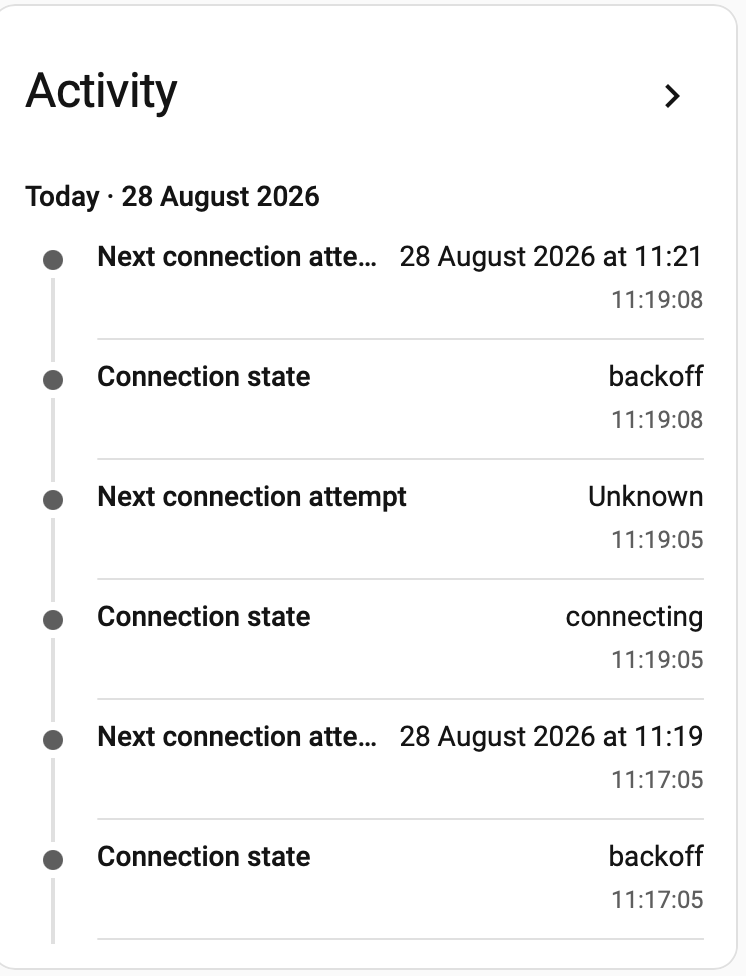
- Exponential backoff — 5 s → 10 s → 20 s → 40 s → 80 s → 120 s (all tunable in the UI, hot-applied without restart)
- Rolling uptime % sensor so you can see how flaky your specific module is
binary_sensor.<slug>_reachableas an automation gate — flips on only after the link has been healthy for N seconds (default 15 s), so commands don’t fire into a flapping link
Every entity is native HA-typed (climate, fan, light, switch, select, time, event, binary_sensor, sensor) so history, long-term stats and logbook Just Work. There’s a paste-ready Sections dashboard in dashboards/spa.yaml.
What it does NOT do
Being explicit because I don’t want to overpromise:
- It does not fix the 50350’s firmware. The module still goes silent for 30 s to 100+ min at a time. Nothing running on your HA can change that — the bug is on the other side of the wire.
- It does not improve your effective uptime. You’re still bounded by whatever fraction of the time the module answers.
- What it does do is stop HA leaking memory / crashing on zombie sockets, and give you clean HA control during the ~34% of the time the module actually is reachable.
Think of it as a shock absorber. The road is still bumpy; the car stays on it.
If your Balboa module is well-behaved: use the stock balboa integration. It ships with HA, it’s maintained by the core team, it’s been battle-tested by thousands of users. This one only earns its keep against the specific 50350 stale-socket pathology.
Install
HACS → custom repository → add https://github.com/paw2paw/balboa_robust as an Integration → restart → Settings → Devices → Add Integration → “Balboa Spa (Robust)” → host + port 4257.
Setup does a live probe with a 90-second retry budget, so it’s safe to click Submit even while the module is mid-dead-window.
What I’d like from you
- Try it if you’re affected. Anyone else running a retrofitted 50350 and seeing
Unavailablespa entities several times a day — I’d love confirmation the pattern generalises. - Alternatives I’m aware of (please add others in replies):
- Stock
balboaintegration — first choice if your module is healthy plmilord/Hass.io-custom-component-spaclient— alternative custom componentnatekspencer/hacs-balboa— HACS fork with extra entitiesHyperActiveJ/SundanceJacuzzi_HomeAssistant_TCP_RS485— the hardware fix, if you’re brave
- PR upstream — the long-term goal is to distill the heartbeat / zombie-socket / backoff patches back into a
pybalboaPR so the stock integration benefits too. Open to co-authors.
Repo: GitHub - paw2paw/balboa_robust: Home Assistant integration for the flaky Balboa BWA Wi-Fi module (part 50350). Supervised connection manager wraps pybalboa to survive stale sockets, silent drop-outs, and hour-long dead zones. · GitHub
Issues / feedback: issue tracker
MIT licensed. HACS custom repo now; HACS default listing PR is in flight.
Happy to answer questions or dig into anyone’s specific dead-socket patterns.