[BETA] AlarmoGuard — Native Android (IOS soon) client for Home Assistant Alarmo
Hey everyone,
I’m excited to share the first beta of AlarmoGuard — a lightweight, native Android app (Kotlin + Jetpack Compose) built specifically for monitoring and controlling your Home Assistant Alarmo setup.
This beta focuses on reliability, instant status feedback, and a frictionless alarm UX on Android, including proper notifications, fullscreen alerting, and a PIN keypad.
Note: This beta is Android-only for now. An iOS version is planned for a future release.
Highlights
Real-time monitoring: Persistent WebSocket connection to Home Assistant /api/websocket with reconnection.
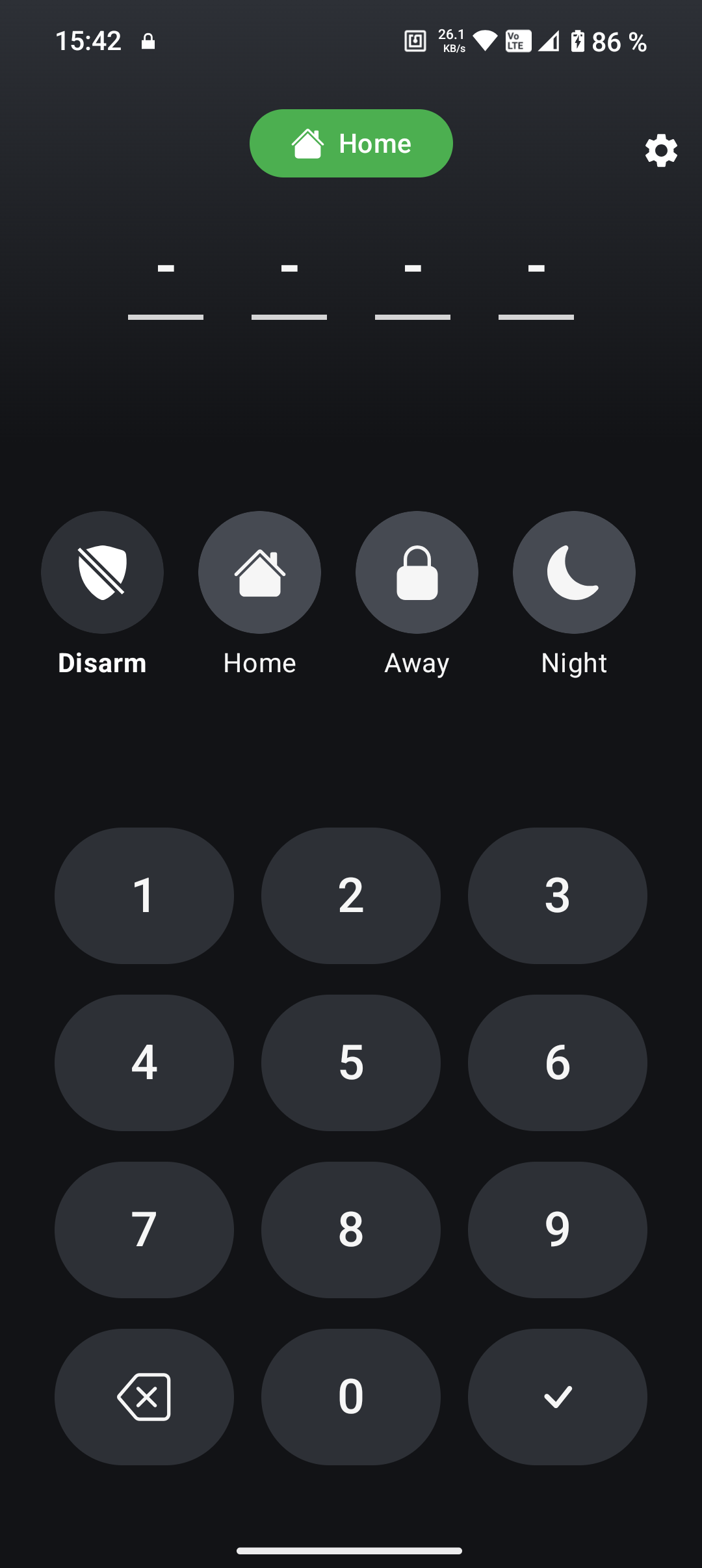
Action chips: Disarm / Arm Home / Away / Night / Vacation (configurable visibility).
Fullscreen alarm flow: Attention-grabbing activity on pending/triggered with Mute/Disarm actions and fallback alarm sound + vibration.
Notifications: Dedicated channels for monitor (low) and alarm (high with DnD bypass if allowed).
Setup wizard: Validates base URL, token, and Alarmo entity before you start.
Theming: Light/Dark with gradient tokens and customizable keypad/chip colors.
Thank you for putting this together.
I’ve been using this the past couple days.
It’s a good start for the app. Allows me to set and disarm, notifies me on alarm trigger.
So, I guess I am wondering why. This can be done with Alarmo settings and a companion app shortcut. Not really trying to rain on your parade. Just wondering.
Having said that …
Like mentioned above, Alarmo allows both pins and passwords. So more than four positions. Not just five.
And, HA handles urls based on Wifi connection for internal and external access. Are you planning on duplicating that a well?
@Jastreb any thought on supporting other Alarm Control Panels? I suspect it should work nearly identical since the entities and properties should be mapped the same?
Yes — starting with the next version, I won’t focus exclusively on Alarmo anymore, but rather on the general alarm_control_panel model of Home Assistant.
The goal is to support alarm control in a generic way, based on standard HA states and services, so that different alarm integrations can be used without being tightly coupled to Alarmo. Alarmo will still be well supported, but it won’t be the only focus going forward.
That’s a fair question — and no worries, I don’t see it as raining on my parade
The main reason for AlarmoGuard is security focus. The app is intentionally limited in scope and does not expose general Home Assistant controls. It’s designed to behave more like a dedicated alarm device than a generic HA client.
AlarmoGuard can act as:
a local siren
a critical notification endpoint
and also as a wall-mounted / outdoor keypad panel
From that point on, security becomes the top priority. The app should not allow anything unrelated or potentially unsafe without explicitly going through the alarm control flow. This is very different from the Companion App, which is a full HA client by design.
Regarding PINs and passwords: you’re right — Alarmo supports variable-length PINs and passwords. The current beta uses a fixed keypad UI, but support for more flexible PIN/password handling is planned.
For internal/external URLs: Home Assistant Companion App already does this extremely well. AlarmoGuard currently uses a fixed base URL for reliability and predictability, but smarter URL handling is something I’m evaluating for future versions.
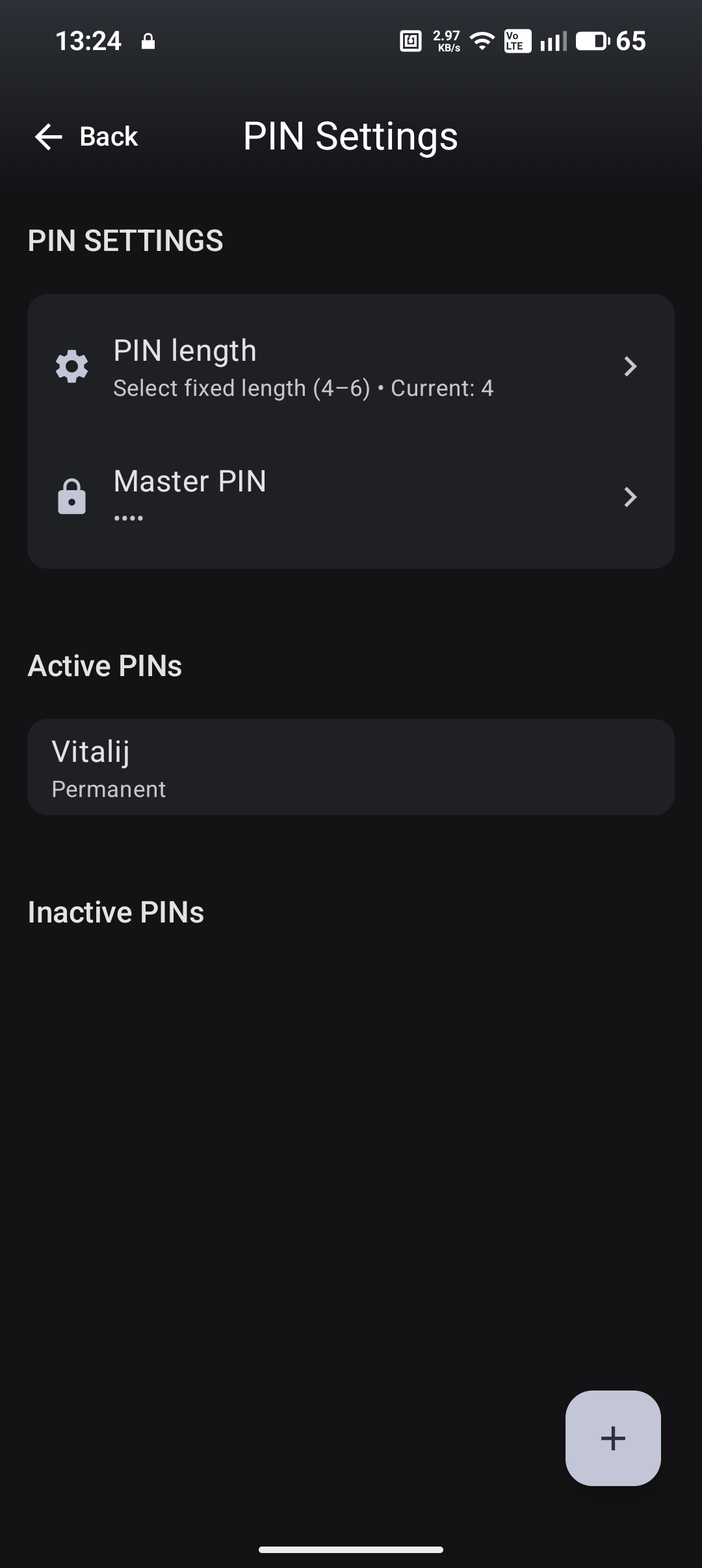
Yes — in the next version it will be possible to configure the PIN length between 4 and 6 digits.
PINs will be managed directly inside the app, not just fixed to a single length. In addition to numeric PINs, I’m also planning support for NFC and fingerprint authentication, depending on device capabilities.
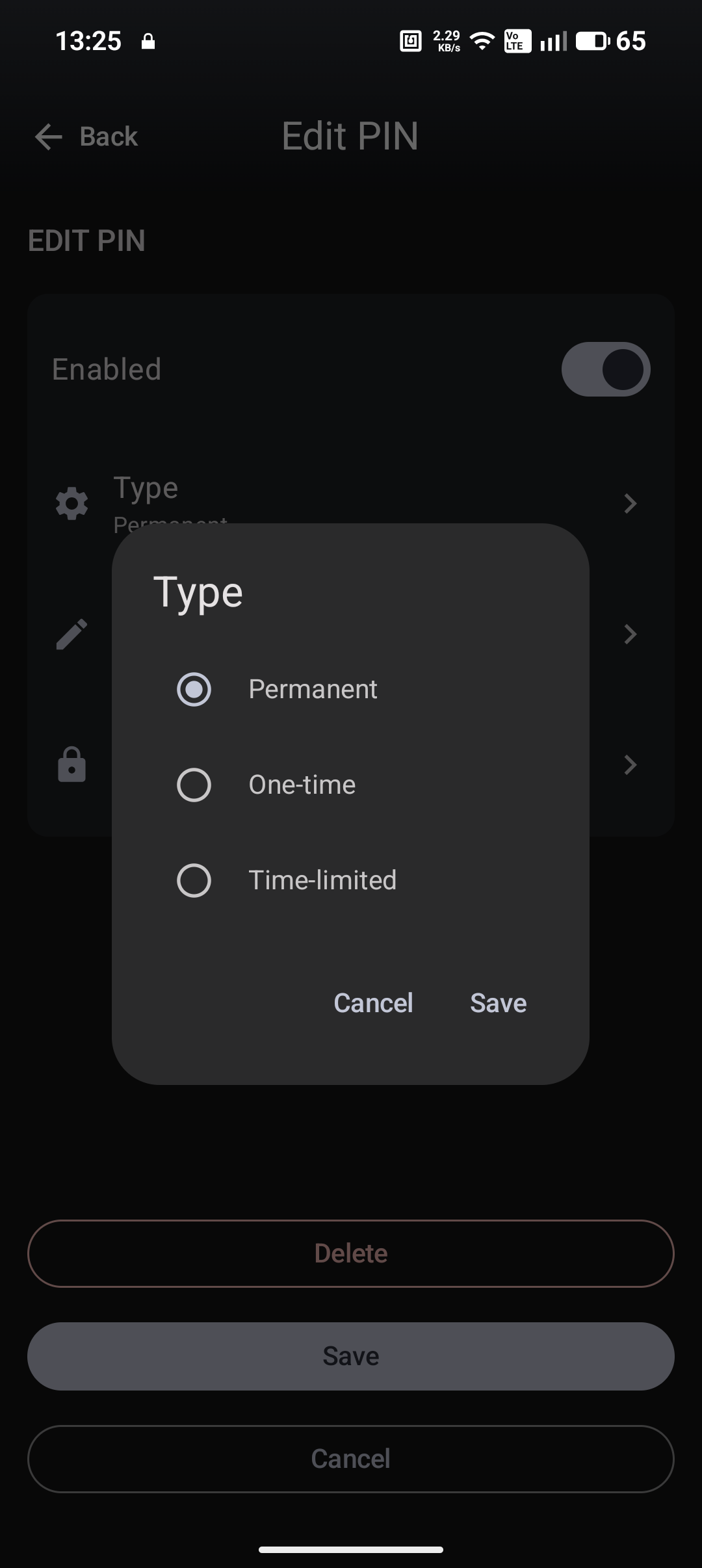
It’s also planned to support different PIN types (e.g. permanent, one-time, time-limited), similar to what you might expect from a dedicated alarm keypad.
Great to hear. Some thoughts on valuable functionality for security I hope you will add in the not so distant future …
Selector entity on the main screen for those of us that have true House Modes (not just what the alarm panel has) so we can change the House Mode.
Screen for additional entities. Lots of reasons here but the main ones I can use myself…
a. buttons for Zone Bypass(es) … pre-programed automations to bypass zones and/or pause notifications/alerts. Like most who do this, I have binary Helpers for these so easy enough to see/change with a single button
b. entity status … super helpful to see what Door Locks are unlocked, Doors Open, Windows Open, etc. I do this today with custom YAML cards.
The main status (on the home page) only shows entities currently open/unlocked/etc - the cards are expandable when any entity is ‘on’…
@jeffcrum On Android the HA companion app will not consistently make an audible notification when alarmo is triggered unless one does a lot of workarounds (yaml work in HA and macrodroid scripts etc on the Android device).
So far this app makes the android audible alert for alarmo work much better.



 …
…
