Beyond Bed Presence: Detecting When You’re Actually Asleep in Home Assistant

Home Assistant can already tell whether someone is home, in a room, or moving around. What it usually cannot tell is whether that person has actually fallen asleep.

One of our beta testers recently connected a Sleepal AI Lamp to Home Assistant through Matter. The interesting part is not really the lamp. It is getting sleep state and in-bed state as automation triggers.

That solves an awkward problem: you cannot exactly tell Home Assistant that you are asleep once you have fallen asleep. :slight_smile:

Disclosure: I’m part of the Sleepal team. The beta unit was provided by us, and the setup and automation examples below come from a tester’s own write-up, shared with permission.

Links: Sleepal AI Lamp on Kickstarter, Public PSG validation preprint
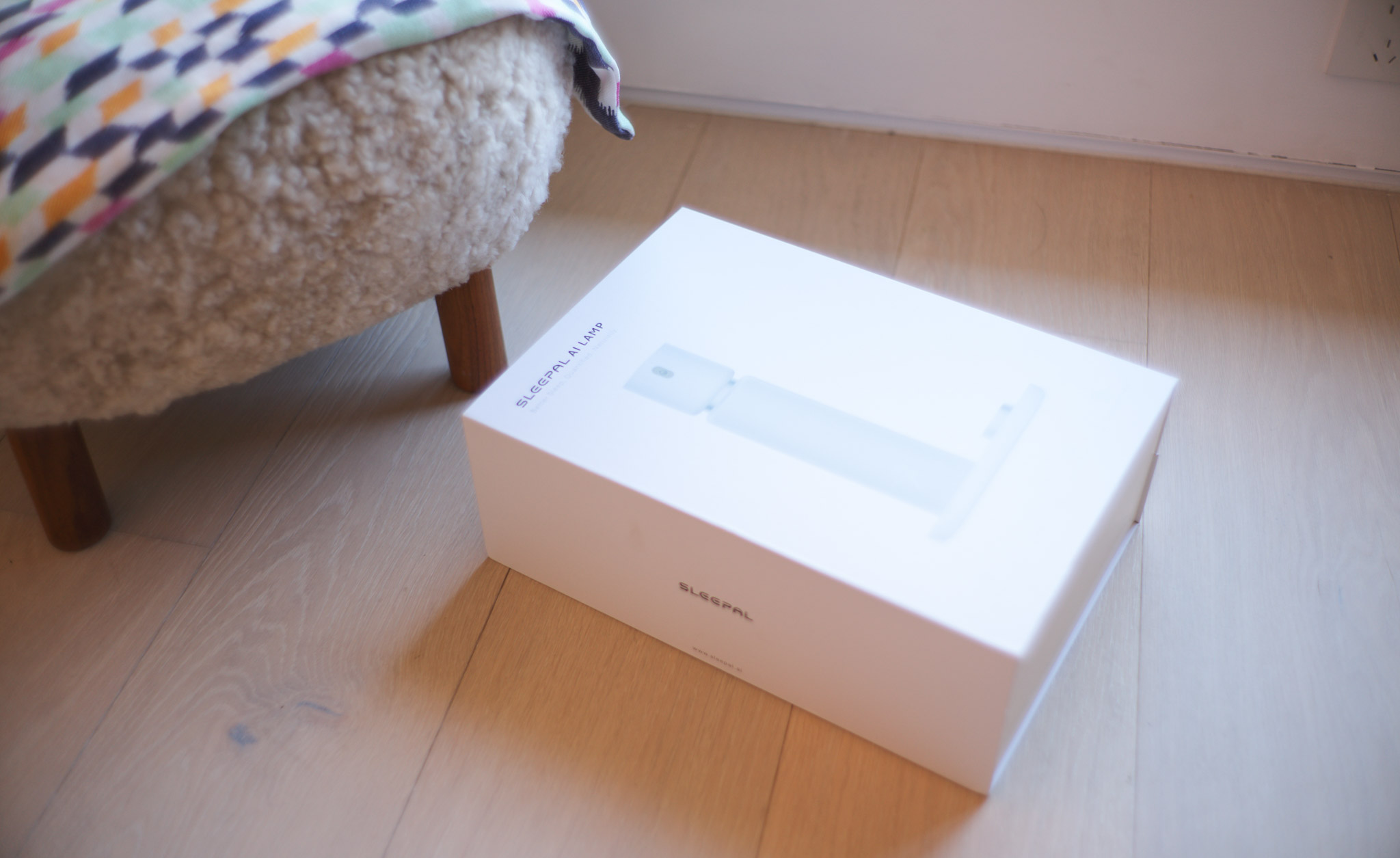
First, what is the Sleepal AI Lamp?

Sleepal is a contactless sleep system that sits on the bedside table. There is nothing to wear, no sensor pad to install, and nothing on your body that needs charging every day. Setup is basically: plug it in, place it beside the bed, and finish setup in the app.

It works as a sleep tracker, a bedside light & alarm & speaker, sleep-sound machine, and a smart home sensor.
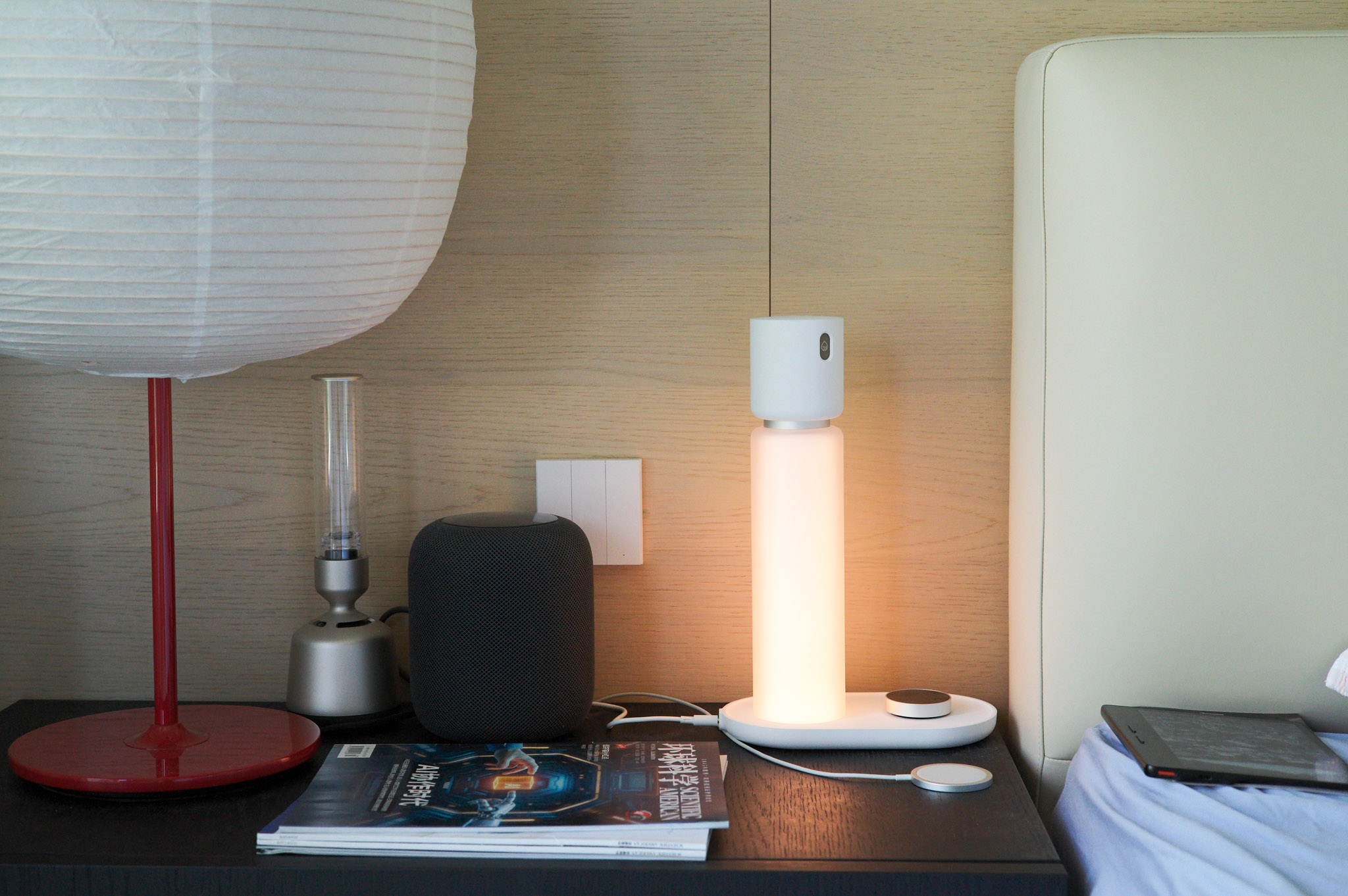
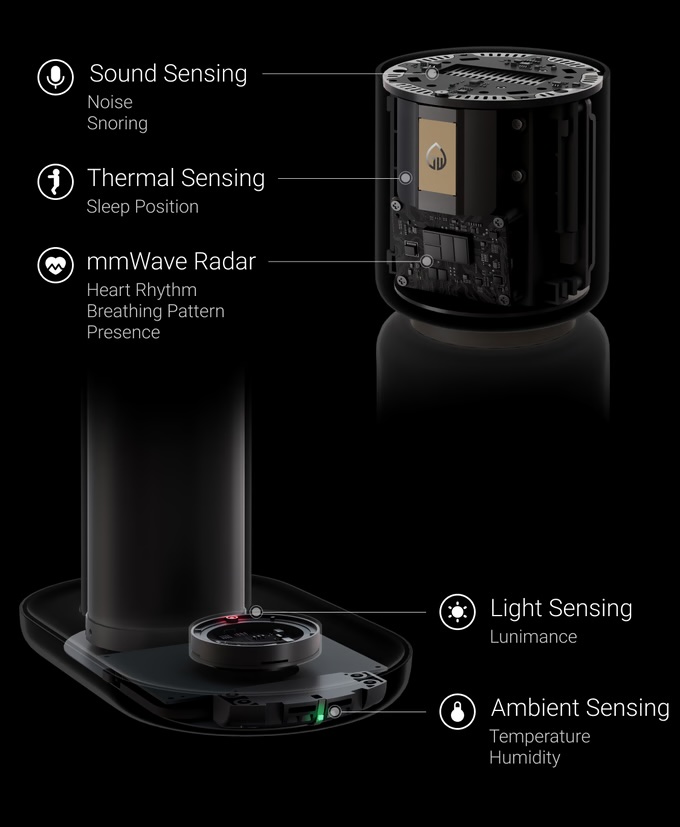
The sensing stack combines 60 GHz millimeter-wave radar, a thermal sensor array, acoustic sensing, and environmental sensors. It tracks sleep/wake state, movement, breathing, posture, snoring, temperature, humidity, light, and room noise. There is no optical camera or photo/video recording.
Accuracy comes first

For home automation, accuracy is the foundation. A sleep trigger is not useful if it changes at the wrong time.

A public preprint compares Sleepal with expert-scored polysomnography, or PSG, using 1,022 synchronized overnight recordings, including data collected in clinical sleep centers. It reports 92.8% accuracy for binary sleep/wake classification. That is the result most relevant to these HA automations.

To be precise, this is a public preprint rather than a peer-reviewed journal paper. In daily use, the tester said the results felt roughly comparable to his Apple Watch, while adding sleep-posture and bedroom-environment data.

Sleepal was also named a CES 2026 Innovation Awards Honoree in three categories: Smart Home, Digital Health, and Accessibility & Longevity.
Connecting it to Home Assistant

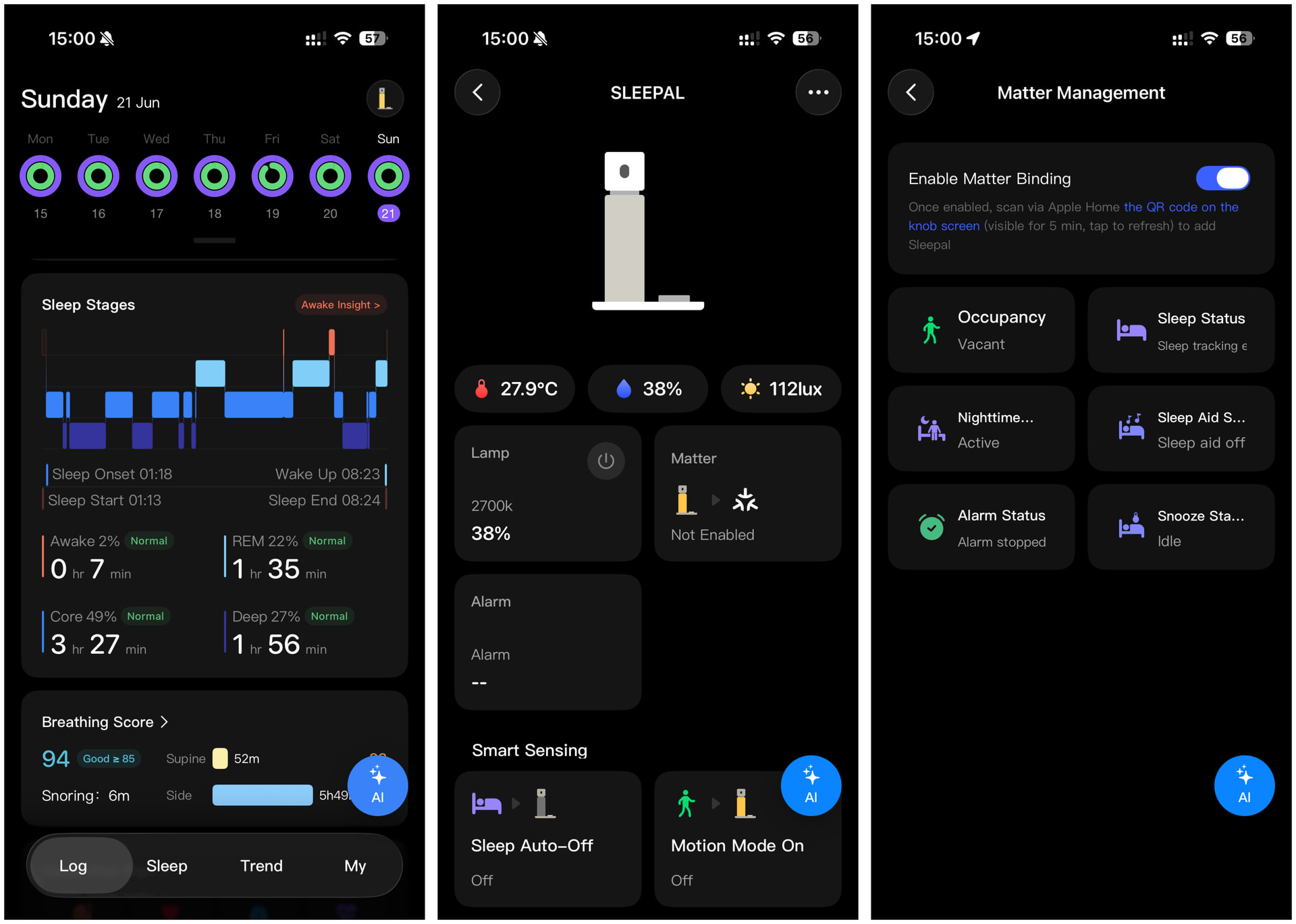
The current Matter pairing path in the app is:

  • Sleepal App > Me > My Sleepal > Matter

Enable pairing, then add it through the Home Assistant Companion app.

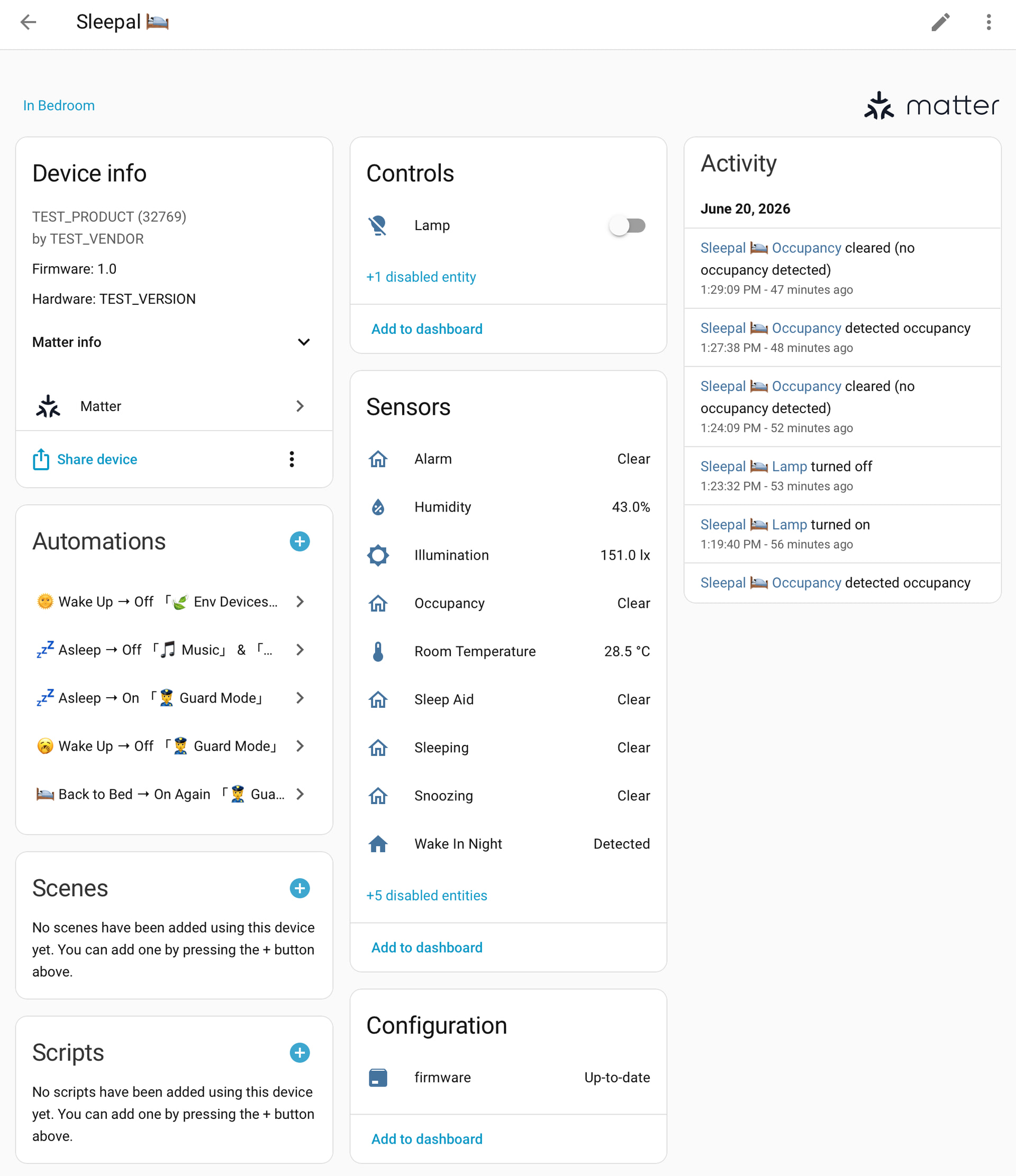
The beta currently exposes:

  • One light entity with brightness and color-temperature control. RGB is not exposed yet.
  • binary_sensor entities for sleep, in-bed, nighttime wake, sleep-aid, alarm, and snooze states.
  • sensor entities for temperature, humidity, and illuminance.
  • A few reserved entities that are not defined yet.

The sleep and in-bed states used by Matter are calculated on the device and communicated locally. Once commissioned, these HA automations do not need an Internet connection or cloud round trip. Deeper app analysis is separate and may use cloud services. The Matter functionality shown here does not require a subscription.

The integration is still beta. Entity names are not final, RGB control is missing, and the vendor/device fields currently show TEST.
Why sleep state is such a useful trigger

Presence and motion sensors cannot distinguish lying in bed reading from lying awake with insomnia or actually sleeping. Here is how the tester described the problem:

My bedroom already had automations for sleep music, dim lighting, climate devices, cameras, curtains, and morning scenes. Some used buttons or schedules, but stopping sleep music after I had actually fallen asleep was difficult. I could not exactly tell HA I was asleep while I was asleep. >_<!
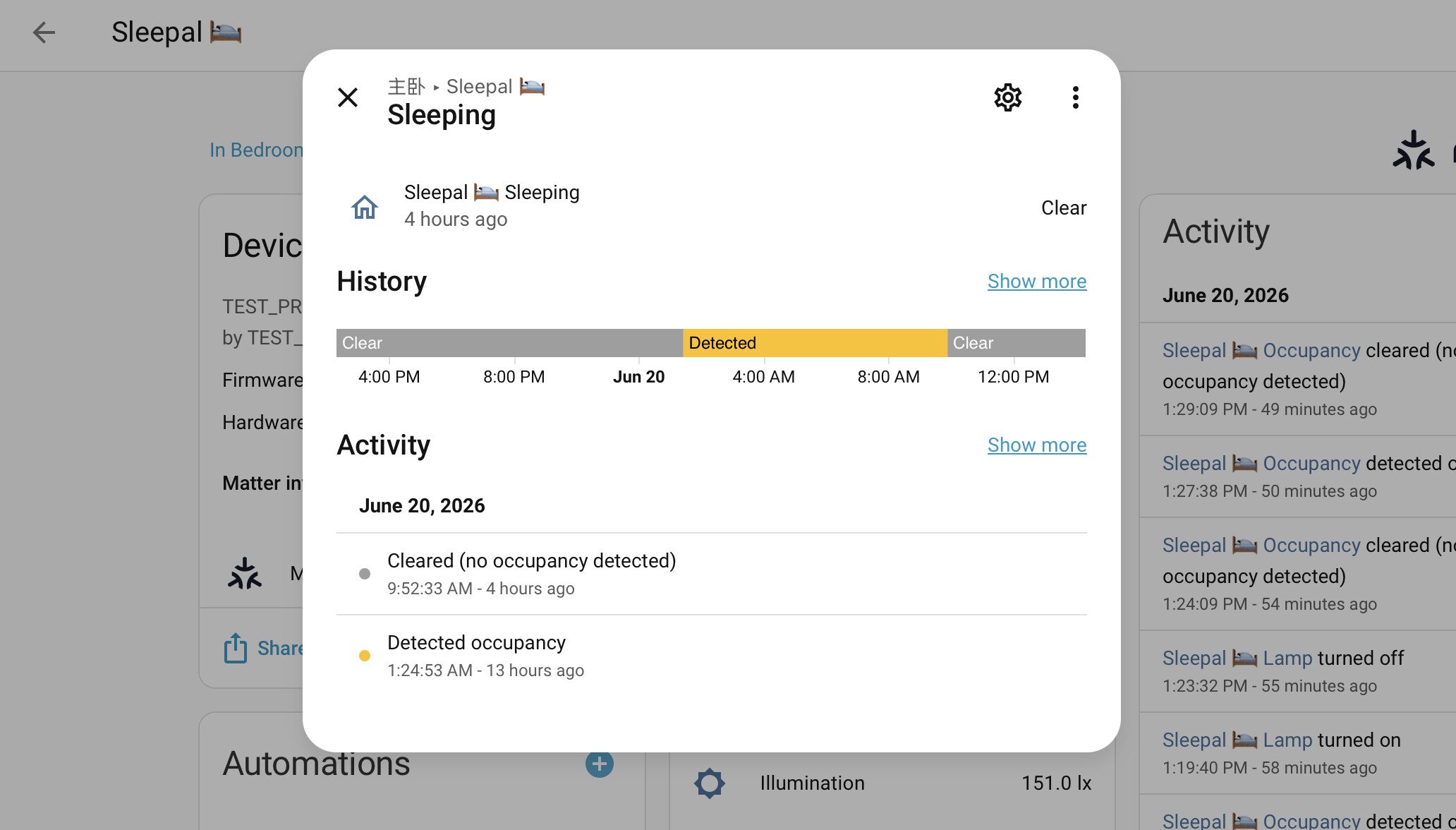
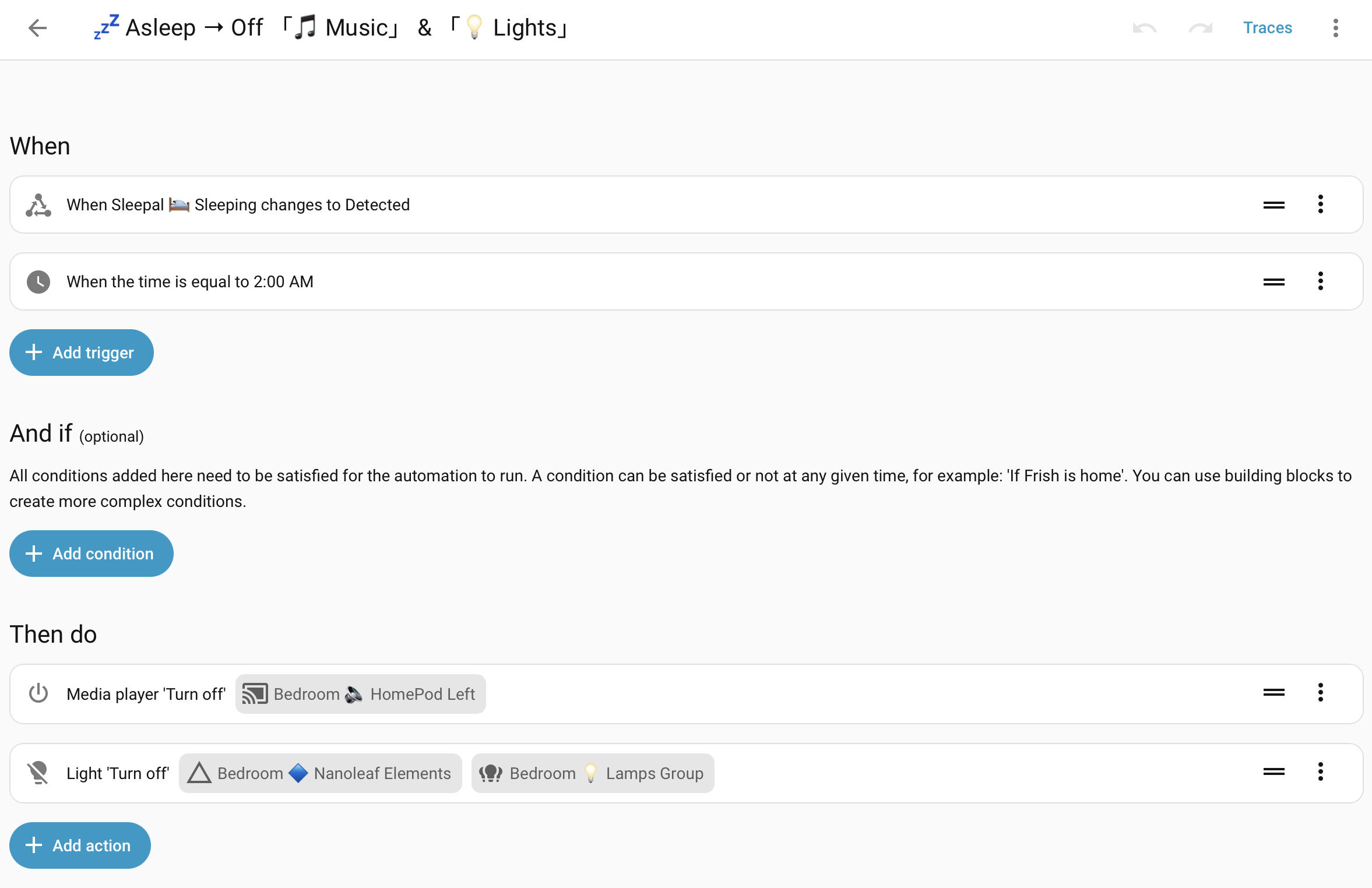
:zzz: After falling asleep: stop sleep music and turn off the lights

I used to have a countdown to gradually lower the HomePod volume and bedroom lights. Sometimes it stopped before I fell asleep; other times it continued long enough to wake me again. Now, the sleep sensor reacts to actual sleep instead of a timer’s guess.
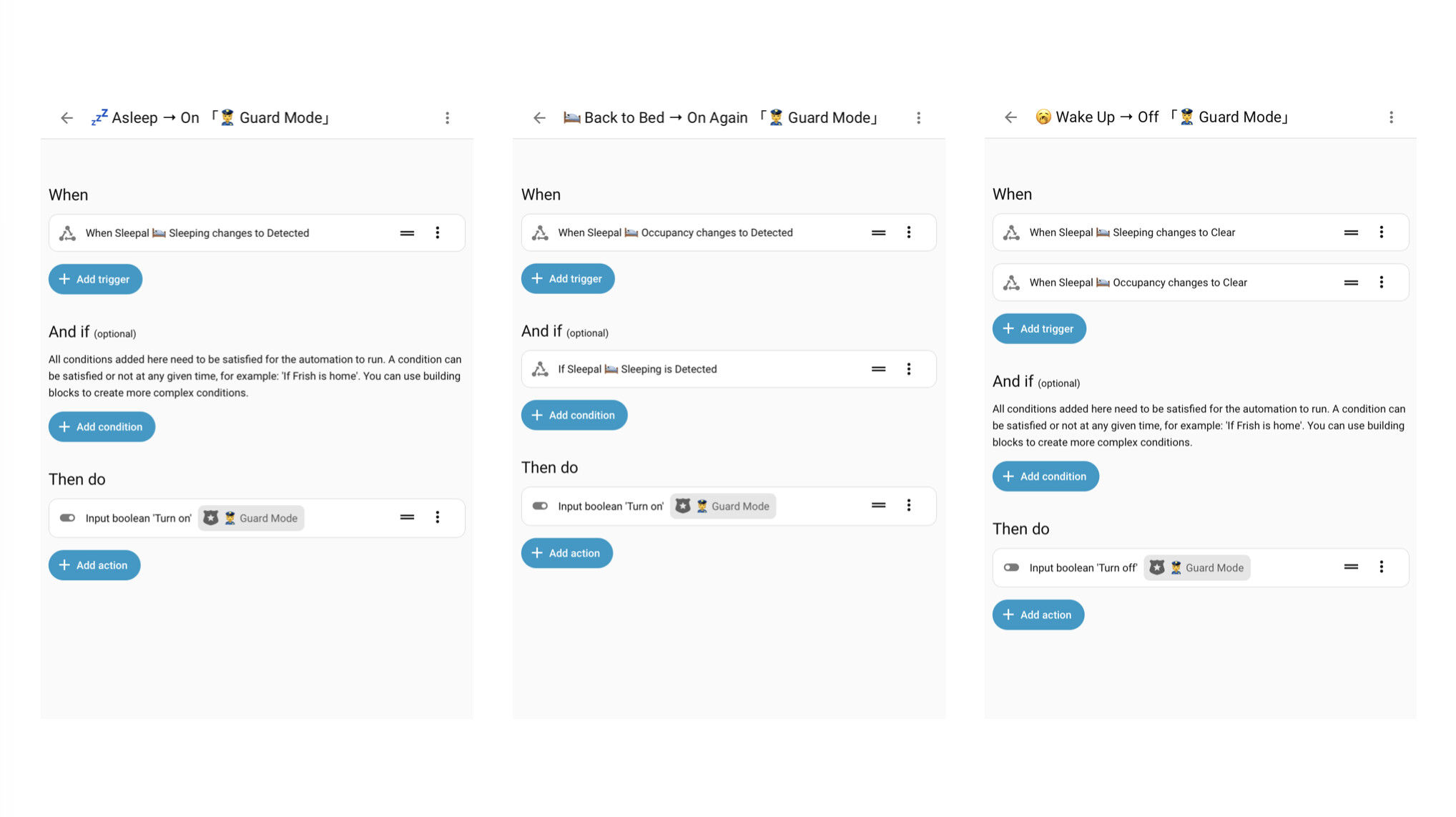
:zzz: After falling asleep: enable cameras

My IPC cameras outside the bedroom now enter home-watch mode after I fall asleep. When I wake during the night or get up in the morning, they switch off again, so they do not record me wandering around half asleep and looking disheveled.
:sun_with_face: After getting up: stop bedroom devices and start morning lighting

My fresh-air system, humidifier, and AC used fixed shutoff timers. Now they react to my actual out-of-bed state. If the morning is overcast, HA also turns on the dining-room spotlights. Their brightness follows sensor.sun_solar_azimuth, so the apparent direction of the light follows the real sun. A new day deserves a bright start!
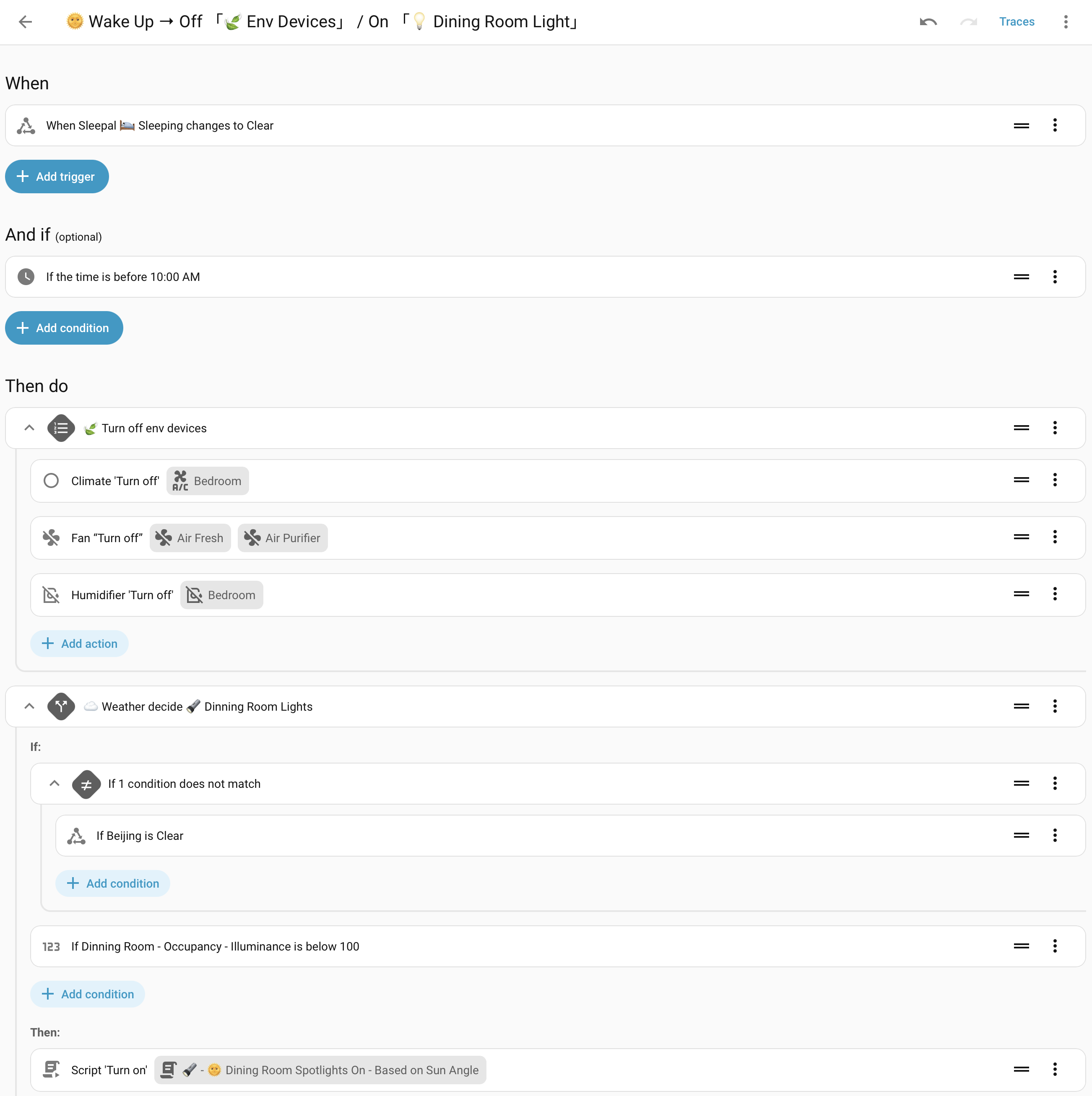
Script note: I have four spotlights, one in each corner of my dining room, all aimed at the ceiling. Their brightness is adjusted independently based on the sun’s azimuth (sensor.sun_solar_azimuth), so the indoor lighting follows the direction of the real sun and creates a more natural morning wake-up effect. :victory_hand:

variables:
  solar_azimuth: "{{ states('sensor.sun_solar_azimuth') | int}}"
  is_evening: >-
    {{ ( solar_azimuth >= 0 and solar_azimuth < 90 ) or ( solar_azimuth > 270
    and solar_azimuth < 360 )}}
  light_1_brightness: "{{ ((solar_azimuth - 270)/180) | abs if is_evening else 0 }}"
  light_2_brightness: "{{ (1 - light_1_brightness) | abs if is_evening else 0 }}"
  light_3_brightness: "{{ 0 if is_evening else ((solar_azimuth - 90) / 180) | abs}}"
  light_4_brightness: "{{ 0 if is_evening else (1 - light_3_brightness) | abs }}"

More possibilities

A few ideas still on the tester’s list:

  • Adjust AC temperature or fan speed based on time asleep, using the temperature and humidity readings beside the bed.
  • Turn on a dim bathroom path light after a nighttime out-of-bed event, then reset it after the person returns to bed.
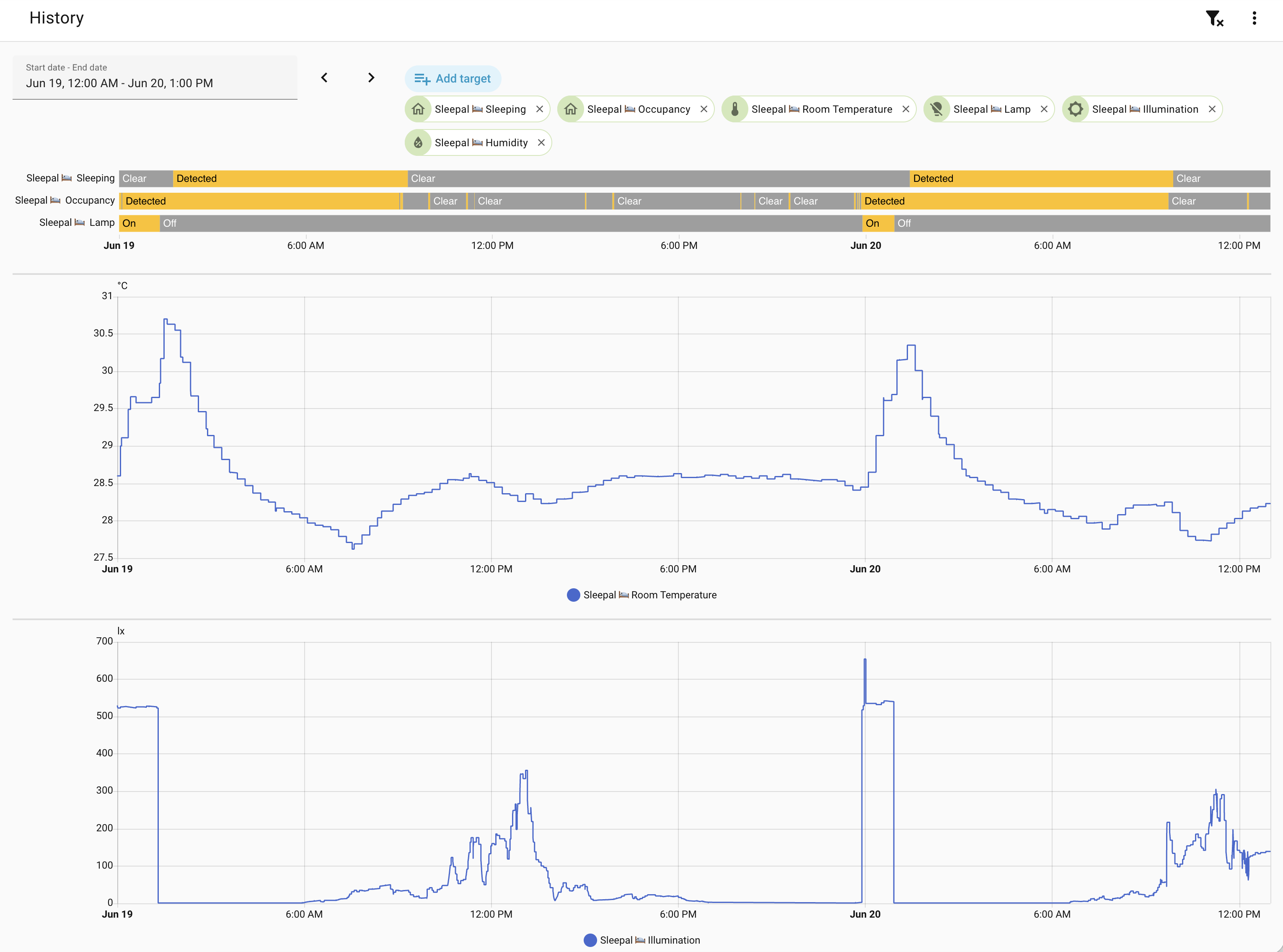
The Matter integration still needs cleanup, and I do not want to promise extra entities before they are ready. Heart rate, respiratory rate, and sleep scores are not currently confirmed as exposed HA entities.

Final Thoughts

Even in this early state, sleep and in-bed sensors answer a question that ordinary presence sensors cannot:

  • Is someone here? becomes Are they actually asleep?

The Kickstarter campaign is currently live for anyone who wants the full product details. I’ll keep this thread focused on the Home Assistant and Matter side, and I’m happy to answer technical questions about the beta.

What would you automate with a reliable sleep/wake trigger, and which additional local entities would you most like to see exposed through Matter?

This is one of the type of solutions I would look into if I had a need for more data, I currently just use a pressure mat attached to an aqara leak sensor screw points and have it set to occupancy mode to keep things simple and budget without too much DIY buildup.

Yeah, that makes sense. Nice and simple. I went with Sleepal mainly because I wanted to know when I’m actually asleep, rather than just whether I’m in bed. I’m also tinkering with an AC automation at the moment. I’ll share it here once I’ve got it working the way I want.

I had the same issue with bed presence sensors. Adding motion inactivity and phone charging status reduced false positives significantly.

For anyone building custom smart-home hardware, understanding EN standards is also useful when thinking about compliance and reliability: https://euroindustry.net/en-standard-meaning/

Yeah, false positives are definitely the tricky part with bed presence sensors. Pressure + motion inactivity + phone charging is a smart combo.

Sleepal makes this cleaner by exposing higher-level sleep states directly to HA. Since those states are based on sleep detection and sleep-stage analysis, rather than just “someone is on the bed”, the automations can be simpler and more robust than stitching together several indirect signals.

And yes, standards matter for this kind of connected hardware. The FAQ mentions that Sleepal ships with the right plug type for supported regions, including US/Canada, EU, UK, Australia/New Zealand, Japan, China, and others using the same plug standards. It also lists the main compliance areas being worked through before the campaign ends, including CE/FCC/IC/UKCA/RCM, RoHS/REACH/WEEE, EN 18031/GDPR, BQB, and ErP.

For AC I have this one going:

alias: "AC/Washing/Dryer: Electricity Peak, Off Peak, Shoulder Usage"
description: ""
triggers:
  - entity_id:
      - schedule.electricity_peak_time
    from: "off"
    to: "on"
    for:
      hours: 0
      minutes: 0
      seconds: 30
    id: "Electricity Peak Time: 2p-8p Mon-Fri"
    trigger: state
  - entity_id:
      - schedule.electricity_off_peak_times
    from: "off"
    to: "on"
    for:
      hours: 0
      minutes: 0
      seconds: 30
    id: "Electricity Off Peak Times: 10p-7a All Week"
    trigger: state
  - entity_id:
      - schedule.electricity_shoulder_times
    from: "off"
    to: "on"
    for:
      hours: 0
      minutes: 0
      seconds: 30
    id: "Electricity Shoulder Times: 7a-10p Sat-Sun, 7a-2p & 8p-10p Mon-Fri"
    trigger: state
  - entity_id: device_tracker.rkphone
    zone: zone.home
    event: leave
    id: Leave Home
    trigger: zone
  - type: carbon_dioxide
    device_id: 
    entity_id: 
    domain: sensor
    trigger: device
    above: 1000
    for:
      hours: 0
      minutes: 0
      seconds: 10
    id: Co2 - Above 1000ppm
  - type: carbon_dioxide
    device_id: 
    entity_id: 
    domain: sensor
    trigger: device
    for:
      hours: 0
      minutes: 0
      seconds: 10
    id: Co2 - below 600ppm
    below: 6000
conditions: []
actions:
  - choose:
      - conditions:
          - condition: trigger
            id:
              - "Electricity Off Peak Times: 10p-7a All Week"
              - >-
                Electricity Shoulder Times: 7a-10p Sat-Sun, 7a-2p & 8p-10p
                Mon-Fri
          - type: is_occupied
            condition: device
            device_id: 
            entity_id: 
            domain: binary_sensor
            for:
              hours: 0
              minutes: 30
              seconds: 0
          - condition: and
            conditions:
              - condition: trigger
                id:
                  - Co2 - Above 1000ppm
        sequence:
          - action: climate.turn_on
            metadata: {}
            data: {}
            target:
              entity_id: climate.home_ac
          - target:
              entity_id: climate.home_ac
            data:
              temperature: 25
              hvac_mode: fan_only
            action: climate.set_temperature
          - metadata: {}
            data:
              fan_mode: diffuse
            target:
              entity_id: climate.home_ac
            action: climate.set_fan_mode
          - action: climate.set_swing_mode
            metadata: {}
            data:
              swing_mode: vertical_6
        alias: Air Movement Start
      - conditions:
          - condition: trigger
            id:
              - "Electricity Off Peak Times: 10p-7a All Week"
              - >-
                Electricity Shoulder Times: 7a-10p Sat-Sun, 7a-2p & 8p-10p
                Mon-Fri
          - type: is_occupied
            condition: device
            device_id: 
            entity_id: 
            domain: binary_sensor
            for:
              hours: 0
              minutes: 30
              seconds: 0
          - condition: and
            conditions:
              - condition: trigger
                id:
                  - Co2 - below 600ppm
        sequence:
          - action: climate.turn_off
            metadata: {}
            data: {}
            target:
              entity_id: climate.home_ac
        alias: Air Movement Stop
      - conditions:
          - condition: trigger
            id:
              - "Electricity Off Peak Times: 10p-7a All Week"
              - >-
                Electricity Shoulder Times: 7a-10p Sat-Sun, 7a-2p & 8p-10p
                Mon-Fri
          - condition: device
            device_id: 
            domain: device_tracker
            entity_id: 
            type: is_home
          - condition: or
            conditions:
              - type: is_temperature
                condition: device
                device_id: 
                entity_id: 
                domain: sensor
                below: 22
              - condition: numeric_state
                entity_id: sensor.feels_like_temp_median
                below: 22
        sequence:
          - action: climate.turn_on
            metadata: {}
            data: {}
            target:
              entity_id: climate.home_ac
          - target:
              entity_id: climate.home_ac
            data:
              temperature: 25
              hvac_mode: heat
            action: climate.set_temperature
          - metadata: {}
            data:
              fan_mode: diffuse
            target:
              entity_id: climate.home_ac
            action: climate.set_fan_mode
          - action: climate.set_swing_mode
            metadata: {}
            data:
              swing_mode: vertical_6
        alias: Heating in Winter
      - conditions:
          - condition: trigger
            id:
              - "Electricity Off Peak Times: 10p-7a All Week"
              - >-
                Electricity Shoulder Times: 7a-10p Sat-Sun, 7a-2p & 8p-10p
                Mon-Fri
          - condition: device
            device_id: 
            domain: device_tracker
            entity_id: 
            type: is_home
          - condition: or
            conditions:
              - type: is_temperature
                condition: device
                device_id: 
                entity_id: 
                domain: sensor
                above: 30
              - condition: numeric_state
                entity_id: sensor.feels_like_temp_median
                above: 30
        sequence:
          - action: climate.turn_on
            metadata: {}
            data: {}
            target:
              entity_id: climate.home_ac
          - target:
              entity_id: climate.home_ac
            data:
              temperature: 25
              hvac_mode: cool
            action: climate.set_temperature
          - metadata: {}
            data:
              fan_mode: diffuse
            target:
              entity_id: climate.home_ac
            action: climate.set_fan_mode
          - action: climate.set_preset_mode
            metadata: {}
            data:
              preset_mode: eco
            target:
              entity_id: climate.home_ac
          - action: climate.set_swing_mode
            metadata: {}
            data:
              swing_mode: vertical_6
        alias: Cooling in Summer
      - conditions:
          - condition: trigger
            id:
              - Leave Home
              - "Electricity Peak Time: 2p-8p Mon-Fri"
        sequence:
          - target:
              entity_id:
                - climate.home_ac
            data: {}
            action: climate.turn_off
        alias: Turn off AC when Peak Cost/Leave Home
      - conditions:
          - condition: trigger
            id:
              - "Electricity Off Peak Times: 10p-7a All Week"
              - >-
                Electricity Shoulder Times: 7a-10p Sat-Sun, 7a-2p & 8p-10p
                Mon-Fri
        sequence:
          - action: switch.turn_on
            target:
              entity_id:
                - switch.bathroom_power_strip_switch_4
            data: {}
          - action: automation.turn_on
            metadata: {}
            target:
              entity_id: automation.bathroom_humidity_management
            data: {}
        alias: Turn on Washing/Dryer when not Peak/Shoulder Cost
      - conditions:
          - condition: trigger
            id:
              - "Electricity Peak Time: 2p-8p Mon-Fri"
            enabled: true
        sequence:
          - action: switch.turn_off
            target:
              entity_id:
                - switch.bathroom_power_strip_switch_4
              device_id: 
            data: {}
          - action: automation.turn_off
            metadata: {}
            target:
              entity_id: automation.bathroom_humidity_management
            data:
              stop_actions: true
        alias: Turn off Washing/Dryer/Dehumidifier when Peak/Shoulder Cost
mode: single

Based on the price hours for my provider and is auto turned off when I leave the home/

Wow, that’s impressive :+1: Mine is much simpler…

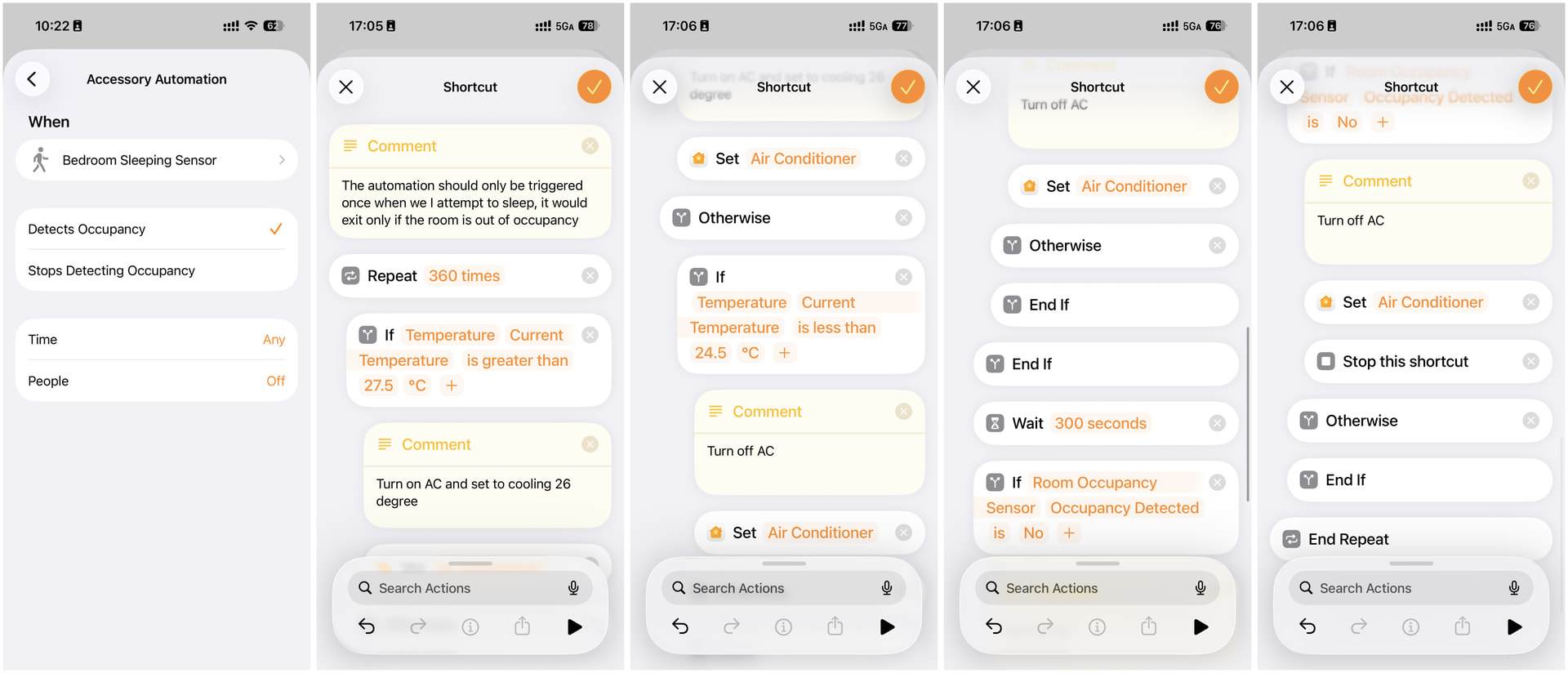
I just combine Sleepal’s sleep state with the room state and use an Apple Home shortcut to adjust the temperature. The main goal is to avoid the classic problem of waking up freezing with the AC on, or waking up hot with the AC off.

A good item to combine for automation with sleep states is Air purifiers and a few other things, I have mine turn on after an hour when I am in bed as well as do a few other things like so:

Should be a good template as well for ideas for those that use that device later and I use Hassalarm to link my alarm state from my android phone to my HA instance for when I am using that.

alias: Bed Occupancy Automations
description: ""
triggers:
  - type: occupied
    device_id: 
    entity_id: 
    domain: binary_sensor
    for:
      hours: 0
      minutes: 0
      seconds: 45
    id: Occupied - 45s
    trigger: device
  - type: occupied
    device_id: 
    entity_id: 
    domain: binary_sensor
    for:
      hours: 0
      minutes: 5
      seconds: 0
    id: Occupied - 5min
    trigger: device
  - type: occupied
    device_id: 
    entity_id:
    domain: binary_sensor
    for:
      hours: 1
      minutes: 0
      seconds: 0
    id: Occupied - 1hr
    trigger: device
  - type: not_occupied
    device_id: 
    entity_id: 
    domain: binary_sensor
    for:
      hours: 0
      minutes: 0
      seconds: 15
    id: Unoccupied - 15s
    trigger: device
  - type: not_occupied
    device_id: 
    entity_id: 
    domain: binary_sensor
    for:
      hours: 0
      minutes: 1
      seconds: 0
    id: Unoccupied - 1min
    trigger: device
  - type: not_locked
    device_id: 
    entity_id: 
    domain: binary_sensor
    trigger: device
    id: Latch State - Unlocked
conditions: []
actions:
  - choose:
      - conditions:
          - condition: trigger
            id:
              - Occupied - 45s
        sequence:
          - metadata: {}
            data:
              stop_actions: true
            target:
              entity_id:
                - automation.bedside_lamps_toggle
                - automation.waste_collection_reminder
                - automation.bathroom_humidity_management
            action: automation.turn_off
          - metadata: {}
            data: {}
            target:
              area_id:
                - bathroom
                - bedroom
                - kitchen
                - living_room
            action: light.turn_off
          - device_id: 
            domain: button
            entity_id: 
            type: press
          - type: turn_off
            device_id: 
            entity_id: 
            domain: switch
            alias: Turn off Dehumidifier
      - conditions:
          - condition: trigger
            id:
              - Occupied - 30s
          - condition: and
            conditions:
              - condition: trigger
                id:
                  - Latch State - Unlocked
        sequence:
          - data:
              title: Door Lock
              data:
                notification_icon: mdi:lock-smart
                color: red
              message: Front Door Nightlatch is unlocked!
            action: notify.mobile_app_rkphone
      - conditions:
          - condition: trigger
            id:
              - Occupied - 5min
          - condition: and
            conditions:
              - condition: sun
                before: sunrise
                after: sunset
        sequence:
          - target:
              entity_id: input_boolean.alarm_toggle
            data: {}
            action: input_boolean.turn_on
      - conditions:
          - condition: trigger
            id:
              - Occupied - 1hr
        sequence:
          - action: switch.turn_off
            data: {}
            enabled: true
            target:
              entity_id: switch.desk_power_strip_switch_4
          - action: input_boolean.turn_on
            metadata: {}
            target:
              entity_id: input_boolean.airpurifier
            data: {}
      - conditions:
          - condition: trigger
            id:
              - Unoccupied - 15s
        sequence:
          - data: {}
            target:
              entity_id:
                - automation.bedside_lamps_toggle
                - automation.bathroom_humidity_management
                - automation.doorbell
                - automation.bathroom_occupancy
                - automation.waste_collection_reminder
            action: automation.turn_on
          - metadata: {}
            data: {}
            target:
              entity_id: input_boolean.alarm_toggle
            action: input_boolean.turn_off
          - action: media_player.media_stop
            metadata: {}
            data: {}
            target:
              entity_id: media_player.speaker
      - conditions:
          - condition: trigger
            id:
              - Unoccupied - 1min
        sequence:
          - action: switch.turn_on
            target:
              entity_id:
                - switch.desk_power_strip_switch_4
            data: {}
          - action: input_boolean.turn_off
            metadata: {}
            target:
              entity_id: input_boolean.airpurifier
            data: {}
mode: single

for the alarm:

alias: Alarm Clock
description: ""
triggers:
  - at: input_datetime.next_alarm
    trigger: time
conditions:
  - condition: state
    entity_id: input_boolean.alarm_toggle
    state: "on"
    enabled: true
  - condition: and
    conditions:
      - condition: time
        after: "06:00:00"
        before: "12:00:00"
        weekday:
          - mon
          - tue
          - wed
          - thu
          - fri
actions:
  - target:
      label_id: bedside_lamps
    data:
      effect: sunrise
    action: light.turn_on
mode: single

and for nights where I need some extra white noise to get to sleep easier I have a playlist going via an nfc tag that use hass.agent to manage my nuc speaker volumes and music assistant controls for it since my instance runs in Virtualbox at this time:

alias: Sleep Playlist
description: ""
triggers:
  - trigger: tag
    tag_id: 
conditions: []
actions:
  - action: switch.turn_off
    metadata: {}
    target:
      entity_id: switch.rknuc_mediamute
    data: {}
  - action: button.press
    metadata: {}
    target:
      entity_id: button.rknuc_setvolume30
    data: {}
  - action: media_player.volume_set
    metadata: {}
    target:
      device_id: 
    data:
      volume_level: 0.2
  - action: media_player.repeat_set
    metadata: {}
    target:
      device_id: 
    data:
      repeat: "off"
  - action: media_player.play_media
    metadata: {}
    target:
      device_id: 
    data:
      media:
        media_content_id: library://playlist/12
        media_content_type: playlist
        metadata:
          title: Sleep Playlist
          thumbnail: null
          media_class: playlist
          children_media_class: track
          navigateIds:
            - {}
            - media_content_type: music_assistant
              media_content_id: playlists
            - media_content_type: music
              media_content_id: library://playlist/12
          browse_entity_id: media_player.speaker
  - delay:
      hours: 0
      minutes: 30
      seconds: 0
      milliseconds: 0
  - action: media_player.media_stop
    metadata: {}
    data: {}
    target:
      device_id: 
  - action: media_player.repeat_set
    metadata: {}
    target:
      device_id: 
    data:
      repeat: all
  - action: media_player.volume_set
    metadata: {}
    target:
      device_id: 
    data:
      volume_level: 0
  - action: switch.turn_on
    metadata: {}
    target:
      entity_id: switch.rknuc_mediamute
    data: {}
mode: single

Is this device for one person in bed or 2? can 2 devices track 2 people in same bed?

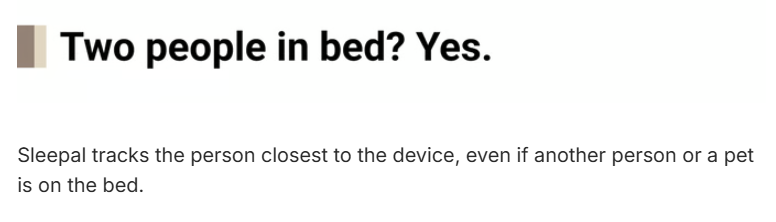
I wandered that, found this on KS:

and they sell a Couple Pack for that reason

Yes. As long as the two sleepers aren’t too close together, the radar could pick up body micro-movement from each side. If two people are basically stuck together all night, separation gets harder, and honestly, that probably isn’t great for sleep quality anyway :slightly_smiling_face:

Here is what I copied from the FAQ:

Q: Can I use Sleepal in a real & shared bedroom?

Yes! Sleepal works in shared bedrooms. It monitors the person closest to the device. For two sleep reports, place one Sleepal on each bedside table. Sleepal can still monitor human sleep even if pets are on the bed.

Note: we didn’t just test Sleepal in laboratories. We have tested it in real bedrooms, with couples, children, pets, blankets, fans, moving curtains, leg movement, multi-radar interference, and every sleeping position we could think of.
Because true sleep accuracy has to work in real life, not just in controlled lab environments.

interesting~ in your cases, with Sleepal, I can imagine that everything about sleep aid / night pee / alarm & snooze could be simplier and more reliable.

Yup that's one reason I shared what I have should those with the device want to use them to see if they work well with it.