Hi everyone!
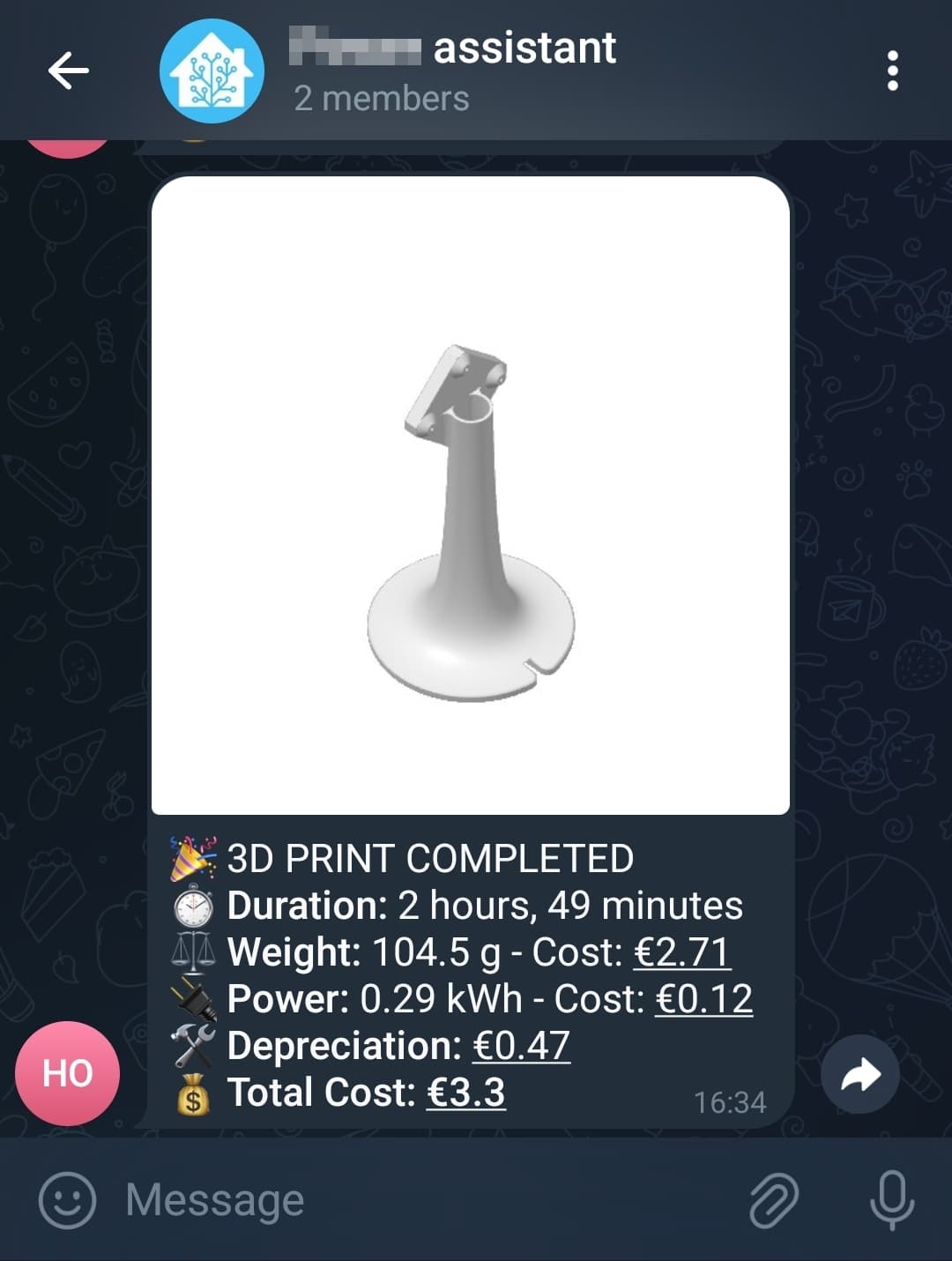
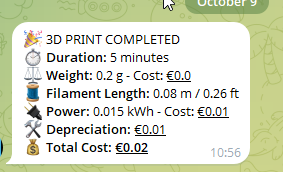
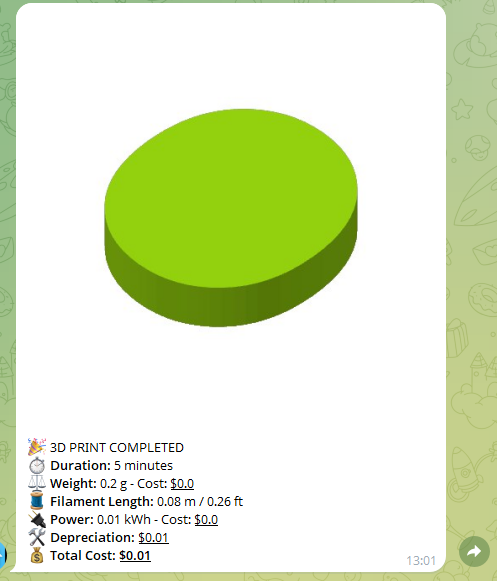
I’ve published a blueprint (it’s my first!) that calculates filament, electricity, and depreciation per-print costs a my Bambu Lab printer and sends a Telegram message (official integration) with a full breakdown and the cover image from the Bambu HACS integration. Filament length is optional.
Sends a Telegram photo + caption (fallback to text-only)
Optional “Do Not Disturb” for pause notifications
Optional cumulative stats helpers
You’ll need
Bambu Lab HACS integration configured
A smart plug (or similar) exposing a cumulative kWh sensor
Telegram Bot (official integration) and your chat_id
A few helpers in HA:
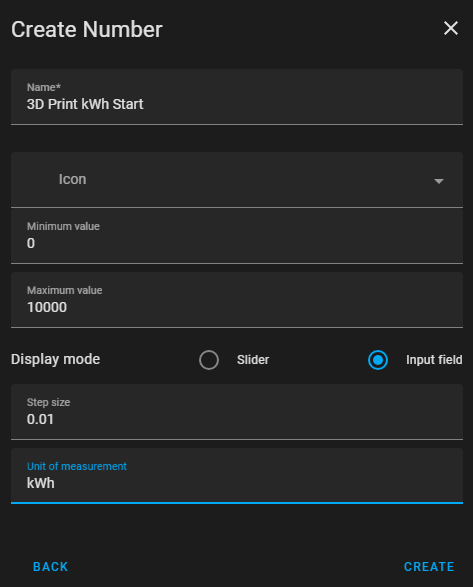
input_number.3d_print_kwh_start (stores starting kWh per print)
(Optional totals)input_number helpers for cumulative filament weight, cumulative filament cost, cumulative electrical cost, cumulative total cost, and last print kWh used
Blueprint inputs (high level)
HA URL (base, no trailing slash)
Printer sensors: print status, start time, end time, usage hours
Image entity(optional): cover image from the Bambu integration
Base URL (no trailing slash). Used to prefix image URLs in Telegram. Example: http://homeassistant.local:8123 or your external URL.
Printer Status Sensor
sensor.<printer>_print_status from the Bambu HACS integration. Triggers prepare/finish/pause.
Print Cover Image
The image entity exposed by the Bambu integration, if available. Leave empty to send text-only.
Start Time / End Time Sensors
sensor.<printer>_start_time and sensor.<printer>_end_time from the Bambu integration. Used to compute duration.
Print Weight Sensor
Grams (integration sensor or input_number). Used for filament cost (Typically from the Bambu integration)
Print Length Sensor
Sensor/helper for filament length (mm or m). Leave empty if you don’t have it.
Total Usage Hours Sensor
sensor.<printer>_total_usage_hours (or similar) from the integration, for all-time usage stats.
Energy Consumption Sensor
Your smart plug’s cumulative kWh sensor for the printer.
Start kWh Helper
input_number to store the start kWh reading. Create one (e.g. input_number.3d_print_kwh_start).
Filament Price per KG
e.g. 25.99 for €25.99/kg (your currency).
Electricity Cost per kWh
e.g. 0.385 for €0.385/kWh.
Printer Purchase Cost
e.g. 1000.
Printer Lifetime (hours)
e.g. 6000.
Telegram Chat ID(s)
One or more chat IDs (comma-separated) . See below to find your chat ID(s). e.g. -1001234567890, 12345678
Sleep Mode Toggle
input_boolean to suppress pause alerts (DND).
Cumulative Stats helpers(Filament Weight, Filament Cost, Electrical Cost, Total Cost, Last Print kWh)
Create input_number helpers if you want totals updated after each print: cumulative_filament_weight (g), cumulative_filament_cost, cumulative_electrical_cost, cumulative_total_cost, and (optionally) last_print_kwh_used.
Disable Image Sending
If true, always send text (no image).
Currency Symbol
Defaults to $. Use €, £, etc. Only symbol (no spaces). Used for display only
Why length is optional? Cost uses weight × price/kg. Length (m/ft) is nice for reporting but not essential.
(“Filament Length” line appears only if you supply a length sensor.)
Notes
If the photo can’t be sent, the blueprint automatically sends the text-only message.
If you don’t have a length sensor, just leave it empty.
If you prefer only text, enable Disable Image.
Credit
This blueprint is heavily inspired by Colton Onushko’s automation. Big thanks to him !
I replaced Discord with Telegram and rely exclusively on the Bambu HACS integration instead of OrcaSlicer and Colton’s python script.
Happy printing! Feedback, questions or PRs are welcome.
I am guessing because it is very long, 2 sub folders in and one of the folders is long with spaces instead of '-'s likely.
My suggestion is move it and test it until you find something that works…
I tried both of your ‘my links’.
downloading opening the trace, it seems to not properly push the image and therefore screw something up. Im on HAOS - do i need to create folders so that the image gets saved? where does it get saved anyway or whitelist a folder for this token image?
Okay in the meantime I debugged a bit and found the issue on this
First of all ignore Topics 2 and 3 since they are self-inflicted issues and can be narrowed down to my own incompetence.
I focused on question 1 since this is clearly a bug in the Blueprint.
So back to topic:
I found out that sending without a picture works totally fine
So i was trying to find out why the picture push didnt work and why the message does not get sent at all.
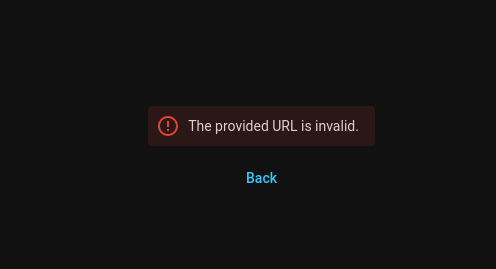
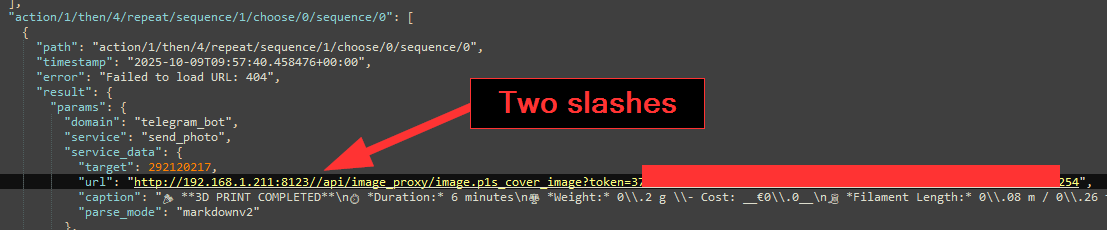
for some reason it uses a wrongly formatted URL (thats why I get error 404) with two slashes, even though my _ha_url variable is totally fine and explicitly defined in the trace log:
After that I changed the url to http://192.168.1.211:8123/" for the lulz (despite what the blueprint tells me) and voila: triple slashes.
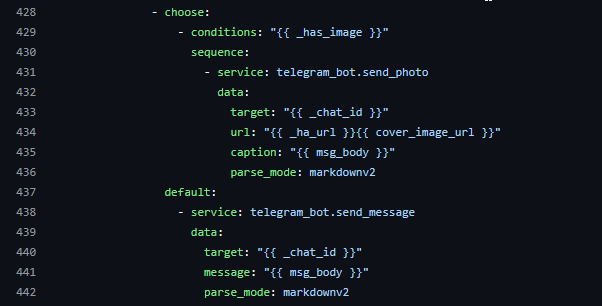
It seems to be that the blueprint is flawed in line 446 url: '{{ _ha_url }}/{{ cover_image_url }}'
since the cover_image_url already has a “/” in the beginning
I went into the dir of the code (\config\blueprints\automation\soflane) of it, made a copy and removed the excess slash so the var gets glued together correctly to: url: '{{ _ha_url }}{{ cover_image_url }}'
then i copied the yaml into \config\blueprints\automation and now it works as a quick fix…
Hey there — thanks a lot for digging in and for the PR!
Sorry for the late reply — I’ve been quite busy lately and wanted to take the time to check why it didn’t cause an error on my setup.
You were absolutely right: the URL was being built as {{ _ha_url }}/{{ cover_image_url }} while cover_image_url already starts with /, so some setups ended up with a // and a 404. On my side, it “worked” because my reverse proxy (Traefik) automatically normalized the double slash — which is why I didn’t catch it earlier. I’ve just merged your PR!
A few extra notes for anyone following along:
No local file saving needed: The image comes from the Bambu integration as a URL path (served by HA). Nothing is written to disk for this blueprint, and you don’t need to create folders or whitelist anything.
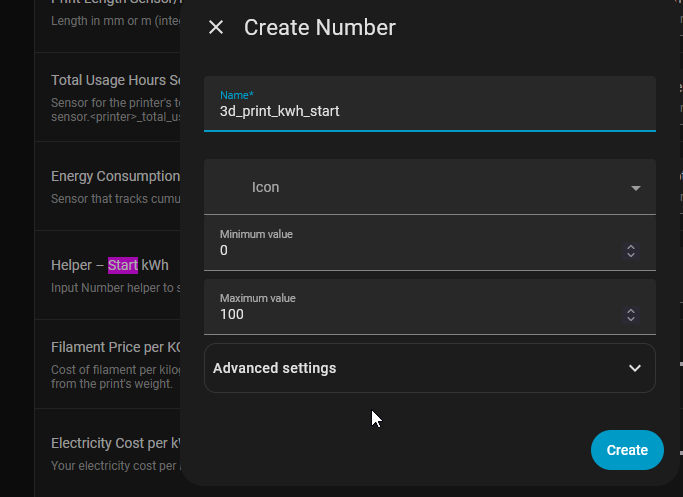
About the helper type (“Start kWh”): It must be an input_number, not a text helper — the blueprint performs arithmetic with it. The default 0–100 range you see is just Home Assistant’s default when creating a number helper. Feel free to set a wide range and small step, depending on your smart plug’s precision. For example:
Min: 0
Max: 100000
Step: 0.001
Mode: Box
If anyone still encounters URL edge cases (some proxies can be… creative ), you can add a more robust version like this:
That ensures the URL is properly joined regardless of extra slashes.
With the merged fix, most setups won’t need it — but I’m leaving it here as a “sticky note” for reference.
Again, huge thanks for reporting, testing, and sending the PR — really appreciate the help!
Hello, I’ve managed to configure everything except for sending the message via Telegram, which isn’t working. I’m entering my ID (numbers) but the message isn’t being sent. When I test it using the developer tools, it works.
Hello, I added a bot to HA for Alarmo. I created discussion groups for ease of use. However, it no longer works with blueprints. I correctly specified the group ID with the hyphen (-) in front. Here’s what I see in the automation logs.
The issue is there because it has the "old" telegram send message scheme which now breaks the whole script from what I see.
It worked flawlessly but after an update it broke this blueprint/automation
The whole Blueprint needs an overhaul.
I have created a quick fix for the new format.
I tried to change as little as possible in the blueprint since I am not super experienced with blueprints but I wanted to make sure it works as longterm as possible for the upcoming 2026.9.0 update.
Basically what I did:
removed chat.id var, since the whole splitting etc is no longer needed basically
adjusted to using notify entities AND you can also specify multiple targets
Hey there !
First, many thanks for your interest on this blueprint and for taking the time to fix the issue
Sorry for my time to reply, I also noticed the HA warning but I changed my printer to LAN management to try Bambuddy, therefore I couldn't try the blueprint further.
I just merged the PR so everyone can benefit of the fix!
Hello, a quick update after a few months of use. I don’t know why, but I receive the messages several times after a print job finishes. Sometimes 2-3 times, sometimes 25 in one night. I haven’t been able to figure out what’s causing it. It might be a problem specific to my HA.

 One-click import: