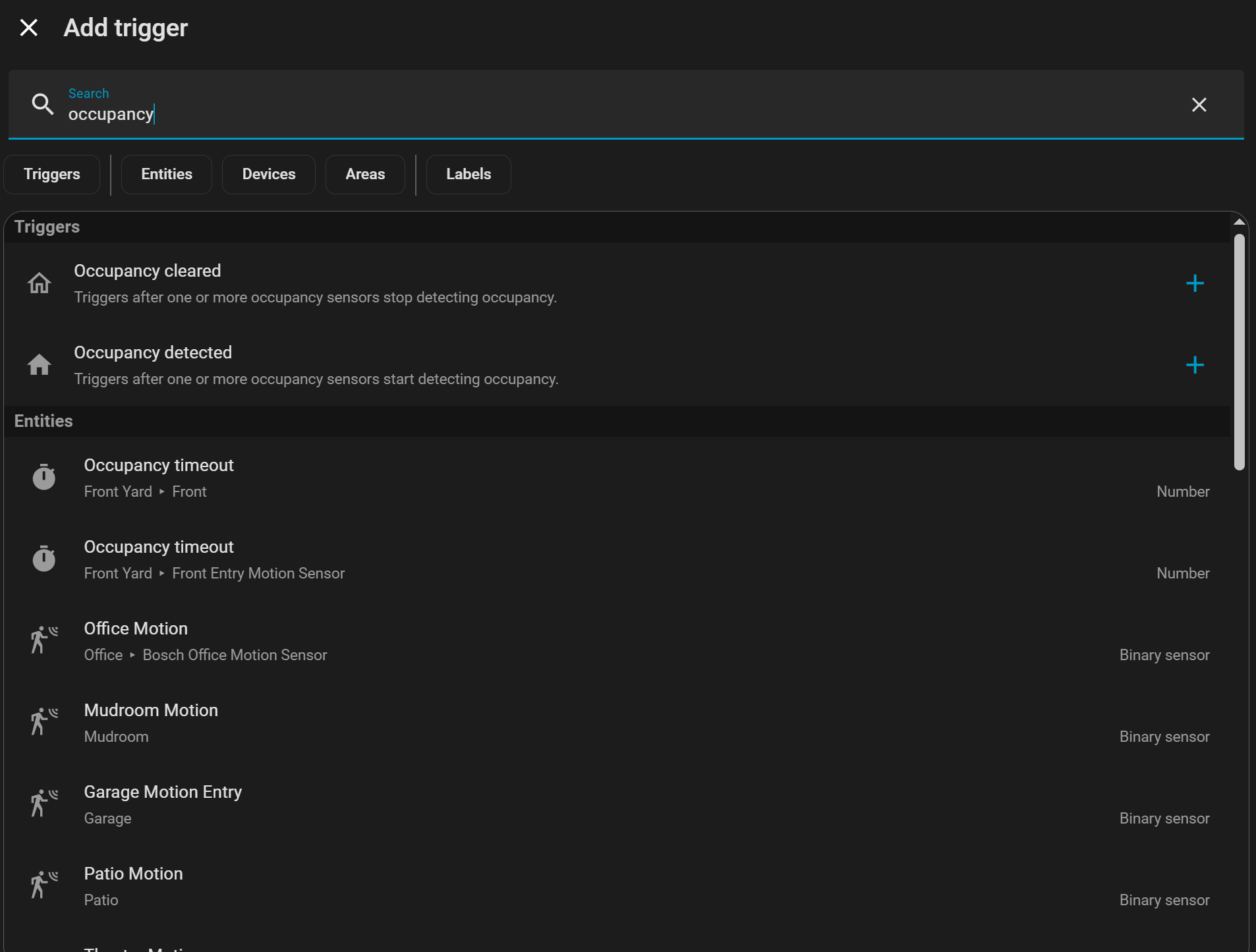
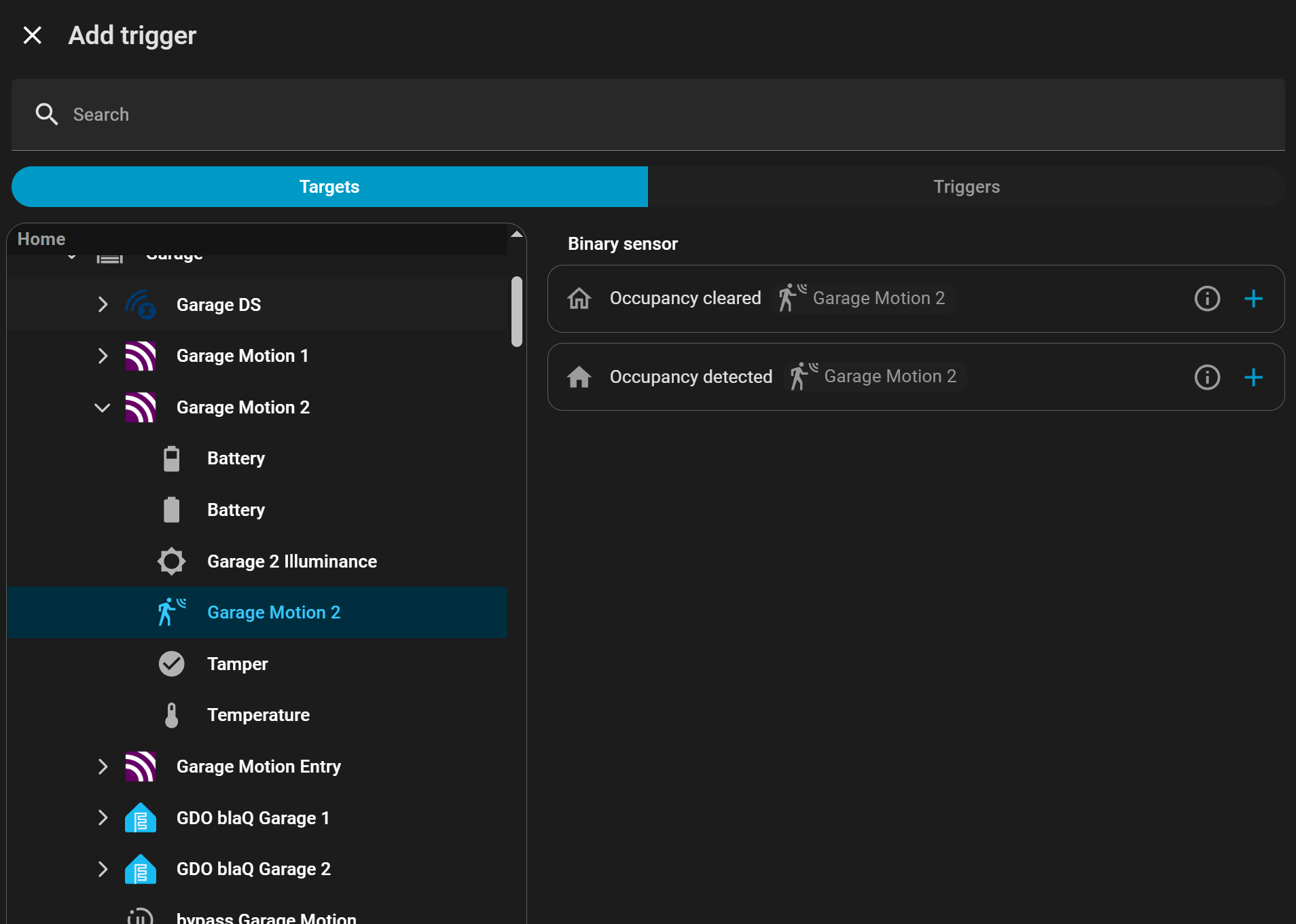
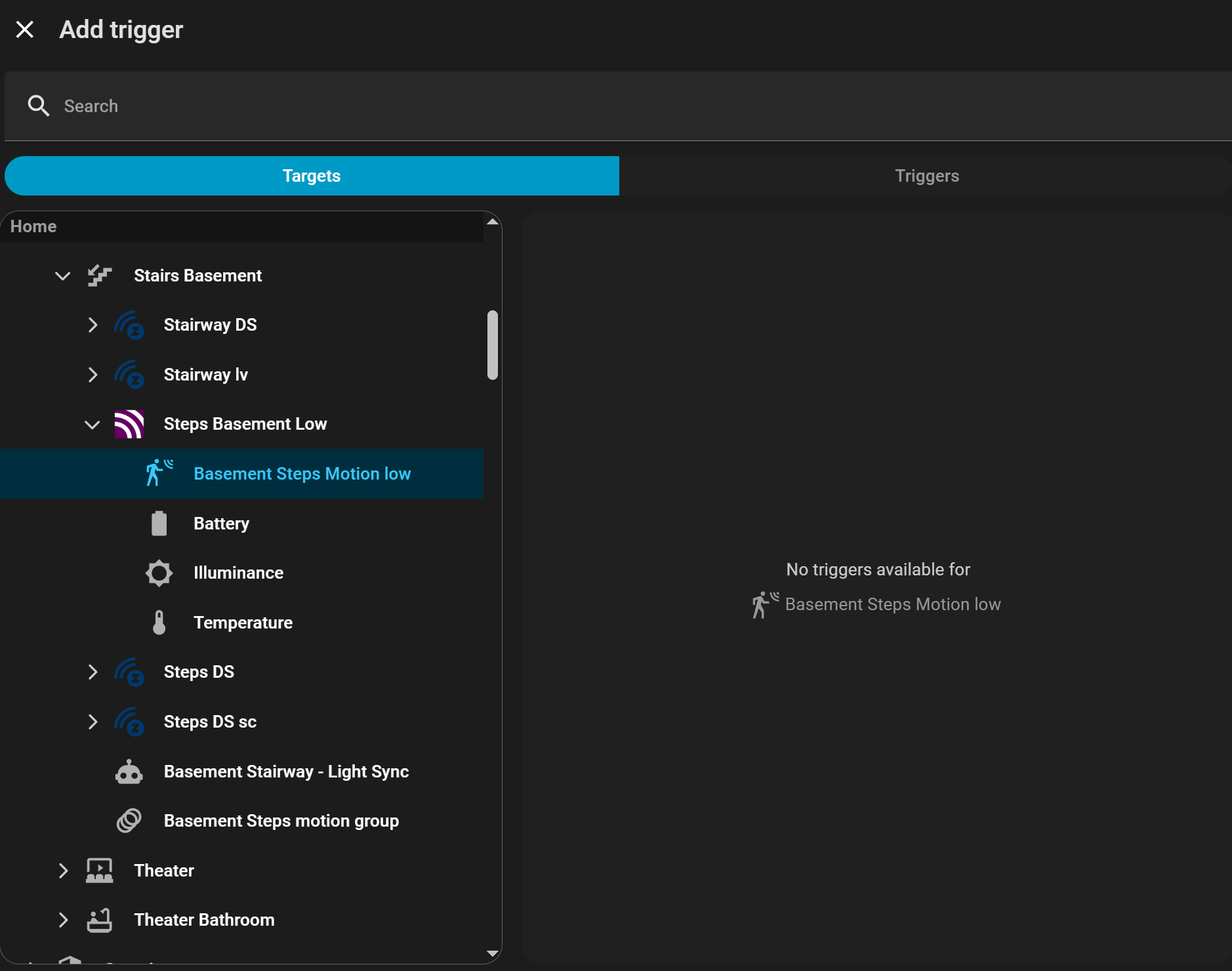
Identified Root Cause of BUG … If the entity is “Show As” = “Occupancy” it works fine in the selector… when set as “Motion” the selector ignores it. Hope this gets fixed in the next release.
ALL motion sensors, and all entities for that matter, should show in the Trigger Selector no matter what the “Show As” setting is set to. Triggers should be based on the Domain type and should not include/exclude that “Show As” has.
Motion triggers don’t exist yet. This is a work in progress which is why it’s in labs, you can see them listed in github by filtering to only show tasks.
Why is the Trigger Selector based on the property “Show As” and not on Domain or Entity type (binary, etc)? Occupancy and Motion are the same ‘thing’… they are binary on or off.
Seems like all binary triggers should ‘just work’ without dependence on an entity property that is mostly cosmetic.
Occupancy trigger does exist, and it works – I have several automations using it.
I’m saying, if any binary trigger is working – they all should be working.
Maybe your mental model is different than what I would do… maybe you are hard coding, 1-at-a-time, each “Show As” label. If yes, that is not as robust or efficient as coding triggers based on state value types (binary, etc). State value type allows ALL of a given type to work once coded no matter what the cosmetic label/text/name/etc is
… later (at any time) you can make the cosmetics say whatever you want (Occupied, Motion, Fluffy Bunny, etc)… it doesn’t matter because the code is not dependent on the “Show As” property
My guy, you’re asking about Motion triggers… It does not exist.
I’ve literally linked you the github tasks that will eventually create the Motion triggers and you’re here saying “they should exist”.
No, you are using Occupancy triggers, they are new. Added in december/january. You’re asking about Motion Triggers, they are not in the software yet. Both of these triggers are the “new style triggers” and are only accessible via labs. This is a work in progress and the work isn’t done. Obviously it’s not as simple as you’re making it out to be otherwise the motion triggers would already exist.
Aside from all of that, they will be in the software shortly. So even saying “they should be in the software” is pointless because there’s a task showing they will be.
My point is that HA see both only as ON or OFF… Thus they are the processed same in code. Seems like the Trigger Selector is not treating them as if they are same. Its clear the trigger is defining/determining use based on ‘Show As’ and not the actual state value type. If the model was using what I proposed Motion would already work, just like Occupancy, or Window/Door, or any binary entity
If you want a trigger that is based solely on state value, you need to select a State trigger in the selector not one of the experimental “purpose-specific” triggers.
maybe I don’t understand the mental model, so please explain the ‘purpose-specific’ differences between any binary entity vs any other binary entity? In this example* we’ve been talking about Occupancy vs Motion – why are these so different , aka purpose-specific?
*but really could use any example, Motion vs Window/Door ,etc
occupancy: on means occupied (detected), off means not occupied (clear)
motion: on means motion detected, off means no motion (clear)
in regards to the new trigger system, it specifically points out the device_class for how it filters. That’s just how it works. There’s nothing more to this. There’s nothing more to understand.
Yes, technically speaking this can be expanded easily to other device_classes, but it hasn’t. There’s literally nothing more to this other than the work has not been done. That work is literally just a yaml file pointing to the device_class (for filtering the trigger selector) with some translations for the UI.
Different people like to organize and use entities based on different models. The devs have elected to add triggers and conditions to the new feature based on device class first. My guess is that they are doing so to iron out issues before moving to a broader scope. Based on previous discussions on Discord and the fact that there is still a domain-wide open task for binary sensors; it looks like there will be broader-purpose or combined triggers so you can trigger off a selection of binary sensors even if they do not share a device class, or all members of a binary sensor group, or all binary sensors that share a Label.
Bottom line is that those triggers are not implemented yet either, so we just have to wait.
Personally, I have disabled the feature in Labs. I played with it during the Dec and Jan betas and I’ll probably turn it on again this week when the new beta rolls out. But, as it currently stands it doesn’t offer much that I need and it makes the UI selectors harder to use. Looking over the tasks and some of the discussion on Discord, I’m sure it will offer significant utility in the future… it’s just not there yet for me.
I do like the new UI, it gives multiple ways to ‘find’ what you want (entity, trigger, etc) and in ‘Target’ method can make it faster/more efficient to use.
With Blueprint creation/coding I see a large benefit to it (and the Condition Selector), they make the blueprint far easier to code, more efficient, and more flexible for the end-user.
You are making my point; as you detailed… they are exactly the same no matter if the Show As is Motion or Occupancy. Yet the Selector treats them differently and should not be, it should only care about device_class … yet, it filters (excludes) the device/entity list based on “Show As” - it should not.
device_class <> “Show As” … yet Selector use “Show As” as the filter.