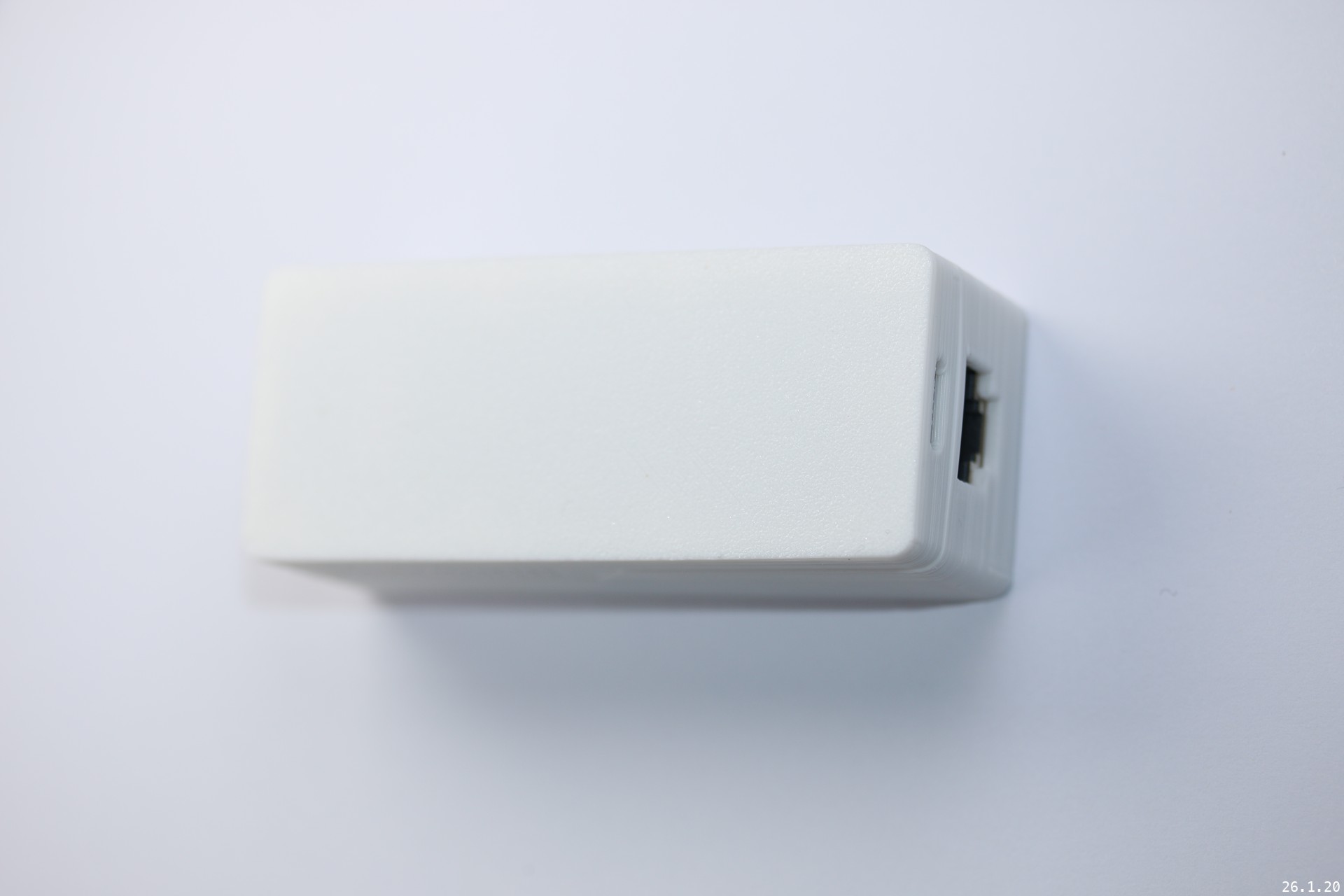
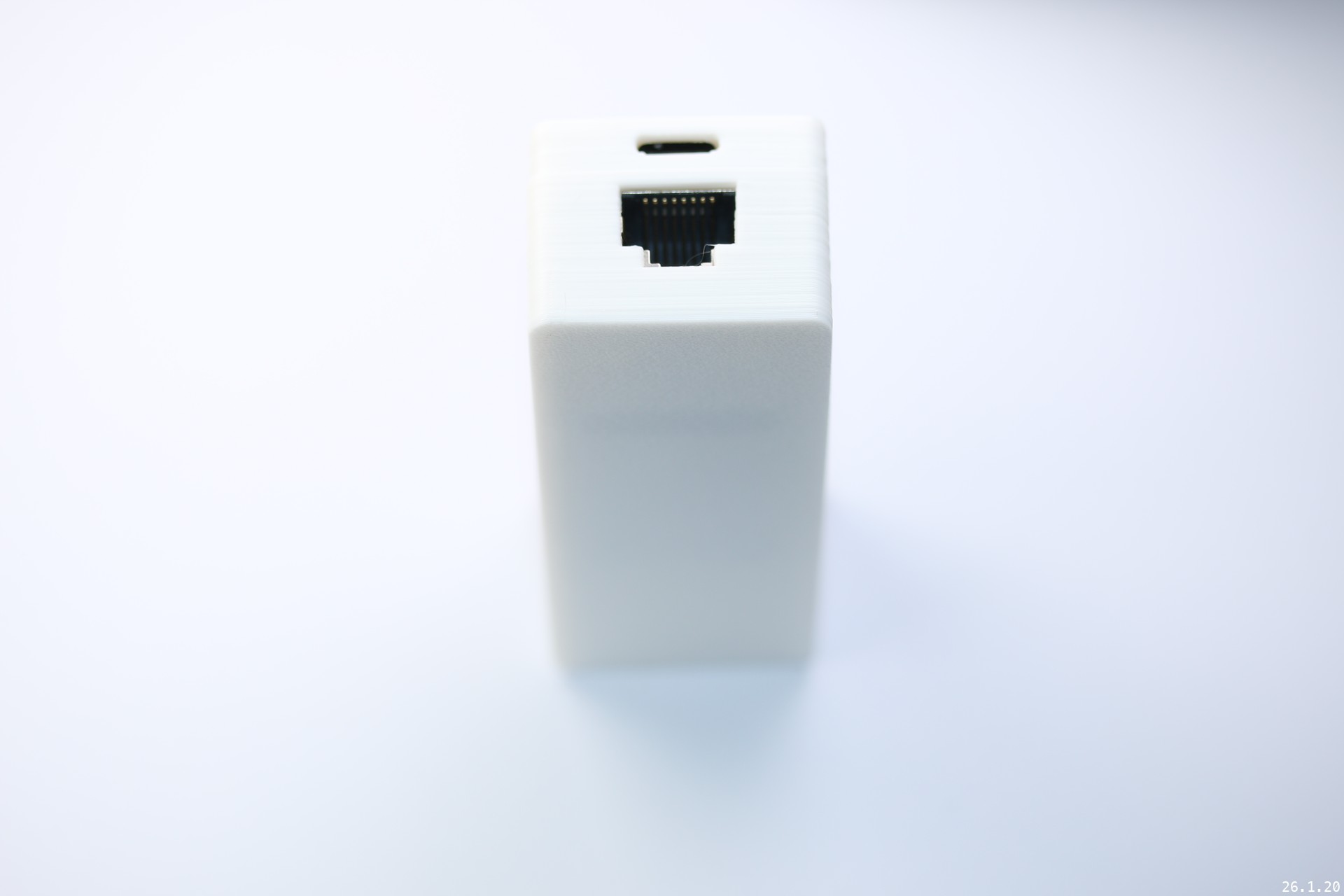
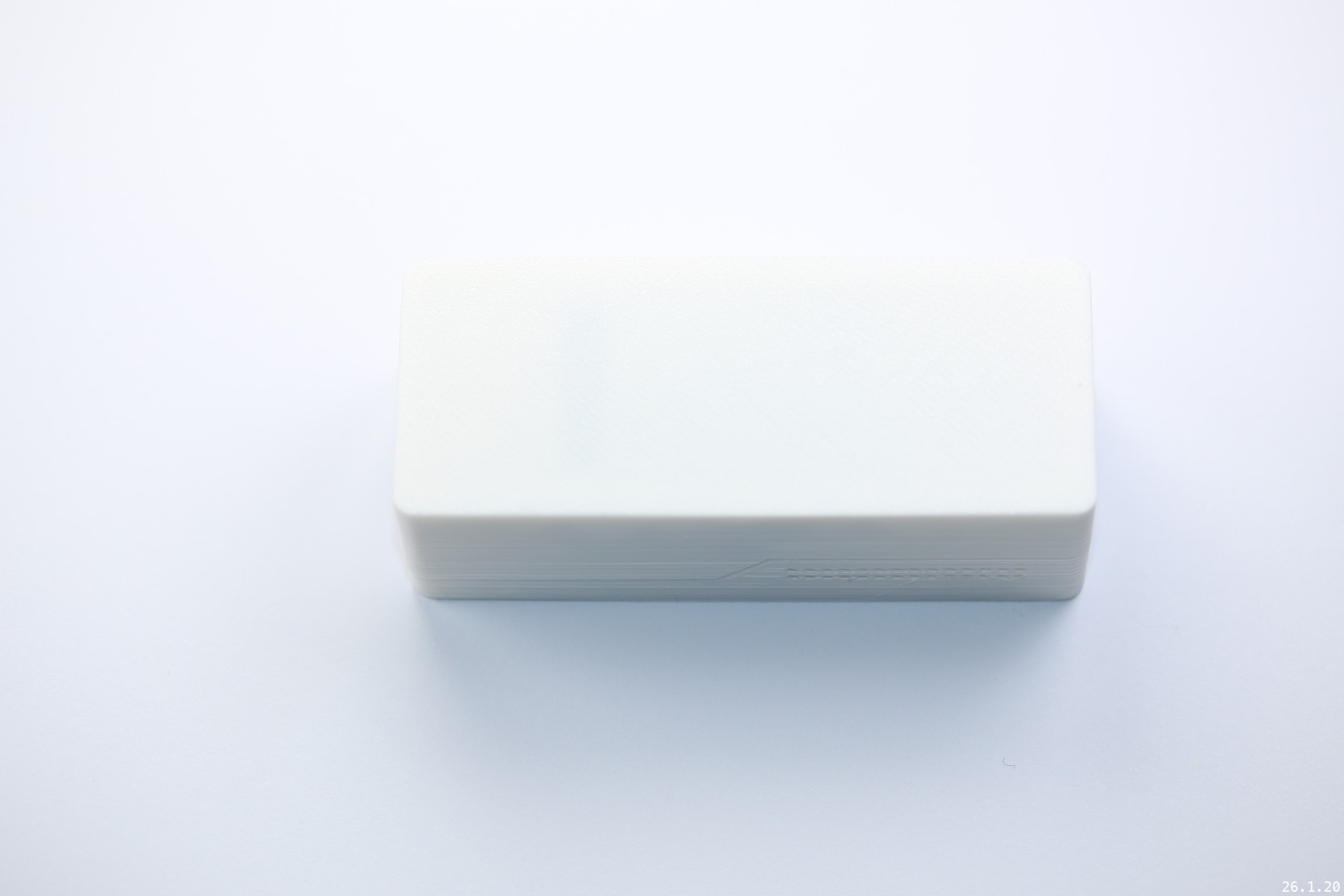
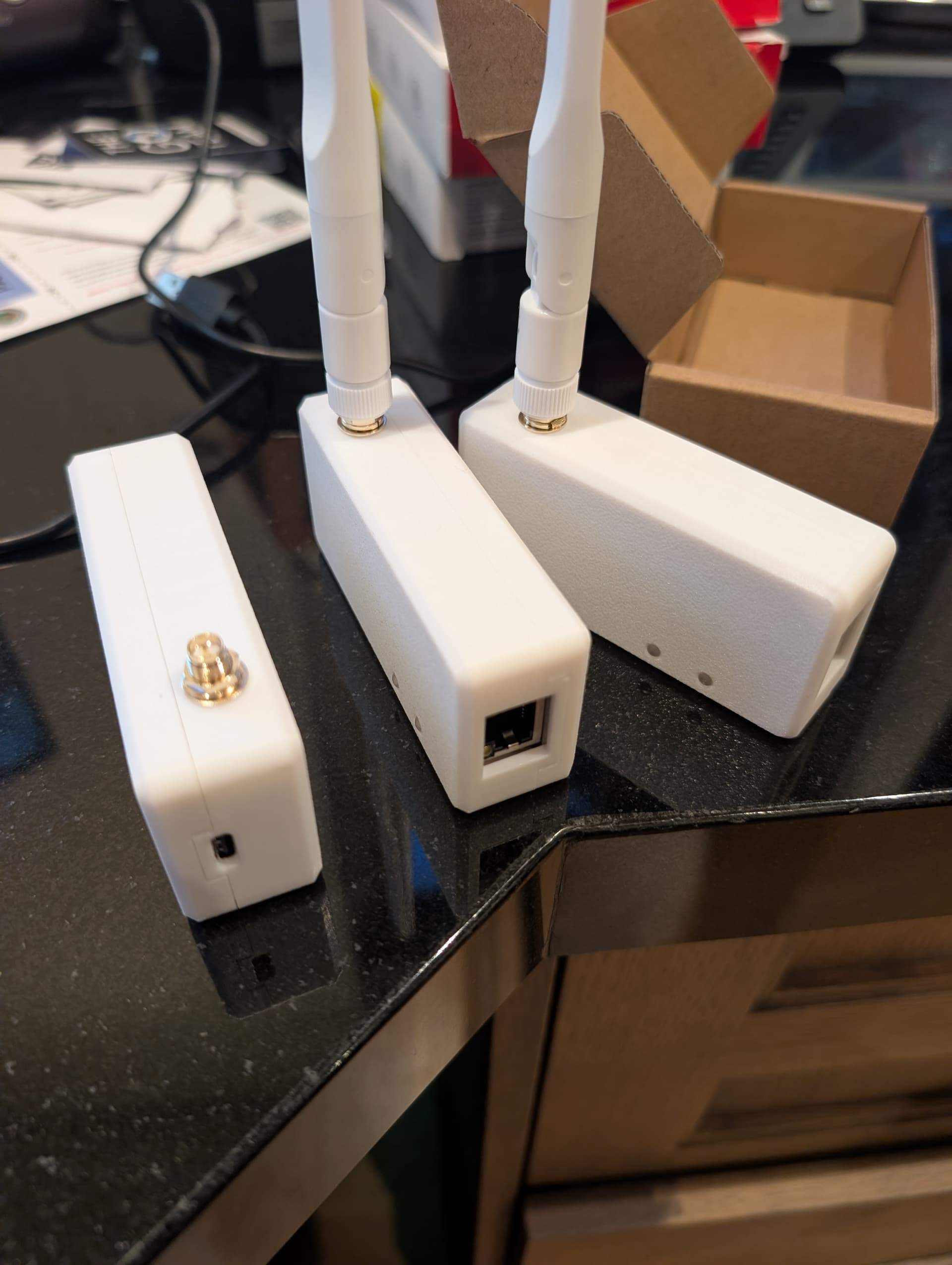
Having DIY numerous popular BP1 and BLEDongle-1M units, we sought to advance further by exploring BLE proxy functionality via direct POE and Ethernet connections. Test results proved remarkably refined, demonstrating exceptional stability and efficiency. POE power supply enables a more streamlined design, allowing placement anywhere. This, I believe, will significantly enhance Home Automation’s Bluetooth capabilities to a new level.
In design, we employed the powerful ESP32-S3 development board as the main controller. By integrating POE power supply while retaining the USB Type-C programming port, this module has captured our interest.
It supports multiple operational configurations:
100Mbps Ethernet port + Type-C power supply
POE power supply + 100Mbps Ethernet port
We’ve incorporated extensive interface displays showing operational data, ensuring it doesn’t function as a black box.
Additionally, we’ve implemented a dedicated switch for active scanning mode. This helps reduce power consumption for low-power devices that shouldn’t be constantly scanned.
In summary! We hope you enjoy this exploration! Have a splendid time.
Hi. I just got a few of these to implement BT proxy coverage in our house. When I plug them into the home network, they do get an IP address, but they don’t seem to be detected by home assistant, even on the same network, and I generally put these types of devices on a VLAN that is restricted. Do they have to be on the same VLAN as HA? I do have MDNS forwarding active so ESPHOME works fine and I have other esphome devices in the house that I can config and update etc…
If I need to load the config through the USB port on esphome, is there a config file already made for bp2 that I can load? I try connecting to the IP address via the browser, but the usual esphome menu doesn’t come up.
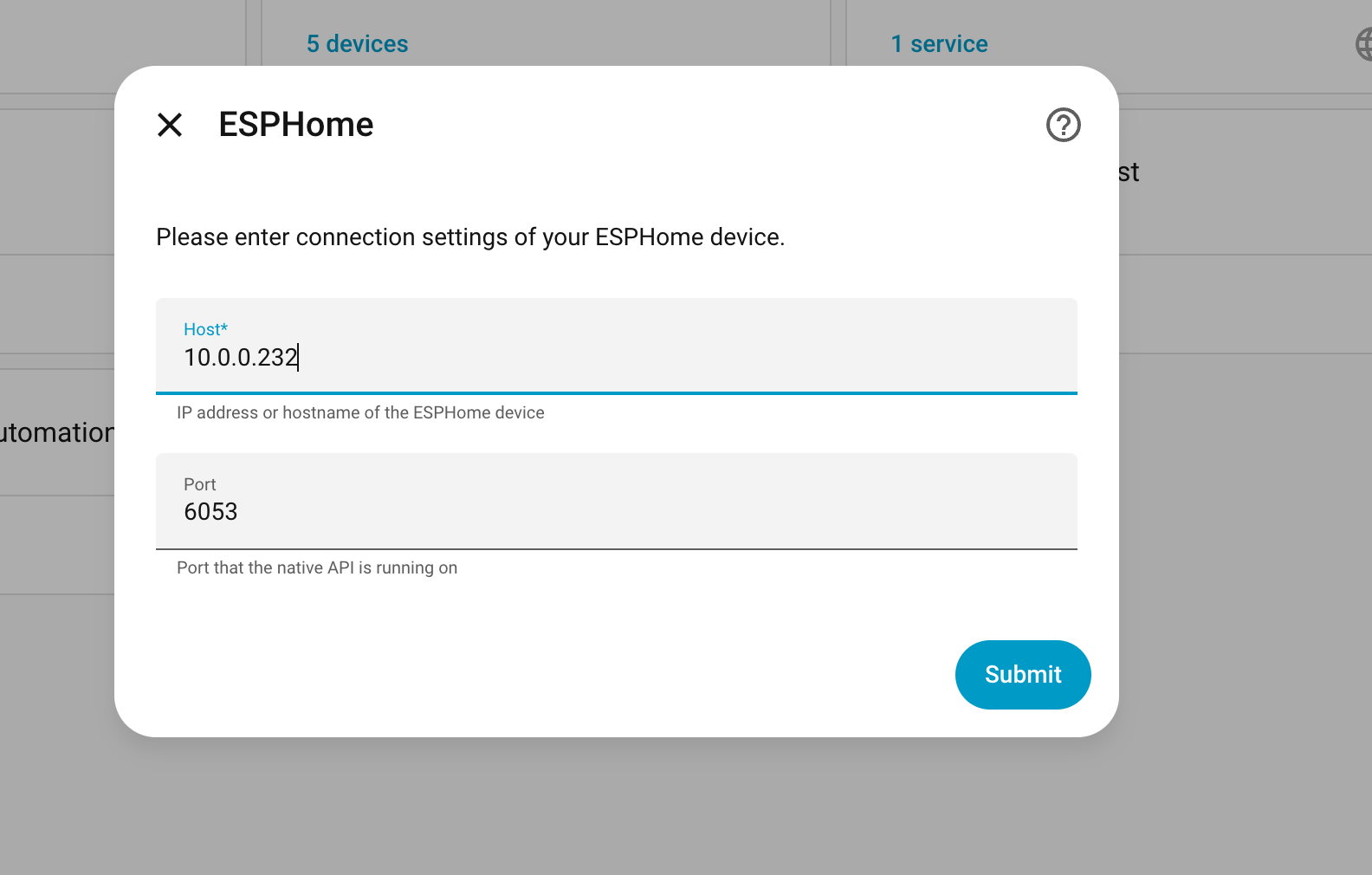
Usually, they will automatically enable the relevant features and be detected by HA. If this does not happen, you can try adding them directly using their IP address; this can be done by selecting the Esphome component in HA and entering the IP address.
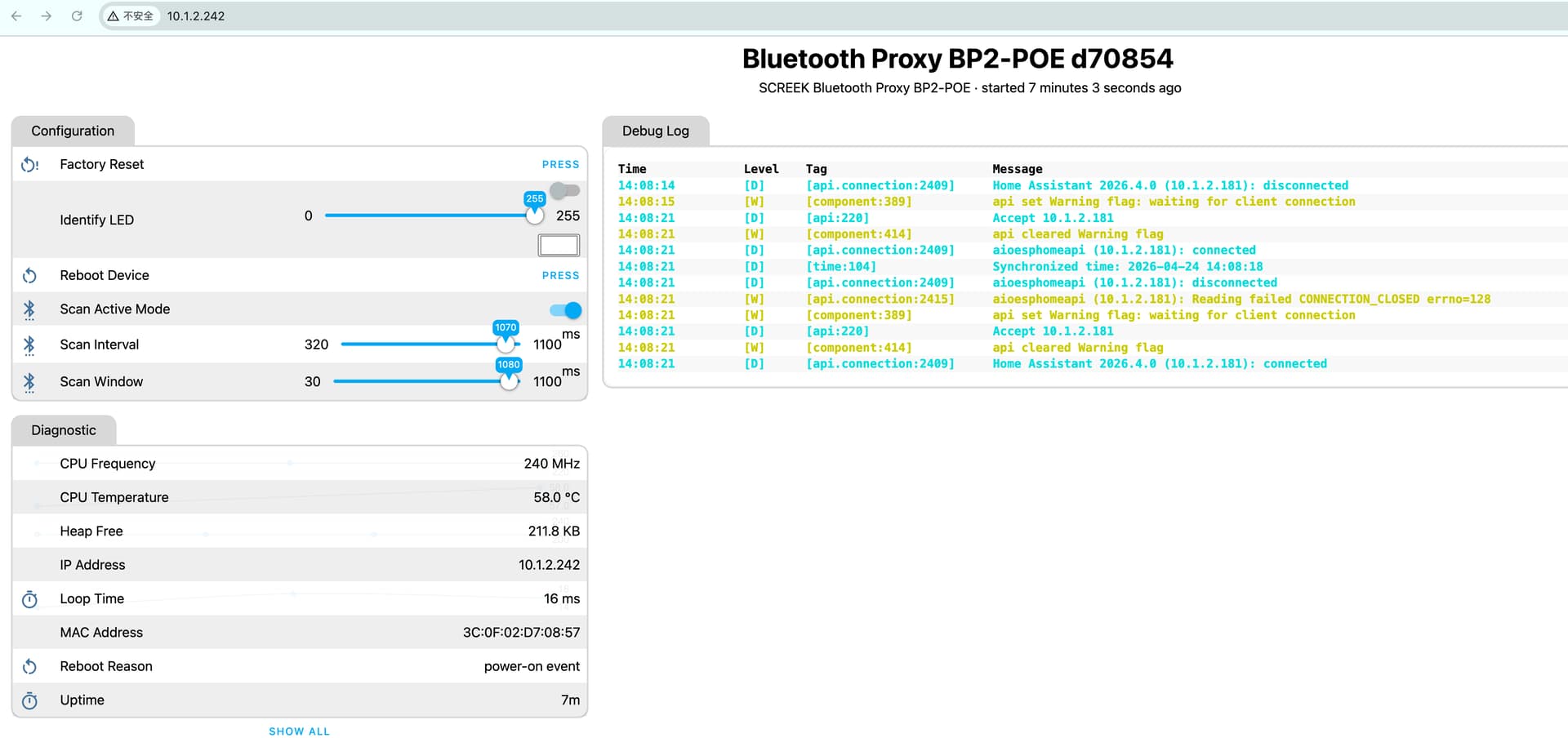
Due to memory constraints, the web interface for the bp series sensors cannot be accessed directly (as the web service has not been enabled).
They don’t show up automatically, and when I follow the 2nd approach in the video, I get “Unable to resolve the address of the ESPHome device. If this issue continues, consider setting a static IP address.”
I am running HA 2026.4.2, and HAOS can ping the device, so I don’t think there is a connectivity problem. Note this VLAN has no access to the Internet.
Why did you turn the web UI off in the BP2? Normally a BT proxy is a minimal memory load for a ESP32 controller. Is the BP2 trying to do something beyond being a BT Proxy? What is the config file in use?
I can try and flashing it manually from the esphome unless you have another idea as to why its acting that way. Also, what does the button on the bottom of the case do?
We apologise that, due to time differences and other factors, our replies may not be immediate. If you do not receive a prompt response, please feel free to contact us at any time via email ([email protected]).
None of the BPs come with a web interface, as they operate in connection mode (which is the official configuration). This consumes a significant amount of memory, and they also scan for nearby BLE devices and send aggregated data to HA.
If you are still unable to connect, we suspect that the BP2 may not be running the correct firmware. This requires reviewing the device’s log files to investigate. We will also be deploying an online configuration tool (based on Esphome).
Using your factory reset tool didn’t work either. Very odd.
When I used esphome to build a .bin file using your .yaml config on the github site, and then installed it on the device, I get this repeating sequence in the logs:
      if (id(cpu_freq_hz).has_state()) {
        id(cpu_freq_mhz).publish_state(id(cpu_freq_hz).state / 1000000.0);
      }
I have never seen a API section like this, what is it trying to do? I realize you don’t have to specify a port number, but the device that I didn’t try and flash gets an IP address but esphome can’t connect to it. When I use putty to do a raw tcp connect to the device on port 6053 (the esphome default), I get a connection refused. So it appears the network comes up but nothing is listening on 6053.
This is simply a passive setting designed to transmit the device’s CPU frequency. As it is passive, it sends the data once after connecting to HA, rather than displaying ‘unknown’.
Could you take a photo so we can confirm that this is a BP2 gateway?
We have manufactured over 200 BP2 units, and this is the first time we have encountered such a strange issue.
As for the compilation, it appears that the correct flash content cannot be loaded.
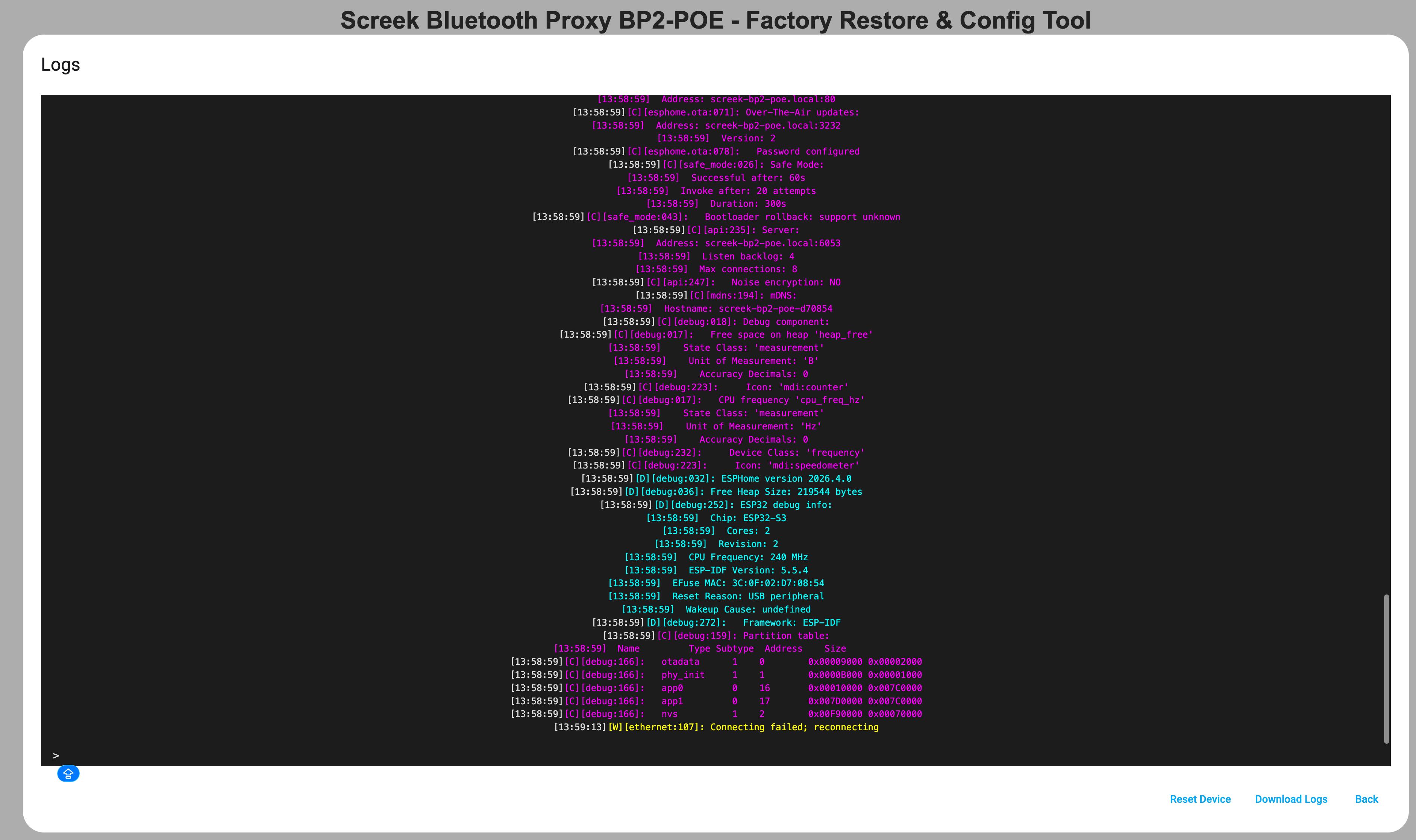
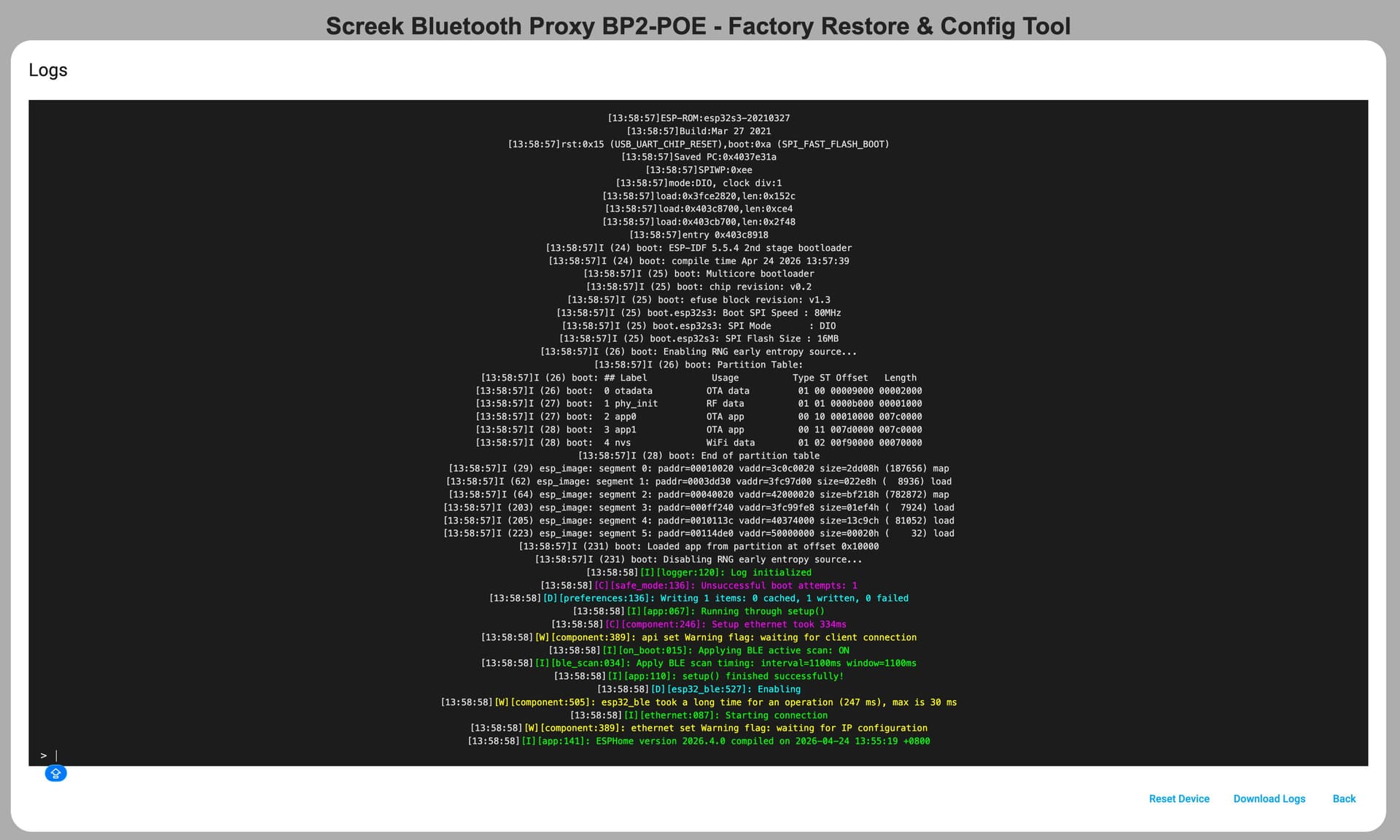
We recommend using the recovery tool to restore the device to its factory firmware, and then using the recovery tool to read the logs; this will help you understand what is happening with the device.
Given that this information is visible during a normal boot process, it now appears that the device has either failed to obtain a valid IP address or has not booted correctly into operational mode. To troubleshoot this issue, it is necessary to retrieve the device’s runtime logs; the recovery tool can read this information via the serial port.
We are not entirely sure how to view open ports directly. We have manufactured tens of thousands of Esphome sensors; if necessary, you can use Esphome commands to view the logs of remote devices directly, which could be considered a way of opening the black box.
Interestingly, the web server doesn’t seem to be using up much memory
 ➤ esphome logs --device 10.1.2.242 ./config/SCREEK-BP2-POE.yaml
INFO ESPHome 2026.4.0
INFO Reading configuration config/SCREEK-BP2-POE.yaml...
INFO Detected timezone 'Asia/Shanghai'
INFO Starting log output from 10.1.2.242 using esphome API
INFO Successfully resolved screek-bp2-poe @ 10.1.2.242 in 0.000s
INFO Successfully connected to screek-bp2-poe @ 10.1.2.242 in 0.008s
INFO Successful handshake with screek-bp2-poe-d70854 @ 10.1.2.242 in 3.954s
[14:13:24.724][I][app:141]: ESPHome version 2026.4.0 compiled on 2026-04-24 13:55:19 +0800
[14:13:24.724][I][app:143]: Project SCREEK.Bluetooth_Proxy BP2-POE version 26.01.23-A
[14:13:24.724][I][app:148]: ESP32 Chip: ESP32-S3 rev0.2, 2 core(s)
[14:13:24.724][C][logger:219]: Logger:
[14:13:24.724][C][logger:219]:   Max Level: DEBUG
[14:13:24.724][C][logger:219]:   Initial Level: DEBUG
[14:13:24.728][C][logger:226]:   Log Baud Rate: 115200
[14:13:24.728][C][logger:226]:   Hardware UART: USB_SERIAL_JTAG
[14:13:24.742][C][logger:235]:   Task Log Buffer Size: 768 bytes
[14:13:24.748][C][uptime.sensor:016]: Uptime Text Sensor 'Uptime'
[14:13:24.752][C][uptime.sensor:223]:   Icon: 'mdi:timer-outline'
[14:13:24.752][C][esp32_rmt_led_strip:270]: ESP32 RMT LED Strip:
[14:13:24.752][C][esp32_rmt_led_strip:270]:   Pin: 21
[14:13:24.752][C][esp32_rmt_led_strip:274]:   RMT Symbols: 192
[14:13:24.754][C][esp32_rmt_led_strip:299]:   RGB Order: GRB
[14:13:24.754][C][esp32_rmt_led_strip:299]:   Max refresh rate: 0
[14:13:24.754][C][esp32_rmt_led_strip:299]:   Number of LEDs: 1
[14:13:24.767][C][template.sensor:017]: Template Sensor 'Heap Free'
[14:13:24.767][C][template.sensor:017]:   State Class: ''
[14:13:24.767][C][template.sensor:017]:   Unit of Measurement: 'KB'
[14:13:24.767][C][template.sensor:017]:   Accuracy Decimals: 1
[14:13:24.771][C][template.sensor:438]:   Update Interval: 60.0s
[14:13:24.774][C][template.sensor:017]: Template Sensor 'CPU Frequency'
[14:13:24.774][C][template.sensor:017]:   State Class: ''
[14:13:24.774][C][template.sensor:017]:   Unit of Measurement: 'MHz'
[14:13:24.774][C][template.sensor:017]:   Accuracy Decimals: 0
[14:13:24.774][C][template.sensor:438]:   Update Interval: 600.0s
[14:13:24.784][C][template.number:016]: Template Number 'Scan Interval'
[14:13:24.785][C][template.number:223]:   Icon: 'mdi:bluetooth-settings'
[14:13:24.785][C][template.number:238]:   Unit of Measurement: 'ms'
[14:13:24.785][C][template.number:049]:   Optimistic: NO
[14:13:24.789][C][template.number:438]:   Update Interval: 60.0s
[14:13:24.792][C][template.number:016]: Template Number 'Scan Window'
[14:13:24.794][C][template.number:223]:   Icon: 'mdi:bluetooth-settings'
[14:13:24.794][C][template.number:238]:   Unit of Measurement: 'ms'
[14:13:24.798][C][template.number:049]:   Optimistic: NO
[14:13:24.798][C][template.number:438]:   Update Interval: 60.0s
[14:13:24.846][C][light:093]: Light 'Identify LED'
[14:13:24.847][C][light:096]:   Default Transition Length: 1.0s
[14:13:24.847][C][light:096]:   Gamma Correct: 2.80
[14:13:24.854][C][template.switch:088]: Template Switch 'Scan Active Mode'
[14:13:24.854][C][template.switch:088]:   Restore Mode: disabled
[14:13:24.858][C][template.switch:223]:   Icon: 'mdi:bluetooth-settings'
[14:13:24.858][C][template.switch:055]:   Optimistic: NO
[14:13:24.863][C][psram:016]: PSRAM:
[14:13:24.867][C][psram:019]:   Available: YES
[14:13:24.868][C][psram:021]:   Size: 8192 KB
[14:13:24.873][C][bluetooth_proxy:129]: Bluetooth Proxy:
[14:13:24.873][C][bluetooth_proxy:129]:   Active: YES
[14:13:24.873][C][bluetooth_proxy:129]:   Connections: 4
[14:13:24.882][C][homeassistant.time:010]: Home Assistant Time
[14:13:24.886][C][time:051]: Timezone: UTC+8:00
[14:13:24.886][C][time:055]: Current time: 2026-04-24 14:13:24
[14:13:24.890][C][ethernet_info:016]: EthernetInfo IPAddress 'IP Address'
[14:13:24.901][C][internal_temperature:017]: Internal Temperature Sensor 'CPU Temperature'
[14:13:24.901][C][internal_temperature:017]:   State Class: 'measurement'
[14:13:24.901][C][internal_temperature:017]:   Unit of Measurement: '°C'
[14:13:24.901][C][internal_temperature:017]:   Accuracy Decimals: 1
[14:13:24.905][C][internal_temperature:232]:   Device Class: 'temperature'
[14:13:24.910][C][restart.button:014]: Restart Button 'Reboot Device'
[14:13:24.910][C][restart.button:223]:   Icon: 'mdi:restart'
[14:13:24.919][C][safe_mode.button:014]: Safe Mode Button 'Safe Mode Boot'
[14:13:24.926][C][safe_mode.button:223]:   Icon: 'mdi:restart-alert'
[14:13:24.926][C][factory_reset.button:014]: Factory Reset Button 'Factory Reset'
[14:13:24.926][C][factory_reset.button:223]:   Icon: 'mdi:restart-alert'
[14:13:24.940][C][esp32_ble:665]: BLE:
[14:13:24.940][C][esp32_ble:665]:   MAC address: 3C:0F:02:D7:08:56
[14:13:24.940][C][esp32_ble:665]:   IO Capability: none
[14:13:24.943][C][esp32_ble_tracker:693]: BLE Tracker:
[14:13:24.943][C][esp32_ble_tracker:694]:   Scan Duration: 300 s
[14:13:24.943][C][esp32_ble_tracker:694]:   Scan Interval: 1100.0 ms
[14:13:24.943][C][esp32_ble_tracker:694]:   Scan Window: 1100.0 ms
[14:13:24.943][C][esp32_ble_tracker:694]:   Scan Type: ACTIVE
[14:13:24.943][C][esp32_ble_tracker:694]:   Continuous Scanning: YES
[14:13:24.943][C][esp32_ble_tracker:702]:   Scanner State: RUNNING
[14:13:24.943][C][esp32_ble_tracker:702]:   Connecting: 0, discovered: 0, disconnecting: 0
[14:13:24.954][C][bluetooth_proxy.connection:091]: BLE Connection:
[14:13:24.958][C][esp32_ble_client:081]:   Address:
[14:13:24.958][C][esp32_ble_client:081]:   Auto-Connect: FALSE
[14:13:24.958][C][esp32_ble_client:081]:   State: IDLE
[14:13:24.962][C][bluetooth_proxy.connection:091]: BLE Connection:
[14:13:24.962][C][esp32_ble_client:081]:   Address:
[14:13:24.962][C][esp32_ble_client:081]:   Auto-Connect: FALSE
[14:13:24.962][C][esp32_ble_client:081]:   State: IDLE
[14:13:24.974][C][bluetooth_proxy.connection:091]: BLE Connection:
[14:13:24.977][C][esp32_ble_client:081]:   Address:
[14:13:24.977][C][esp32_ble_client:081]:   Auto-Connect: FALSE
[14:13:24.977][C][esp32_ble_client:081]:   State: IDLE
[14:13:24.978][C][bluetooth_proxy.connection:091]: BLE Connection:
[14:13:24.978][C][esp32_ble_client:081]:   Address:
[14:13:24.978][C][esp32_ble_client:081]:   Auto-Connect: FALSE
[14:13:24.978][C][esp32_ble_client:081]:   State: IDLE
[14:13:24.991][C][ethernet:444]: Ethernet:
[14:13:24.991][C][ethernet:444]:   Connected: YES
[14:13:24.995][C][ethernet:728]:   IP Address: 10.1.2.242
[14:13:24.995][C][ethernet:728]:   Hostname: 'screek-bp2-poe-d70854'
[14:13:24.995][C][ethernet:728]:   Subnet: 255.255.255.0
[14:13:24.995][C][ethernet:728]:   Gateway: 10.1.2.1
[14:13:24.995][C][ethernet:728]:   DNS1: 10.1.2.1
[14:13:24.995][C][ethernet:728]:   DNS2: 0.0.0.0
[14:13:24.995][C][ethernet:728]:   MAC Address: 3C:0F:02:D7:08:57
[14:13:24.995][C][ethernet:728]:   Is Full Duplex: YES
[14:13:24.995][C][ethernet:728]:   Link Speed: 100
[14:13:24.995][C][ethernet:450]:   CLK Pin: 13
[14:13:24.995][C][ethernet:450]:   MISO Pin: 12
[14:13:24.995][C][ethernet:450]:   MOSI Pin: 11
[14:13:24.995][C][ethernet:450]:   CS Pin: 14
[14:13:24.995][C][ethernet:460]:   Interface: spi2
[14:13:24.995][C][ethernet:467]:   IRQ Pin: 10
[14:13:24.999][C][ethernet:469]:   Reset Pin: 9
[14:13:24.999][C][ethernet:469]:   Clock Speed: 25 MHz
[14:13:24.999][C][ethernet:484]:   Type: W5500
[14:13:24.999][C][ethernet_info:016]: EthernetInfo MAC Address 'MAC Address'
[14:13:25.008][C][web_server:447]: Web Server:
[14:13:25.008][C][web_server:447]:   Address: screek-bp2-poe.local:80
[14:13:25.014][C][esphome.ota:071]: Over-The-Air updates:
[14:13:25.014][C][esphome.ota:071]:   Address: screek-bp2-poe.local:3232
[14:13:25.014][C][esphome.ota:071]:   Version: 2
[14:13:25.018][C][esphome.ota:078]:   Password configured
[14:13:25.026][C][safe_mode:026]: Safe Mode:
[14:13:25.026][C][safe_mode:026]:   Successful after: 60s
[14:13:25.026][C][safe_mode:026]:   Invoke after: 20 attempts
[14:13:25.026][C][safe_mode:026]:   Duration: 300s
[14:13:25.027][C][safe_mode:043]:   Bootloader rollback: support unknown
[14:13:25.032][C][api:235]: Server:
[14:13:25.032][C][api:235]:   Address: screek-bp2-poe.local:6053
[14:13:25.032][C][api:235]:   Listen backlog: 4
[14:13:25.032][C][api:235]:   Max connections: 8
[14:13:25.035][C][api:247]:   Noise encryption: NO
[14:13:25.046][C][mdns:194]: mDNS:
[14:13:25.046][C][mdns:194]:   Hostname: screek-bp2-poe-d70854
[14:13:25.051][C][debug:018]: Debug component:
[14:13:25.055][C][debug:017]:   Free space on heap 'heap_free'
[14:13:25.055][C][debug:017]:     State Class: 'measurement'
[14:13:25.055][C][debug:017]:     Unit of Measurement: 'B'
[14:13:25.055][C][debug:017]:     Accuracy Decimals: 0
[14:13:25.055][C][debug:223]:     Icon: 'mdi:counter'
[14:13:25.055][C][debug:017]:   CPU frequency 'cpu_freq_hz'
[14:13:25.055][C][debug:017]:     State Class: 'measurement'
[14:13:25.055][C][debug:017]:     Unit of Measurement: 'Hz'
[14:13:25.055][C][debug:017]:     Accuracy Decimals: 0
[14:13:25.055][C][debug:232]:     Device Class: 'frequency'
[14:13:25.060][C][debug:223]:     Icon: 'mdi:speedometer'
[14:13:25.061][D][debug:032]: ESPHome version 2026.4.0
[14:13:25.061][D][debug:036]: Free Heap Size: 209992 bytes
[14:13:25.061][D][debug:252]: ESP32 debug info:
[14:13:25.061][D][debug:252]:   Chip: ESP32-S3
[14:13:25.061][D][debug:252]:   Cores: 2
[14:13:25.061][D][debug:252]:   Revision: 2
[14:13:25.061][D][debug:252]:   CPU Frequency: 240 MHz
[14:13:25.061][D][debug:252]:   ESP-IDF Version: 5.5.4
[14:13:25.061][D][debug:252]:   EFuse MAC: 3C:0F:02:D7:08:54
[14:13:25.061][D][debug:252]:   Reset Reason: power-on event
[14:13:25.061][D][debug:252]:   Wakeup Cause: undefined
[14:13:25.063][D][debug:272]:   Framework: ESP-IDF
[14:13:25.066][C][debug:159]: Partition table:
[14:13:25.066][C][debug:159]:   Name         Type Subtype  Address    Size
[14:13:25.066][C][debug:166]:   otadata      1    0        0x00009000 0x00002000
[14:13:25.066][C][debug:166]:   phy_init     1    1        0x0000B000 0x00001000
[14:13:25.071][C][debug:166]:   app0         0    16       0x00010000 0x007C0000
[14:13:25.071][C][debug:166]:   app1         0    17       0x007D0000 0x007C0000
[14:13:25.071][C][debug:166]:   nvs          1    2        0x00F90000 0x00070000
[14:13:25.153][S][text_sensor]: 'Reboot Reason' >> 'power-on event'
[14:13:26.477][S][sensor]: 'Heap Free' >> 211.7 KB
[14:13:26.582][S][number]: 'Scan Interval' >> 1100.00
[14:13:26.803][S][sensor]: 'Loop Time' >> 22 ms
[14:13:27.505][S][sensor]: 'CPU Temperature' >> 63.0 °C
[14:13:28.644][S][number]: 'Scan Window' >> 1100.00
[14:13:30.384][S][text_sensor]: 'Uptime' >> '12m'
I gave it a go, and it looks as though Nmap can scan open ports.
~ ➤ nmap -p 6053 10.1.2.242
Starting Nmap 7.98 ( https://nmap.org ) at 2026-04-24 14:18 +0800
Nmap scan report for 10.1.2.242
Host is up (0.0074s latency).

PORT     STATE SERVICE
6053/tcp open  x11

Nmap done: 1 IP address (1 host up) scanned in 2.66 seconds
And on the one that I haven’t attempted to flash, port 6053 is active and listening, I confused that with the address of one of the others - my fault. It still doesn’t connect with esphome however, I get the “Unable to connect to the ESPHome device. Make sure the device’s YAML configuration includes an api section.” errors, which is why I asked about the purpose of that section. Have you tested it with the current version of HA?
I flashed the new version with the web server, but this version is not getting an IP address from my router. It is not showing any DHCP requests from the device since I flashed it with the web server version. Should I take one apart and see if it’s a different rev board?
Judging from the picture, this is a similar hardware, but it may not be the same motherboard, so it may not be suitable for bp2 firmware. You may need to readjust it.
Oh my goodness, I got this from seed studio in a thread about the Bp2. This must be a different device! Complete apologies to you! Please disregard my posts - this is not your issue!