Not sure if this is an issue or just the way HomeAssistant works
I had problems with Internal bluetooth device in the workstation having errors so I disabled it and invested in some ESP32 devices and flashed them with Bluetooth, went smoothly then added them to ESP HomeBuilder again went fine
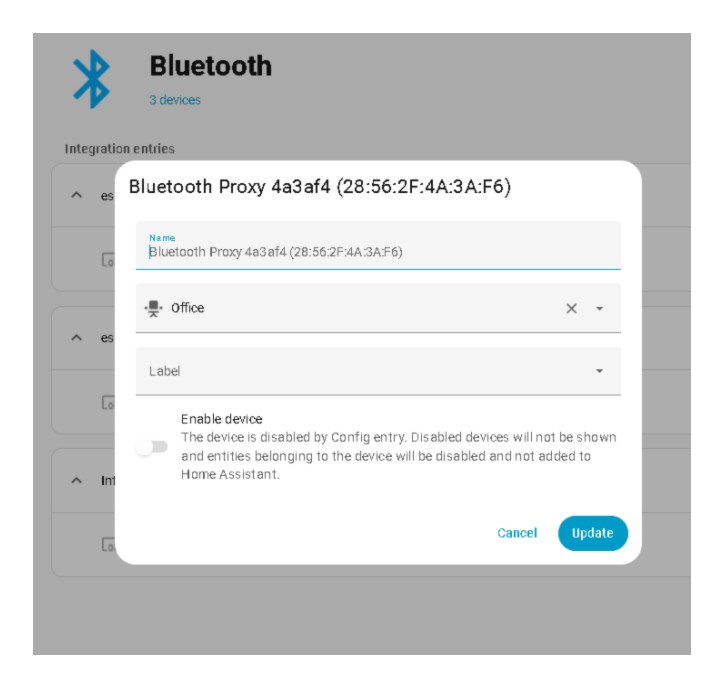
now when I go into Settings, Devices, bluetooth Click on the pencil for the device a window opens and shows a toggle on the bottom where it says Enable Device.
“This device is disabled.”
Do I need to do some setting to have this enabled??
Have you got the ESPHome integration installed? (I assume that by “ESP HomeBuilder” you mean the add-on.)
My understanding is that BT proxies relay data back to HA by wi-fi and the ESPHome integration presents them to HA as if they were Bluetooth.
Hi
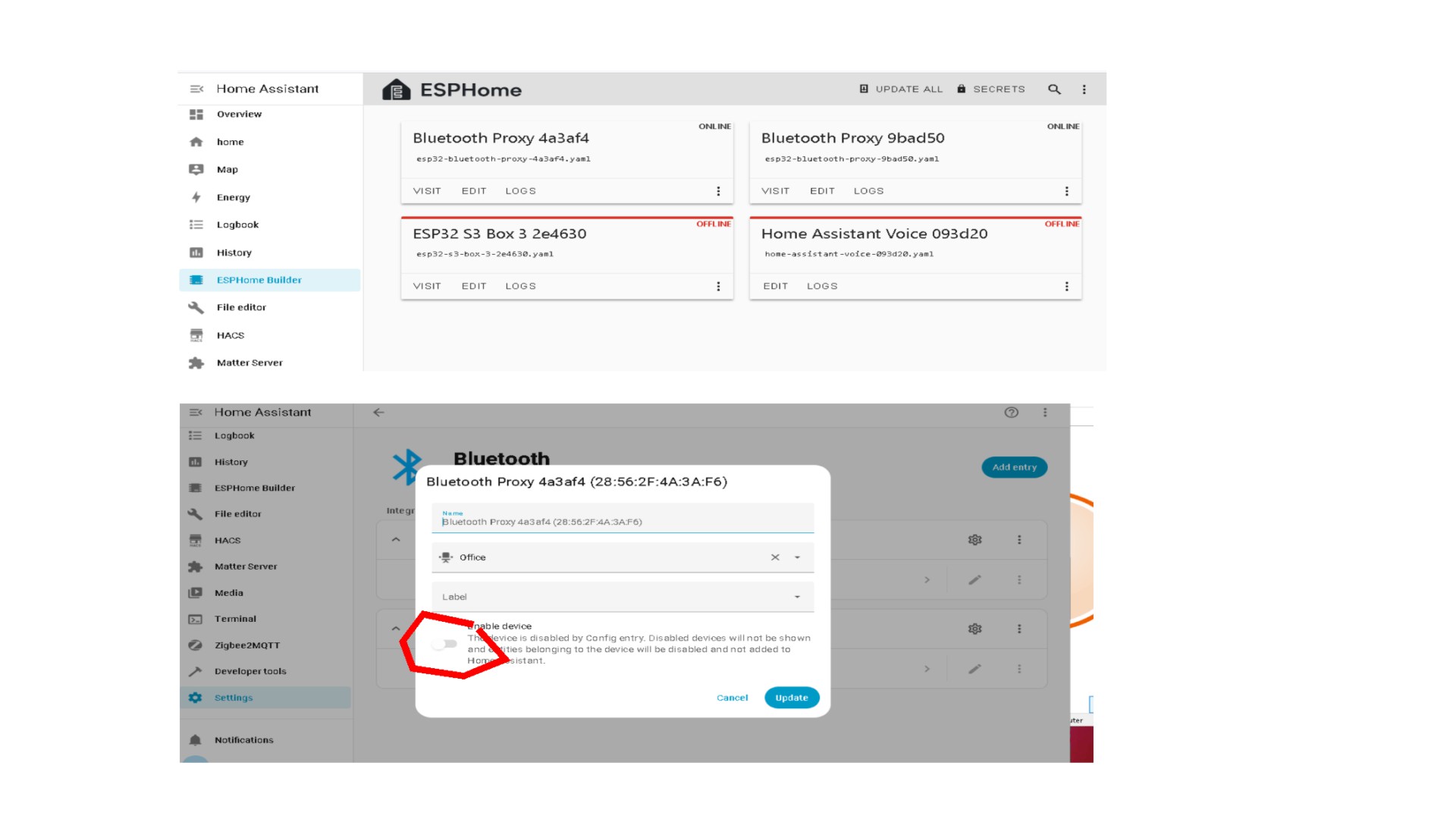
By the ESPhome integration I would assume this is the “ESPhome” Builder (name changed few months back) or is there some other integration I need…
Yes it is installed. I am just asking about the button how to and if I need to get this to “Enable Device”
.
When I look at the Visualization button in bluetooth settings I see a lot of devices but none of the new devices (switch &multi press buttons) show in HomeAssistant Devices
I was able to see new bluetooth items when using the internal bluetooth but had to disable it due to problems as below
Bluetooth proxy did not show the option to install fhe devices
How many proxies do you have? Active or passive scanning?
Note this from the docs:
The Bluetooth proxy of ESPHome provides Home Assistant with a maximum number of 3 simultaneous active connections. Devices which maintain a continuous active connection will consume one of these constantly, whilst devices which do periodic disconnections and reconnections will permit using more than 3 of them (on a statistical basis). Passively broadcasted sensor data (that is advertised by certain devices without active connections) is received separately from these, and is not limited to a specific number.
I have 2 bluetooth proxy but nothing connecting
Placed some bluetooth switched near but they dont show in homeassistant even though the same type of device did connect to the internal bluetooth before disabling itdont know how to set active / passive scanning cos i donk know if they are working
I simply followed the instructions on making the prixy devices connect to homeassistant
So normally you flash them from the ESP Home page.
When that is finished it asks you to connect them to WiFi and that adds them to Home Assistant.
On the Bluetooth screen listing the devices, click the settings icon next to one of the proxies and then click on Advertisement monitor, that will show you all the MAC’s that each proxy is currently hearing (if any).
At least that way you will be able to see if they are communicating with Home Assistant.
Which instructions?
Show the proxies’ configs.
Yes this is what i have completed
All went correctly
Added to homeassistant as you can see in above message
I want to know if i need to activate something to enable the devices again see above picture

OK
In future, please post code or config as preformatted text.
See that line that says -active: true?
I have 9 BLE proxies, all with active set to true, all connected to HA. I interpreted the docs to mean that only 3 HA devices could set up an active connection through a proxy at the same time. So I do not think that is why the esp’s themselves are disabled.
The switch suggests the entire esp is disabled, I’m not even sure it has anything to do with bluetooth at all. If the esp does not connect at all, how is HA supposed to know it is meant to act as a bluetooth proxy? It could also do other things besides being a proxy.
If it is bluetooth related, I’d try to undo wht you said below and restart HA to see if that changes anything:
That’s why I suggested clicking on the little settings icon next to the Proxy on the Bluetooth integration page - and then clicking on the button labelled “Advertisement Monitor” that way you can see what Bluetooth MAC addresses any of the proxies are seeing and what time each proxy last heard from each MAC address.
If the list is empty or if none of the MACs have been heard from in hours, then the proxies might not be working - but if there are MACs being listed and were last heard from in the last 30 minutes - then they are working properly.
If i re-establisg the internal bluetooth it will connect to a new device, no changebto the proxies
I am considering to delete all esp devices and reset
Re-install all things.
If this fails i will start from day 1 install and go through install everything
Hi All
Thanks for the assistance and insights.
After doing some changes, first I installed Proxmox then HomeAssistant Found the onboard Bluetooth seems is not compatible with Home Assistant even though it used to work before, Installed a USB bluetooth dongle and this was OK
Swapped the drive and tested the pc with windows and then Linux the internal bluetooth works fine with them both.
So Back to HomeAssistant
Re-installed ESPHome Builder. then some ESPhome devices and tested…
I found the problem is with onboard Bluetooth & 2 devices I bought from AliExpress “ESP32 Development Board Wireless WiFi Bluetooth module Ultra-Low Power Consumption Dual Core” These showed the problems I was indicating.
I went out yesterday and bought 2 of M5stack S3 atom (M5STAMPS3) and installed these, they both work as I expected showing the devices are enabled and I can see many devices, although not bluetooth they are devices connected to my Home Assistant
So I now have USB Bluetooth & 2 Bluetooth Proxies working.
I will continue testing and come back if need further assistance…