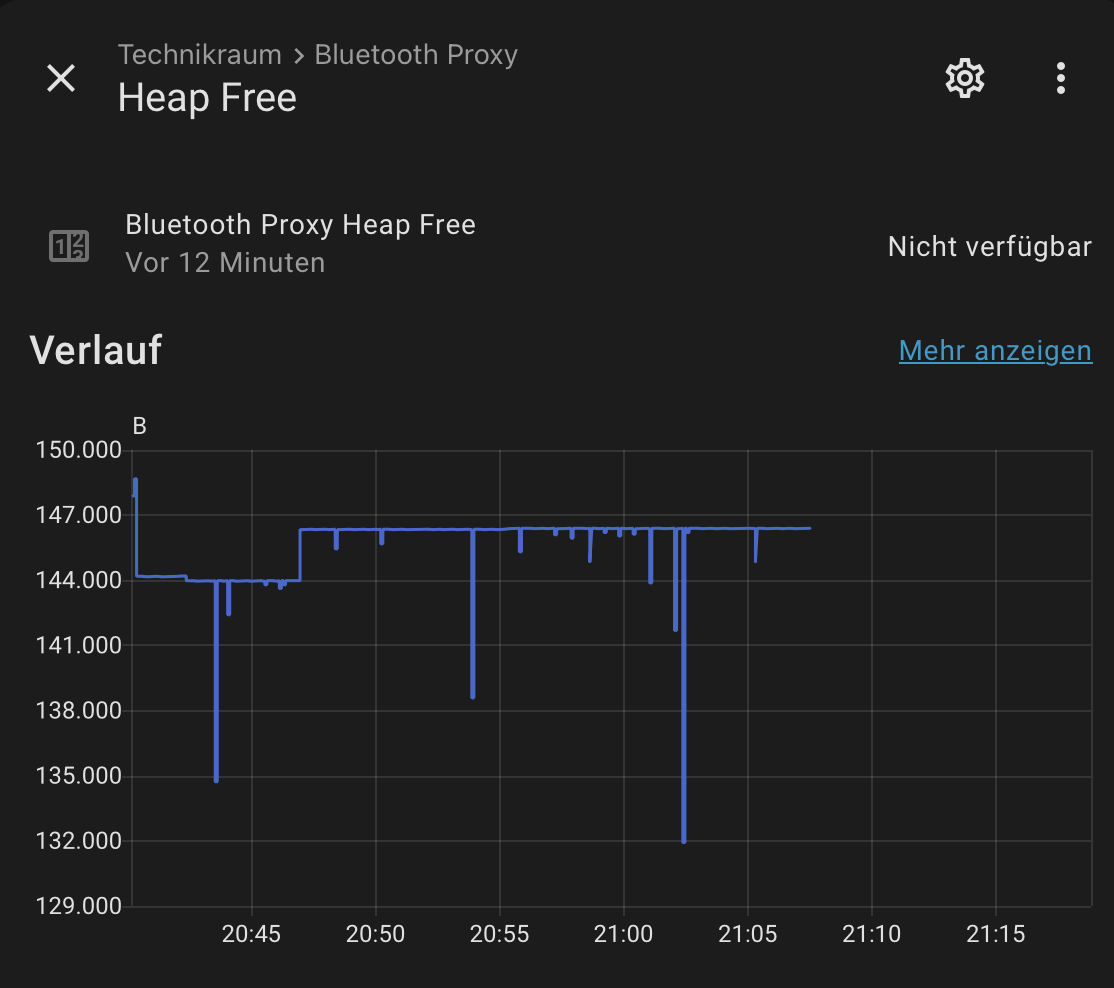
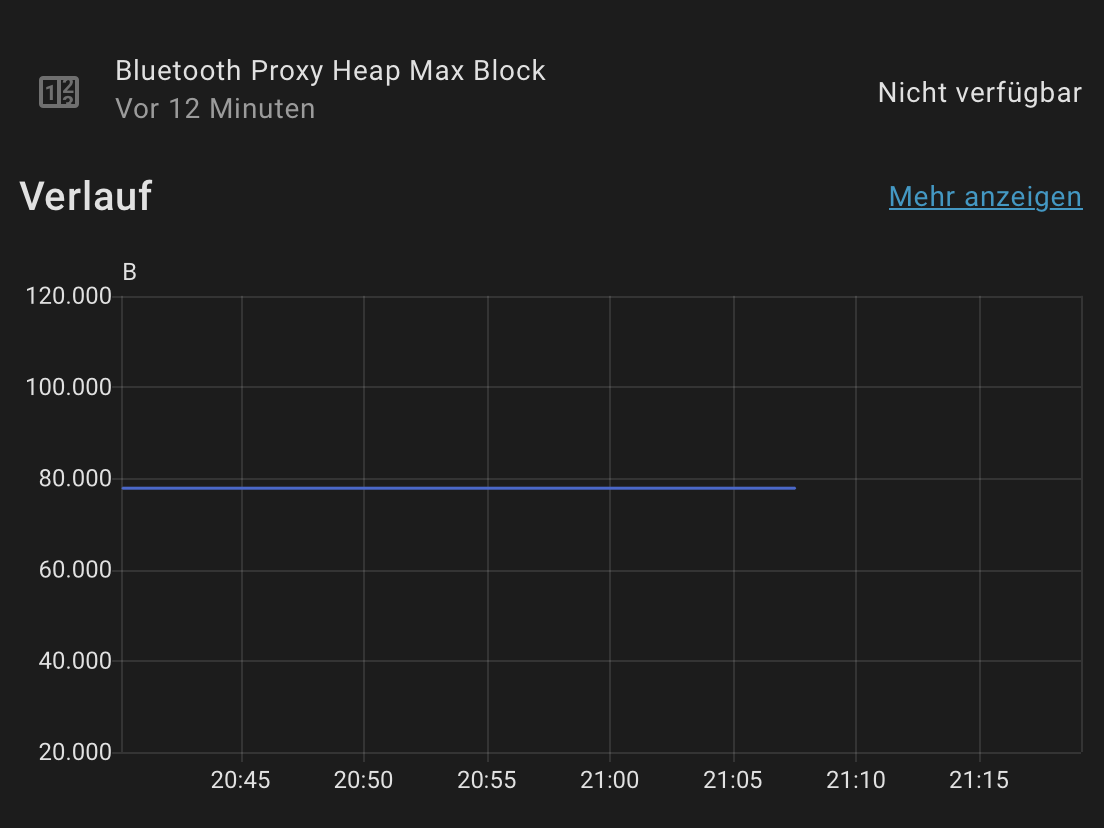
I recently added an Olimex esp32-poe-iso to my installation which acts as a Bluetooth proxy for three devices (an Eve Smoke, a Casambi light, and an Ecoflow River 3 Plus).
While in that state, all connected devices become unavailable and I can’t view logs:
INFO ESPHome 2025.8.4
INFO Reading configuration /config/esphome/olimex-esp32-poe-iso.yaml...
INFO Starting log output from 192.168.1.32 using esphome API
INFO Successfully resolved olimex-esp32-poe-iso @ 192.168.1.32 in 0.000s
INFO Successfully connected to olimex-esp32-poe-iso @ 192.168.1.32 in 0.001s
WARNING Can't connect to ESPHome API for olimex-esp32-poe-iso @ 192.168.1.32: olimex-esp32-poe-iso @ 192.168.1.32: The connection dropped immediately after encrypted hello; Try enabling encryption on the device or turning off encryption on the client (ESPHome Logs 2025.8.4) (EncryptionHelloAPIError)
INFO Trying to connect to olimex-esp32-poe-iso @ 192.168.1.32 in the background
INFO Successfully resolved olimex-esp32-poe-iso @ 192.168.1.32 in 0.000s
INFO Successfully connected to olimex-esp32-poe-iso @ 192.168.1.32 in 0.001s
INFO Successfully resolved olimex-esp32-poe-iso @ 192.168.1.32 in 0.000s
INFO Successfully connected to olimex-esp32-poe-iso @ 192.168.1.32 in 0.002s
INFO Successfully resolved olimex-esp32-poe-iso @ 192.168.1.32 in 0.000s
INFO Successfully connected to olimex-esp32-poe-iso @ 192.168.1.32 in 0.002s
I can restore operations by simply uploading the same firmware again (over the network, so connectivity and API credentials are still fine). After the reboot:
INFO ESPHome 2025.8.4
INFO Reading configuration /config/esphome/olimex-esp32-poe-iso.yaml...
INFO Starting log output from 192.168.1.32 or 2a02:16a:5e00:0:ad1:f9ff:fefa:9eff or fe80::ad1:f9ff:fefa:9eff using esphome API
INFO Successfully resolved olimex-esp32-poe-iso @ 192.168.1.32 in 0.000s
INFO Successfully connected to olimex-esp32-poe-iso @ 192.168.1.32 in 0.002s
INFO Successful handshake with olimex-esp32-poe-iso @ 192.168.1.32 in 0.286s
[11:02:50][I][app:200]: ESPHome version 2025.8.4 compiled on Sep 11 2025, 10:14:23
I think this started when I added a third device with an active connection (the Eve Smoke) - at least I don’t remember seeing the issue previously. I had tried out increasing the max. number of active connections from the default (3) to 5, but that made matters worse (see commented sections in the config).
So: are three devices too many? What could be the issue?
Absolutely… Those parameters limit what the scanner does and why you saw issues for the other integration. It probably does not like the limits. But the limits are necessary to keep the ble scanner behaving itself.
And you took them out.
Now skipping to the meat.
Some workloads are not good when shared on an esp32. This is why I don’t put BLE on my esps that are driving LD20420 mmwave scanners. It just doesn’t work well because they both need a lot of cycles.
The values I had commented out came from Bluetooth Proxy - ESPHome - Smart Home Made Simple which says they “maximize the chances of catching advertisements of the sensors” as a means to “improv[e] reception performance”. As I don’t have problems with reception performance and they caused serious problems, it seemed reasonable to revert to the defaults.
Anyway, I’m trying to find better values now. Commented out, these are the effective values:
interval (Optional, Time): The interval between each consecutive scan window. This is the time the ESP spends on each of the 3 BLE advertising channels. Defaults to 320ms.
window (Optional, Time): The time the ESP is actively listening for packets on a channel during each scan interval. If this is close to the interval value, the ESP will spend more time listening to packets (but also consume more power). Defaults to 30ms
The values from the doc set interval equal to window which means the esp32 will scan continuously. With the default values, it listens only ~10% of the time and thus spends less CPU. As 100% didn’t work and 10% causes lockups, would you suggest reducing that further, e.g. 15 ms (the minimum is 10 s)?
Some workloads are not good when shared on an esp32.
This esp32 does nothing else besides proxying Bluetooth connections.
The esp32 shares cycle with wifi. You have to consider it in your calcs too.
Basically imho if you’re already using Bluetooth and Wi-Fi onthe esp32 for anything else it’s NOT a good candidate for being a standard BT proxy as well. I’d do one OR.
Thisnkind if issue is why I kicked it off my wife’s minecraft lantern. It just took too much of the chip and everything else became erratic or blew up. This is also the reason I understand why it’s NOT IN a VPE. Granted I was trying to do LD2420 and neopixel led with the wled scene as well… But I want able to get it a to play nice and just dropped it. Everything stabilized immediately and I already have 9 other proxies so… I didn’t look past it any further.
Basically imho if you’re already using Bluetooth and ethernet on the esp32 for anything else it’s NOT a good candidate for being a standard BT proxy as well. I’d do one OR.
If your Bluetooth proxy is crashing, you’ll need to capture serial logs via USB cable since the API and OTA logging won’t be available once the device crashes.
Here’s how to debug this:
Connect your ESP32 to your computer with a USB cable
Keep it running with the ESPHome CLI using:
esphome logs your_device.yaml
(You’ll get a menu to select the serial port)
Leave it connected and logging until the crash occurs
The ESPHome CLI will automatically decode any stack traces that appear when it crashes
This will give you the actual crash information needed to diagnose the issue. Without the serial logs, it’s nearly impossible to determine what’s causing the lockup.
Note for others: The commented out interval and window settings (like interval: 1100ms / window: 1100ms) are unrelated to crashes. These settings often do more harm than good on all proxies - it’s better to use the defaults. We should consider removing these from the Bluetooth proxy example configurations and documentation since the defaults are more broadly compatible.
Thanks, @bdraco, this is helpful. I wasn’t sure whether what I’m seeing is due to crashes or if I’m just holding it wrong. I assumed that the device isn’t actually crashing because I’m still able to push an OTA update when it is disconnected from HA.
Glad it turned out to be the the Ethernet code and not the Bluetooth proxy code as we have spent so much focus on Bluetooth proxy code to reduce memory use and heap allocations, and it would have been a shame if we missed a memory leak there.