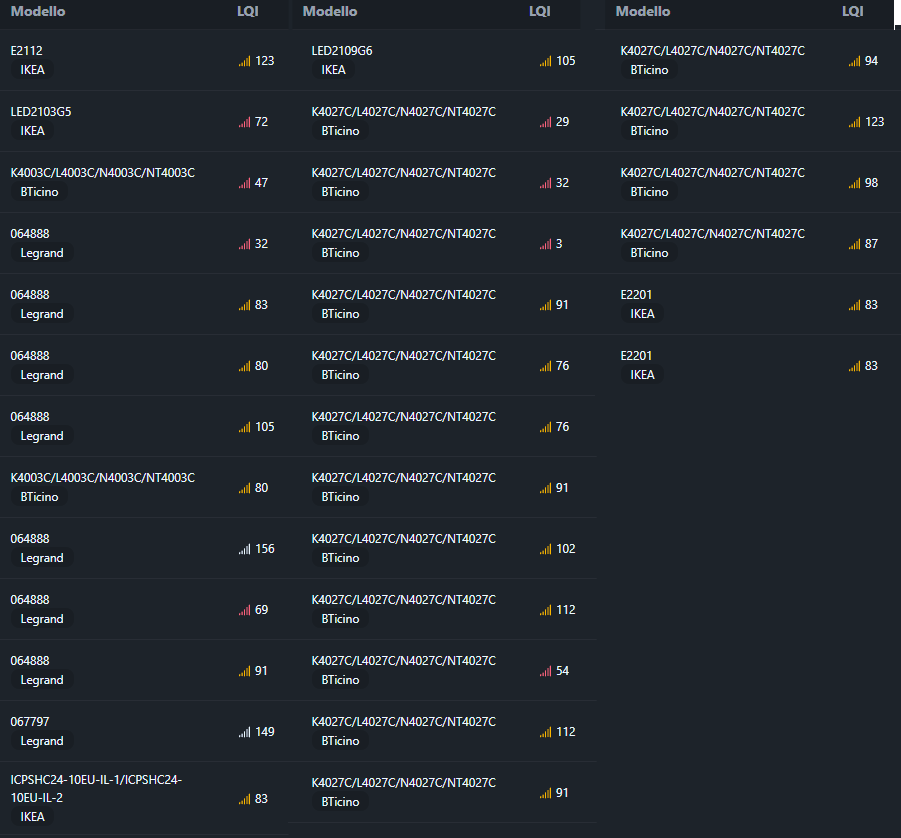
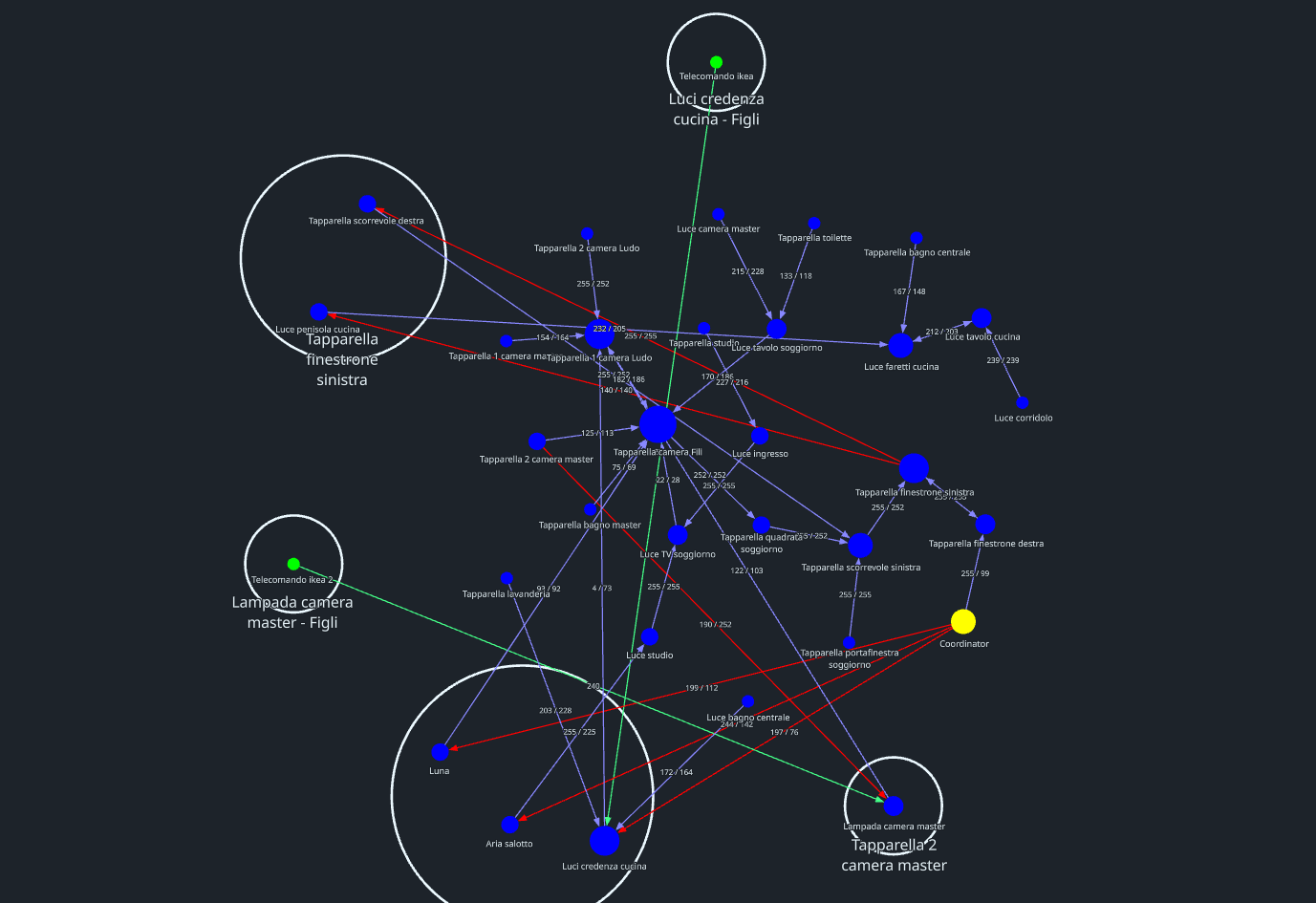
Hi everyone, I’m struggling with my Bticino Living Now relays. Periodically, some devices drop off the network and become “Unavailable” for no apparent reason.
My Setup:
Sonoff Zigbee 3.0 USB Dongle Plus with the latest Z-Stack firmware.
Connected via USB extension cable to avoid interference.
Zigbee Channel 20.
Home Assistant with Zigbee2MQTT.
When a relay disconnects, there is no way to bring it back online easily. Power cycling the main breaker doesn’t work; the device remains invisible. The only solution is a physical hard reset, which is a nightmare because it requires removing wall plates or opening junction boxes.
The strangest part is that if I take one of these “offline” devices and try to pair it with the official Bticino/Legrand Gateway, it is recognized instantly. This confirms the relay’s radio is fine, but it somehow “refuses” to rejoin the Sonoff coordinator after a dropout unless a full factory reset is performed.
Has anyone dealt with Bticino/Legrand Zigbee stack? Any tips on how to force a rejoin?
How good is your zigbee mesh? are there any routing devices that get turned on and off physically, as in remove power? Is there a extension cable on your zigbee dongle?
More reading: The Home Assistant Cookbook - Index
Hello Sir,
I have 37 devices, most of them (35) are phisical connect to main power… just 2 have batteries. How can I measure the quality of a zigbee mesh?
Homeassistant is installed on a mini-pc, using proxmox and yes, the dongle is connected through an extention cable.
Thanks for the support
I was struggling with these switches for months, so I’m posting it here (hope you don’t mind) in case anyone with a similar problem is looking for a solution.
I used to get weekly disconnects from both the K4003C and K4027C. Completely random — you could never tell which switch would drop next. And since the only way to re-pair them is physically removing the faceplate, with 50+ devices it was a huge discomfort and pain in the ass. Especially for something that’s supposed to be a premium product like Bticino. Signal strength was never the issue — mesh coverage was excellent thanks to the range extenders, and the drops happened even on switches sitting a few meters from the coordinator.
What finally fixed it was switching the Zigbee network to channel 11 — a tip I stumbled upon on some forum while digging for a solution. And that digging is exactly why I’m writing this: there’s very little info online about running these switches without the Bticino/Legrand gateway, connected directly to Zigbee2MQTT — so hopefully this post fills that gap a bit. Anyway, it’s been rock solid ever since — zero disconnects. The theory is that channel 11 seems to be hardcoded into these switches for use with Bticino’s own gateway (K4500C). They will join a network on other channels, but they’re very unstable on them. Once I moved everything to channel 11, the problem disappeared completely.
While it was still unstable, I built some workarounds to cope with it. Since I couldn’t trust the switches to actually execute commands, my Home Assistant automations (shutters especially) got an extra MQTT sync layer — after sending a close command, the automation waits a minute, polls the actual position via zigbee2mqtt/[device name]/get, and retries the command if the shutter didn’t actually move. As a side effect, that forced get traffic sometimes woke up a switch that looked dropped — if it was just unresponsive rather than truly off the network, the poll + retry would bring it back and save a re-pairing. When it was truly gone, though, nothing helped except pulling the faceplate. I still keep these checks as a safety net, but since the channel switch they basically never trigger.
One more thing — I did get an OTA firmware update through Zigbee2MQTT a few months ago (current version 0047), but in my case the disconnects were already gone before that update. The channel change alone fixed it. So if you’re on the latest firmware and still seeing random drops, the firmware isn’t your answer, the channel is.
My setup:
Home Assistant on an ASUS NUC
Zigbee2MQTT with a Home Assistant ZBT-2 as coordinator
Aeotec Zigbee Range Extenders
K4003C light switches and K4027C shutter switches
Hope this saves someone the months of frustration it cost me.