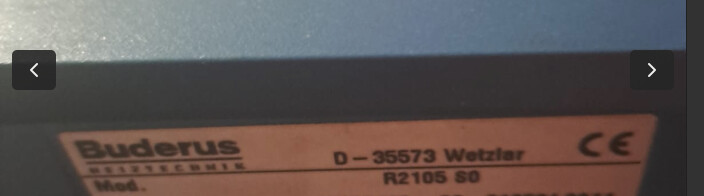
Hi @bartek666666 , is it still working fine on the Buderus Logamatic R2105 S0, without the issues that @mirekmal had? Thanks in addvanced. I have exactely the same unit and think about this module
There is not much time to think about, I only have a few left and not planned to order a new batch before beginning of 2026, since I have too many projects currently in pipeline… But beginning of 2026, I’ll also order a batch of the ethernet extension, so it could be worth it to wait for 
Thanks, great to here it that you still support it! For now I know that is geat job what You’v done so thx  Im planning to install heat pump in hybrid with buderus next year so I think I will wait for next year but first I have to read more about features of this solution beacause Im on the beginig.
Thank you, Daniel, this thing is just wonderful and I am now able to adjust the behavior of my furnace with home assistant in the morning and in the afternoon based on forecasted temperatures, which is great.
I do have one question that I meant to ask as we just changed to winter time this week end … I am still adjusting the time manually, but perhaps there is a way to do this using this module???
More generally, I am interested to find out what other automations people have developed in order to optimize the operation of their furnace using this module with home assistant
Hi Lepelot,
it is possible to set the date/time through the KM271, but it is not integrated into my ESPhome component. You need to use lambda functions and generate the adequate packages to send to the controller.
In dewennis firmware, at least the documentation states, that it can adjust date and time:
- ESP_Buderus_KM271/README_DE.md at b9677ec5a19de5b33e56eddac8824bae18eab376 · dewenni/ESP_Buderus_KM271 · GitHub
- ESP_Buderus_KM271/README.md at main · dewenni/ESP_Buderus_KM271 · GitHub
For ESPhome, you should be able to find the right commands to do this in dewennis code and use a lambda to write it to the Buderus controller. An example for a “writing lambda” triggered by button press can be found here: ESPhome-KM271-WiFi/buderus-km271_en.yaml at d5cb4ca5ac068f161077ae40ddea4f01b430b968 · the78mole/ESPhome-KM271-WiFi · GitHub
Have fun
Great, thank you Daniel, now that I know that it is possible, I do some digging starting with the links you have provided. Thanks for your help.
Do you still have any KM271 Wi-Fi modules? I’ve added myself to the watchlist in that shop. I’d be interested in one. I have an R2107M-S0 S09 at my parents’ house. I’d like to do some work on it to better understand how the heating system works
Hi niltrip,
I’m currently completely out of stock. Currently I’m very occupied with other stuff and I expect to order a new batch around end of the year (together with some ethernet extension). I’m also waiting for some feedback about the Ethernet extension prototypes.
Regards,
Daniel
Hi Daniel, thanks for the reply. I’ll wait then; I’m on the list. Thanks for this great project.
Best regards,
Christian
Hello! Thanks for this wonderful device. I have added myself to the waiting list too.
I have been reading a lot about energy efficiency and I would like to yield some savings. Do you know if it could be possible with the help of this device and providing that one uses smart TRVs, to optimize the flow temperature (Vorlauftemperatur) as well as heating curve (Heizkurve)?
Maybe it is a bit of a moonshot.
Cheers!
Hi,
The project seems to be really great and based on the comments working fine.
Also added myself into the waitlist in tindie and looking forward to order one.
Thanks!
I moved. I don’t have a Buderus heater anymore. So I have one of these laying around. Anybody interested?
Yes, I am. It looks like it took longer with a new charge. How old is your card?
I am also interested, living in Austria, I guess post would be fine, just let me know.
Thanks
Hello Daniel, Hello the Community!
I have been using the KM271 module with ESPHome and Home Assistant for a couple of year and although my ESPHome yaml could certainly be improved/simplified, It is doing a great job for me. The reason for my post has to do with my WIFI connection. Up to a couple of days ago, I was using an old Cisco Access point and I decided to replace it with a simple WIFI repeater (ME1500X | Répéteur WiFi 6 AX1500 - MERCUSYS). Everything seems to work OK except that now the device tracker (device_tracker.km271_for_friends_5dfbc0) now shows up in Home Assistant as “not_home” although it is connected and all other values and controls are OK. This is not very critical as I can use another value to show that the module is powered, but it is a bit annoying because I don’t understand why it is doing this. It does go back to normal if I use the main WIFI SSID but I can’t leave it like this as it is very weak in my boiler room. Thanks for any suggestion/idea you might have.
Update : reponse from Chat GPT → Home Assistant’s device_tracker for ESPHome often relies on network presence detection (router or integration). When the ESP32 connects to the Freebox main SSID, HA can see the device through the Freebox integration, so it marks it: home
But when the ESP connects to another SSID the **Freebox router no longer reports that device, so Home Assistant thinks: not_home
Started to open boxes after the move. Found it!
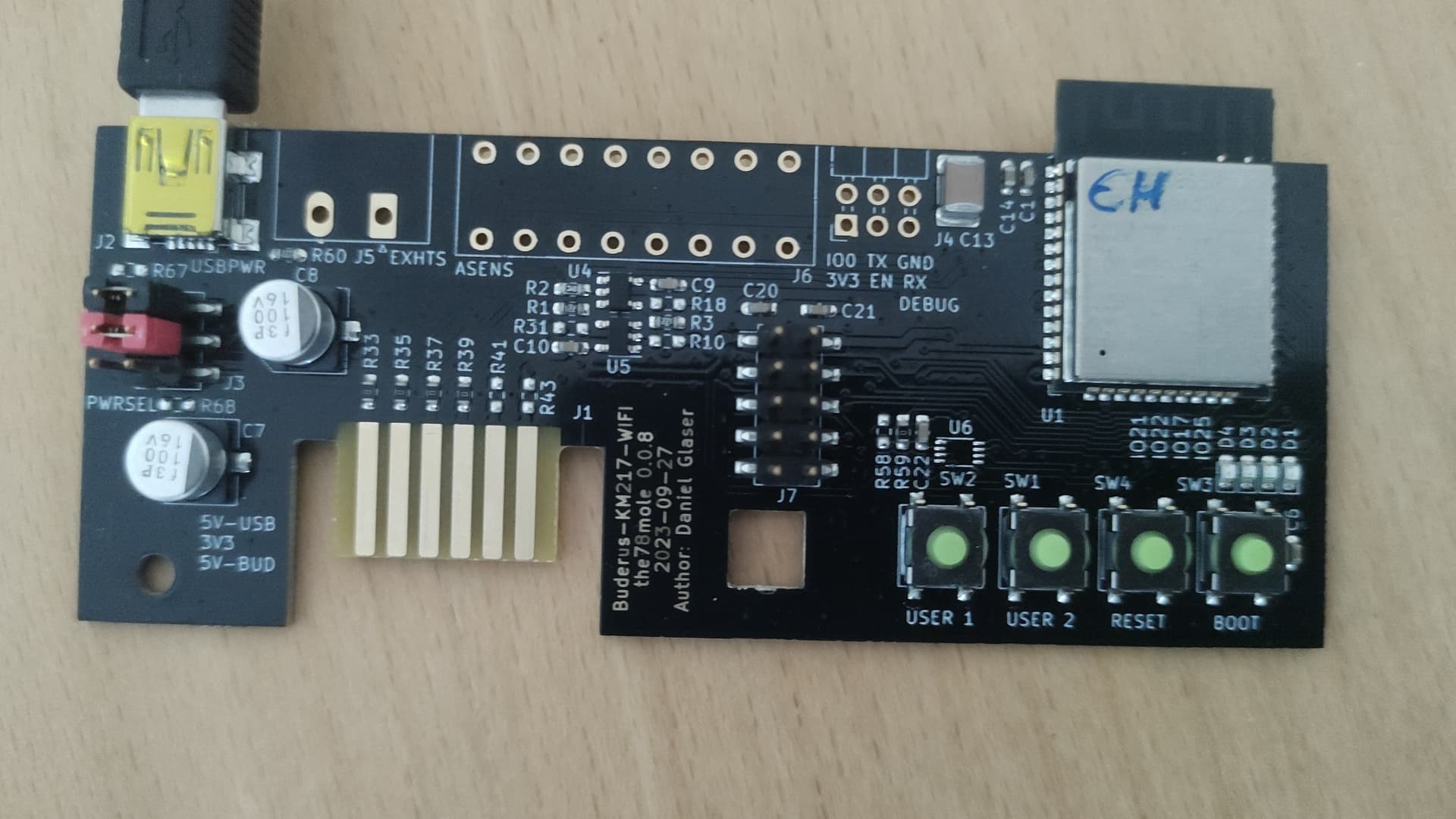
Programmed with ESPHome s/w.
Let me know if you are interested. Will mail to you. First come first serve.
# ====================================
# INTERFACE FOR THE BUDERUS KM271 SLOT
# ====================================

# Basic Configuration

packages:
  the78mole.km271-wifi: github://the78mole/esphome_components/components/km271_wifi/km271-for-friends.yaml@main

esphome:
  name: "esp32-km271-02"
  name_add_mac_suffix: false
  friendly_name: "Buderus Interface"

# Enable Home Assistant API
api:
  encryption:
    key: nIx/glqZFd2ybQd5gcJkoDV7GAlgrkMdja5S2B2TCRM=

ota:
  - platform: esphome

# Enable WiFi access and fallback hotspot (in case WiFi fails)
wifi:
  ssid: !secret wifi_ssid
  password: !secret wifi_password

  ap:
    ssid: "esp32-km271-02"
    password: "configme"

captive_portal:

# Sensors:

binary_sensor:

  - platform: km271_wifi

  # Heating Circuit 1
    heating_circuit_1_switch_off_optimization:
      name: "HC1 Switch-off Optimization"
    heating_circuit_1_switch_on_optimization:
      name: "HC1 Switch-on Optimization"
    heating_circuit_1_automatic:
      name: "HC1 Automatic"
    heating_circuit_1_ww_priority_processing:
      name: "HC1 Hot Water Priority"
    heating_circuit_1_screed_drying:
      name: "HC1 Screed Drying"
    heating_circuit_1_holiday:
      name: "HC1 Holiday"
    heating_circuit_1_antifreeze:
      name: "HC1 Antifreeze"
    heating_circuit_1_manually:
      name: "HC1 Manual"
    heating_circuit_1_summer:
      name: "HC1 Summer Mode"
    heating_circuit_1_day:
      name: "HC1 Day Mode"
    heating_circuit_1_no_comm_with_rc:
      name: "HC1 No Communication with Remote Controller"
    heating_circuit_1_rc_faulty:
      name: "HC1 Remote Controller Failure"
    heating_circuit_1_flow_sensor_error:
      name: "HC1 Flow Sensor Error"
    heating_circuit_1_max_flow:
      name: "HC1 Maximum Flow Time"
    heating_circuit_1_external_fault_input:
      name: "HC1 External Fault Input"

  # Heating Circuit 2
    heating_circuit_2_switch_off_optimization:
      name: "HC2 Switch-off Optimization"
    heating_circuit_2_switch_on_optimization:
      name: "HC2 Switch-on Optimization"
    heating_circuit_2_automatic:
      name: "HC2 Automatic"
    heating_circuit_2_ww_priority_processing:
      name: "HC2 Hot Water priority"
    heating_circuit_2_screed_drying:
      name: "HC2 Screed Drying"
    heating_circuit_2_holiday:
      name: "HC2 Holiday"
    heating_circuit_2_antifreeze:
      name: "HC2 Antifreeze"
    heating_circuit_2_manually:
      name: "HC2 Manual"
    heating_circuit_2_summer:
      name: "HC2 Summer Mode"
    heating_circuit_2_day:
      name: "HC2 Day Mode"
    heating_circuit_2_no_comm_with_rc:
      name: "HC2 No Communication with Remote Controller"
    heating_circuit_2_rc_faulty:
      name: "HC2 Remote Controller Failure"
    heating_circuit_2_flow_sensor_error:
      name: "HC2 Flow Sensor Error"
    heating_circuit_2_max_flow:
      name: "HC2 Maximum Flow Time"
    heating_circuit_2_external_fault_input:
      name: "HC2 External Fault Input"

  # Hot Water
    ww_automatic:
      name: "DHW Automatic"
    ww_disinfection:
      name: "DHW Disinfection"
    ww_reload:
      name: "DHW Reload"
    ww_holiday:
      name: "DHW Holiday"
    ww_error_disinfection:
      name: "DHW Disinfektion Error"
    ww_error_sensor:
      name: "DHW Sensor Error"
    ww_error_stays_cold:
      name: "DHW Error DHW Stays cold"
    ww_error_anode:
      name: "DHW Anode failure"
    ww_loading:
      name: "DHW Loading"
    ww_manually:
      name: "DHW Manual"
    ww_reloading:
      name: "DHW Reloading"
    ww_switch_off_optimization:
      name: "DHW Switch-off Optimization"
    ww_switch_on_optimization:
      name: "DHW Switch-on Optimization"
    ww_day_mode:
      name: "DHW Day Mode"
    ww_post_processing:
      name: "DHW Post Processing"
    ww_priority_processing:
      name: "DHW Priority Switching"
    load_pump_running:
      name: "DHW Loading Pump Operational"
    circulation_pump_running:
      name: "DHW Circulation Pump Operational"

  # Solar
    solar_pump_lowering:
      name: "Solar Pump Lowering"

  # Boiler Errors
    error_burner_malfunction:
      name: "Burner Failure"
    error_boiler_sensor:
      name: "Boiler Sensor Error"
    error_additional_sensor:
      name: "Additional Sensor Error"
    error_boiler_stays_cold:
      name: "Boiler Stays Cold"

    error_exhaust_gas_sensor:
      name: "Exhaust Gas Sensor Error"
    error_exhaust_gas_over_limit:
      name: "Exhaust Gas Over Limit Error"

    error_safety_chain_released:
      name: "Safety Chain Error"
    error_external_disturbance:
      name: "External Disturbances Error"

  # Boiler Function
    boiler_emission_test:
      name: "Boiler Emission Test"
    boiler_1st_stage_operation:
      name: "Boiler Operation 1st Stage"
    boiler_2st_stage_operation:
      name: "Boiler Operation 2nd Stage"
    boiler_protection:
      name: "Boiler Protection"
    boiler_under_operation:
      name: "Boiler in Operation"
    boiler_performance_free:
      name: "Boiler Performance Free"
    boiler_performance_high:
      name: "Boiler Performance High"
    boiler_actuation:
      name: "Burner Control"

  # Alarm Status
    alarm_exhaust_gas_sensor:
      name: "Exhaust Gas Sensor Alarm"
    alarm_boiler_flow_sensor:
      name: "Boiler Flow Sensor Alarm"
    alarm_burner:
      name: "Burner Alarm"
    alarm_heating_circuit_2_flow_sensor:
      name: "HC2 Flow Sensor Alarm"


number:

  - platform: km271_wifi

  # Heating Circuit 1
    config_heating_circuit_1_room_target_temperature_night:
      name: "HC1 Target Room Temperature Night"
      mode: box
    config_heating_circuit_1_room_target_temperature_day:
      name: "HC1 Target Room Temperature Day"
      mode: box
    config_heating_circuit_1_holiday_target_temperature:
      name: "HC1 Holiday Temperature"
      mode: box
    config_heating_circuit_1_flow_temperature_max:
      name: "HC1 Maximum Heating Circuit Temperature"
      mode: box
    config_heating_circuit_1_design_temperature:
      name: "HC1 Design Temperature"
      mode: box
    config_heating_circuit_1_room_temperature_offset:
      name: "HC1 Room Temperature Offset"
      mode: box
    config_heating_circuit_1_holiday_days:
      name: "HC1 Holiday Days"
      mode: box

  # Heating Circuit 2
    config_heating_circuit_2_room_target_temperature_night:
      name: "HC2 Target Room Temperature Night"
      mode: box
    config_heating_circuit_2_room_target_temperature_day:
      name: "HC2 Target Room Temperature Day"
      mode: box
    config_heating_circuit_2_holiday_target_temperature:
      name: "HC2 Holiday Temperaturer"
      mode: box
    config_heating_circuit_2_flow_temperature_max:
      name: "HC2 Maximum Heating Circuit Temperature"
      mode: box
    config_heating_circuit_2_design_temperature:
      name: "HC2 Design Temperature"
      mode: box
    config_heating_circuit_2_room_temperature_offset:
      name: "HC2 Room Temperature Offset"
      mode: box
    config_heating_circuit_2_holiday_days:
      name: "HC2 Holiday Days"
      mode: box

  # Hot Water
    config_ww_temperature:
      name: "DHW Target Temperature"
      mode: box

  # ???
    config_frost_switch_temperature:
      name: "Frost Switching Temperature"
      mode: box


select:

  - platform: km271_wifi

  # Heating Circuit 1
    config_heating_circuit_1_summer_winter_switch_temperature:
      name: "HC1 Summer Winter Changeover Temperature"
    config_heating_circuit_1_operation_mode:
      name: "HC1 Operation Mode"
    config_heating_circuit_1_lowering_type:
      name: "HC1 Lowering Type"
    config_heating_circuit_1_heating_system_type:
      name: "HC1 Heating System"
    config_heating_circuit_1_heating_program:
      name: "HC1 Heating Program"

  # Heating Circuit 2
    config_heating_circuit_2_summer_winter_switch_temperature:
      name: "HC2 Summer Winter Changeover Temperature"
    config_heating_circuit_2_operation_mode:
      name: "HC2 Operation Mode"
    config_heating_circuit_2_lowering_type:
      name: "HC2 Lowering Type"
    config_heating_circuit_2_heating_system_type:
      name: "HC2 Heating System"
    config_heating_circuit_2_heating_program:
      name: "HC2 Heating Program"

  # Hot Water
    config_ww_operation_mode:
      name: "DHW Operating Mode"
    config_ww_circular_pump_interval:
      name: "DHW Circulation Pump Interval"


sensor:

  - platform: km271_wifi

  # Heating Circuit 1
    heating_circuit_1_flow_target_temperature:
      name: "HC1 Target Flow Temperature"
    heating_circuit_1_flow_temperature:
      name: "HC1 Actual Flow Temperature"
    heating_circuit_1_room_target_temperature:
      name: "HC1 Target Room Temperature"
    heating_circuit_1_room_temperature:
      name: "HC1 Actual Room Temperature"
    heating_circuit_1_pump_power:
      name: "HC1 Pump Power"
    heating_circuit_1_mixer_position:
      name: "HC1 Mixer Position"
    heating_circuit_1_curve_p10:
      name: "HC1 Heating Curve +10 °C"
    heating_circuit_1_curve_0:
      name: "HC1 Heating Curve 0 °C"
    heating_circuit_1_curve_n10:
      name: "HC1 Heating Curve -10 °C"

  # Heating Circuit 2
    heating_circuit_2_flow_target_temperature:
      name: "HC2 Target Flow Temperature"
    heating_circuit_2_flow_temperature:
      name: "HC2 Flow Temperature"
    heating_circuit_2_room_target_temperature:
      name: "HC2 Target Room Temperature"
    heating_circuit_2_room_temperature:
      name: "HC2 Actual Room Temperature"
    heating_circuit_2_pump_power:
      name: "HC2 Pump Power"
    heating_circuit_2_mixer_position:
      name: "HC2 Mixer Position"
    heating_circuit_2_curve_p10:
      name: "HC2 Heating Curve +10 °C"
    heating_circuit_2_curve_0:
      name: "HC2 Heating Curve 0 °C"
    heating_circuit_2_curve_n10:
      name: "HC2 Heating Curve -10 °C"

  # Hot Water
    ww_target_temperature:
      name: "DHW Target Temperature"
    ww_temperature:
      name: "DHW Actual Temperature"

  # Boiler
    boiler_target_temperature:
      name: "Boiler Target Temperature"
    boiler_temperature:
      name: "Boiler Actual Temperature"
    boiler_turn_on_temperature:
      name: "Burner Switch-on Temperature"
    boiler_turn_off_temperature:
      name: "Burner Switch-off Temperature"
    boiler_runtime_1:
      name: "Burner Runtime 1"
    boiler_runtime_2:
      name: "Burner Runtime 2"

    exhaust_gas_temperature:
      name: "Exhaust Gas Temperature"

    outdoor_temperature:
      name: "Outdoor Temperature"
    attenuated_outdoor_temperature:
      name: "Outdoor Temperature (attenuated)"


  - platform: wifi_signal

    name: "KM217 Signal"
    update_interval: 60s


text_sensor:

  - platform: km271_wifi

    firmware_version:
      name: "Logomatic Firmware"


button:

  - platform: restart
    name: "KM271 Restart"
Hi,
I am still interested and happy to buy it. Living in Austria.
Contact me to discuss the details.
Thanks
Also interested… 
@the78mole
Will there be another opportunity to order a “km271-wifi”?
Best regards
Christian