As a long-time HA user, I recently moved into a new home and decided to set up everything from zero using Claude Code as my primary tool. The result: scenes, automations, batch device configuration, and a polished dashboard — all with minimal manual intervention.
The whole project is open-sourced at ha-config-as-code. Clone it, open with Claude Code, and start chatting about your needs. It includes project context (CLAUDE.md) and custom skills out of the box.
Core Idea: Config as Code via HA API
Instead of editing lengthy YAML files, I use Python scripts that talk to the HA REST/WebSocket API to manage everything. For example, setting all 60+ lights to “last state” on power-on is a single setup_power_on_state.py script with a for loop — not dozens of YAML entity edits.
This approach also means the AI agent doesn’t need to parse massive YAML files as context. Each task is a self-contained script.
What I Built
Lighting (60+ devices, Matter + Xiaomi)
-
Light groups by room and by function (task lighting vs. ambient strips) via
create_groups.py -
Adaptive Lighting across the house (
setup_adaptive_lighting.py): cool for bathrooms, neutral for common areas, warm for bedrooms — replacing all native circadian lighting features -
Batch power-on state set to “last state” (
setup_power_on_state.py)
Scenes
Three main scenes, all generated through conversation with Claude Code:
-
Guest Mode — brighter, cooler light in common areas
-
Theater Mode — dim the accent strips, turn off other lights
-
Sleep Mode — lights off in bedrooms
You can also ask Claude Code to analyze your recent logs and suggest new scenes/automations.
Switch Bindings
All smart switches set to wireless mode (setup_wireless_switches.py), with a unified binding scheme (e.g., left single-press toggles room lights). Claude Code also generated a printable HTML manual for family and guests.
Automations
This is where Claude Code truly shines. I describe what I want in natural language, and it generates reliable automations — sometimes even proactively suggesting automations based on my device inventory and usage patterns.
Key automations:
-
Presence-based lighting — occupancy sensors in kitchen/bathroom trigger lights via HA (not vendor apps)
-
Water leak alert — kitchen sensor triggers phone notification + a decorative lamp flashes red
-
Appliance done notifications — washer/dryer/dishwasher completion announced via HomePod TTS
-
Pet monitoring — cat litter box usage, water intake, low litter alerts, full waste bin alerts — all one-shot prompted, with shopping reminders added to a to-do list
-
Arrival mode — a virtual switch exposed to Apple Home, triggered by iPhone geofencing + door lock, so no need to run the HA app in background
-
Auto ventilation — bathroom fan starts on toilet occupancy, stops a few minutes after leaving
-
Auto dehumidification — fan runs when bathroom humidity exceeds threshold, stops when it drops below. The threshold was automatically calibrated from actual shower data.
Iterative Workflow
You don’t need to get everything right in one shot. I iteratively refine automations by chatting with Claude Code. For example, the dehumidification threshold was tuned by asking it to analyze humidity data from an actual shower session.
Dashboard: Material Design 3
Built a Material Design 3 themed dashboard using Mushroom cards and custom cards. Frequently used controls on the home tab (for a wall-mounted tablet), with sub-tabs for lighting, climate, pets, etc.
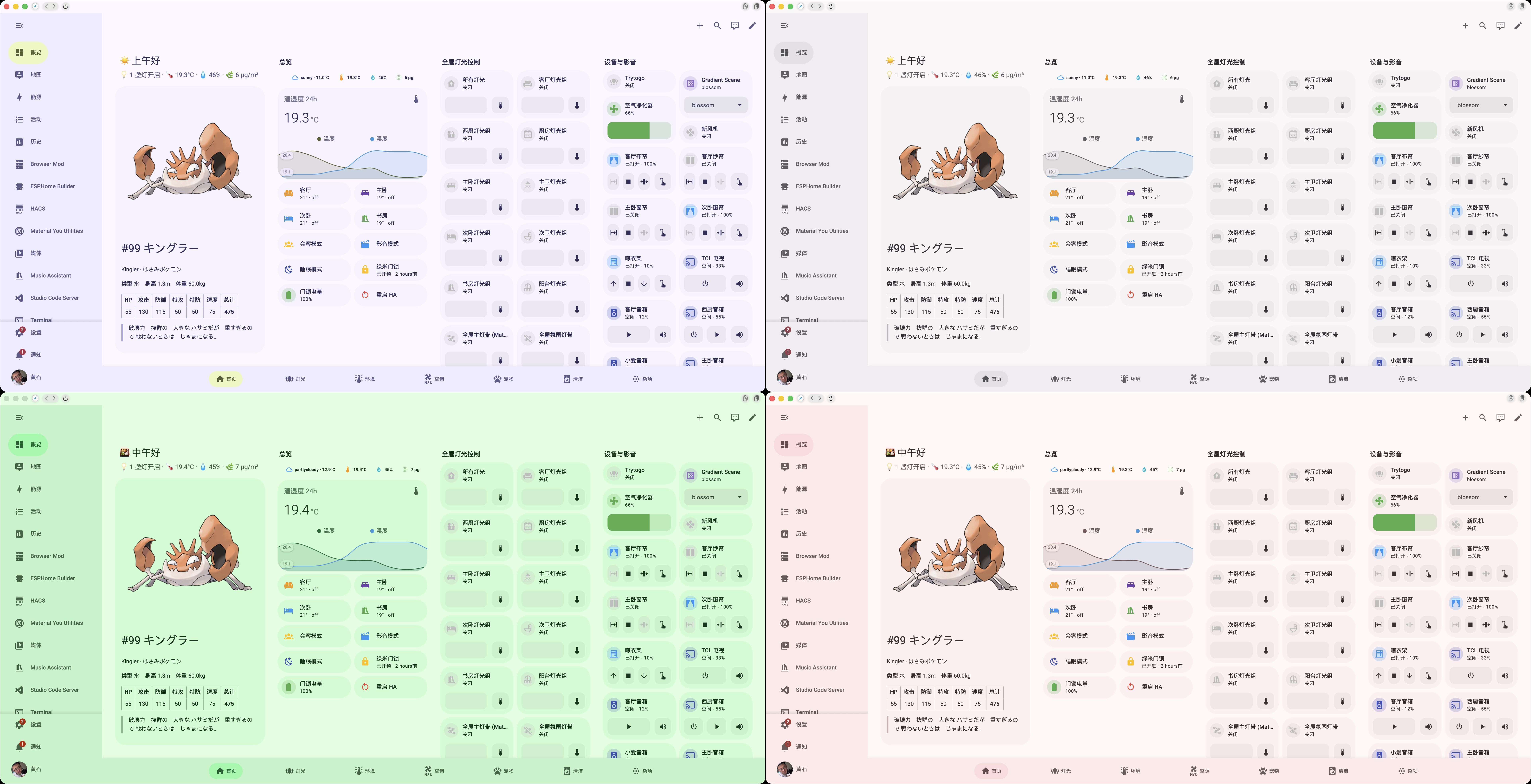
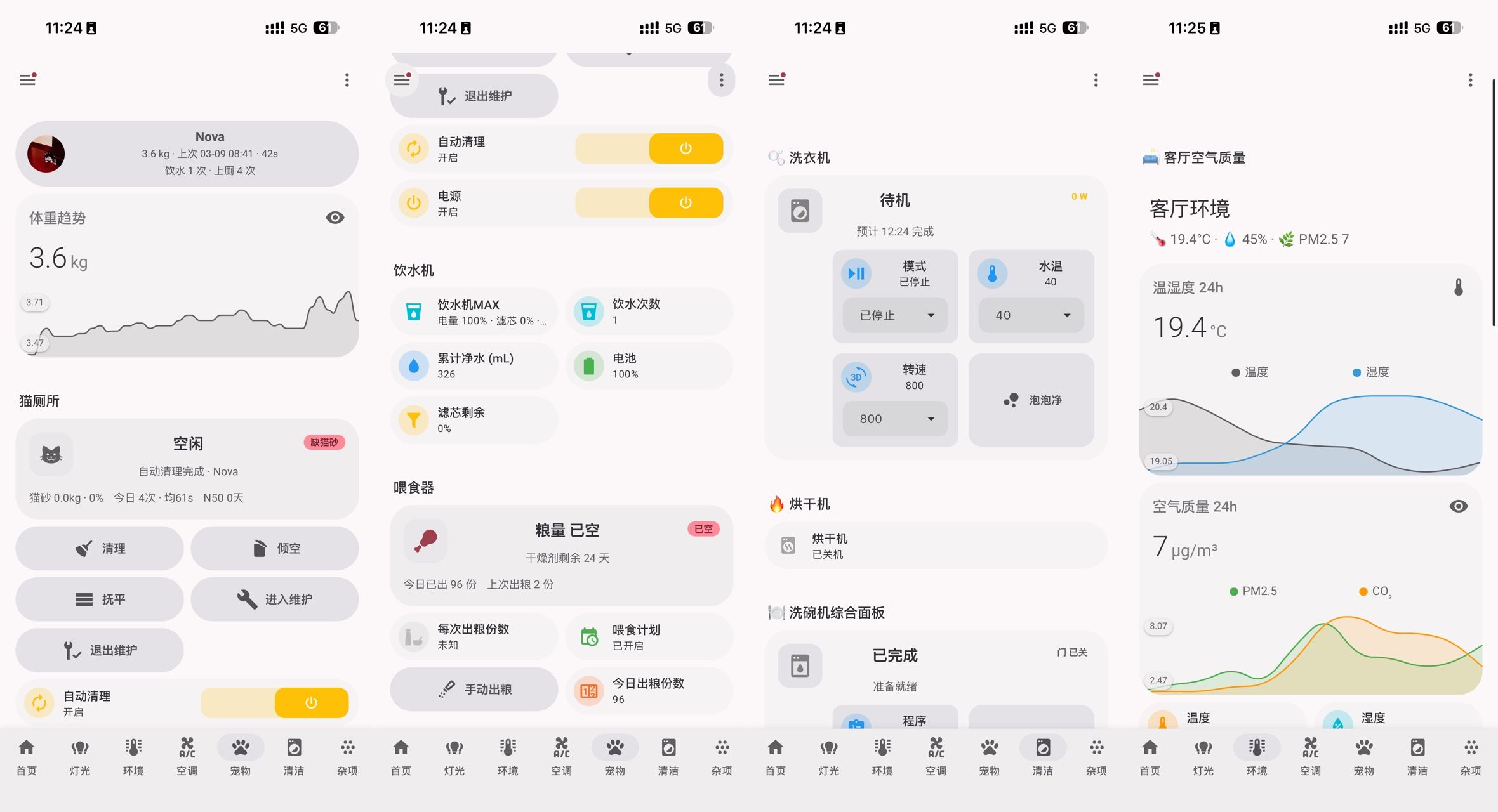
Fun Addition: Daily Pokémon
A random Pokémon fetched daily via PokéAPI, displayed on the dashboard. Its image is used as the Material You base color source for automatic theme color extraction.
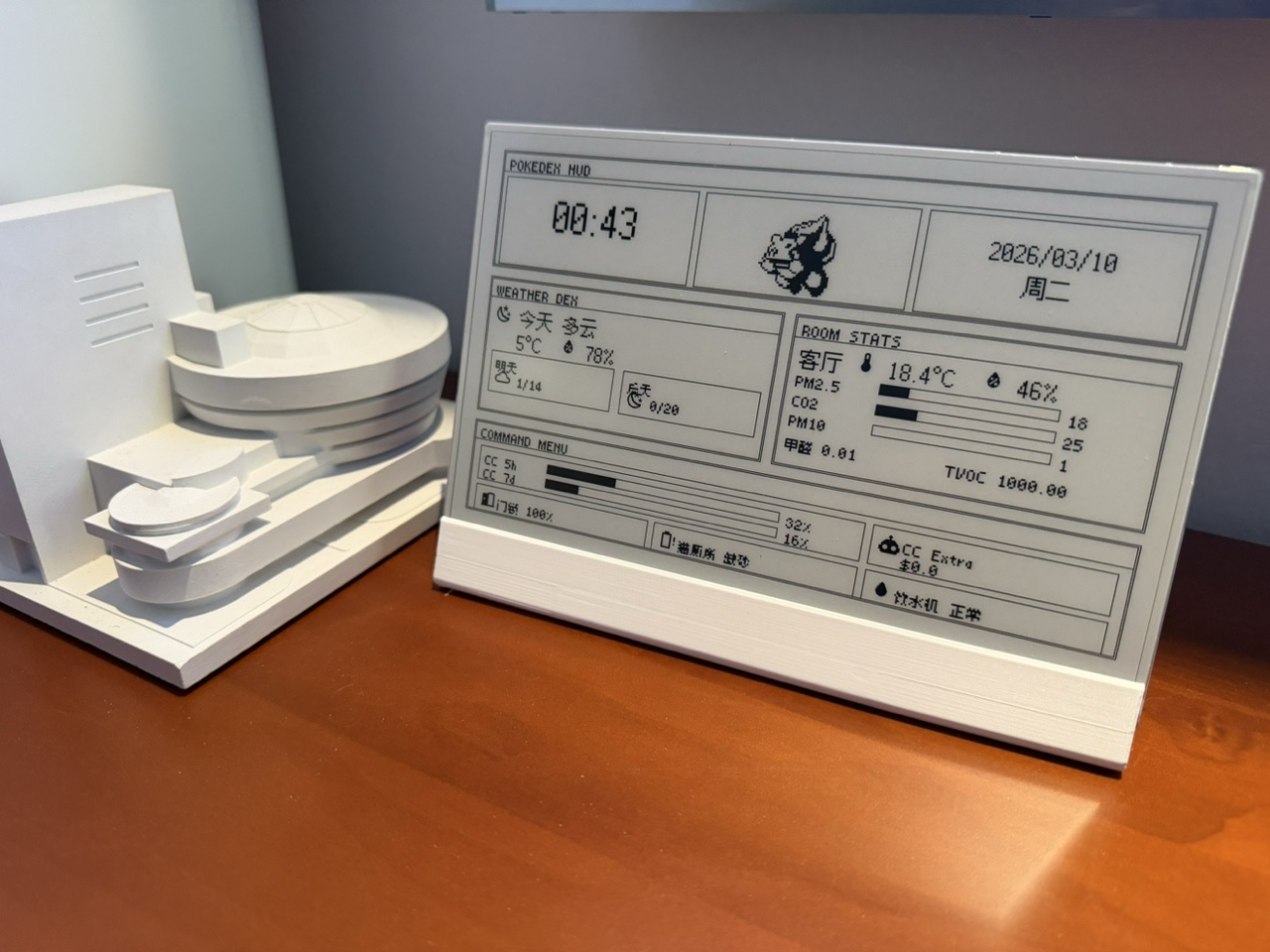
E-ink Display
An ESPHome-connected e-ink display showing HA sensor data — including a Claude Code usage dashboard pushed from my dev machine via API.
Takeaway
There are many approaches to AI + smart home (voice assistants as LLM front-ends, Node-RED, n8n, etc.). What makes the Claude Code + HA API approach different is that it produces reusable, version-controlled scripts rather than one-off voice commands or visual flows. You describe what you want, and get a working automation — no documentation hunting, no dragging nodes.
Home Assistant’s powerful and open API makes it the ideal platform for this agentic workflow. If you’re comfortable with a CLI tool and want to try a fundamentally different way to manage your smart home, give it a shot:
GitHub: yzlnew/ha-config-as-code
Happy to answer any questions!
