I am wondering if this is normal, when I load a camera stream on a PC using the picture glace card. It opens a pop-up of the camera feed, but nothing plays and the timer is 0:00, then after 10 or so seconds I get the spinning circle for another few seconds and then the camera feed loads.
On iOS/Android the video seems like it almost fails to load but eventually it does load after 15-20 seconds.
Anyway to improve this delay, especially on mobile? I am using RTSP using the amcrest integration, to get the feed and camera sensors.
Yes, that’s normal for H264 streams via a browser (the app uses browser components too, AFAIK). You can possibly improve this by reading up on go2rtc. This is now built into HA.
There are too many things involved with cameras to iterate all of it here, unfortunately (and there are others that will know a lot more than me on this subject). Some people integrate their cameras with something like Frigate before exposing it to HA.
I was hoping with webrtc being built in since November, the delay would have improved. The November release says you don’t have to do anything, it should just work. However, I do not see that happening, maybe I need to enable something?
Frigate is on my list to setup, but it just seem tedious to setup since I’ll need to redo my existing camera setup.
It won’t work for all cameras. You’ll need to read up on your specific cameras’ capabilities to understand this better, or provide those details so others with the same setup can comment.
It’s included in the default config, but see above.
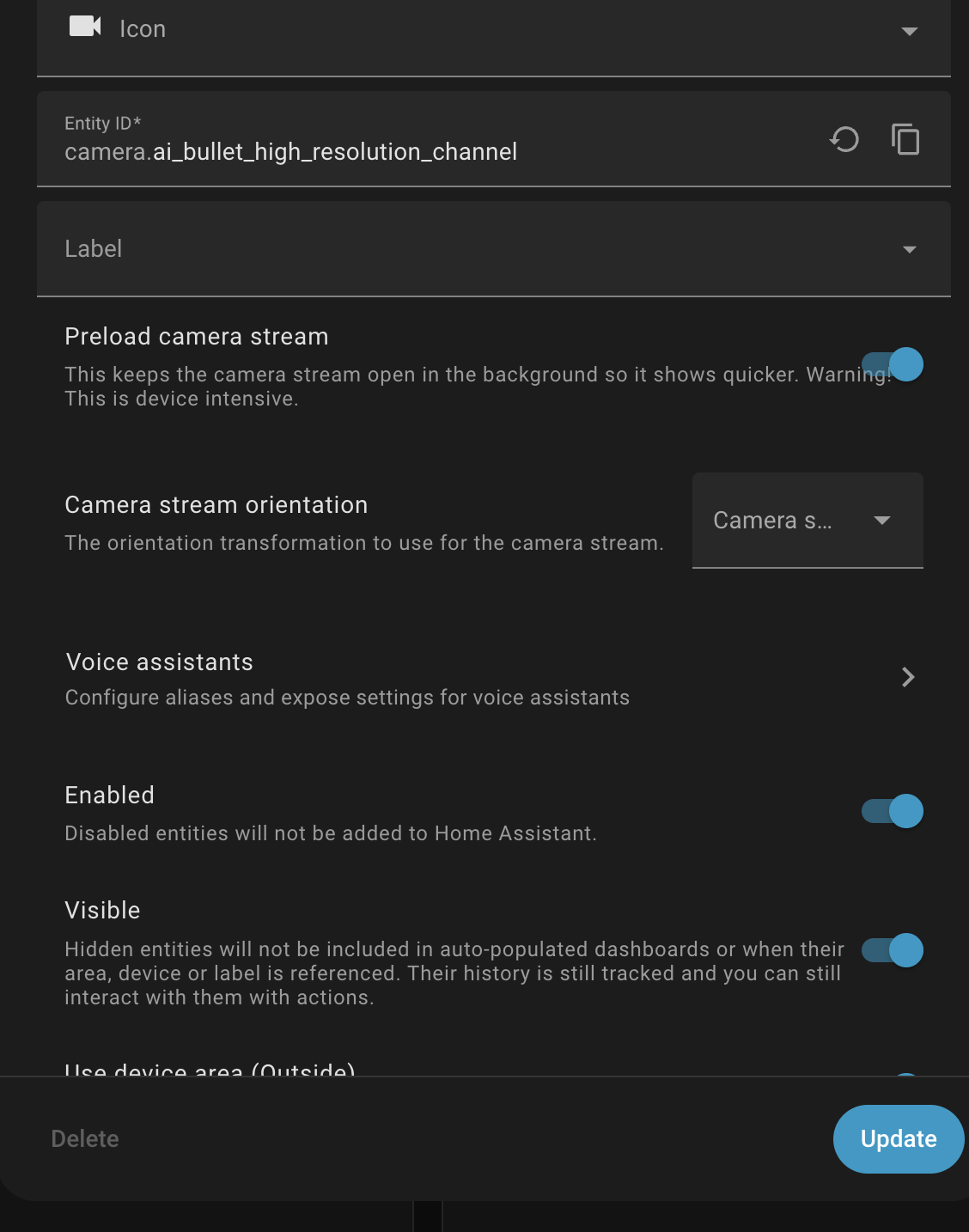
You have preload camera stream set to on for each RTSP stream? I use RTSP from unifi and have essentially instant loading onto cards on the local LAN.
I suspect that more than enough RAM and processor on the HA machine helps.
Also, if you have enough resource, having a high and low res stream for each camera allows using the appropriate stream for the display device and network.
I have a lot of ThinkView devices and they don’t like receiving a bunch of 4K streams.
As a last resort, another option is to design you mobile app/workflow to use the camera’s native phone app.
It may be the speed of the HA hardware. Have you looked at Glances to see the system load? x86 systems seem to handle camera streams without much impact. x86 have H.264 hardware acceleration
RTSP H.264 streams do work well now in HA, at least with adequate server hardware. I have HA on an older NUC.