Hi all
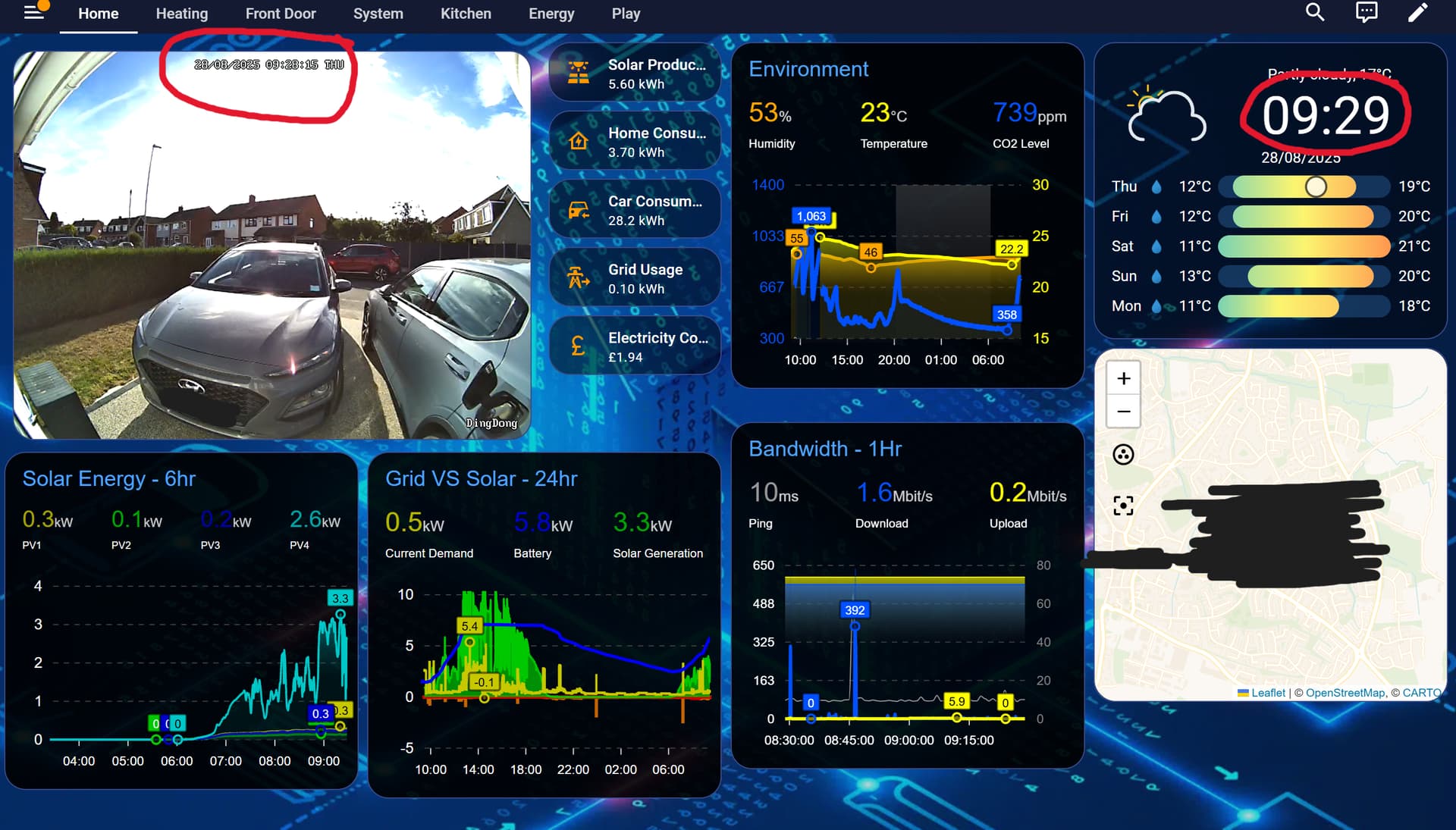
I have a dashboard that includes a camera card (Reolink doorbell). The stream starts lagging behind and when I look an hour or so later, it’s sometimes over a minute late. Not much help when wanting a live stream. I’ve tried using the frigate card as well as the webrtc card but they both experience the same issue. I set up another dashboard with only the frigate card and it seems to be fine. I’ve run it for about an hour and still in time where the others would have had issues by now. The only thing I can think of is that the dashboard is too busy and the updates are not running in time. I’m not sure if this is a HA server issue or a dashboard device issue. Server is on a n100 mini-pc with 8GB RAM and the CPU rarely spikes above 40%. The dashboard device is a Surface Pro 6 (win11) which I thought would have been more than powerful enough to just run a dashboard. All the Apex cards I’ve used have an update interval of 1min but maybe that time it does so is too much. Connection is through WiFi 5GHz with a healthy signal.
I’ve attached an image of the dashboard below to show what is on it.
Any help of what I can do? Any camera settings that will fast forward to the live image when it gets lagged?
Another solution I’ve thought of is refreshing the page every minute but that just seems like an unnecessary plaster on the problem.
Thanks
What transport protocol are you using?
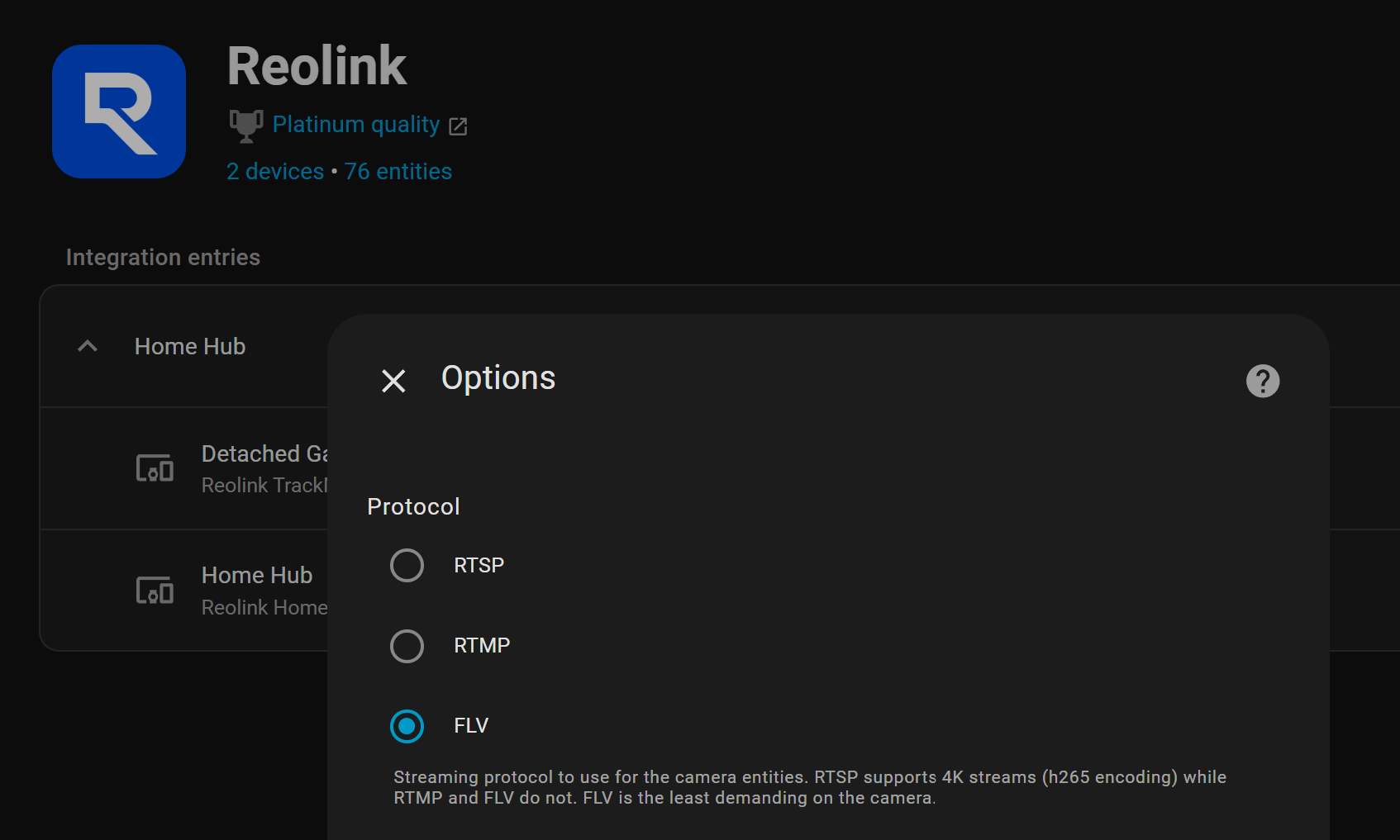
Try FLV and see if you still lag. That will at least eliminate that as a possible source of your issue.
Streaming protocol to use for the camera entities. RTSP supports 4K streams (h265 encoding) while RTMP and FLV do not. FLV is the least demanding on the camera.
you can try to install go2rtc addon to your system, home assistant streams are benefiting webrtc out of the box.
Thanks for the suggestions. I’ll give them a go
go2rtc is no longer an addon. 
If you are using the default_config and run Home Assistant using one of the following installation methods, the go2rtc integration will be set up automatically and you don’t need to do anything:
This message is for handling home assistant streaming through a go2rtc server (add-on).
You should still setup it yourself and home assistant will automatically start using it
And circumvent HA’s Reolink integration? I’m not understanding.
Home assistant is using a custom pyav implementation to write buffer of frames as a web response for streaming but it is not performing well.
Before go2rtc integration implemented, you were supposed to install an add on and addd your existing cameras to add on and use add-on generated new stream URLs for custom webrtc card.
Now, it is all automatic but you need the add-on for faster streaming.
I believe it’s a websocket issue. If you search recent threads, you’ll get a couple of hits.
Happens more frequently on mobiles/cheaper tablets using the companion app, but your Surface isn’t immune to it.
Basically from what I can remember, the websocket for HA streams data for all your HA entities, whether they’re displayed in the dashboard or not. Refreshing the page cuts the websocket connection momentarily and establishes a new connection - that’s why it works for a while.
Can you try lowering the resolution for your card? Most cameras have a sub-stream at a lower framerate/resolution - you could try to use that instead of the main stream.
It’s already using the sub stream.
Also mucked it up playing around so need to set it up again 
Can you create a new dashboard with just the camera card on it and see how that works?
My HA is still a “baby” starter system  ZHA with about 25 devices and 2 Reolink wifi cams (including the Doorbell), 3 Voice PEs, and about 20 automations. My dashboard is very simple, not doing anything intensive at all.
I started with the core Picture entity card for my cameras and it always lagged. Think I tried Generic Camera card too, but it also lagged. I switched to the Custom WebRTC Card and it’s worked flawlessly, live-streaming with no delay, for over a year now.
My server is an Optiplex micro pc,16GB RAM, HAOS bare metal install. CPU rarely spikes above 2%.  My dashboard is displayed on an iPad 6th gen. My Reolink transport is RTSP.
I know my little system doesn’t compare to yours lol, but just wanted to offer my two cents that maybe your dashboard is too busy?  Idk, just a thought.
That was my initial thought but I’ve seen some dashboards that have multiple cameras and a ton of other info.
But wouldn’t that mean that the other dashboard I have with just the camera would experience the same problem? Or do you mean it streams data for all entities on that dashboard whether or not I have a delayed update interval, not all my HA entities?
I haven’t done the go2rtc attempt yet and if it does result in faster streaming (even though frigate uses it by default), I’ll give it a try. I briefly looked at the docs but they didn’t have much detail for a dummy like me (e.g. process to get camera streams in, etc.)
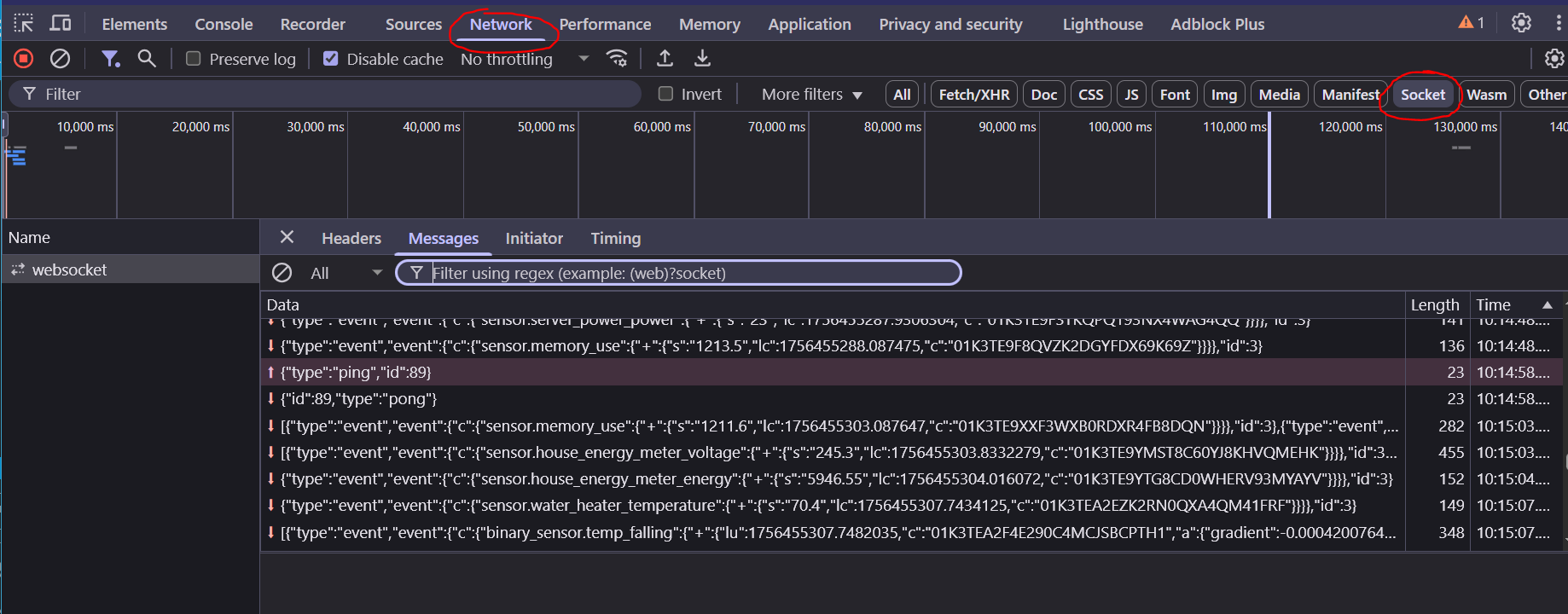
You can easily check what is happening on your dashboard yourself.
Open the browser console, go to Network tab, them click the Socket filter (may be called WS on other browsers). Refresh the HA page and look at the messages coming in.

Try installing webrtc, then add the rtsp of your cameras in the url. You can do that even with generic cameras that are not even integrated with ha. runs extremely smooth for me.
I have multiple TP-Link cameras that i expose to HA through Scrypted. Using the Advanced Camera Card i get a load time of 4 cameras in a single dashboard page up to 12-15 seconds.
By installing the WebRTC Camera card i get a load time of 3 seconds by utilising the Scrypted RTSP stream. Way faster. I thought HA’s new versions are supposed to use go2rtc and WebRTC out of the box? I don’t understand why Advanced Camera Card wants to use HSL or is that the defacto default?
It seems that the Advanced Camera Card tries to first load HLS and only after that it, switches to WebRTC.
This causes signifigant lag on loading the cameras. I get 12-15 seconds just to load 4 cameras on a single security dashboard. By using the WebRTC Camera the page loads in 3 seconds.
Is there something i’m missing with the Advanced Camera Card configuration or does it just try to snoop and handshake so much with the initial connection that it takes longer to load?
Is there a way to force Advanced Camera Card to always just utilise WebRTC instead of other protocols to form the connection?
Thanks. It’s working at the moment but will keep that in mind if I run into this again.
I don’t use the advanced camera card, but maybe this will help you out Advanced Camera Card