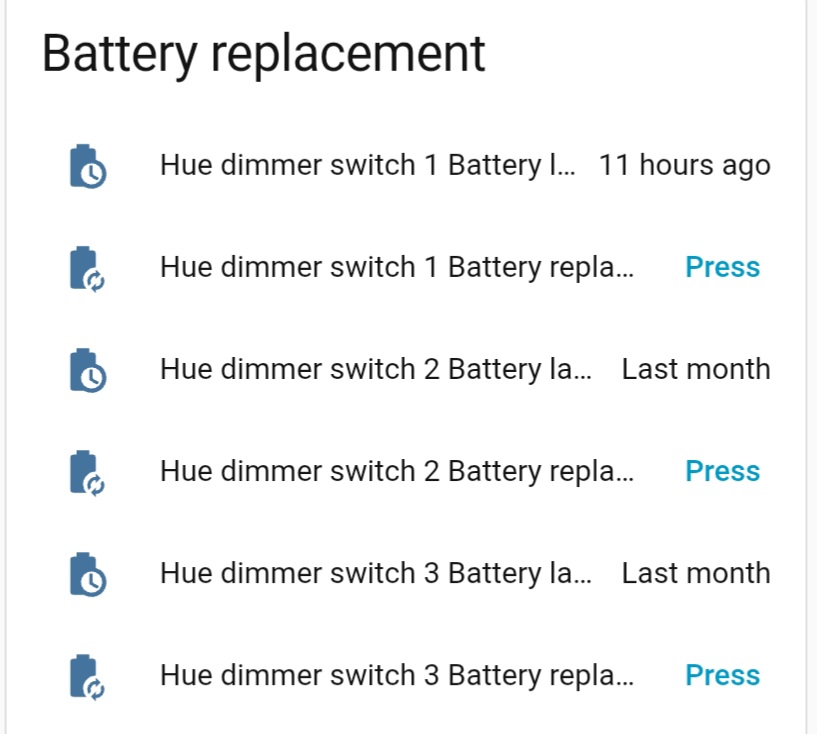
On my dashboard I have an “Entities card” with a long list of Battery-related entities (i.e. for each device a warning when a device’s battery gets low, when it was last replaced and a button to be pressed after replacing the battery).
Now I just replaced a device’s battery that had reached 4% and pressed the “battery replaced” button to signal that I just replaced it and update the “last-replaced”-value.
Seconds later I realized that I had pressed the button of the wrong entity. How can one correct that? I.e. where is the “last replaced”-value stored? I would like to set the wrongly modified value back to its previous state. Can that be done?
Why do you even have a button for that?
Can’t you set up an automation to trigger when value is below 20 and becomes above 90?
But regarding your question.
We don’t know what those last replaced entities are, we would suppose you knew since you set it up.
Or you have to look in the card yaml.
You appear to be using the battery notes custom integration, which creates those entities.
The timestamp is stored in the entity you are looking at. It’s the front end that takes the timestamp and displays it in an easy-to-read format like “last month”. Just click on any one of those entities and you should be able to see the actual timestamp in the detail dialog.
To change the timestamp to a time other than right now, the battery notes integration offers an action for this purpose. Go to settings → developer tools → actions and you can choose the action that is detailed here: https://codechimp.org/HA-Battery-Notes/actions/