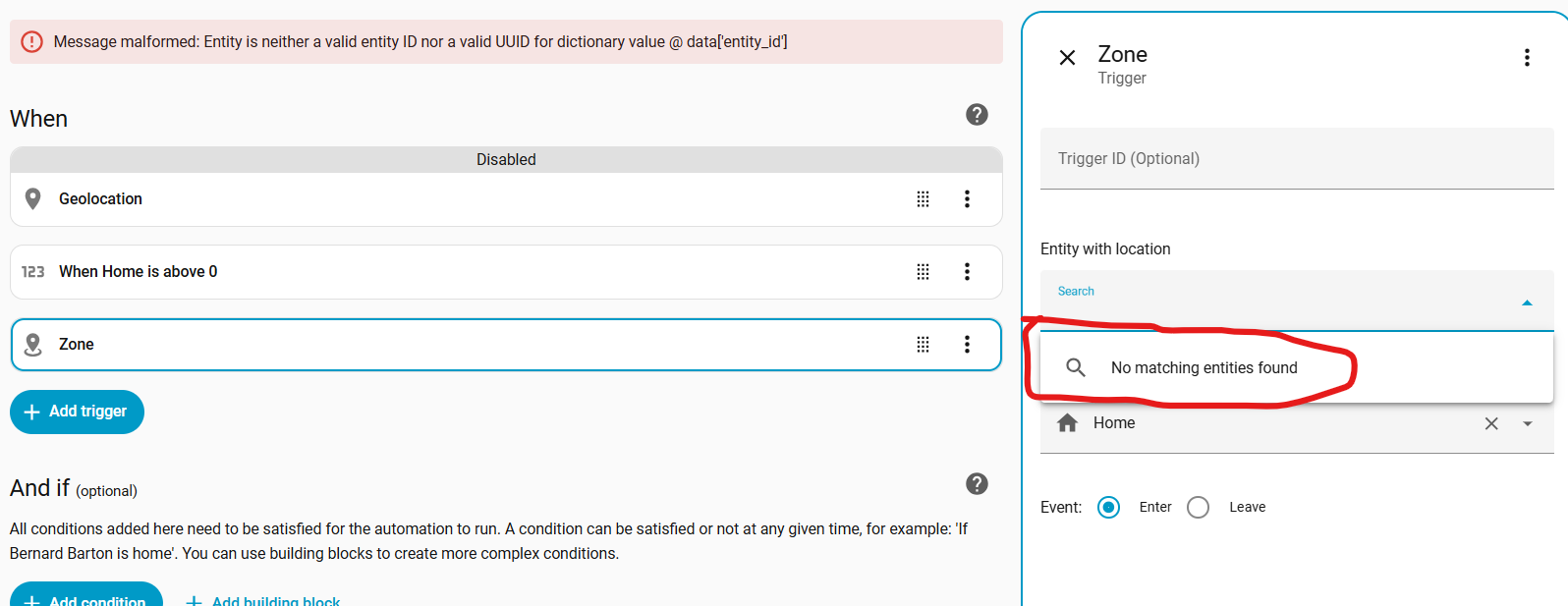
When I returned home today it was the first test of this simple geolocation automation. It didn’t work at all for some reason. My home zone is defined so not sure why this did not trigger. I’m trying to turn off the doorbell motion detection when I return home, for 5 minutes. Incidentally, I did not perform any configuration, HA was already configured for this variety of geolocation. The trigger options are either “Enter” or “Leave” and the zone is “Home”.
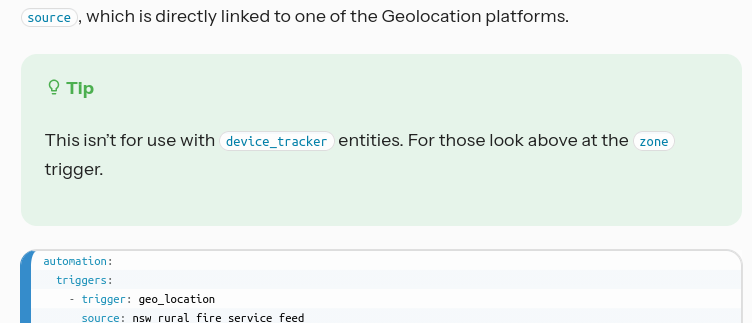
That’s not how the Geolocation trigger works and that’s not how one is properly configured… you cannot leave source blank. The Geolocation trigger is a specialized trigger that works with a small set of services, it is not related to device_tracker or person entities.
Thanks. Part of the zone trigger docs say to configure GPSLogger which I did. But I noticed the URL I optained from the integration for use on the phone is a local network address http://10.99.1… I don’t understand how this would work if you are some distance away from your local network.
Also when I try to add a zone trigger I get the following error. No matching entities. Any help would be appreciated.
The docs say you need to have a device tracker platform that supports reporting GPS coordinates. It doesn’t have to be GPSLogger. Most users use the HA Companion app since it adds a lot of functionality including location tracking.
All GPS-based device location tracking is going to require that you set up remote access of some kind. I have no experience with that particular integration, and based on the analytics it is not widely used so you may have trouble finding up-to-date information about it.
Zone triggers require either a person entity or a device_tracker entity. If you setup GPSLogger it should have created a device_tracker entity. If it did not, then you need to check the integration.
Thanks, I ultimately discovered HA Companion App is a better solution. I configured HA Companion App per directions, but it still doesn’t work. I would assume that you need HA Cloud in order for this to work? Or else configure your router, VPN access, etc., to access HA on your home network.
alias: Geo 4
description: ""
triggers:
  - trigger: zone
    entity_id: device_tracker.pixel_8
    zone: zone.home
    event: enter
conditions: []
actions:
  - action: notify.mobile_app_pixel_8
    metadata: {}
    data:
      message: Here in Geo 4
mode: single
You will need to clarify how you are testing. If you don’t have remote access, the GPS coordinates that HA has when you leave the house won’t change after your phone falls off your WiFi which is probably within the home zone. So, there won’t be a zone entering event because, as far as it is concerned, you never left.
You don’t need HA Cloud, but it is an easy way to get secure remote access.
When I started using HA the most common route (though not necessarily the most secure) was to use the DuckDNS add-on and integration. These days it seems like more users who aren’t using HA Cloud are using tools like Cloudflare, Wireguard, Zerotier, or Tailscale. If you have a HAOS install, there are Addons available for those tools in the Addon Store.
If you are relying on your phone for presence detection, you will need a way for your phone to reach your HA instance from outside your local network. However, for home zone presence there are options for “stationary” device trackers based on your phone connecting to your network or Bluetooth-based options. Many users find they get more reliable presence detection by using a combination of GPS and stationary trackers.
Note that these non-GPS device trackers don’t work with Zone triggers, but they do work with other triggers.
# Specific person comes home

    trigger: state
    entity_id: device_tracker.pixel_8
    to: home
# Home zone becomes occupied from being empty

    trigger: numeric_state
    entity_id: zone.home
    above: 0
Thank you for all of the information! So many options! I’m familiar with configuring firewalls, VPN’s, SSH, etc. I’ll have to research some of the options you mentioned and decide if I want to punch a hole in my firewall to HA.
I just tried you Pixel State example. I took my phone for about a 2 mile drive, then returned, but nothing triggered. It seems so straight forward, not sure what I’m missing.
What mechanism (i.e. remote access and/or stationary tracker) have you put in place to set the device’s location when you are not on the local network? Without one of those things the state will never change so the trigger will never fire.
If you are using a stationary tracker, how long is its consider_home value set to? A 2 mile drive may not be long enough if it is set to 10 minutes (which IIRC is often the default).
Check the History of the device_tracker.pixel_8 entity. How long was it’s state not home? If that time was less than the consider_home value, that’s why it didn’t work.
Could you share the attributes of the device trackers you plan to use for trigger?? Please block or change if there is GPS info in those attributes.
When you are out, you will want to make sure the companion app on your phone being able to talk back to your HA server from the outside… so that your HA server would know any GPS changes from your companion app (and know when to trigger any automation.)
I actually just subscribed to HA Cloud. I think I now need to configure the Android Companion App with the Webhooks URL provided? I’m trying to achieve a presence sensor for my phone.
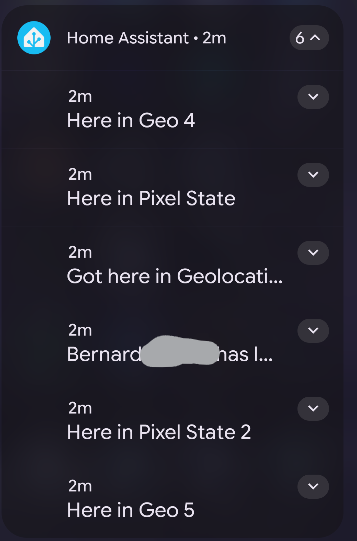
The I took my phone for a little ride, returned home, and nothing. At least at first. Then suddenly after several minutes being at home, I received notification from 5 of my test presence apps:
Here are a few of them. I thought that Geo 4 using the zone trigger would certainly work.
Thanks again for your help.
alias: Geo 4
description: ""
triggers:
  - trigger: zone
    entity_id: device_tracker.pixel_8
    zone: zone.home
    event: enter
conditions: []
actions:
  - action: notify.mobile_app_pixel_8
    metadata: {}
    data:
      message: Here in Geo 4
mode: single


alias: GPS - Pixel State
description: ""
triggers:
  - trigger: state
    entity_id: device_tracker.pixel_8
    to: home
conditions: []
actions:
  - action: notify.mobile_app_pixel_8
    metadata: {}
    data:
      message: Here in Pixel State
mode: single
The reason for the delay could be the update frequency of your position, or that you did not set the importance flag/ high priority on the message.
Without it, the message will be delivered when the phone wakes up, with the flags it will wake the phone up
Previously it wouldn’t work most likely is because when your phone / companion app is outside of your home network, the app did not have a way to connect back and tell your HA server that the GPS info is changing / that you are actually out…