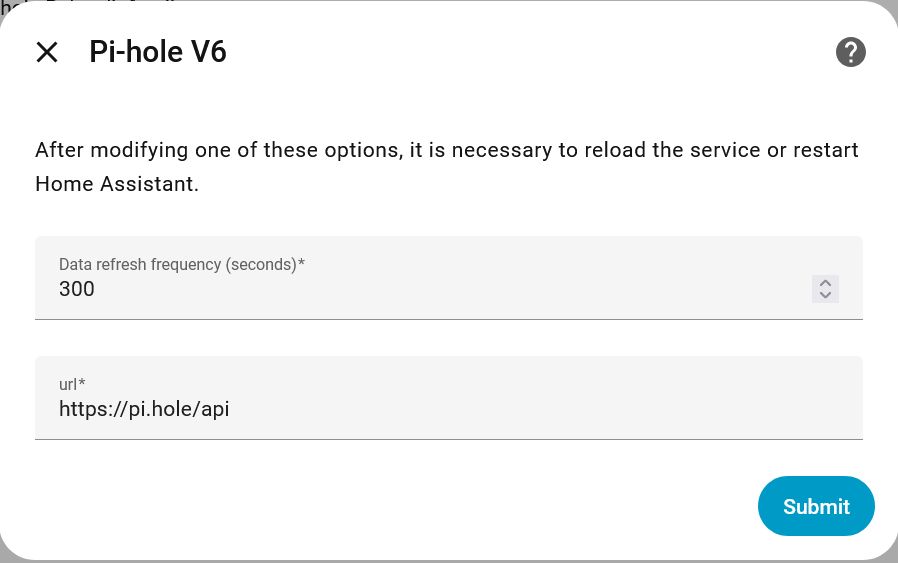
I can’t get it to connect to my pi-hole installation. I know the IP address is correct, the port is correct, and the “location” is not used.
I copied the app password from pi-hole before updating it. Then pasted it into the integration config, and then try the connection.
Authentication failed. Pi-hole reports incorrect password. Ehm, I copypasted it. It should be correct, there’s no doubt about it. There’s also no whitespace prefixing or suffixing it (it’s a bit oversensitive to that, and that’s why I doublechecked).
So,
How does it arrive at the conclusion that the password is incorrect when I know it’s absolutely positively correct?
How can I diagnose it, i.e. get HA to display more information somewhere? I already checked the logs, and it doesn’t provide more information.
Bonus: how can I get the actual full response from pihole that HA is attempting to (and failing to) interpret? It might contain useful information. I can’t find it in pihole.
I’m on the latest stable version of everything mentioned.
That’s why I want to see what exactly HA is trying to do that it fails on. Not just “authentication failed”, because authentication hasn’t failed at all (hence why I asked how it arrived at that conclusion).
HA is likely doing something wrong. But I have no way of knowing what, atm.
Debug logging, for some reason, reveals exactly nothing additional. It’s identical to normal logging. Maybe something to look into for the devs as well.
Also struggling a bit with setting this up. Can I use an app password from pihole that I stored last time or must I make a new one? (like gmail makes app passwords for different apps). Bit confused.
For the Integration (config flow) I use the exact same credentials (username and password) I also use for accessing the regular Pi-Hole admin-page through a web browser (e.g. to https://pi.hole/admin/).
Appreciated. In the end with Chatgpt help I managed to get it working.
In HA I entered:
Host: ip address (no http or https just x.x.x.x)
port: 80
location: api
app password or api key: app password
it then failed and I got a reconfigure screen - there I entered the password I use to logon to the webinterface and it works.
Still don’t get it as I used api and not admin and now it takes my admin password. Anyway its running.
note: initially I tried adding http/https to ip adress and got an error. Fed error to chatgpt and it was trying http://https://x.x.x.x so adding https again - hence removed ir
Tried it with port 80, unticked the ssl checkboxes - invalid authentiation
Tried it with port 443, ticked the ssl checkboxes - invalid authentiation
Also tried with location set to api and admin - both say invalid authentiation
So that’s 4 different variations. Allthewhile, nothing appears in the log. Even when I enable debug logging on the integration, it spews out no extra logging.
It’s frustrating that this doesn’t work, but even more so that I can’t get a grip on the what in the world HA is trying to do, and failing. Sure, it says invalid authentiation, but that’s just simply not true. Authentiation is definitely, genuinely, postively 100% correct.
I also asked chatgpt, and to me it said to go with a HACS integration. But then why would the official integration even exist?
Is that officially true? Then (dear HA devs) that’s REALLY fricking important to mention somewhere. It’s fine if you don’t want to support newer versions, but don’t let users tip-toe around in the dark bumping into stuff they can’t see. This has cost too much time for absolutely no reason whatsoever. Ugh.
Seriously (if this is really true) can someone add a warning or something? And, devs, do a simple <=5 semver check in the integration?..