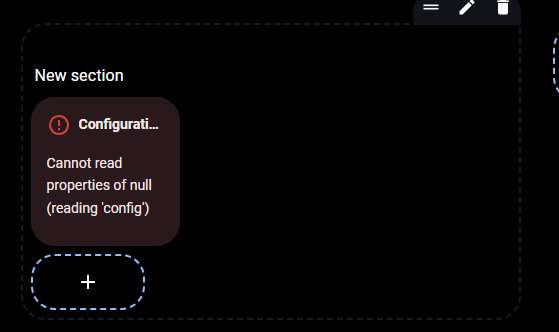
Cannot read properties of null (reading 'config') in button-card

Hello guys,
I’m very new to HA.
And I tried to replicate some advanced dashboards that I saw online, on Git and YouTube. Easyyyy I thought :sweat_smile:

I reached a problem that I have been searching online and in the forum for a resolution, even in the documentation, but I still didn’t find out what is going wrong.

I started a new dash and added:

button_card_templates:
  light_switch:
    variables:
      icon_on: '[[[ return entity.attributes.icon ]]]'
      icon_off: '[[[ return entity.attributes.icon ]]]'
      color: var(--yellow)
    icon: '[[[ return entity.attributes.icon ]]]'
    show_label: false
    show_state: true
    tap_action:
      action: toggle
      haptic: success
    hold_action:
      action: more-info
    state:
      - value: 'on'
        icon: '[[[ return variables.icon_on ]]]'
        styles:
          card:
            - background-color: '[[[ return variables.color ]]]'
      - value: 'off'
        icon: '[[[ return variables.icon_off ]]]'
        styles:
          card:
            - background-color: var(--contrast2)
    custom_fields:
      icon2:
        card:
          type: custom:button-card
          icon: |
            [[[
              if (entity.state == "on"){
                return "mdi:toggle-switch";
              } else {
                return "mdi:toggle-switch-off-outline";
              }
            ]]]
          styles:
            card:
              - background-color: var(--contrast1)
              - width: 35px
              - height: 35px
            icon:
              - width: 20px
              - color: var(--contrast20)
    styles:
      grid:
        - grid-template-areas: '"i s icon2" "n n n"'
        - grid-template-columns: 25px 1fr 1fr
        - grid-template-rows: 1fr min-content
      icon:
        - width: 25px
        - padding-top: 10px
        - margin-top: 7px
        - color: |
            [[[
              if (entity.state == "on") return "var(--black)";
              else return "var(--contrast20)";
            ]]]
      img_cell:
        - justify-content: flex-start
      name:
        - justify-self: start
        - font-size: 11px
        - margin-bottom: 3px
        - color: |
            [[[
              if (entity.state == "on") return "var(--black)";
              else return "var(--contrast20)";
            ]]]
        - opacity: 0.7
      card:
        - height: 90px
        - background-color: |
            [[[
              if (entity.state == "on") return "var(--yellow)";
              else return "var(--contrast2)";
            ]]]
        - box-shadow: none
        - border-radius: 24px
        - padding: 12px 0 12px 14px
        - z-index: 1
      state:
        - justify-self: start
        - font-size: 20px
        - margin-top: 11px
        - padding-top: 10px
        - padding-left: 3px
        - font-weight: 500
        - color: |
            [[[
              if (entity.state == "on") return "var(--black)";
              else return "var(--contrast20)";
            ]]]
      custom_fields:
        icon2:
          - margin-top: '-27px'
          - justify-self: end
          - align-self: center
          - width: 24px
          - padding-right: 20px
          - color: |
              [[[
                if (entity.state == "on") return "var(--black)";
                else return "var(--contrast20)";
              ]]]

Before the views.
But everytime i try to use the button with the template, it shows an error:
Cannot read properties of null (reading ‘config’)

I have HACS and button-card installed.
I’m using UI mode, not YAML. And I still want to use it in UI, at least for now…

What am I doing wrong?
I know this probably is something silly I’m not seeing.

Thanks in advance, guys.

Where have you added this?
Should be added here:

button_card_templates:
  ... add templates here
  light_switch:
    ...
  ...  
views:
 ...

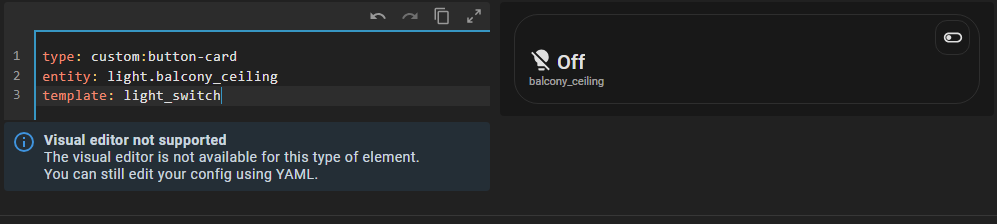
Just for testing, I merely added the posted code as a CARD (not a template), i.e. like

type: custom:button-card
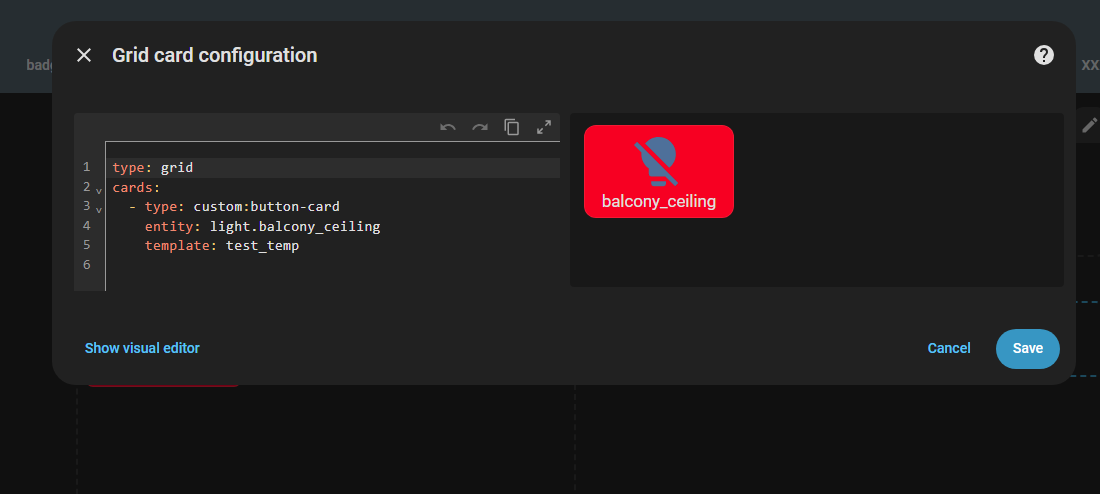
entity: light.balcony_ceiling
variables:
... and so on

and it somehow works (no idea how since you posted a huge & complicated code - please next time avoid doing that, always MINIMIZE a code before posting, and also there is a high probability that you will fix the issue by yourself while minimizing).
No error on a screen, no errors in browser console.

Hello.

Yes i did put before the views… If i put the template inside the button it works for me too. But trying to call:

type: custom:button-card
entity: light.balcony_ceiling
template: light_switch

It doesn’t for some reason.
Maybe I need to install something, or uninstall…

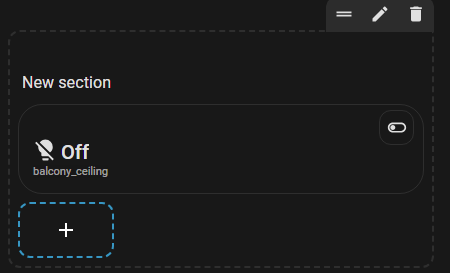
Is it supposed to work with sections?

Here is my inital code…

button_card_templates:
  light_switch:
    variables:
      icon_on: '[[[ return entity.attributes.icon ]]]'
      icon_off: '[[[ return entity.attributes.icon ]]]'
      color: var(--yellow)
    icon: '[[[ return entity.attributes.icon ]]]'
    show_label: false
    show_state: true
    tap_action:
      action: toggle
      haptic: success
    hold_action:
      action: more-info
    state:
      - value: 'on'
        icon: '[[[ return variables.icon_on ]]]'
        styles:
          card:
            - background-color: '[[[ return variables.color ]]]'
      - value: 'off'
        icon: '[[[ return variables.icon_off ]]]'
        styles:
          card:
            - background-color: var(--contrast2)
    custom_fields:
      icon2:
        card:
          type: custom:button-card
          icon: |
            [[[
              if (entity.state == "on"){
                return "mdi:toggle-switch";
              } else {
                return "mdi:toggle-switch-off-outline";
              }
            ]]]
          styles:
            card:
              - background-color: var(--contrast1)
              - width: 35px
              - height: 35px
            icon:
              - width: 20px
              - color: var(--contrast20)
    styles:
      grid:
        - grid-template-areas: '"i s icon2" "n n n"'
        - grid-template-columns: 25px 1fr 1fr
        - grid-template-rows: 1fr min-content
      icon:
        - width: 25px
        - padding-top: 10px
        - margin-top: 7px
        - color: |
            [[[
              if (entity.state == "on") return "var(--black)";
              else return "var(--contrast20)";
            ]]]
      img_cell:
        - justify-content: flex-start
      name:
        - justify-self: start
        - font-size: 11px
        - margin-bottom: 3px
        - color: |
            [[[
              if (entity.state == "on") return "var(--black)";
              else return "var(--contrast20)";
            ]]]
        - opacity: 0.7
      card:
        - height: 90px
        - background-color: |
            [[[
              if (entity.state == "on") return "var(--yellow)";
              else return "var(--contrast2)";
            ]]]
        - box-shadow: none
        - border-radius: 24px
        - padding: 12px 0 12px 14px
        - z-index: 1
      state:
        - justify-self: start
        - font-size: 20px
        - margin-top: 11px
        - padding-top: 10px
        - padding-left: 3px
        - font-weight: 500
        - color: |
            [[[
              if (entity.state == "on") return "var(--black)";
              else return "var(--contrast20)";
            ]]]
      custom_fields:
        icon2:
          - margin-top: '-27px'
          - justify-self: end
          - align-self: center
          - width: 24px
          - padding-right: 20px
          - color: |
              [[[
                if (entity.state == "on") return "var(--black)";
                else return "var(--contrast20)";
              ]]]
views:
  - title: Home
    type: sections
    max_columns: 3
    icon: mdi:home
    path: home
    theme: Rounded-Bubble
    sections:
      - type: grid

Double check it. Templates should be before the “views” option.
I am not asking you to post a large code of your dashboard here, this is up to you to sort out…

I pasted your template into my dashboard.

Just checked it… I edited the comment above. Still no luck :frowning:
I’m suspicious this is something regarding config, and not the code itself…

In sections:

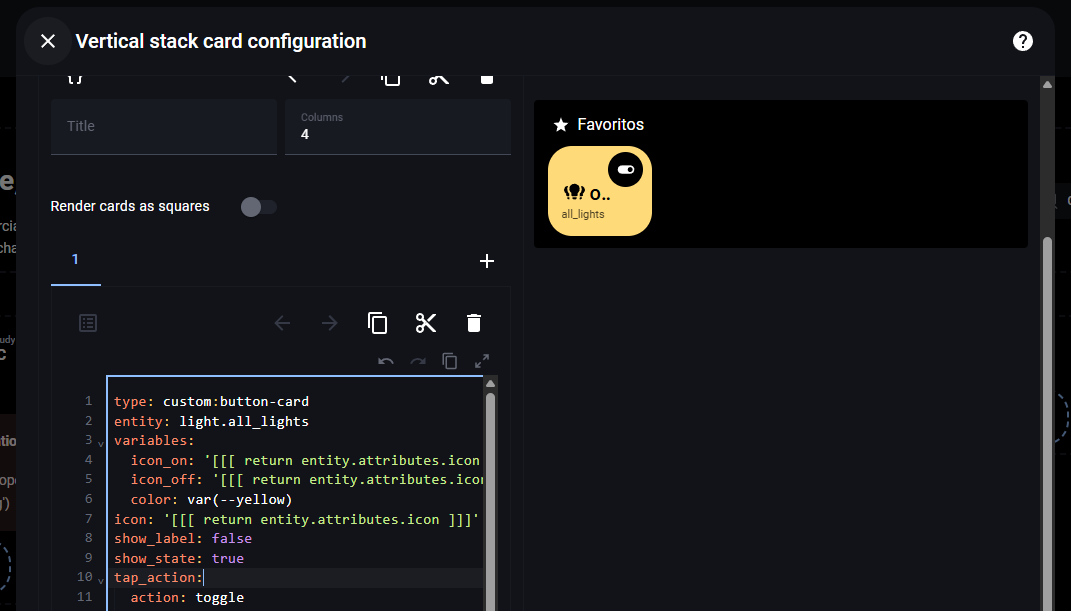
Templates should also work on sections. There is something I need to configure or something I’m missing, but I just don’t know what it is. I’m asking here for ideas. I know the code is working for sure; I’ve tested everything. The template code works for me on the button itself:

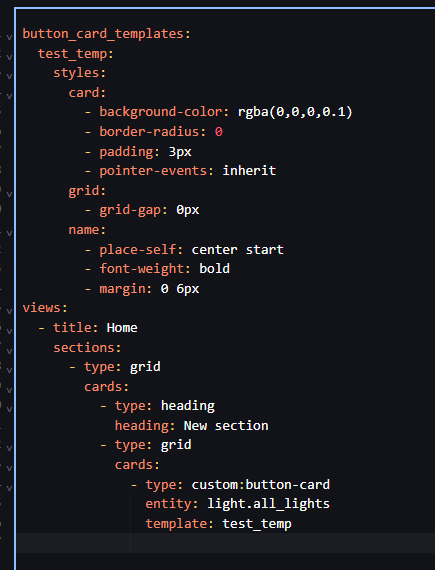
Just adding as a template that doesn’t work…

Stop, the initial question was about error.
Have you sorted things out?
If yes - then ask next question, otherwise you leave people confused(

??? It’s still about the error :smiley:
What you mean???

Not sorted out… And showing that it works on your side doesn’t help too mate :slight_smile:

Dammmm, my first post here in the community :smiley:
What a way to welcome people…

Sorry if I offended you))) That was not my intention.
Asked you about that since you posted a screenshot w/o the error.
So I am confused what your status is.

Arrrr, I see, you pasted a whole template code - and it works. Now I got it.
So, next question - are you sure that you pasted your templates into SAME dashboard?

1 Like

No worries…
English is not my main language, sometimes i misspell.

Basically. Even with the simplest template. It just doesn’t work for some reason.

And yes, it’s on the same dashboard…
Just created a new dash with a new basic template, added it on the button, and error:

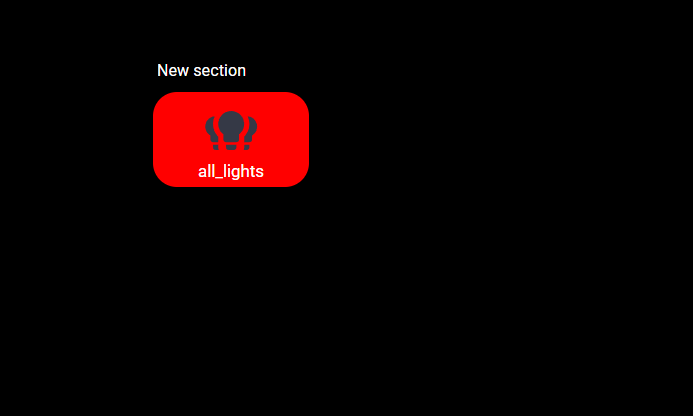
Adding the code on button directly. Works :scream:

Very weird, and cannot confirm…
I am using button-card 7.0.1

Can you post that super short code?

Ofc… I will put an even smaller code, just with color

button_card_templates:
  test_temp:
    styles:
      card:
        - background-color: rgba(255,0,0,1)
views:
  - title: Home
    sections:
      - type: grid
        cards:
          - type: heading
            heading: New section
          - type: grid
            cards:
              - type: custom:button-card
                entity: light.all_lights
                template: test_temp

My version is 7.0.1 aswell.

Just in case, try purging a browser cache…
Will think.

1 Like

FINALLY got it to work…

Will put everything i’ve done here in case somebody gets the same error in the future.

-Removed all my YAML dashboards
-Removed all commented code from the configuration.yaml (we never know :nerd_face:)
-Developer tools → check configuration → restart
-Unninstalled button-card and install again
-Hard Refresh on Chrome

Done… Thx guys

But the reason become unknown((
Usually, when a person creates a thread with a problem, it is supposed to be solved, and a post containing a solution is marked as a “solution”, and here we have nothing to mark as a “solution”…
OK. Consider this as a hard learning curve))) Next time will be easier.

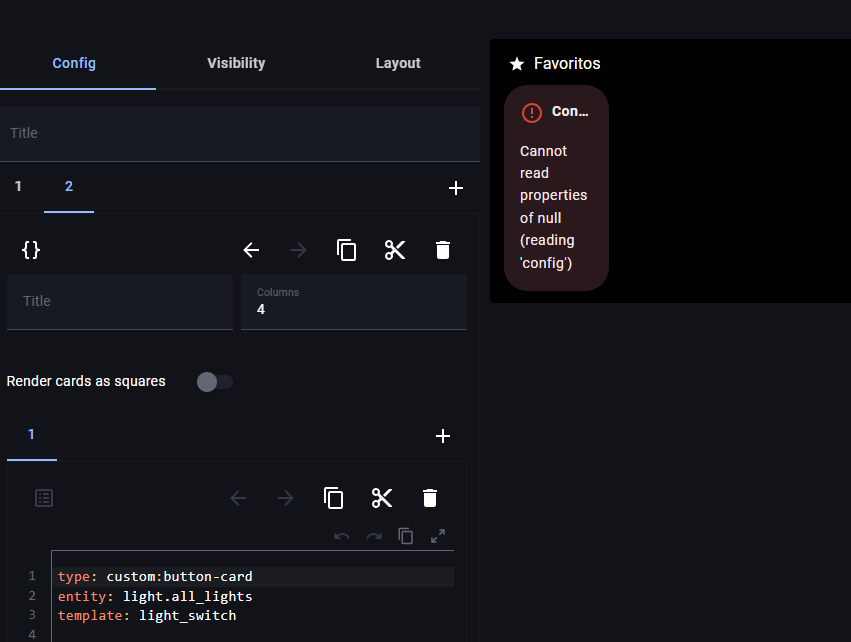
True… And I tried to do a rollback, but without success. I’m assuming a bad installation on the button-card.

That is why I posted all my steps…

Hope it helps someone in the future.

1 Like