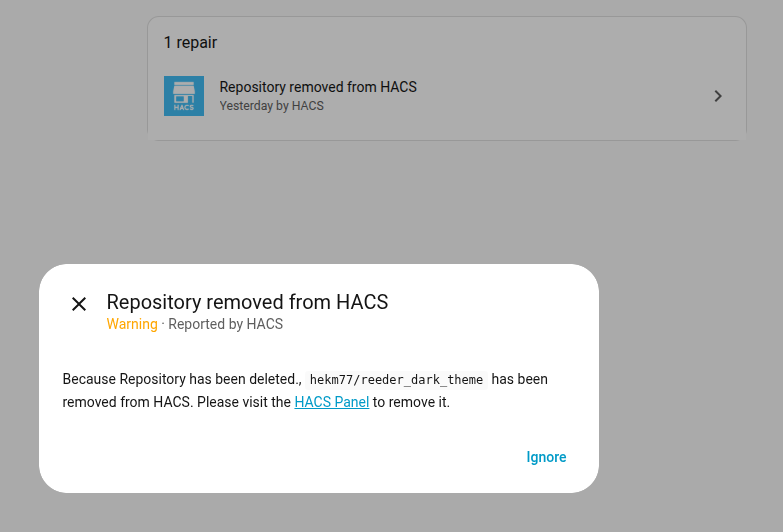
Back story - the HDD in my HA server failed. After replacing and restoring from backup (a few days later), HA notified me I had to remove a theme repository from HACS as it was not there anymore.
Naturally it was the main theme for my dashboard! I downloaded another theme and replaced it in the dashboard and then tried to remove the repository from HACS.
I have downloaded and removed other themes without issue.
I have double checked there are no remaining references to reeder theme in any lovelace config.
I have restarted HA (several times)
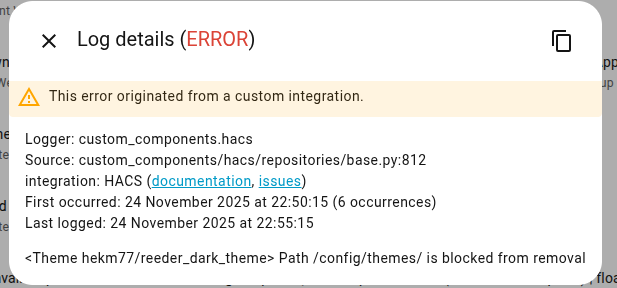
I have manually removed the theme folder from HA, and it persists in HACS gui.
The repository in question for theme Reeder_dark does not exist anymore (gives 404 error in Github).
I am guessing HACS might need something there to complete the removal?
Now I am playing Yossarian between ‘remove the repository’ and ‘cannot remove the repository’.
Cannot find any other reference in forums.
This situation does not really fit a bug report as per the template for HACS, hence asking here. I cannot request removal of the repository because it has already gone.
Is anyone else experiencing this or maybe has seen it before somewhere?
Other parts of HACS are working fine.
(incidental - restoring the backup worked a dream - no significant integration issues)
Maybe I have missed something (apologies if so) -
Thx in advance
I have requested removal of the repository but the report was closed because it does not exist (or has already been removed)
Guessing the HACS devs are suggesting maybe this is a HA core issue in reporting the error, and HA is suggesting it is HACS … (as this forum post was moved to 3rd party topic heading) …
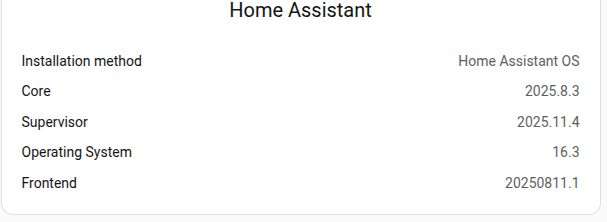
Maybe a core update might fix it - but unlike occasional front end updates, that is relatively non trivial - and I need to wait for v12.3 to minimise v12 issues
Just to be clear, before posting I did a find/search/replace in raw config editor (for each dashboard) for reeder after manually editing what I could find in dashboards and cards. (and restarting several times)
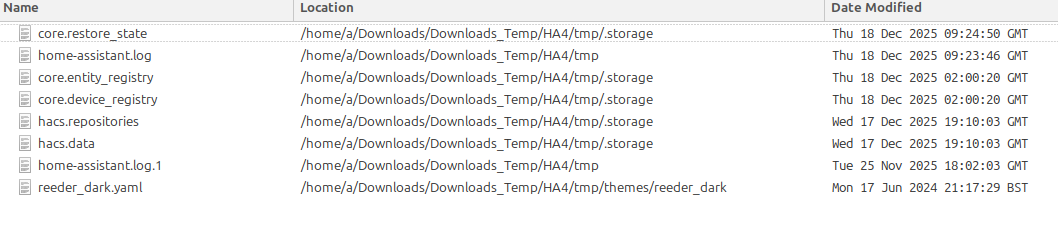
As a triple check, I have now also downloaded the complete config folder from HA and did a file content search for reeder (excl the database). The result was this:
it might be useful to try and find where it is still lurking. (I do not know what most of those files do and would dare not touch them (other than manually removing the theme files after a backup, which did not work)
I guess it may be in the database somewhere (other than logs), but my SQL and understanding of the database file is not good enough to find it.
And of course it may be stored somewhere other than in plain text - in which case I would not know where to start looking, nor how. (hence the original request)
restart HA in safe-mode, open the files(from which you get a “hit” on your “find”
1 by 1, if you can interpret the files it should be fairly easy
don’t forget a full back…before !
The process seems to be a bit too ‘under the hood’ for my liking, given the possible cross referencing between files/modules, and the hacs repositories etc - i.e. the potential to miss something and screw things up (even with a backup) is a little daunting.
I had a look at a couple of the files from the list - it may be feasible to edit/remove aspects of some but others are less meaningful and without much trial and error (and still some uncertainty) it may not be fruitful - I am wary of ‘registry’ files from Windows days [OK if it is known in advance exactly what you are doing]
When HACS address the issue, then who knows what would happen if anything was left behind (even if it appeared to be working properly) - I have been caught like that before.
the reeder_dark.yaml you can remove/delete, no worries
home-assistant.log and .log1 you can also remove/delete, no worries
hacs.data you can edit (back-up first)( Should be no problem, it’s easy structured, you see what to cutout
Thou i doubt you have to edit any of the 2 hacs.xxx files, it’s just info of it’s repository
But in your /config/themes/xxxx you can also remove/delete manually via Terminal or File-Editor, also no worries