Can't select items in Group helper UI

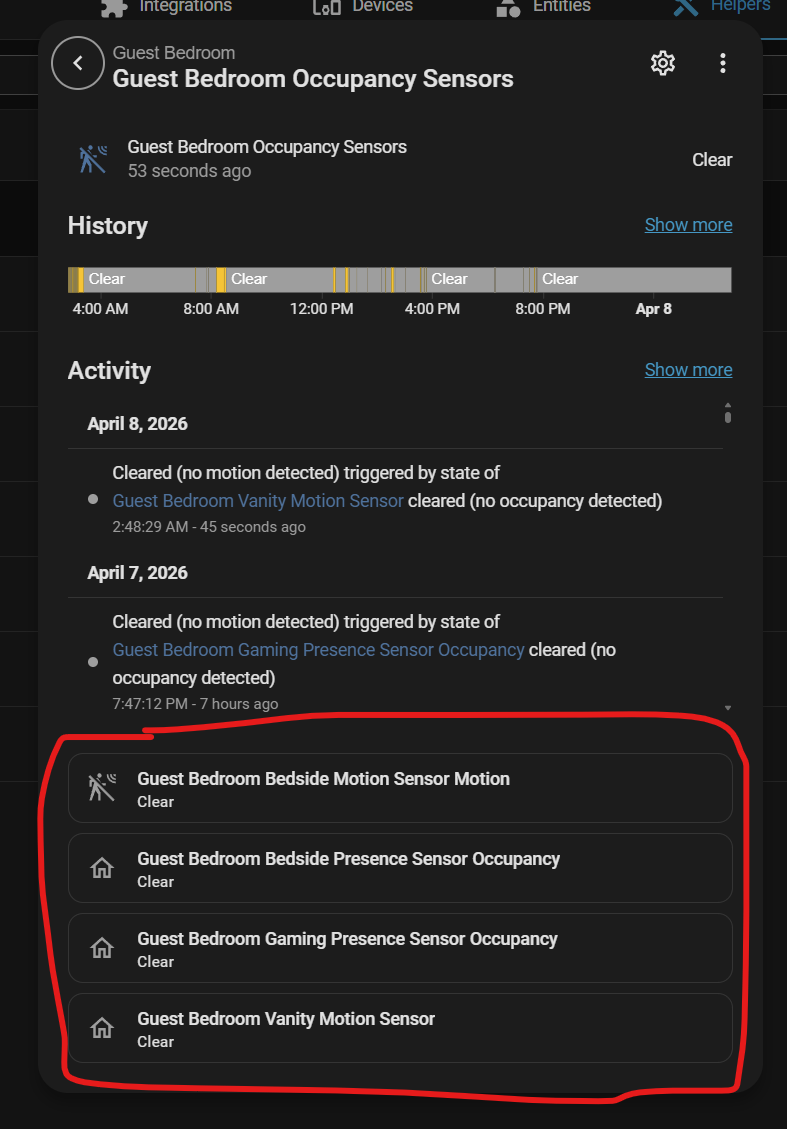
In the Group helper modal, if hover over any of the items at the bottom, they flash a bunch in the hovered and unhovered state. If I try to click one, it doesn’t work unless I click a bunch catch it at the right time. Sometimes, I click too fast, and it close the modal too :confused:.

Anyone else seen this before? Any idea what the cause could be?

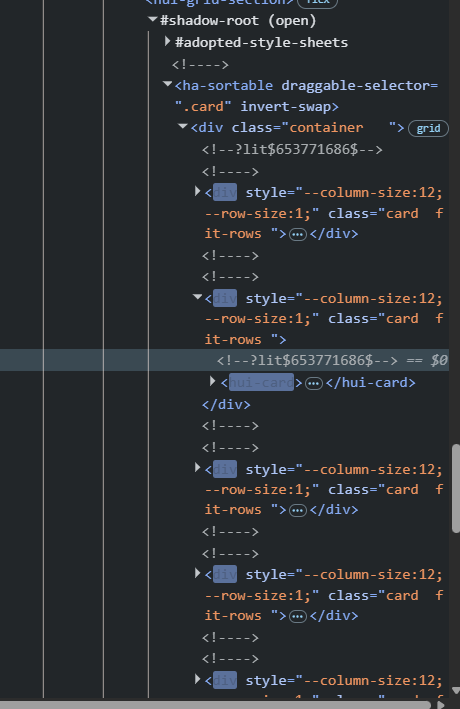
I did a bit more research and found it’s updating the DOM like crazy:

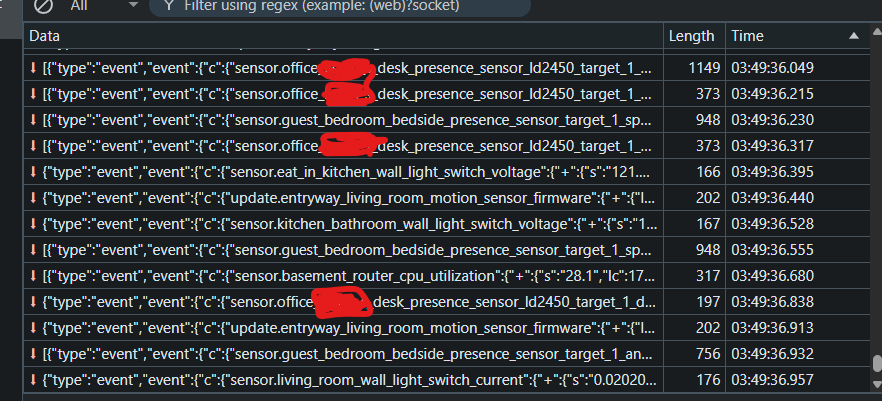
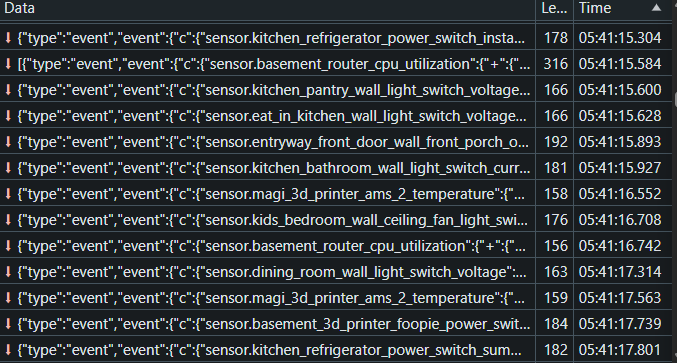
I looked at the WebSocket connection, and there are tons of events in long lists like this being sent:

Look at the time codes. All those in milliseconds of each other. Any idea what might’ve caused this? It started after the 2026.4.1 update, but I’ve also added a bunch of devices:

  1. Inovelli mmWave Switches.
  2. Inovelli On-Off Switch (just one).
  3. Apollo R-PRO-1.
  4. Zone Mapper integration for Apollo.

There’s not enough information to give any specific tips.

  • Make sure your mmWave sensors are configured for the right areas. I had curtains that moved whenever someone walked by the room and triggered presence to change. They’ll see through walls too, so keep that in mind when you’re configuring the areas you want it to watch.
  • Look at the reporting values for those devices (whether that’s in Z-Wave, Zigbee, Matter, or something else). You might have something set with a minimum 0 or a low maximum that forces updates even if nothing changed.
  • My Blue Series devices send an update through Z2M for all values on the device if anything changes. It’s a lot of data if you have many devices or a slow USB drive or SD card. Data for entities that are disabled in Home Assistant will be discarded and reduce the amount of data being written to the disk (which will free up resources and speed up the UI). I disabled most of the configuration settings, including the LED color, effect, and brightness settings.

I put a 512GB NVMe drive in Home Assistant on the Pi5, so it’s probably not the storage medium.

This isn’t just that one group; it’s all groups. Hover over those bottom values, and they all flash wildly.

When I say they flash, I don’t mean the occupancy is going on and off, I mean the item itself in HTML is flashing state changes constantly; all of them, as if Home Assistant is going wild trying to update the UI.

My Blue Series devices send an update through Z2M for all values on the device if anything changes. It’s a lot of data…

It might be me hitting the breaking point then. I noticed it got even worse with the 2026.4.3 update, but I’ve added more Inovelli switches since then. It’s blinking so fast the hovering doesn’t even highlight it anymore.

I don’t understand what you mean by a 0 minimum. You mean the threshold is wrong or something?

I also removed the Apollo Zone Mapper completely, but that didn’t fix anything.

Maybe there’s an easy way to disable all the target-tracking entities for my presence detectors and only enable them when I’m testing something. That’d be pretty nice if that’s actually the cause. How can I tell? Is there any debugging I can do?

The Apollo R-PRO-1 sensors are chatty, but I don’t think they’re any more chatty than the Everything Presence Lite I replaced them with. I could be wrong though. Mine do have an extra mmWave sensor.

The Inovelli mmWave switches don’t push any more data than necessary, but like you said, a single state update may force all entities to update. How are you seeing that? I’d like to confirm if that’s my issue as wel.

There’s something else I forgot about until now. I am using a Zigbee quirk, some Python script, that allows me to have visual entities for a bunch of the mmWave Switch controls. They’re not changing or anything, but there are duplicates of many of them once I added the quirk.

I’m at a loss. I was hoping 2026.4.3 might’ve magically fixed it. I can’t figure out exactly what the cause is or if it’s been happening this whole time and only getting worse. I’d really like a way to debug, so I can start mass-disabling devices to see if that fixes the issue, so I know what’s actually wrong.

It’s very strange that the WebSocket connection is filled with entities that aren’t on the current page. It’s just getting everything.

Also, why those divs are flashing in HTML. That means there are tons of DOM updates. As a React developer, that’s a key sign of something unmemoized. A bug, not a “too many sensors” issue. Something that could be worsened the more state updates you receive. Considering everything else works fine in Home Assistant, I really do think it’s a bug, but I need some way to debug to be sure. Or a place to report it.

Sorry, I seem to have sent you down the wrong path entirely. If you pull the air gap on the Inovelli devices and unplug the Apollos but still see the problem, then your issue isn’t what I ran into.

I guess that’s correct. That’d also pull power on all my smart bulbs too; which is fine I guess, but my goal is to narrow down “which” devices too.

What if I just disabled the entities in Home Assistant. Same thing right?

I disabled a boatload of sensors from the Apollo R-PRO-1 devices, and while that helped, I don’t think that was the issue.

On any page, every single possible event is firing into the WebSocket. That doesn’t seem right to me. But it’s also strange that the group picker would be showing all those DOM updates either as nothing in has its state updated.

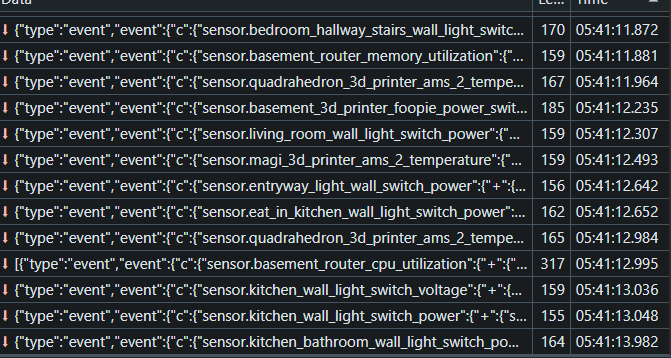
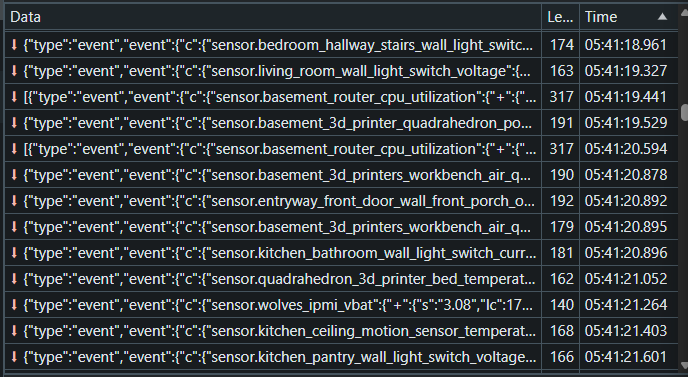
If you look at all these sensor updates, you can tell there are so many successive ones:


I’m seeing the 3D printers come up quite often, but so do the Inovelli switches now that my presence sensors aren’t throwing out a bunch of unnecessary info about where people are in the room, which direction they’re going, etc.

I wish there was a faster way to batch-disable a bunch of entities. I know you can use the checkbox system in Home Assistant, but I had to disable 35 entities in 10 sensors. I ended up having AI do it for me, but that’s always sketch.

I have a few ideas what might be wrong:

  1. A card on my dashboard subscribes to every entity, every device, etc.
  2. Home Assistant isn’t limiting updates to only devices in the current view.
  3. There’s a bug in the recent version of Home Assistant which is why I only started seeing the issue this month.
  4. The devices I added recently are pushing through too many updates, and that’s the real issue. Considering the fact that they were extremely chatty, it makes sense, but after disabling all those entities, I’m still having the issue, so it’s gotta be something else.

Posted a bug report here as it’s still happening in 2026.4.4 even after disabling a bunch of chatty entities: