Wonder if anyone has any useful info on this Carbon Monoxide Detector:
TuYa TS0601_smart_CO_air box.
Zigbee version and I’m using Z2M.
I’ve got 4 of these devices and don’t get me wrong they all work fine.
However they are very,very vocal ! - They each report in about once a second !
My Z2M logs are crammed with messages from these devices.
My Zigbee network is ok but not what I would call perfect. I’ve tried to ensure I’ve adhered to all of the known Zigbee issues etc. I’m just wondering if all this chatter could compromise the Zigbee bandwidth ?
Has anyone got any experiences they can share ?
TIA
Thanks for the pointer. I’ve had a look at the Git and I see what you mean. In the short term I’ve disabled them all and switched them off. Now doing a bit of testing to establish if my Zigbee network is noticeably more stable and responsive. I suspect it will be !
Disappointing to see this issue has been knocking around since 2021 without a firmware fix - but at least I now know there’s no point chasing this rainbow !
Thanks for the post. I’ve tried it out but it doesn’t seem to work with my TS0601_smart_CO _air _box. I’ve put the code into the folder as suggested, added the external converter in the Z2M UI and even tried changing the name of the code file to match that of my device all to no avail.
I am curious about one thing - does this code actually stop the device chattering away - or does it work more like the debounce work around ?
The debounce just ignores all of the chatter and only lets one message per 120000ms through. This of course makes things “look” better as it’s just ignoring the majority of messages but it does nothing for the bandwidth as the chatter is still happening - I just don’t see it happen.
Hoping this code actually stops the problem at source - are you able to clarify ?
Many Thanks
@nick4275 It is ignoring the chatter, but uses the fixed interval to aggregate data before publishing. But it mimics a deboucne behavior. It is more like filter of the messages. If you have MQTT Explorer you can see the chatter of the device.
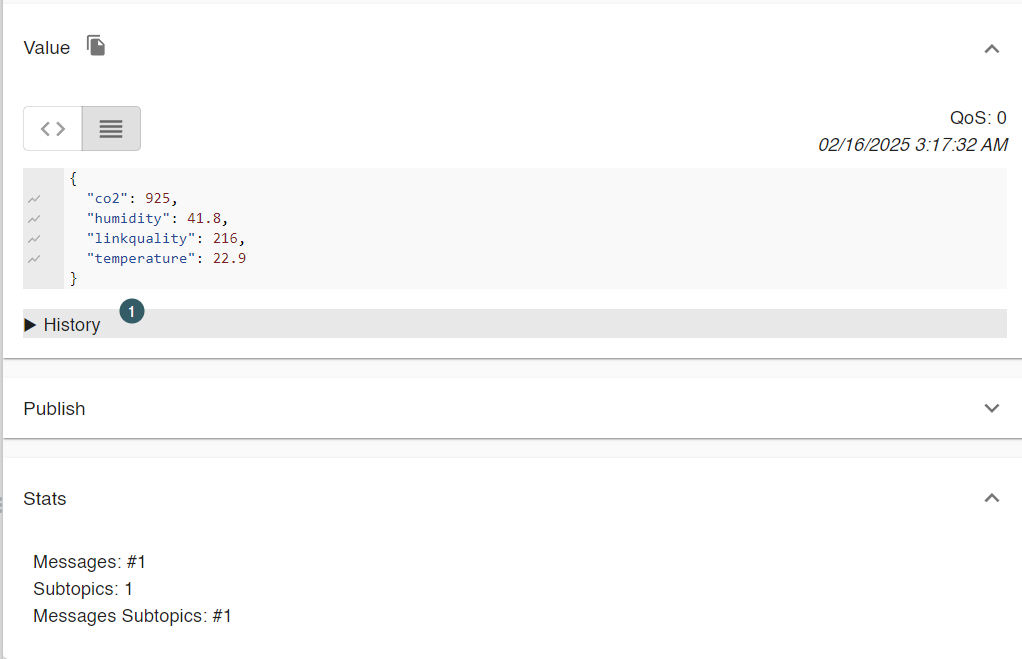
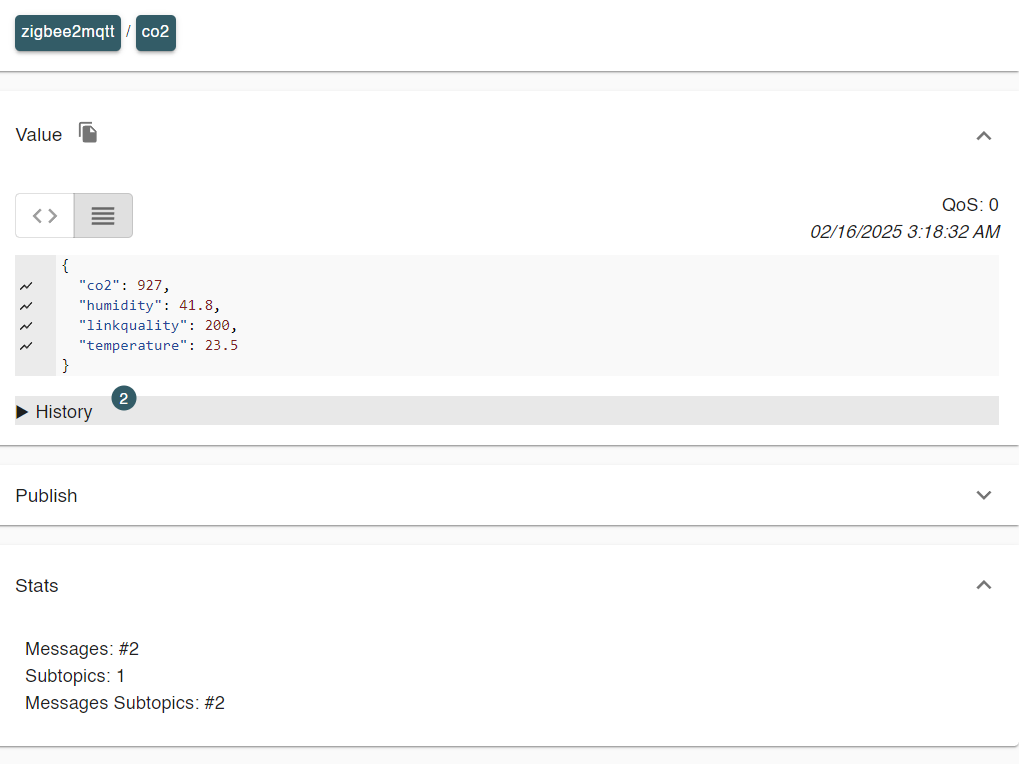
Below screenshots are from my CO2 sensor. 1 minute apart and in the stats is visible that only 2 messages are passed.
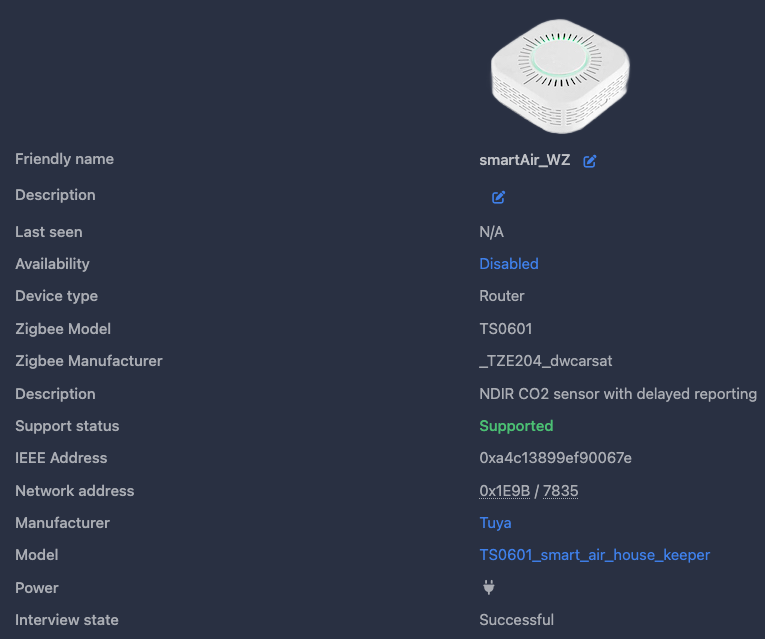
Regarding script not working. Check your “Zigbee manufacturer” in About page of your device in Z2M
And adapt the script at line 35:
fingerprint: tuya.fingerprint(‘TS0601’, [‘_TZE200_3ejwxpmu (replace this with yours)’]),
Another issue could be that your CO sensor uses different datapoints.
I can confirm that my script is working for following models: _TZE200_3ejwxpmu, _TZE204_3ejwxpmu, _TZE204_ogkdpgy2
I hope that my answer will help you.
P.S. I checked device list and found yours. After add your manufacture, change at line 45 exposes: [e.co2()], => exposes: [e.co()], That should make it work
I have two of these sensors and just realised both of them are spamming the zigbee network by sending 5 messages per second, but one of my friends has the exact same model (_TZE200_ogkdpgy2) and his device only sends one message every 5 seconds. I cannot find this device in the OTA menu to check the version of the firmware, is there any other way to check this version so I can see if their device is running the same version as mine? (his device should be running a different version because of the different behaviour, so in that case I would love to see if I can install the other fw in my devices somehow to avoid this issue).
EDIT: I just found out what the issue was. It seems the coordinator of my zigbee network was having some type of issue and wasn´t sending the ACK (acknoledge message) back to the device, and these co2 sensors seem to be designed in a way that they try to send the same message again and again every 200ms until they receive the ACK, which obviously is not ideal, but the good news is once I fixed the issue with the coordinator, my co2 sensors are also sending a message every 5 seconds as the one from my friend. Posting this just in case it helps anyone else.
That’s very good news.
I have a similar problem with a similar sensor “Tuya TS0601_air_quality_sensor”.
The coordinator used is “ZStack3x0”.
Can you tell me how you solved your problem?
What do I need to do to make my coordinator send reception confirmation?
The coordinator should always send these ACK to the devices. If the device is not receiving them it might be because the device is connected to a router that is not working as it should (and a potential solution would be to disconnect the routers to force the device to connect directly to the coordinator) or because there is some issue with the coordinator.
In my case, to fix the issue I connected the coordinator to a different USB port with a short extension cable, as I thought that the coordinator might not be working properly due to some issue with the USB port (voltage? speed? interference?), and that seems to have solved the issue.
Thanks for the quick reply.
Unfortunately this advice will not help me. The sensor is connected directly to the coordinator. The coordinator is connected via a 30 cm long USB cable.
If you are really interested to know what is going on, the best option you have is to sniff the zigbee traffic so you will be able see the messages that the device and the coordinator are sending and receiving. Just be aware that´s not an easy process, these are the instructions: Sniff Zigbee traffic | Zigbee2MQTT
Hi,
thank you.
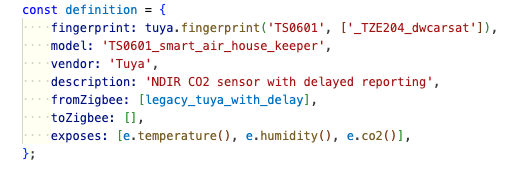
I had the same issue with few very chatty CO2 sensors and I have applied the suggested GitHub fix, with the following modifications to address my own sensors:
const definition = {
    fingerprint: tuya.fingerprint('TS0601', ['_TZE204_dwcarsat']),
    model: 'TS0601_smart_air_house_keeper',
    vendor: 'Tuya',
    description: 'NDIR CO2 sensor with delayed reporting',
    fromZigbee: [legacy_tuya_with_delay],
    toZigbee: [],
    exposes: [e.temperature(), e.humidity(), e.co2()],type or paste code here