Hi friends, nice evening to everyone.
I’m using the latest Home Assistant OS and 2025.8 core.
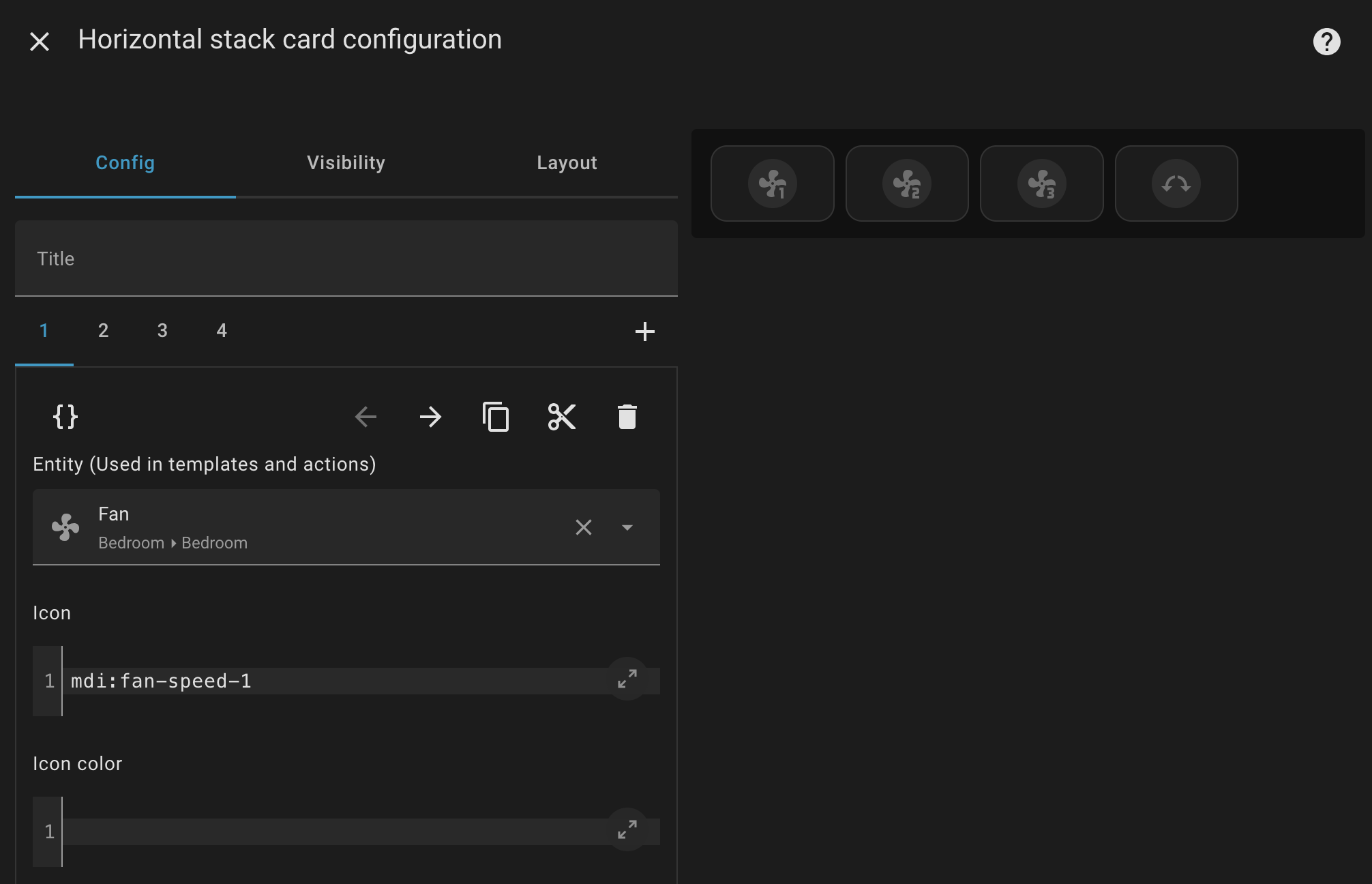
In order to control my ceiling fan’s variable speeds, I created a Horizontal stack on my dashboard.
Is there a way I can configure the Horizontal Stack to highlight the last pressed speed button with a different color, so that I can visibly see which speed is currently running?
Hope someone can help
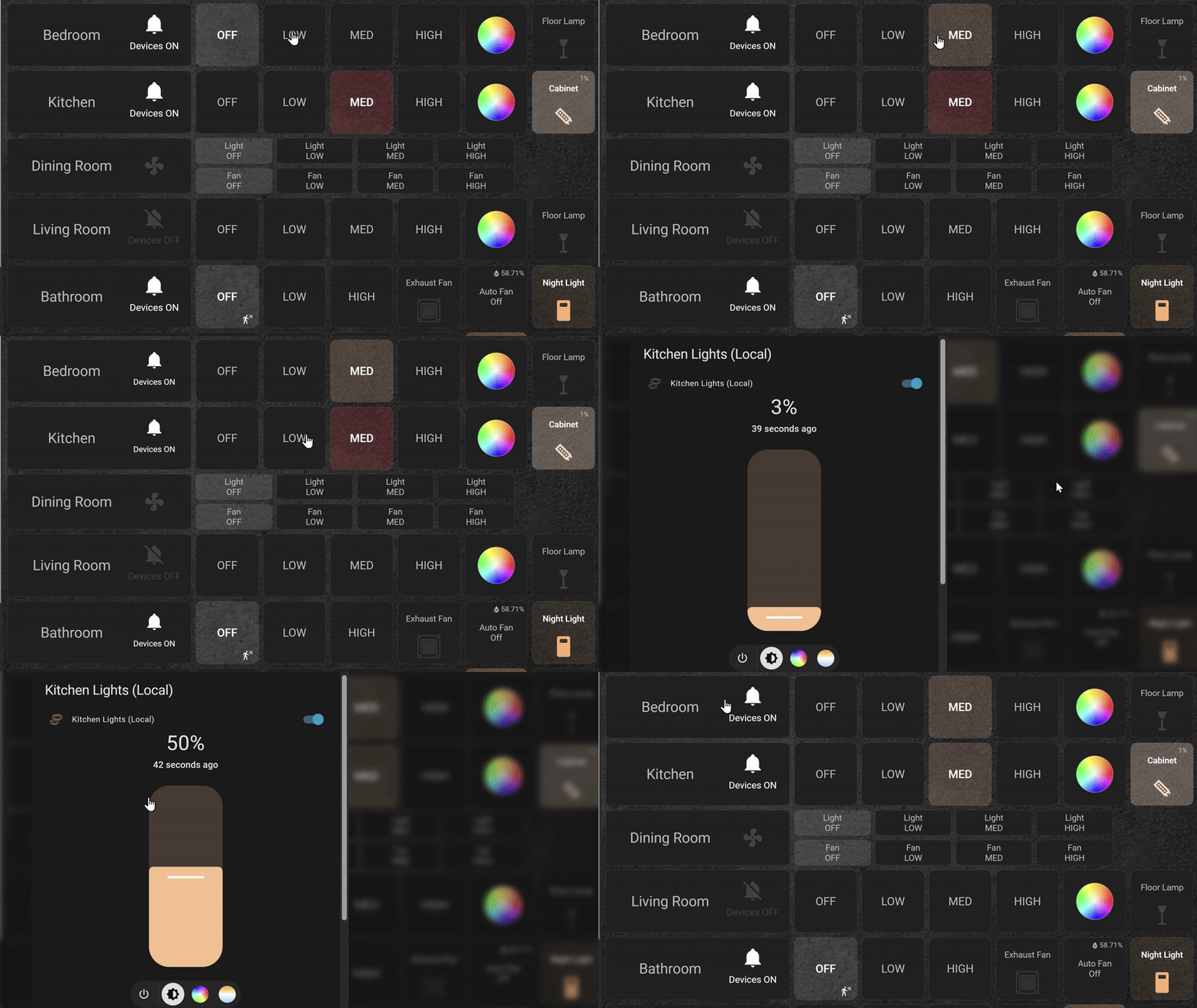
I have the following style code setup on my dashboard but I use it with the grid card in horizontal cards withbutton_card_templates and the Custom Button Card. I use the template so I only have to right it once and then just reference the template for each row.
❇️ Lovelace button-card for home assistant
I change the button background (the color of the light) and then the font color and weight when active or inactive. (If you post your code I could probably help more.)
And this YT channel has a part 1-3 that should also help you.
For low I use the following style code.
    styles:
      card:
        - background-color: |
            [[[
              if ((entity.state == 'on') && (entity.attributes.brightness > 0 ) && (entity.attributes.brightness <= 85 ))
                return 'rgba(' + entity.attributes.rgb_color + ', 0.1)';
              else return '';
            ]]]
      name:
        - font-weight: |
            [[[
              if ((entity.state == 'on') && (entity.attributes.brightness > 0 ) && (entity.attributes.brightness <= 85 ))
                return 500;
              else return '';
            ]]]
        - color: |
            [[[
              if ((entity.state == 'on') && (entity.attributes.brightness > 0 ) && (entity.attributes.brightness <= 85 ))
                return 'rgb(255, 255, 255)';
              else return '';
            ]]]
For medium.
    styles:
      card:
        - background-color: |
            [[[
              if ((entity.state == 'on') && (entity.attributes.brightness > 85 ) && (entity.attributes.brightness <= 170 ))
                return 'rgba(' + entity.attributes.rgb_color + ', 0.2)';
              else return '';
            ]]]
      name:
        - font-weight: |
            [[[
              if ((entity.state == 'on') && (entity.attributes.brightness > 85 ) && (entity.attributes.brightness <= 170 ))
                return 500;
              else return '';
            ]]]
        - color: |
            [[[
              if ((entity.state == 'on') && (entity.attributes.brightness > 85 ) && (entity.attributes.brightness <= 170 ))
                return 'rgb(255,255,255)';
              else return '';
            ]]]
For high.
    styles:
      card:
        - background-color: |
            [[[
              if ((entity.state == 'on') && (entity.attributes.brightness > 170 ))
                return 'rgba(' + entity.attributes.rgb_color + ', 0.3)';
              else return '';
            ]]]
      name:
        - font-weight: |
            [[[
              if ((entity.state == 'on') && (entity.attributes.brightness > 170 ))
                return 500;
              else return '';
            ]]]
        - color: |
            [[[
              if ((entity.state == 'on') && (entity.attributes.brightness > 170 ))
                return 'rgb(255,255,255)';
              else return '';
            ]]]
Here’s mine…
OK, but he isn’t using the custom:button-card HACs integration?
I know. I’m just showing him how I did it. He’d still have to use something other than the stock lovelace button card to do it… right?
Thank you for the example, @almighty59
No, you can mod the stock cards he is using. An simple example with stock cards and card_mod.
type: horizontal-stack
cards:
  - show_name: false
    show_icon: true
    type: button
    entity: script.fan_speed_1
    icon: mdi:fan-speed-1
    tap_action:
      action: toggle
    card_mod:
      style: |
        ha-card {
         --state-icon-color: {{ 'snow' if is_state('sensor.fan_speed', '16') else 'grey' }};
         background: {{ 'blue' if is_state('sensor.fan_speed', '16') else 'black' }}
         }
  - show_name: false
    show_icon: true
    type: button
    entity: script.fan_speed_2
    icon: mdi:fan-speed-2
    tap_action:
      action: toggle
    card_mod:
      style: |
        ha-card {
         --state-icon-color: {{ 'snow' if is_state('sensor.fan_speed', '33') else 'grey' }};
         background: {{ 'blue' if is_state('sensor.fan_speed', '33') else 'black' }}
         }
  - show_name: false
    show_icon: true
    type: button
    entity: script.fan_speed_3
    icon: mdi:fan-speed-3
    tap_action:
      action: toggle
    card_mod:
      style: |
        ha-card {
         --state-icon-color: {{ 'snow' if is_state('sensor.fan_speed', '50') else 'grey' }};
         background: {{ 'blue' if is_state('sensor.fan_speed', '50') else 'black' }}
         }
  - show_name: false
    show_icon: true
    type: button
    entity: script.fan_summer
    icon: mdi:horizontal-rotate-counterclockwise
    card_mod:
      style: |
        ha-card {
         --state-icon-color: {{ 'blue' if is_state('sensor.fan_direction', 'forward') else 'orange' }};
         background: black;
         }
Thank you very much, @LiQuid_cOOled