ChargeIQ is a Home Assistant add-on that automatically calculates and applies the optimal charge/discharge schedule for your home battery, based on electricity spot prices, solar forecasts, and your actual consumption. It started as a Growatt + Nordpool tool — I built it because Growatt's own scheduling simply didn't work. A few users have since helped add Octopus Energy and SolaX Modbus support, so it now covers more hardware and markets.
What it does
Every 15 minutes it recalculates the optimal plan considering:
-
Current and future electricity prices
-
Solar production forecast
-
Your household consumption pattern (averaged from HA history)
-
Battery wear costs (so it won't chase tiny margins that degrade your battery)
What makes it different
Mathematically optimal. The optimizer uses dynamic programming to find the best possible schedule — not a simulation, not a heuristic. It's the same class of algorithm used in route planning and financial optimization.
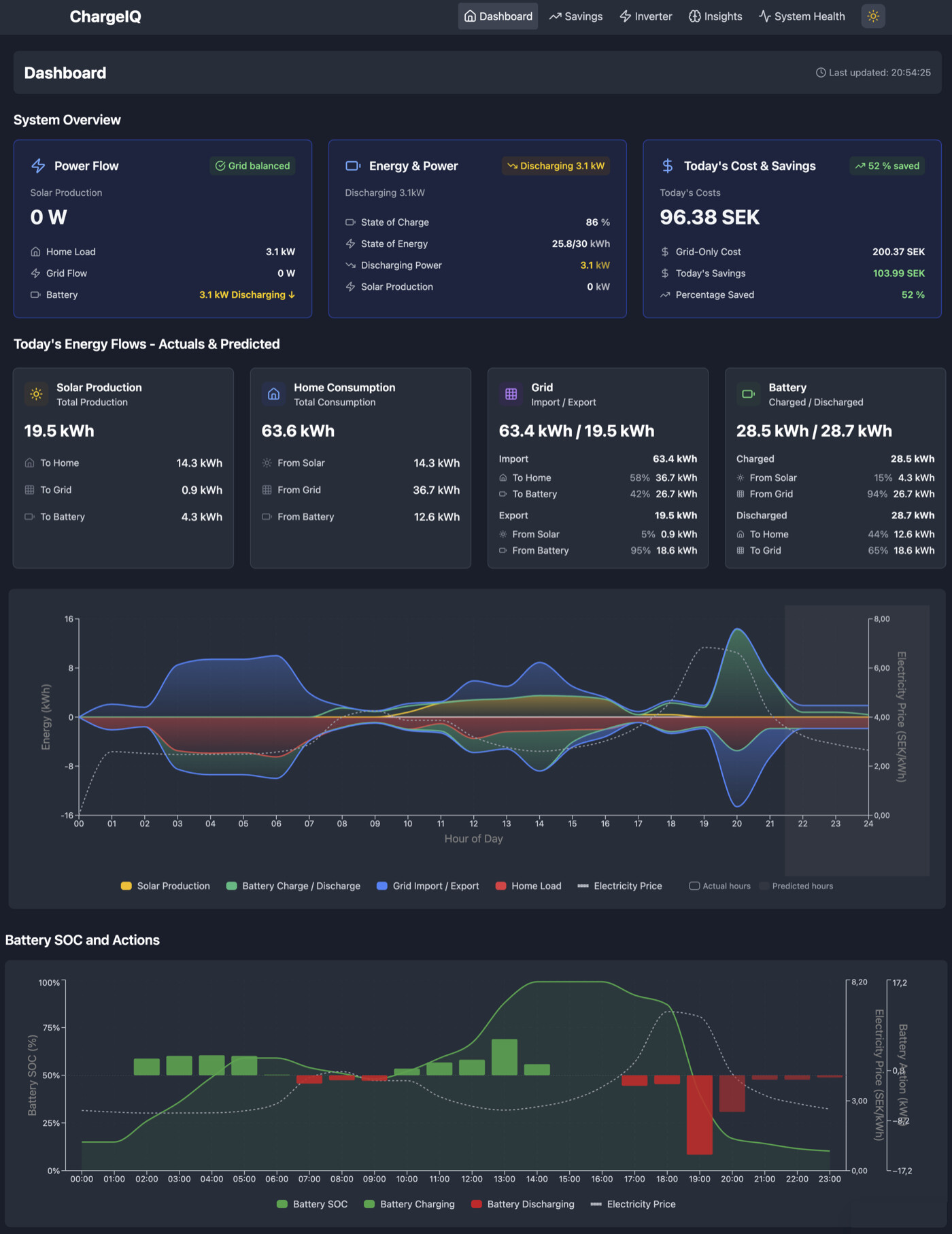
Everything at a glance. The dashboard shows live energy flows, battery state, today's schedule, and your savings — all in one view.
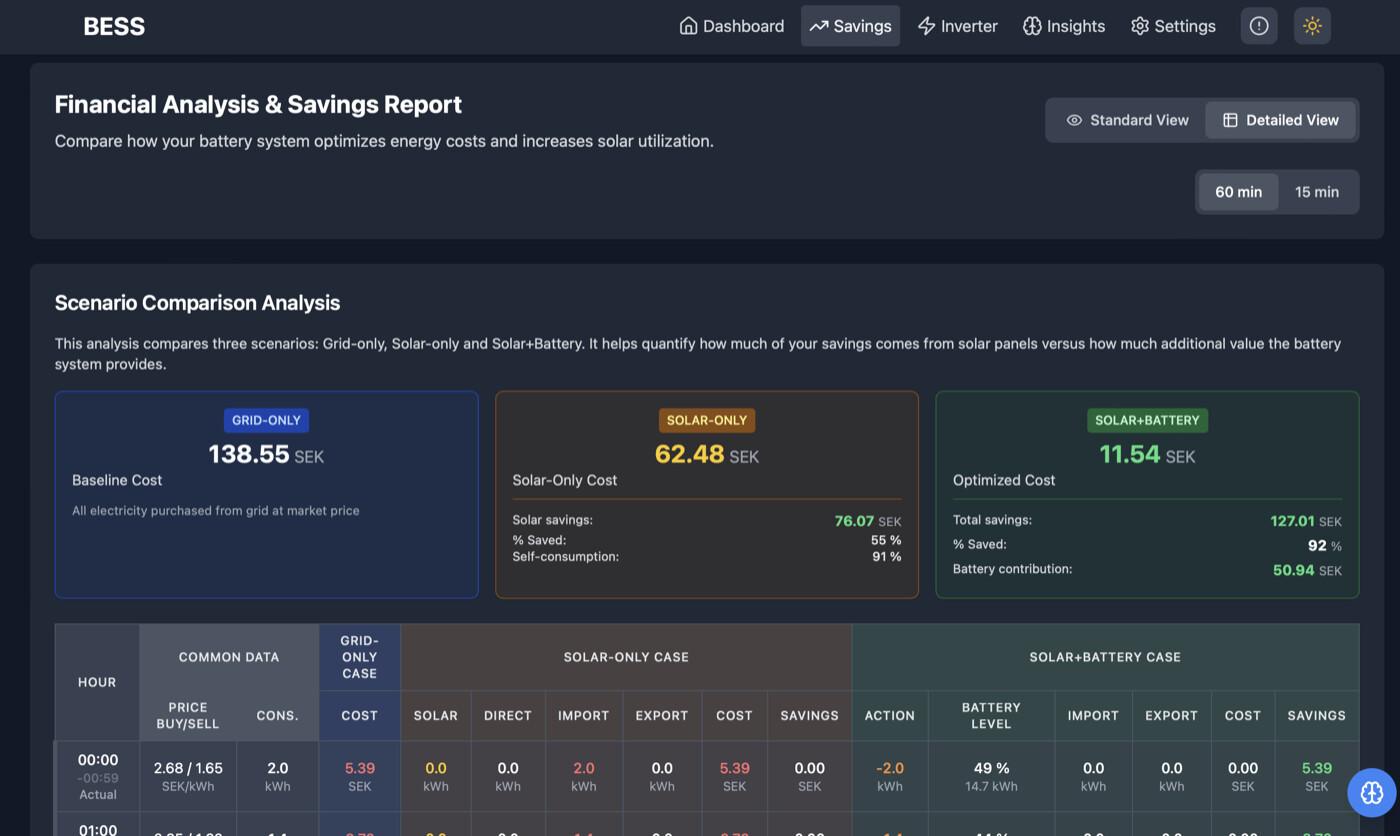
You can see where every cent goes. The Savings page breaks down your day hour by hour and compares three scenarios: grid-only, solar-only, and solar+battery. You see exactly how much value the battery adds.
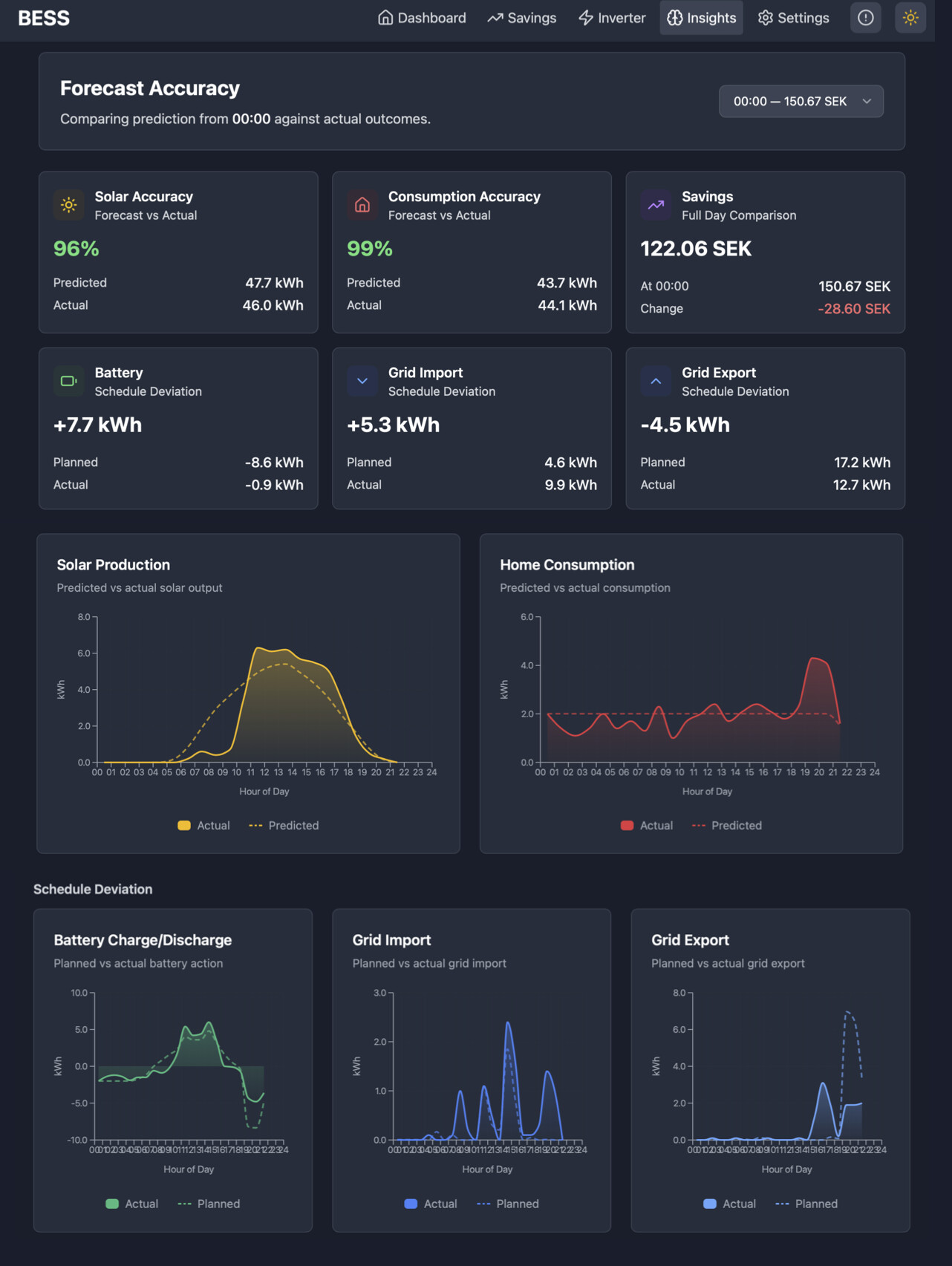
Predictions you can trust. See how accurate the forecasts are — solar, consumption, and savings — with predicted-vs-actual comparisons.
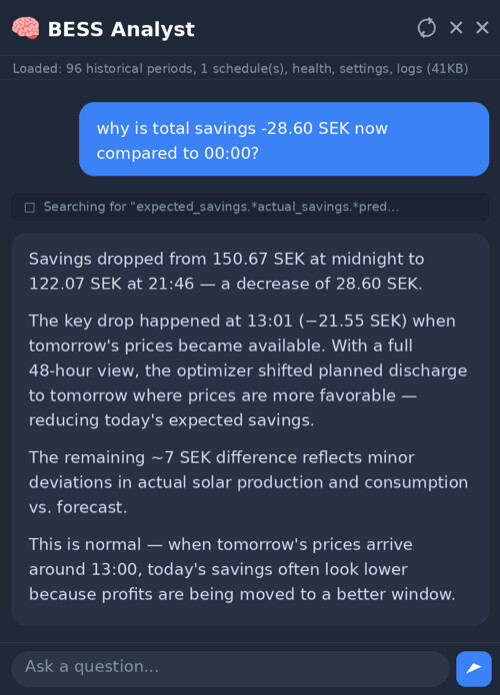
Ask your battery why. The built-in AI Analyst lets you ask questions in plain language — "why did the battery charge at 3am?" or "why are savings lower today?" — and get real answers backed by actual system data, not generic explanations.
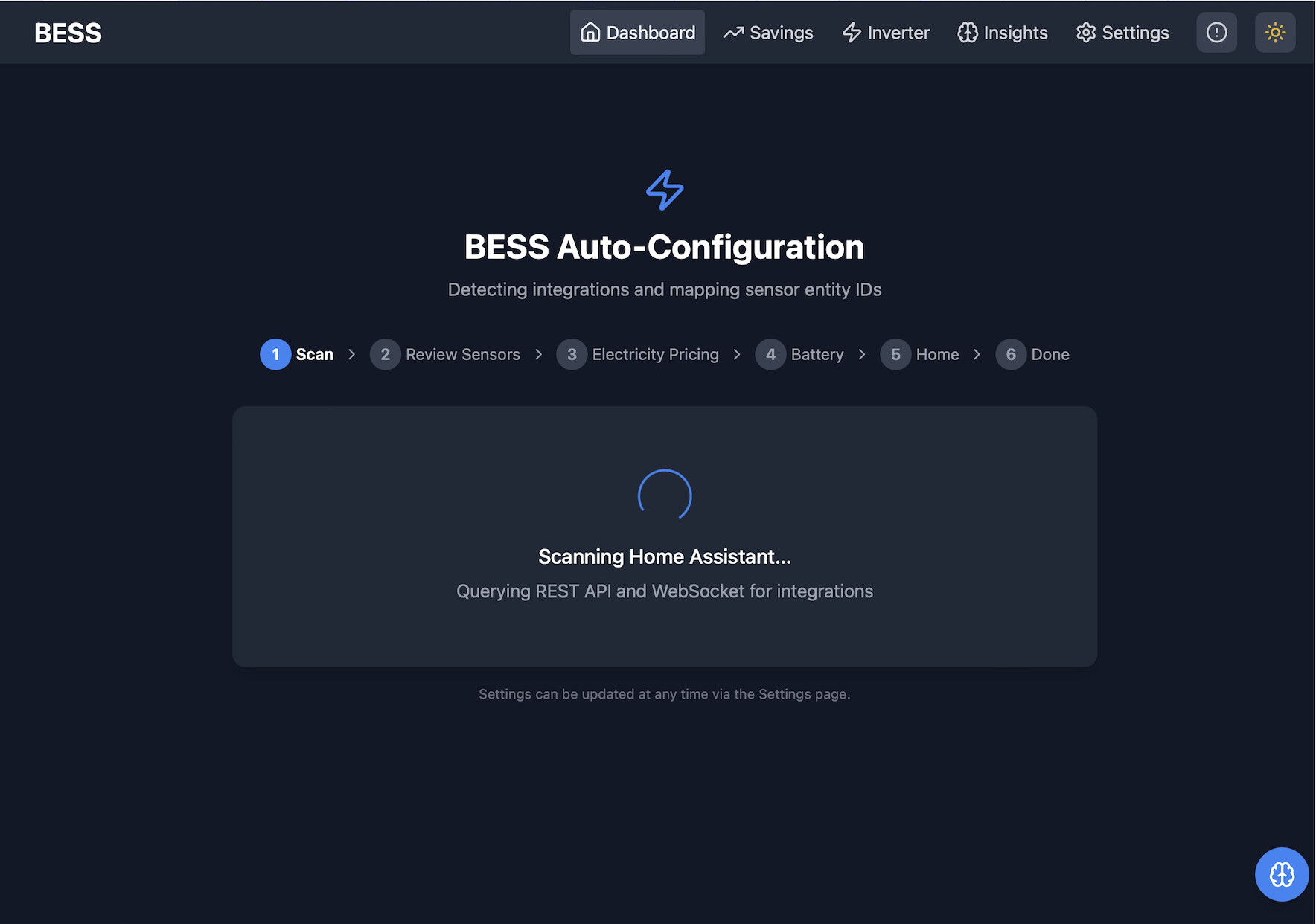
No YAML. The setup wizard auto-discovers your inverter and price source from Home Assistant. Confirm the detected entities and you're running.
Currently supported
Inverters:
-
Growatt MIC/MIN/MOD/MID (cloud and local Modbus)
-
Growatt SPH (cloud and local Modbus)
-
SolaX (via solax-modbus)
Electricity markets:
-
Nordpool (Nordic spot market — Sweden, Norway, Finland, Denmark, Baltics)
-
Octopus Energy Agile (UK)
Optional: Solcast solar forecast, InfluxDB for history, Tibber for power monitoring.
Looking for testers!
The optimization engine and UI are mature and running daily on multiple systems. But I can only test with the hardware I own (Growatt). I'd love help from people with other inverters — especially GivEnergy, Solis, Huawei, SolarEdge, Fox, Sunsynk, or Tesla Powerwall, but any inverter controllable through Home Assistant should work.
The codebase has a clean platform abstraction, so adding a new inverter is a well-defined task. If you have one of these systems and are willing to test or contribute, check the GitHub issues or reply here.
Links
-
Installation guide: bess-manager/docs/INSTALLATION.md at main · johanzander/bess-manager · GitHub
-
Issues / feature requests: Issues · johanzander/bess-manager · GitHub
Feedback, questions, and bug reports all welcome. This is an MIT-licensed open source project.