I've always been torn between managing recurring chores as calendar events or as a to-do list, so I built an integration that does both. Each chore list is added through Settings > Integrations, and chores are managed via service calls. The integration exposes a calendar entity, a to-do entity, and a sensor entity per chore for each list.
Repo (HACS, full docs): GitHub - tcarney/ha-chore-calendar: A Home Assistant custom integration that manages recurring household chores · GitHub
Features
- Service-driven management: Create, update, delete, and complete chores via service calls
- Calendar entity: Read-only calendar per list showing every upcoming occurrence and recently completed chores
- Todo entity: one todo list per chore list, surfaced through HA's native todo UI and Assist
- Sensor entities: One sensor per chore tracking its current status and attributes, providing simple access for custom dashboards and automations
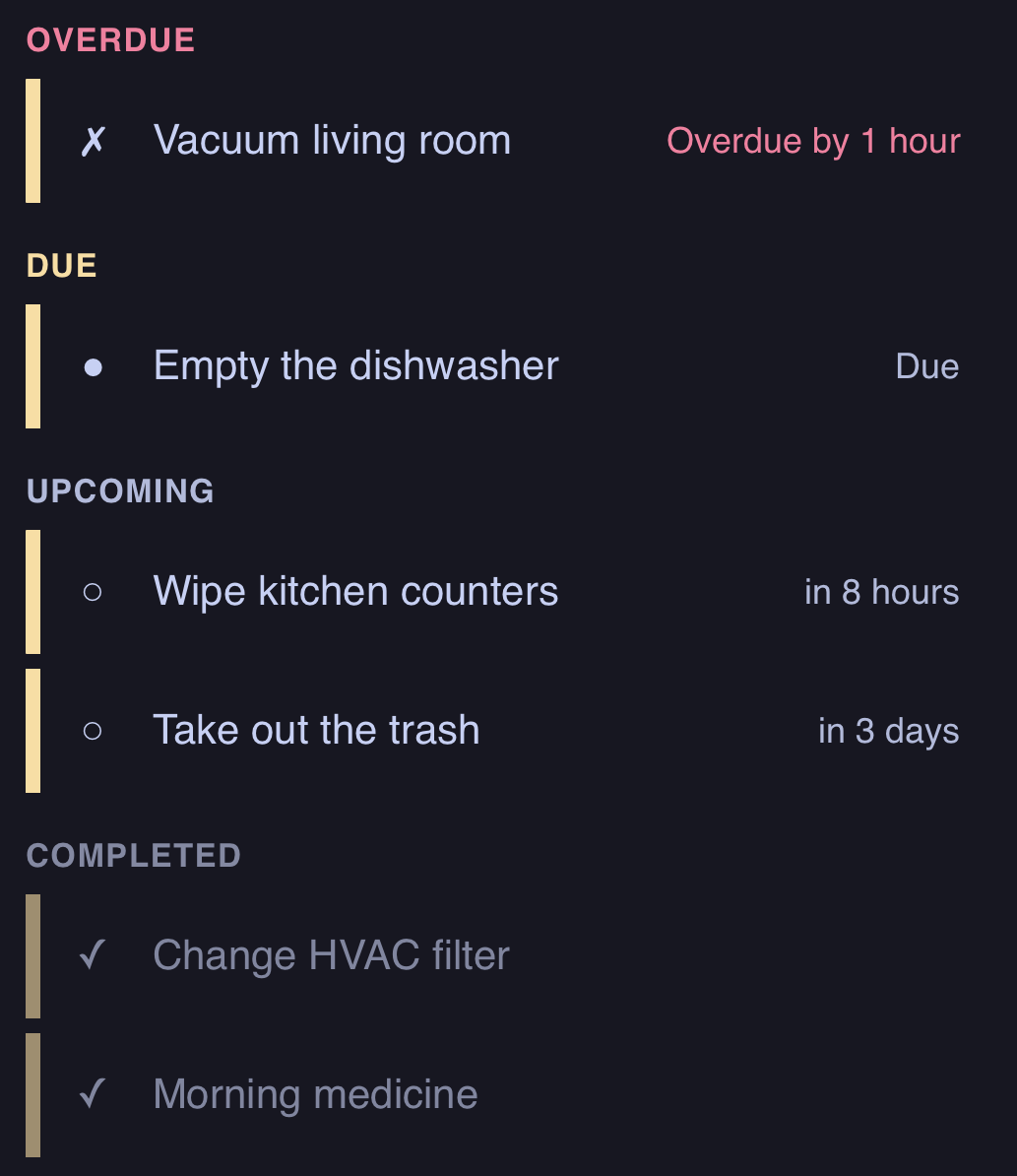
- Custom Lovelace card: Built-in timeline card with per-entity filtering, colors, a detail dialog, create/edit/delete dialogs, and configurable actions
- Tag scan auto-completion: Assign HA tags to chores for scan-to-complete; shared tags automatically resolve to the correct chore based on completion windows
- Flexible scheduling: Calendar-grid recurrence (daily/weekly/monthly/yearly with weekday ordinals, month days, season windows, and end conditions), interval-based ("after N hours/days/months"), and oneshot (one-time tasks with optional due date) chore types
- Skip occurrences: Skip the current occurrence or defer until a later datetime, without touching completion history
- Status events: Fires events on chore created, status change, and chore deleted for use in automations
- Persistent storage: Chore data stored locally, same as local calendar and local todo
How chores work
Every chore moves through a four-state cycle: pending → due → overdue → completed. Grace periods and pending windows are configurable per chore, and once a chore goes overdue it stays pinned to that uncompleted period instead of silently rolling forward to the next one.
Three chore types cover different recurrence patterns:
- Scheduled: fixed time on specific days (e.g. "8am on weekdays")
- Interval: fixed duration from the last completion (e.g. "every 90 days")
- Oneshot: a single task with an optional due date, useful for ad-hoc todo-style items or externally-driven due dates
Dashboard card
A custom Lovelace card is included and auto-registers — no manual resource setup needed. It groups chores by status, and tapping a row opens a detail dialog with Skip/Complete actions (Uncomplete too, if enabled). The card also handles creating, editing, and deleting chores directly, so the service-call path is no longer the only way to manage them.
Status
I've been running this with my family for a few months now. It replaced a pile of template sensors and automations I built by hand.
Looking for feedback
A few things I'd like input on:
- Scheduling edge cases: anyone hit issues with DST transitions, chores that span midnight, or interval chores after a long HA downtime?
- Create/edit UX on the card: this is new, so feedback on the flow itself (fields, layout, anything missing) is welcome
- Missing chore types or options: what would make this fit your household better?