After installing Chrony i realized that I would like not just locally synchronize time, but also have a backup time source in case of prolonged network outage.
There are more or less expensive solutions for a NTP clock , with or without PPS synchronization. ESP32, Raspberry PI and some commercially available devices.
This configuration is the most straightforward and cheapest. If you already have a Mikrotik Router with ROS 7 + you might get very cheap NTP clock time source, but keep in mind, its not an industrial solution, its based only on NMEA messages over USB.
Expected precision: 0.05 to 1 second
Hardware & Software used:
- Home Assistant Green - Add RTC battery
Home Assistant Green - Home Assistant
Just add a coin battery to maintain RTC clock when the power goes out.
You will need to install:
- Chrony Addon
- AdGuard Addon
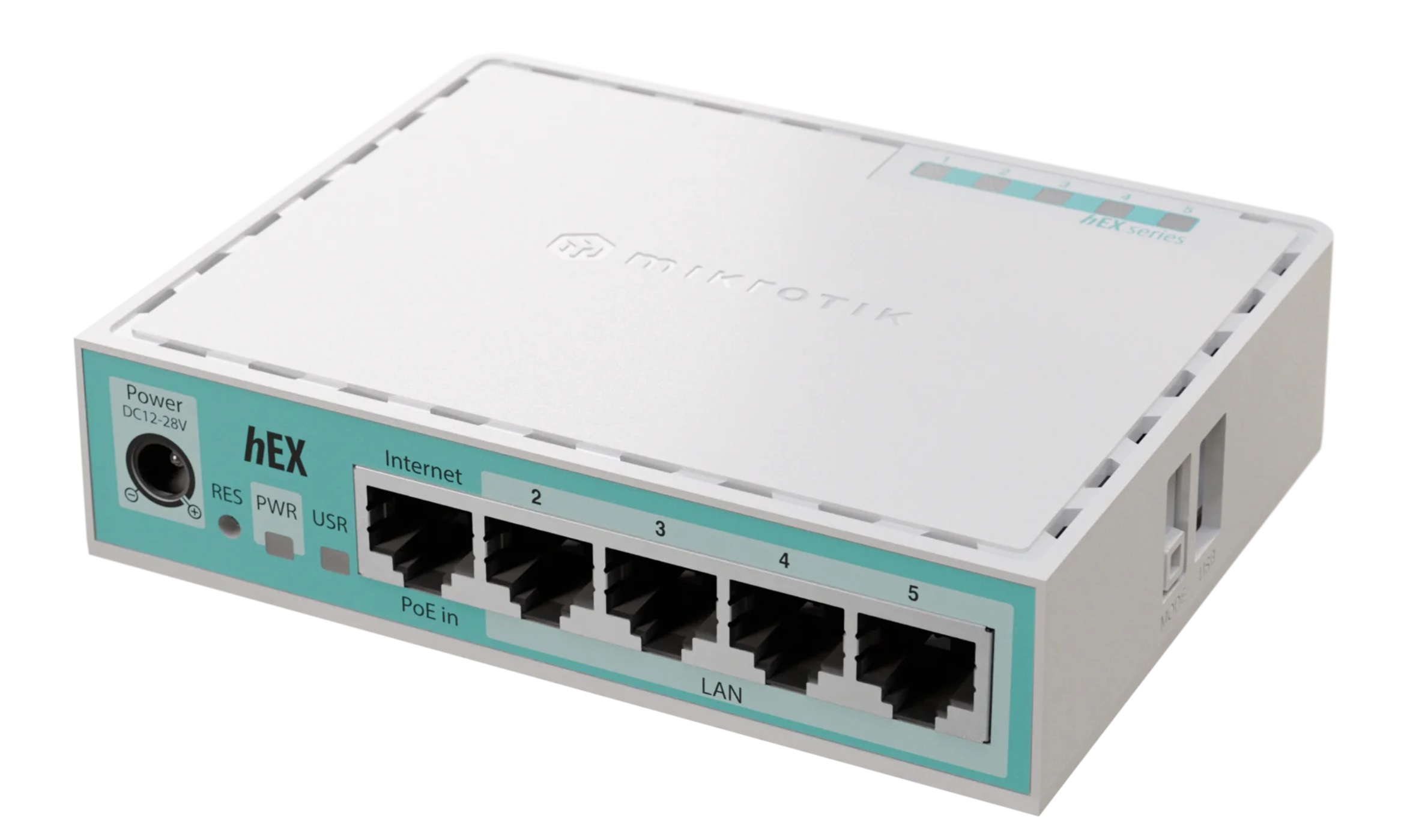
- Mikrotik hEX Refresh (aka E50UG) + GPS plugin
MikroTik · hEX refresh
This router will serve as a GPS clock source via NTP server. Technically speaking GPS module will be Stratum 1, and router Stratum 2.
- GPS usb - VK-172
VK-172 GPS Review - John's Tech Blog
Its cheap GPS USB, with chip from 2012, and can be considered as a counterfeit device. Yet it works on U-Center and software picks up its messages.
My goal was to add inexpensive solution (7 Euro) to existing setup, but certainly there are better USB GPS modules, or better NTP Clocks.
- You might need USB extension cable, pick USB 2.0 cable with option to add external power source. Something like this:
ADR-210 USB repeater kábel 10 m | AXAGON
The problem with some USB GPS keys is (Including this one), that they dont hold configuration, nor satellite data (Almanach, Ephemeris), while external source will allow you to configure the dongle on PC via U-Center, and the plug it to the Mikrotik router afterwards.
Reboot of the router might temporarily cause power cut to USB and also its required to put the USB as close to the window as possible.
Then connect the extender to 5W usb, or a battery pack.
Configuration:
a) Lets start with GPS module
Start U-Center on Windows and connect gps with power backup.
(Legacy one, for this GPS module)
Find a suitable position for the USB GPS and check what the software reports. You should see Clock, available sattelites and more other info over first few minutes upon connection. If its working, proceed with the configuration
The goal here is to set the GPS into mode with least NMEA messages and highest accuracy,
- open u-center - Messages view|
Here you should see all the messages sent by the dongle. You need just GxRMC and GxGGA, disable all other messages.
In ideal scenario, you would require just GxZDA, however Mikrotik GPS plugin will not parse those.
- Open U-Center - Configuration View:
GNSS menu:
Keep enabled only GPS and SBAS
NAV5:
Switch to stationary mode.
NMEA Protocol:
(Not much of an impact, it will filter out some unnecessary symbols)
filter out everything except GPS
Set to 2.1 mode
Disable Consider and compatibility mode
PMS
Switch to Continuous power mode.
PRT
Protocol OUT - Just NMEA
Rate:
There are recommendations to increase it up to 5-10Hz, i kept it working on 1Hz.
SMGR
Check “use as synchronization source”
TMODE
Select Fixed mode
use 15m for each axis and ±10m standard deviation.
b) Mikrotik router
-
Install the GPS plugin
-
Plug the pre-configured USB GPS
-
in menu open System - Ports
-
Find the USB and Select Baudrate to 38400.
-
Open System - GPS menu.
-
Enable GPS, and check “Set system time”
-
GPS module may need up to 12 minutes to get enough sattelites to work.
-
Once you see time in the reported data, you are picking up at least 1 satellite signal. Now you have to wait, until the data reported get “Valid” check.
-
Open System - NTP Client
-
Configure (at least) two NTP servers - I opted one from the ISP, another closest public Atomic clock.
-
Mode unicast
-
Allow them to sync
-
Open System - NTP server
-
Click “Enabled”, and “Use Local clock”.
-
Click to “Peers” + Start
You should see two servers you configured + IP 127.127.1.0 which represent local time source. -
Check NTP Client again
When you have “Offset” populated, you may disable NTP client entirely. As long as the Offset is calculated, Router will not be rejected as a time source.
Also you dont need NTP client to get GPS time data from the router.
Notes:
When GPS is power backed and connected to the router, it will act as a battery backed RTC clock. Router will not
- Home Assistant - Chrony server.
This is quite straightforward. Select (at least) 3 NTP servers - in my case it was ISP NTP service, reference atomic clock and as a third will be local IP address of the Mikrotik Router.
If the router will not be rejected as a timesource, once started, we good.
- Home Assistant - AdGuard
Once up and running go to “Filters - Rewrites”.
Change DNS response to your local Chrony server IP for following DNS Names:
- time.android.com
- time.windows.com
- time.google.com
- time1.google.com
- time2.google.com
- time3.google.com
- time4.google.com
- 0.pool.ntp.org
- 1.pool.ntp.org
- 2.pool.ntp.org
- 3.pool.ntp.org
- 0.android.pool.ntp.org
- 1.android.pool.ntp.org
- 2.android.pool.ntp.org
- 3.android.pool.ntp.org
- pool.ntp.org
- time.cloudflare.com
(There can be more than these).
Notes:
Steps 3 and 4 will work well even without GPS timesource, devices on your local network will sync locally on Chrony.
You may for sure configure more than 3 NTP servers, just configure an odd number.
This particular GPS dongle is sensitive to USB3 interference. USB port in my TV took signal down by 15 dBm. Signal Interference can be tweaked in U-Center in “Configure > ITFM” menu, yet in my case was useful to stop using faulty USB3 devices.
GPS Plugin in mikrotik does not seem to work with any decimals. 1Hz setup will ensure that it will send just whole hour, minute and second with 0 for any smaller number.
Given the USB standard (1.10), the usb key will report precisely each second, while usb protocol will poll data every 1ms.
So far I have tested the configuraiton just with local timesource for about 5 days, and it was correcting time drift on android devices without any problem.