You have home assistant running a small country 
Yeah, this addon is pretty awesome. I can’t wait to see how far it can go. I have been using it for a few hours so far and it is great!
Same here.
Haven’t been able to update, and I’m stuck on Sonnet 4.5. Auto-update doesn’t update. Running the update manually isn’t allowed. Tried rebuilding the App too, but to no avail.
What a magic trick, thanks!
Alright, I need to step away from this for a bit…
Starting to feel genuine love for AI and scared at the same time. I spent the afternoon playing with it to see what stuff it could come up with. A few basic descriptions and getting it to base things off of a theme I made, it came up with some very nice styles for cards.
Before I show you guys screenshots, keep the following in mind.
I purchased a solar system two years ago. Basically, the company I purchased it off will pay my supply and electricity bill as long as I stay under my monthly quota for kWh used on my house. In theory, if I don’t ever go over my monthly quota, I don’t get any bill for electricity. So, after spending the afternoon with Claude, and me not being a programmer, here is the HA setup thus far…
These are basically all made for mobile viewing as we usually use HA on our phones -
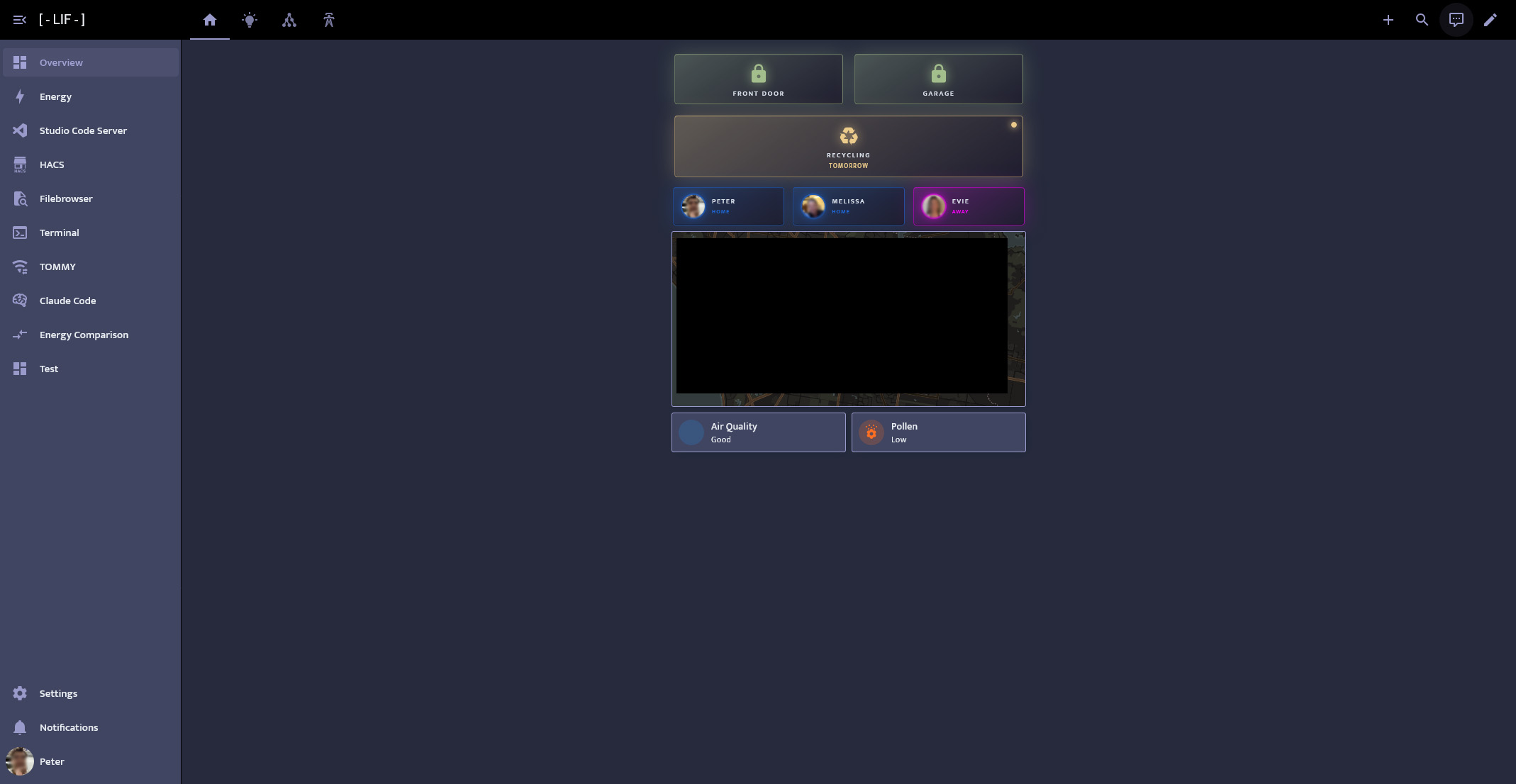
First Row: Front Door and Garage Door locks. Red when unlocked.
Second Row: Yellow for recycling bin pickup, Green for greens bin pickup. Tells you when you need the rubbish out by
Third Row: Person cards change colour depending on where the individuals are. Home, Zone or Away.
Fourth Row: Map of where everyone is.
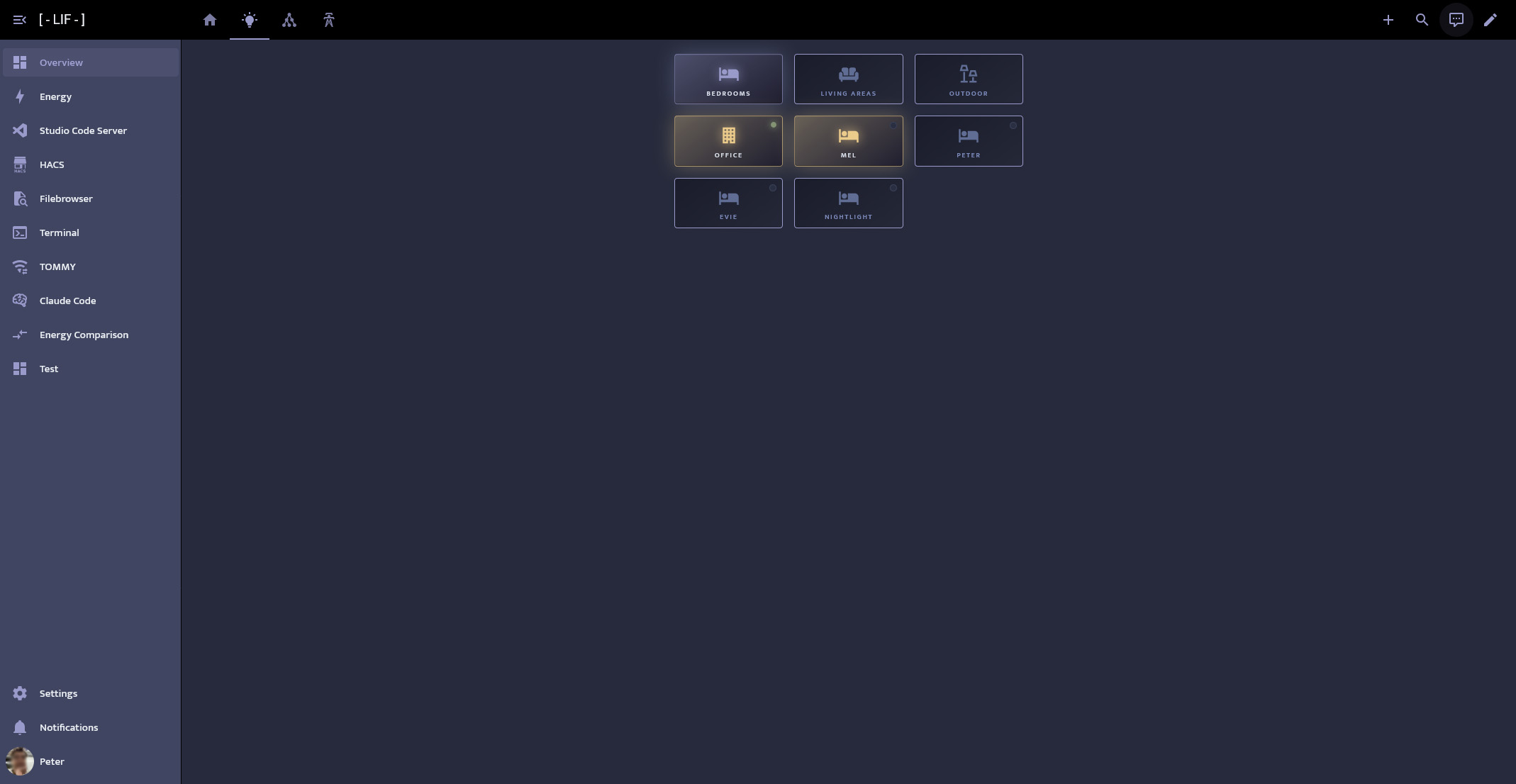
First row controls which buttons show. As you can see, the “Office” has a little green indicator on it. That indicates movement in the room. All rooms have the little indicator on their button. The yellow glow is when the lights are on.
There is this cool project called TOMMY where the developer is a champion. He has created a great product that lets you get presence detection in a room for like $5.
I purchased like $30 of hardware from AliExpress and managed to get presence detection in every room of my house pretty much. The light button cards reflect that now.
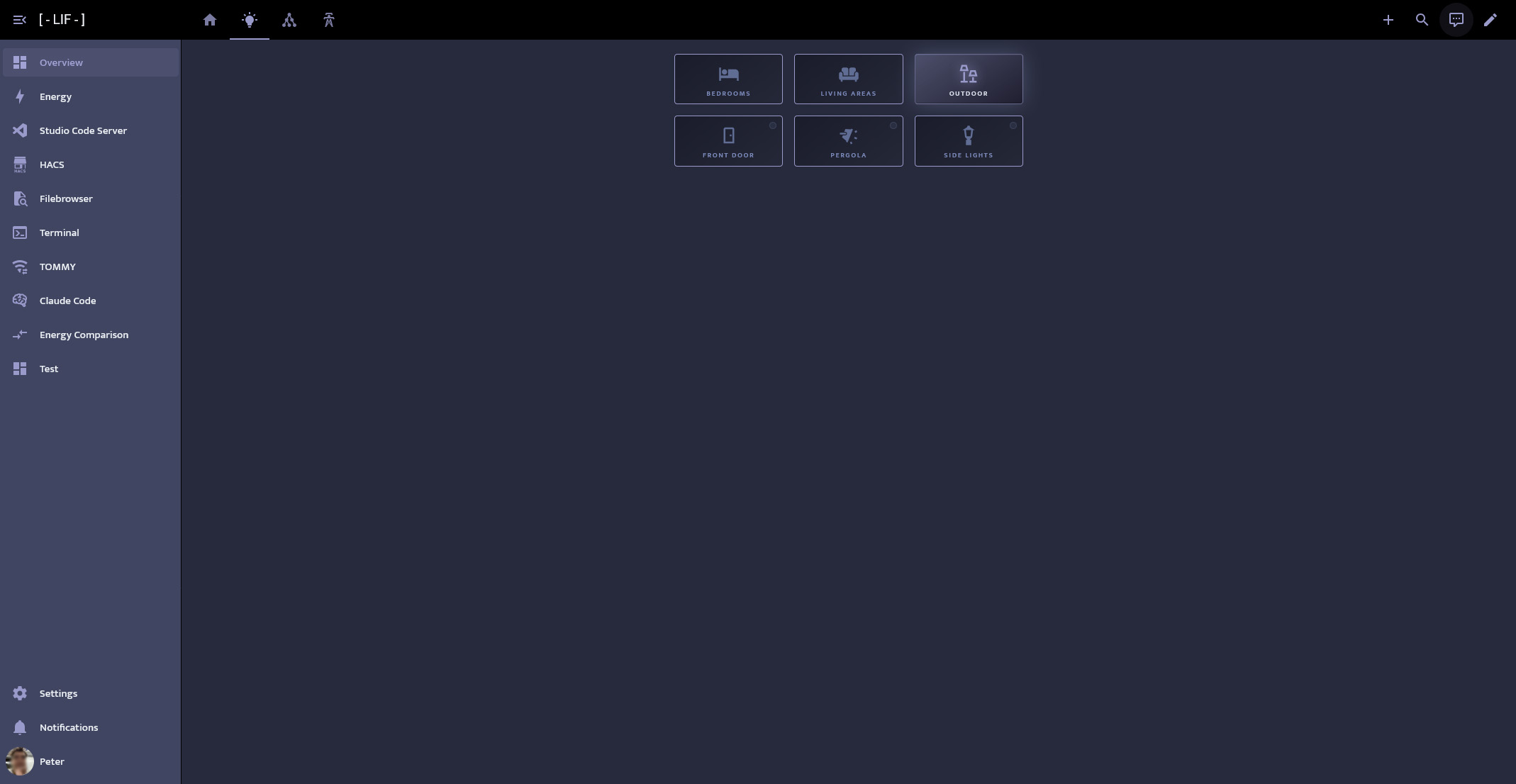
Another shot of the light category. All lights turned off in this screenshot.
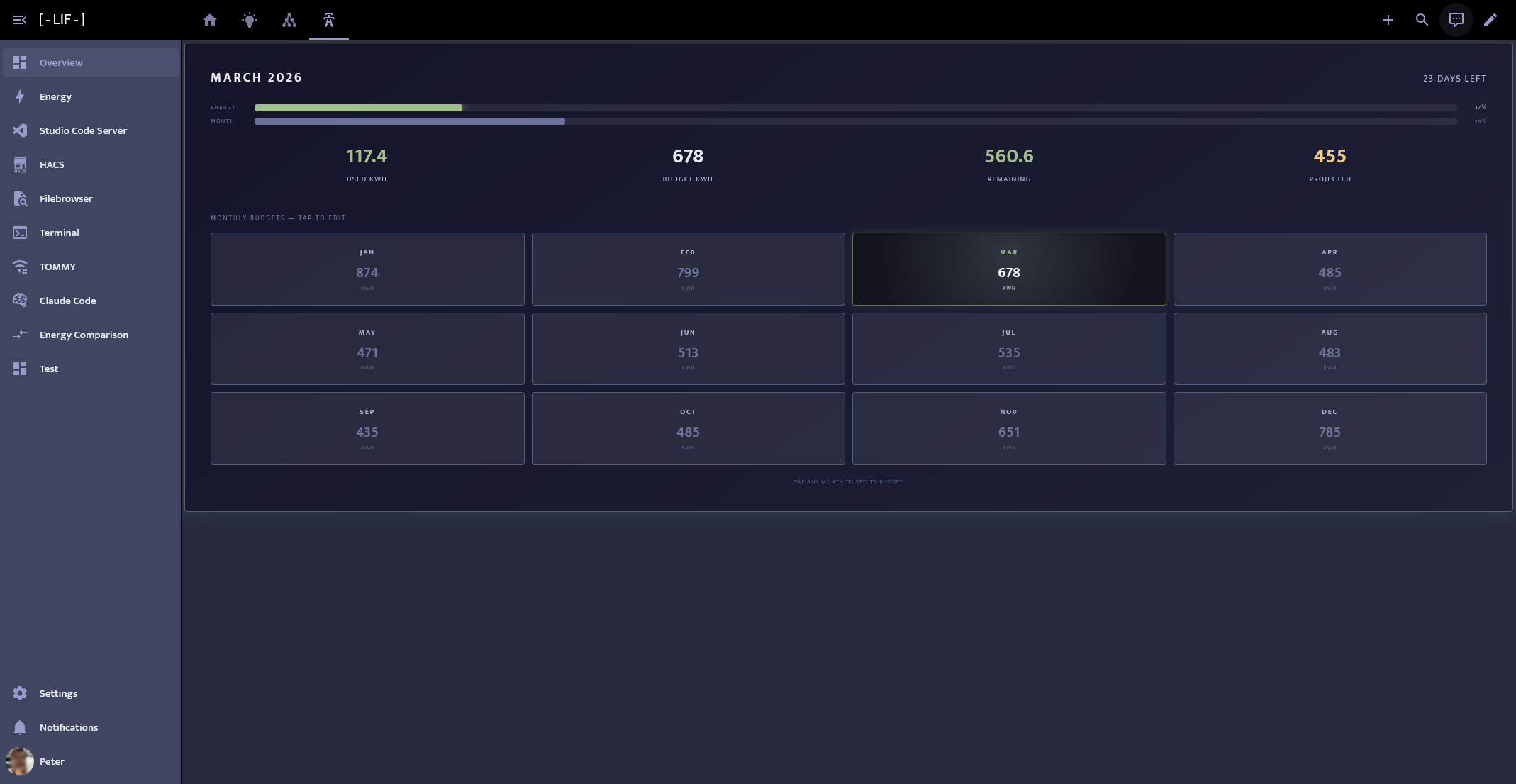
This is where it gets crazy. As I said above, each month I have an allocated amount of power I can use. I got Claude to build a card where I can input my allocation for each month. It then gives feedback regarding my usage. From top to bottom -
First progress bar is Current usage of allocation
Second progress bar is Current time of month
kWh Used | kWh Allocation | kWh Left | Projected Usage
I do love how it gave an estimate on what we will end up using by the end of the month. I am going to give it more information to look into, such as past historical electricity usage based on the weather. It can then look at the forecast and account for it.
This card alone lets me take a quick look and I can see what is happening. It then went off and created automations so we can be notified if we are using too much electricity in the day, or if it thinks we are going to go over our allocation.
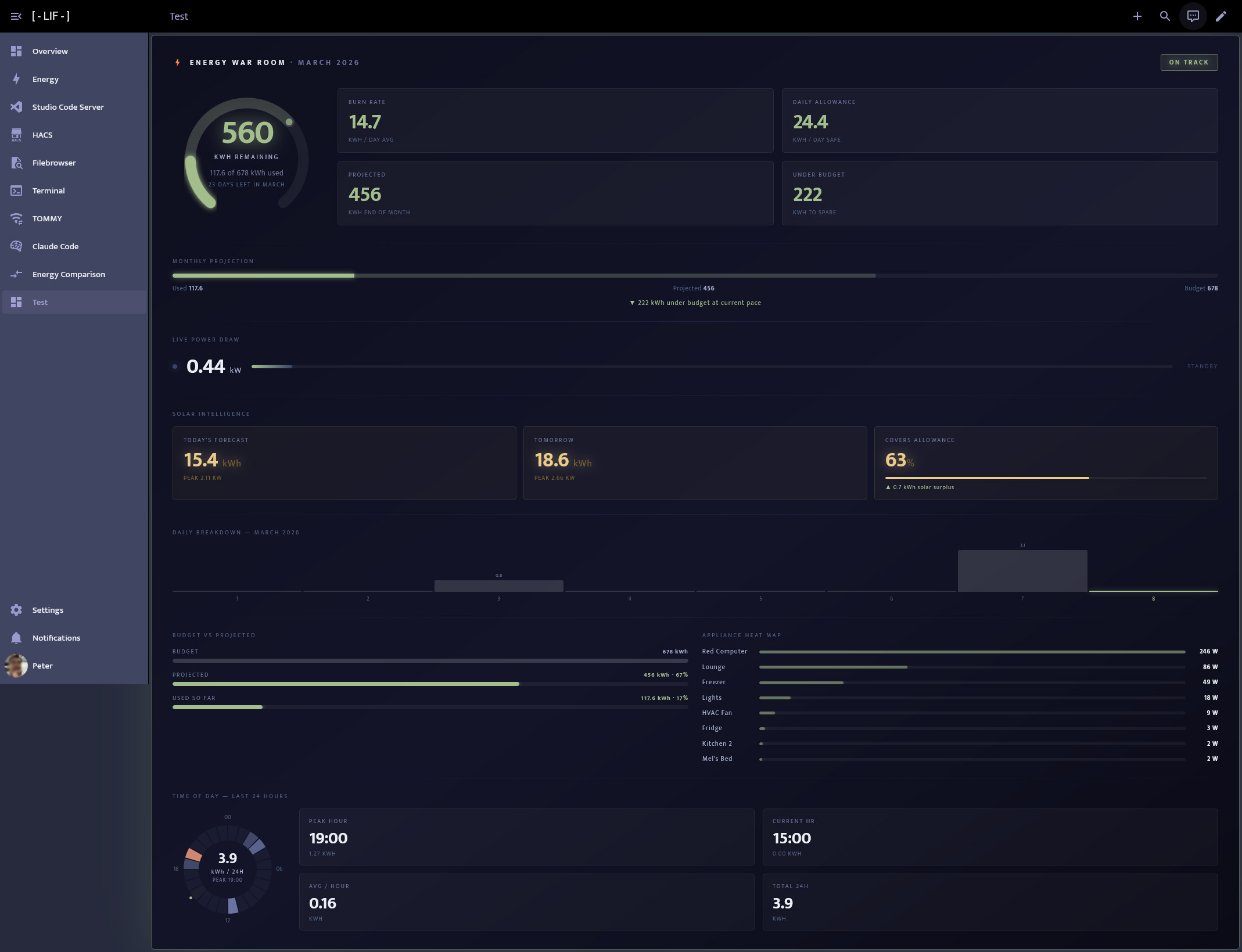
After it created the little calendar, it suggested it make a nice card for me which, in its words, “would be genuinely interesting”. This is what it came up with.
So yeah, this thing is one of the coolest toys I have ever played with, but I am genuinely kind of scared for what the hell is going to happen to most jobs. I don’t even think it’s going to take that long for this thing to go super saiyan. A few years?
Anyway, I love it and am scared for the future! Great addon you made!
Can I use plugins with it? Just like regular Claude Code?
and can I use a Claude.md file?
Okay, I figured out that no it doesn’t allow plugins and yes I can use a Claude.md file. Cool.
Any insight into copy paste happening? that would greatly help in many instances.
I work around it by telling it to write a text file with its findings or to read from one.
This is by no means a solution - but a workaround for longer segments.
rebuilding the container worked for me and I’m on 2.1.79 now
It isnt fixed and no update appears to be available.
Rebuilding did’t get it to work in my case. Claud Code still wants to update.
I ran claude install.
Then
echo 'export PATH="$HOME/.local/bin:$PATH"' >> ~/.profile
then
. ~/.profile
But to no avail. It says that the new version (2.1.85) is installed but still runs the old version (2.1.81).
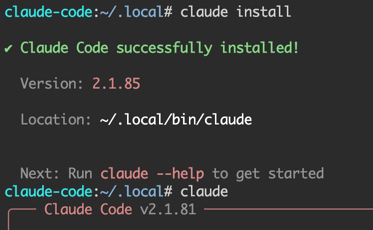
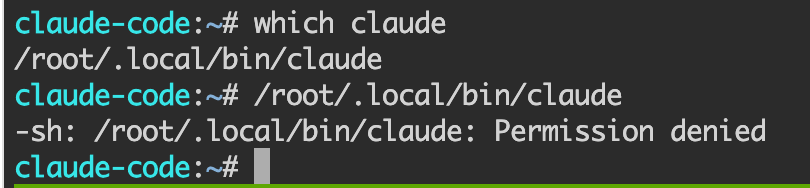
I looks like that is because it doesn’t have permission to access the new version:
I found a workaround for keeping Claude Code updated across add-on restarts — the add-on ships v2.1.69 but latest is v2.1.90. Solution uses persistent /data/npm/ install + self-installing session picker script. Full guide + script here: Persistent Claude Code updates across container restarts (workaround + feature suggestion) · Issue #17 · ESJavadex/claude-code-ha · GitHub

Two sensor’s missing:
Futzing_time
Futzing_cost
Finally we arrive at the sharp end of what the AI companies were attempting all along, to make us dependant on the bots, and pay for it.
If you got a Pro subscription you could use Claude Code with it. But Anthropic made the usage crazy in the last week or two, and now can barely be used. I have been using Codex by ChatGPT which gives you around 50 times more usage that Claude ( just an estimate ). Right now if you sign up for a ChatGPT account, you can claim the 1 month free of their plus subscription which gives you Codex for a month for free ( remember to unsubscribe if you don’t want to be charged ). You can try that. Right now, I have Jarvis running my house, so you can see what these things are capable of. But, I know there are risks. So be careful with it.
This is by far the best Home Assistant Add on I’ve ever used. Man, I have been using this none stop since I installed it. I’ve fixed (well Claude has) all my HA problems. All my errors, gone, all the things I wanted to do but thought it was way to hard to code, done. I mean every day I come up with something now to try, new automations, this just completely changes the game. You can do ANYTHING with this. And just prompt it. Thank you so much fro creating this. And thank you Claude for helping you out. haha.
Totally agree with this. All the hard stuff…is no more. Claude just does it. Sooo much better now.
Could you make it so i can point to a local llm?
‘make it work with local’ is not the choice of the integration author. Claude code is a development harness for Anthropic Claude. Any Claude code integration just allows it access to your installation. The choice of models is up to the author of Claude Code - Anthropic. The integration author won’t be able to.
You may want to look at opencode if you’re leaning on local models. You can also do it with any agent that has mcp access.
somewhere in the code its pointing to claude api isnt it?
It’s not impossible, difficult, there are alternatives… but definitely out of scope for this discussion.