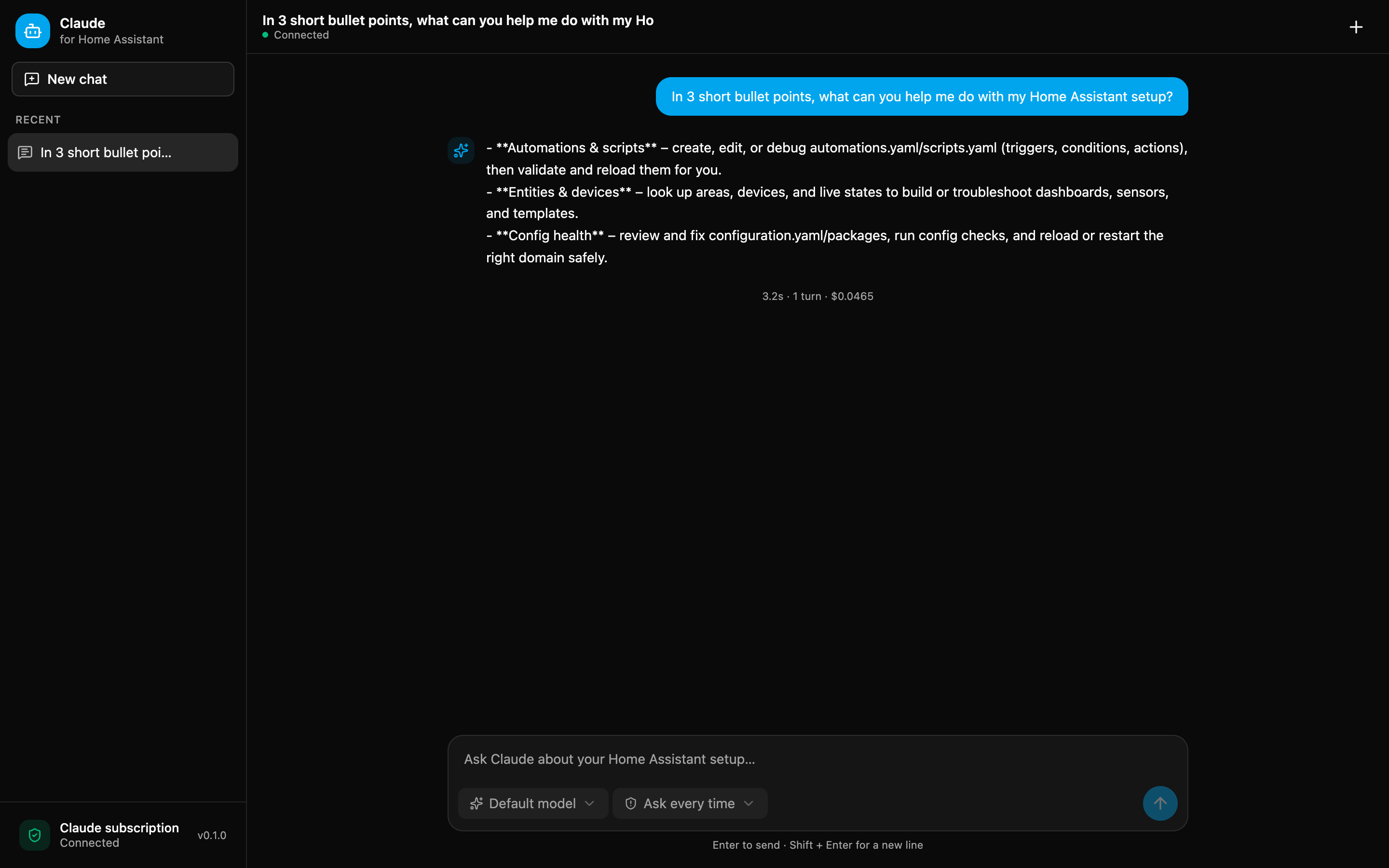
I made a Home Assistant app that adds a Claude chat panel to the sidebar. It can read your entities, help with automations, check your YAML, and edit files in /config. Sharing it here in case it’s useful to anyone else, and to get feedback.
Why I built it
I’d been using Claude Code on my HA config for a while. I mounted the /config directory over SMB, pointed Claude Code at the share from my laptop, and connected the Home Assistant MCP so it could see my entities. It worked well, but it was fiddly. I had to be at that machine with the mount connected, the SMB share was slow and dropped now and then, and every part of it (the mount, the MCP, the permissions) was something I’d set up by hand and had to keep working.
The other thing was that Claude had no real guardrails against a bad edit to a live setup. Nothing stopped it from reading secrets.yaml, and nothing checked the config before a reload.
So I moved the whole thing inside Home Assistant. It’s the same Claude Code workflow I already liked, but from the sidebar, running against the real /config directly, with the Home Assistant tools and permission handling built in instead of assembled by hand, plus a few guardrails so I’m not one bad edit away from a broken boot. No more laptop and SMB mount.
It runs on the Claude Agent SDK (the engine behind Claude Code), served through HA ingress, so there are no extra ports or external hosting.
What it does
- Chat panel in the sidebar (works on mobile too).
- Reads, searches, and edits files in
/config, and validates the config before a reload. - Home Assistant tools: entity states, services, areas/devices, logs, templates, config check, reload, and a guarded Core restart.
- Per-chat permission modes: Ask every time, Auto-approve edits, or Plan only. Writes always ask unless you allow them.
- Model picker per chat (Sonnet, Opus, Haiku, whatever your subscription has).
- Chats persist across app restarts.
Safety
The guardrails I mentioned. It doesn’t get free rein over the config:
- Reads of
secrets.yamland the auth store are blocked. It can see secret names, never the values. reloadandrestartrun a config check first and refuse if it fails.- Before its first edit in a session it commits a git checkpoint of
/config, so you can roll back. - Every tool call is logged (secrets redacted).
Requirements
- Home Assistant OS or Supervised.
- A Claude subscription (Pro/Max/Team/Enterprise) for the default sign-in, or an Anthropic API key.
Install
Settings → Apps → App Store → ⋮ → Repositories, add:
https://github.com/tormjens/hassio-claude-code
Then install Claude for Home Assistant, set up auth, and start it. Full instructions (including claude setup-token for the subscription login) are in the README.
Notes
- It’s early (v0.1.x). Back up before letting it edit anything important.
- Third-party app, not affiliated with Anthropic or Home Assistant.
- Needs a paid Claude subscription or API key. There’s no free tier.
- MIT licensed, source on GitHub. Issues and PRs welcome.
Feedback and bug reports appreciated.