Couldn’t find this anywhere else…
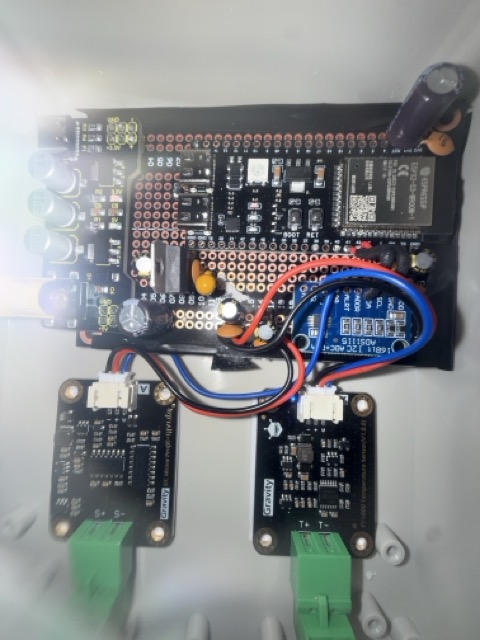
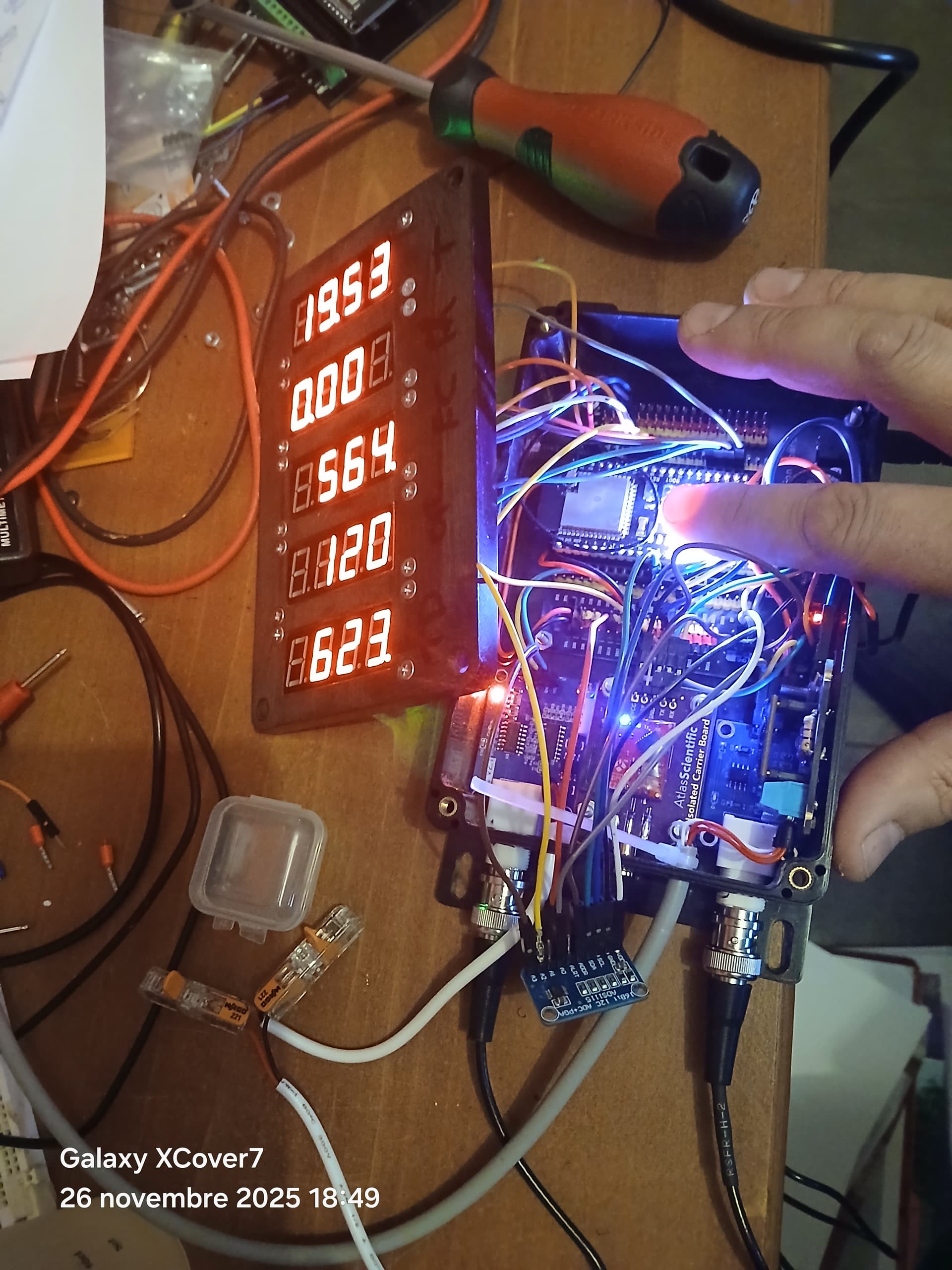
This is a working ESPHome config for the DFRobot Gravity: EC Sensor.
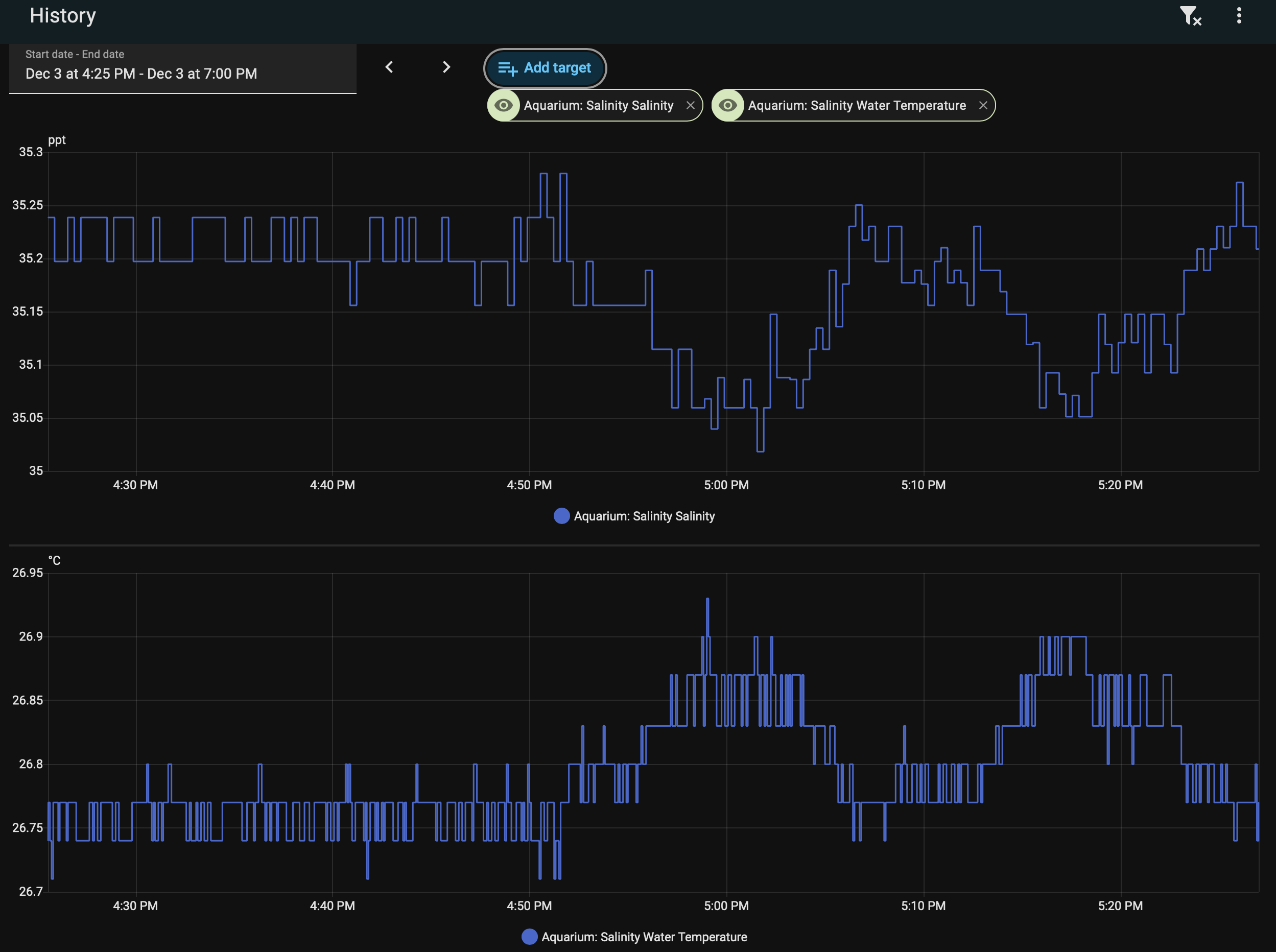
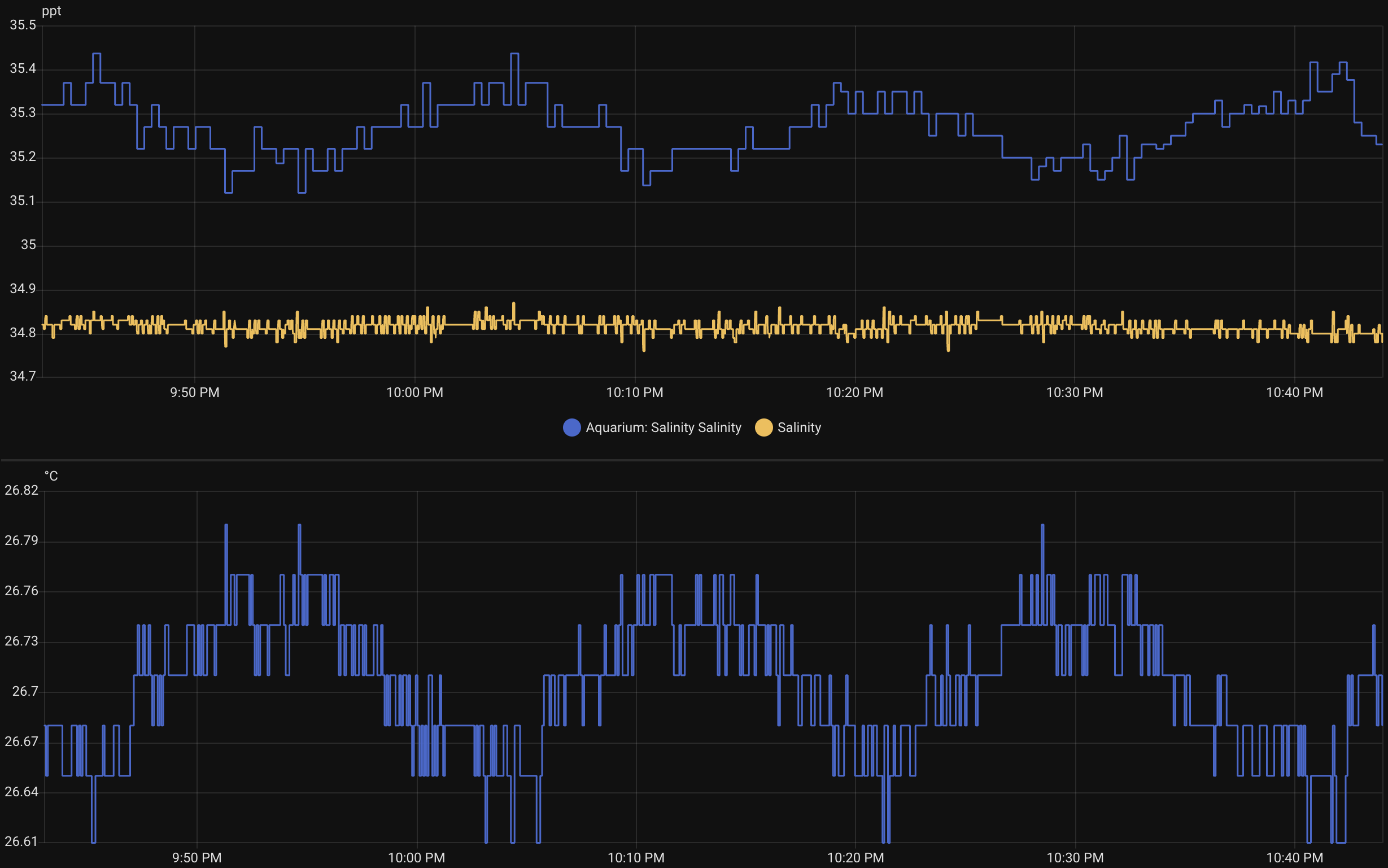
The EC side is accurate according to my testing 
The Temp sensor has a fixed offset of -2.87 but can be manually calibrated. I still don’t think its quite right, as I get more reliable readings from other probes, but it’s ‘good enough’ for a reef tank with stable temp. If anyone can improve my temp sensor then please feel free to share!
Hope this helps the next person as I struggled to get this to work!
edit: got given the wrong source code which didn’t help! - Temp sensor much better now!
edit, edit: added one point calibration from a 53,000 µS/cm reference solution. The 1413 µS/cm solution supplied with this probe just increases the error range for this application. This will automagically adjust the cal_slope to calibrate the probe, whilst leaving cal_offset at 0.
edit, edit, edit: Realised that I’d been calibrating against the value reported by Hanna which hadn’t been calibrated in a long time… added a sensor so I can get a reminder after sixty days to run the calibration. Everything now updates after 1 sec from a button press, but data isn’t reported for 5 sec to reduce network activity. I still think my other probes return a more consistent temperature reading so I’m using node-red to redo the salinity conversion, but the EC side seems solid!
# I2C configuration for ADS1115
i2c:
  sda: GPIO8   # Change to your preferred SDA pin
  scl: GPIO9   # Change to your preferred SCL pin
  scan: true
  frequency: 400kHz

# ADS1115 configuration
ads1115:
  - address: 0x48  # Default I2C address
    id: ads1115_hub

# Global variables for calibration
globals:
  - id: calibration_mode
    type: bool
    initial_value: 'false'
  - id: cal_voltage_low
    type: float
    initial_value: '0.0'
  - id: cal_voltage_high
    type: float
    initial_value: '0.0'
  - id: last_calibration_time
    type: uint32_t
    initial_value: '0'

# Persistent storage for calibration parameters - MUST be defined before sensors
number:
  - platform: template
    name: "EC Calibration Slope"
    id: cal_slope
    entity_category: config
    min_value: 0.1
    max_value: 100.0
    initial_value: 15.68
    step: 0.001
    optimistic: true
    restore_value: true

  - platform: template
    name: "EC Calibration Offset"
    id: cal_offset
    entity_category: config
    min_value: -1000.0
    max_value: 1000.0
    initial_value: 0
    step: 0.1
    optimistic: true
    restore_value: true

  - platform: template
    name: "Temperature Calibration Offset"
    id: temp_cal_offset
    entity_category: config
    min_value: -10.0
    max_value: 10.0
    initial_value: -1.97  # Based on your measurement
    step: 0.01
    optimistic: true
    restore_value: true
    unit_of_measurement: "°C"

  - platform: template
    name: "Last Calibration Timestamp"
    id: last_calibration_timestamp
    entity_category: config
    min_value: 0
    max_value: 2147483647  # Max uint32_t value
    initial_value: 0
    step: 1
    optimistic: true
    restore_value: true  # This is the key - persists across reboots
    internal: true  # Hide from HA UI

sensor:
  # EC probe's integrated PT1000 temperature sensor via ADS1115
  - platform: ads1115
    ads1115_id: ads1115_hub
    multiplexer: 'A1_GND'  # PT1000 temperature sensor on A1
    gain: 4.096  # ±4.096V range (good for PT1000 circuit)
    name: "Temperature Voltage"
    id: temp_voltage
    update_interval: 5s
    accuracy_decimals: 4
    internal: false  # Hide raw voltage reading
    unit_of_measurement: "mV"
    filters:
      - multiply: 1000  # Convert to mV for consistency

  - platform: template
    name: "Water Temperature"
    id: water_temp
    unit_of_measurement: "°C"
    device_class: "temperature"
    state_class: "measurement"
    accuracy_decimals: 2
    update_interval: 5s
    lambda: |-
      float voltage_mV = id(temp_voltage).state;

      // Convert mV to V for calculation (DFRobot formula expects volts)
      float voltage = voltage_mV / 1000.0;

      // DFRobot PT1000 conversion constants from source code
      const float GDIFF = 30.0/1.8;  // ~16.67
      const float VR0 = 0.223;
      const float G0 = 2.0;
      const float I = 1.24 / 10000.0;  // 0.000124

      // Calculate PT1000 resistance using DFRobot formula
      // Rpt1000 = (voltage/GDIFF + VR0) / I / G0
      float Rpt1000 = (voltage/GDIFF + VR0) / I / G0;

      // Convert resistance to temperature
      // temp = (Rpt1000 - 1000) / 3.85
      float temperature_raw = (Rpt1000 - 1000.0) / 3.85;

      // Apply calibration offset
      float temperature = temperature_raw + id(temp_cal_offset).state;

      // Bounds checking and logging
      if (temperature < 15.0 || temperature > 35.0) {
        ESP_LOGW("temp_sensor", "Temperature out of expected range: %.2f°C (raw: %.2f°C, %.2f mV, %.2f Ω)",
                 temperature, temperature_raw, voltage_mV, Rpt1000);
      } else {
        ESP_LOGD("temp_sensor", "Temperature: %.2f°C (raw: %.2f°C, %.2f mV, %.2f Ω)",
                 temperature, temperature_raw, voltage_mV, Rpt1000);
      }

      return temperature;

  # Voltage reading from EC sensor via ADS1115
  - platform: ads1115
    ads1115_id: ads1115_hub
    multiplexer: 'A0_GND'  # Single-ended input on A0
    gain: 6.144  # ±6.144V range (adjust based on your sensor's output range)
    name: "EC Voltage"
    unit_of_measurement: "mV"
    id: ec_voltage
    update_interval: 5s
    accuracy_decimals: 4
    filters:
      - multiply: 1000  # Convert to mV
      - exponential_moving_average:
          alpha: 0.0033
          send_every: 10
    internal: false  # Hide from HA if you only want the final EC value

  # EC Value calculated sensor
  - platform: template
    name: "EC Value"
    id: ec_value
    unit_of_measurement: "µS/cm"
    device_class: "conductivity"
    state_class: "measurement"
    accuracy_decimals: 2
    update_interval: 5s
    filters:
      - exponential_moving_average:
          alpha: 0.0033
          send_every: 10
    lambda: |-
      float voltage = id(ec_voltage).state;
      float temperature = id(water_temp).state;

      // Default temperature if sensor not available
      if (isnan(temperature)) {
        temperature = 24.5;
      }

      // EC calculation with temperature compensation using DFRobot algorithm
      float ec_value = 0;

      if (voltage > 0) {
        // DFRobot EC calculation - this needs calibration with known standards
        float k_value = id(cal_slope).state;  // Calibration factor (default 1.0)

        // Basic voltage to EC conversion
        float raw_ec = (voltage / 1000.0) * k_value * 1000.0;  // Convert mV to µS/cm

        // Temperature compensation (2% per degree C from 25C)
        float temp_coeff = 1.0 + 0.02 * (temperature - 25.0);
        ec_value = raw_ec / temp_coeff;

        // Apply calibrated offset if available
        ec_value += id(cal_offset).state;
      }

      return ec_value;

  # Salinity calculation from EC value - FIXED: Calculate directly from voltage
  - platform: template
    name: "Salinity (Instantaneous)"
    id: salinity_instant
    unit_of_measurement: "ppt"
    state_class: "measurement"
    accuracy_decimals: 2
    update_interval: 10s
    lambda: |-
      // Calculate EC value directly in this lambda instead of referencing ec_value sensor
      float voltage = id(ec_voltage).state;
      float temperature = id(water_temp).state;

      // Default temperature if sensor not available
      if (isnan(temperature)) {
        temperature = 25.0;
      }

      // EC calculation with temperature compensation
      float ec_value = 0;

      if (voltage > 0) {
        float k_value = id(cal_slope).state;
        float raw_ec = (voltage / 1000.0) * k_value * 1000.0;
        float temp_coeff = 1.0 + 0.02 * (temperature - 25.0);
        ec_value = raw_ec / temp_coeff;
        ec_value += id(cal_offset).state;
      }

      if (ec_value <= 0 || isnan(ec_value)) {
        return 0.0;
      }

      // Convert EC (µS/cm) to Salinity (ppt)
      // For seawater: Salinity (ppt) ≈ EC (µS/cm) / 1450-1550 depending on composition
      // For typical marine aquarium water: ~53,000 µS/cm = ~35 ppt
      float salinity_ppt = ec_value / 1514.3;  // Adjusted for 35ppt target

      return salinity_ppt;

  # Smoothed salinity reading (1-hour moving average) - FIXED: Reference salinity_instant properly
  - platform: template
    name: "Salinity (Smoothed)"
    id: salinity_smoothed
    unit_of_measurement: "ppt"
    state_class: "measurement"
    accuracy_decimals: 2
    update_interval: 60s  # Update every minute to reduce processing load
    lambda: |-
      static std::vector<float> readings;
      static const int MAX_READINGS = 60;  // 60 readings = 1 hour at 1-minute intervals

      // Check if salinity_instant sensor has a valid state
      if (!id(salinity_instant).has_state()) {
        return {};  // Return empty optional if no state yet
      }

      float current_salinity = id(salinity_instant).state;

      if (!isnan(current_salinity) && current_salinity > 0) {
        readings.push_back(current_salinity);

        // Keep only the last MAX_READINGS
        if (readings.size() > MAX_READINGS) {
          readings.erase(readings.begin());
        }

        // Calculate average
        float sum = 0;
        for (float reading : readings) {
          sum += reading;
        }

        return sum / readings.size();
      }

      return current_salinity;  // Return current reading if no history yet

  - platform: template
    name: "Days Since Last Calibration"
    id: days_since_calibration
    unit_of_measurement: "days"
    device_class: "duration"
    state_class: "measurement"
    accuracy_decimals: 1
    update_interval: 1h  # Update every hour
    lambda: |-
      uint32_t last_cal_timestamp = (uint32_t)id(last_calibration_timestamp).state;

      // If never calibrated, return a large number to indicate this
      if (last_cal_timestamp == 0) {
        return 999.9;  // Indicates "never calibrated"
      }

      // Get current time from Home Assistant
      auto time = id(homeassistant_time).now();
      if (!time.is_valid()) {
        ESP_LOGW("calibration", "Time not available from Home Assistant");
        return {};  // Return empty optional if time not available
      }

      uint32_t current_timestamp = time.timestamp;

      // Calculate time difference in seconds
      uint32_t time_diff = current_timestamp - last_cal_timestamp;

      // Convert to days (86400 seconds per day)
      float days = time_diff / 86400.0;

      return days;


# Add calibration to adjust cal_slope based on a reference sample
button:
  - platform: template
    name: "Calibrate EC to 53000 µS/cm"
    id: calibrate_ec_button
    entity_category: config
    on_press:
      - lambda: |-
          float current_voltage = id(ec_voltage).state;
          float current_temp = id(water_temp).state;

          if (isnan(current_temp)) {
            current_temp = 24.5;
          }

          const float target_ec = 53000.0;

          if (current_voltage > 0) {
            float current_slope = id(cal_slope).state;
            float current_offset = id(cal_offset).state;
            float temp_coeff = 1.0 + 0.02 * (current_temp - 25.0);
            float new_slope = ((target_ec - current_offset) * temp_coeff) / current_voltage;

            if (new_slope > 0.1 && new_slope < 100.0) {
              auto call = id(cal_slope).make_call();
              call.set_value(new_slope);
              call.perform();

              // Record calibration timestamp using Home Assistant time
              auto time = id(homeassistant_time).now();
              if (time.is_valid()) {
                auto timestamp_call = id(last_calibration_timestamp).make_call();
                timestamp_call.set_value((float)time.timestamp);
                timestamp_call.perform();

                ESP_LOGI("calibration", "Calibration timestamp saved: %u", time.timestamp);
              } else {
                ESP_LOGW("calibration", "Could not get current time for calibration timestamp");
              }

              // Force immediate update of the days sensor
              id(days_since_calibration).update();

              ESP_LOGI("calibration", "EC Calibration completed!");
              ESP_LOGI("calibration", "Voltage: %.2f mV, Temperature: %.2f°C", current_voltage, current_temp);
              ESP_LOGI("calibration", "New cal_slope: %.3f", new_slope);
              ESP_LOGI("calibration", "Target EC: %.0f µS/cm", target_ec);
            } else {
              ESP_LOGE("calibration", "Calculated slope out of bounds: %.3f", new_slope);
            }
          } else {
            ESP_LOGE("calibration", "Invalid voltage reading: %.2f mV", current_voltage);
          }

  - platform: restart
    name: "Salinity Controller Restart"
    icon: "mdi:restart"

# Text sensor to show calibration status
text_sensor:
  - platform: template
    name: "Calibration Status"
    id: cal_status
    lambda: |-
      if (id(calibration_mode)) {
        return {"Calibration Mode Active"};
      } else {
        return {"Normal Operation"};
      }