Hi Keith,
I really like your dashboard and the fact that you share your projects.
I’m just a noob who copies and alters some code for my own benefit 
This way I was able to ‘build’ my dasboad with the button-card.
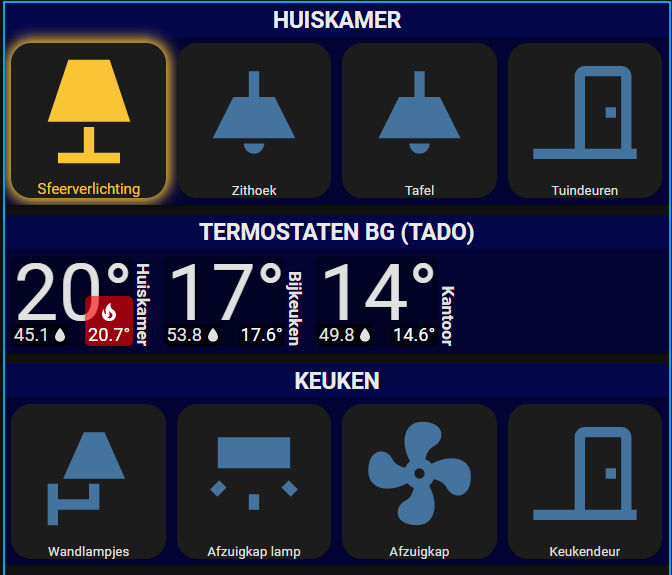
Now I want to integrate your climate button but the size does not match.
I would like to change it a bit, so that the name positions horizontal at the bottom and the size matches my other buttons.
This is my current ‘work in progress’ dashboard :
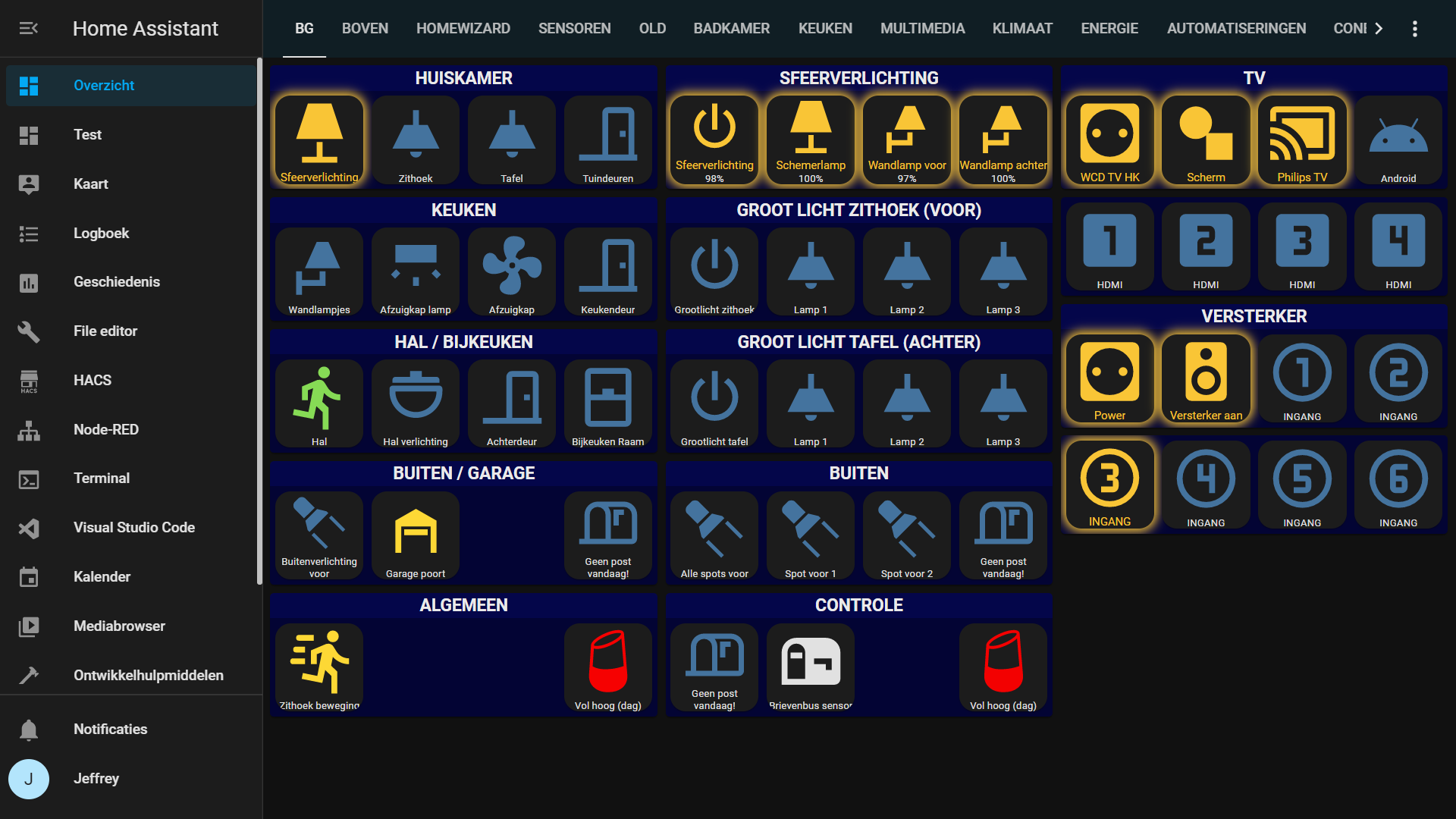
The mismatch :
my code :
  jja_standaard:
    hold_action:
      action: more-info
    aspect_ratio: 1/1
    size: 80%
    label: >
      [[[ var bri = Math.round(entity.attributes.brightness / 2.55);  if
      (entity.state === 'on') return (bri ? (bri+"%") : '') ]]]
    show_label: true
    show_name: true
    state: null
    styles:
      card:
        - border-radius: 15px
        - margin: 5px 5px 5x 5x
        - padding: 0px 0px
        - '--paper-card-background-color': 'rgba(40, 40, 40, 0.7)'
        - '--mdc-ripple-color': green
        - '--mdc-ripple-press-opacity': 0.5
      name:
        - font-size: 10px
        - white-space: normal
      state:
        - font-size: 10px
        - white-space: normal
      label:
        - font-size: 10px
        - white-space: normal
  jja_gloed_geel:
    template: jja_standaard
    state:
      - styles:
          card:
            - box-shadow: '0px 0px 10px 3px #F9C536'
          icon:
            - color: '#F9C536'
          name:
            - color: '#F9C536'
            - font-size: 11px
        value: 'on'
Thank you in advance!