I’ve been monitoring this 9.0 issue for a couple of days now and am running 8.3 from a backup restore. I’m running HAOS in a Proxmox VM, with a dedicated domain and Cloudflare Zero Trust tunnel. I’m having two problems. 1) the 9.0 issue of the main page not loading, and 2) an error when going to Settings - Devices and services which says “Error while loading page integrations”. I do not have this 2nd error when accessing HAOS via IP address on my LAN (http vs. https).
UPDATE: I’ve disabled the Cloudflared Tunnel App and am using a CNAME and Reverse Proxy. This has fixed the 2nd error above. Seems like there may be a Cloudflared issue.
My system doesn’t seem to reboot, just refresh the dashboard constantly.
I get
Logger: py.warnings
Source: /usr/local/lib/python3.14/\_py_warnings.py:230
First occurred: 07:55:16 (18 occurrences)
Last logged: 07:58:10

 /usr/local/lib/python3.14/site-packages/urllib3/connectionpool.py:1110: InsecureRequestWarning: Unverified HTTPS request is being made to host '<domain name here>'. Adding certificate verification is strongly advised. See: https://urllib3.readthedocs.io/en/latest/advanced-usage.html#tls-warnings warnings.warn(
Doesn’t the Spook HACS app integration add the capability to the system/tools/actions to identify and purge entities without directly modifying files, with the risk of typos wiping everything? If not, could it?
[Edited for @boheme61 prompting. It’s all just Python anyway, isnt it, behind the scenes? No LLMs were harmed, abused, or even distracted in this post - it is an original work, unassisted by any artificial assistance.]
I wryly note Frenck is the author of Spook as well as the update code you blithely hit continue on, that efficiently nuked your database without further ado. I’m sure he could whip up a rescue package for you to bypass manual modification with all the risks mistyping something involves and add it to Spook in the next release to expunge the extraneous data that seems to have crept in.
Think of it as a belated spring clean for your system. An enema for your constipated database.
Haven’t you read anything in this Topic ? ( Or couldn’t your LLM’s help you in this case )
ohhh, and Spook is Not an App, beside HACS has no Apps either
Where did you get the idea that anything happened to my DB, or that i got affect by the “Deleted Devices” “issue” in the device.registry , Which this Topic is About ?
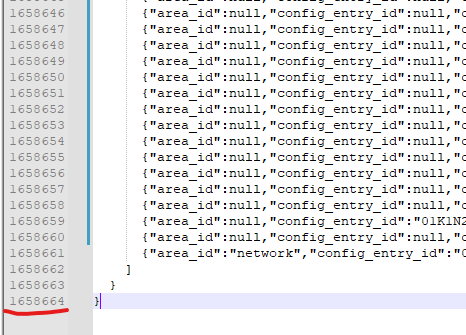
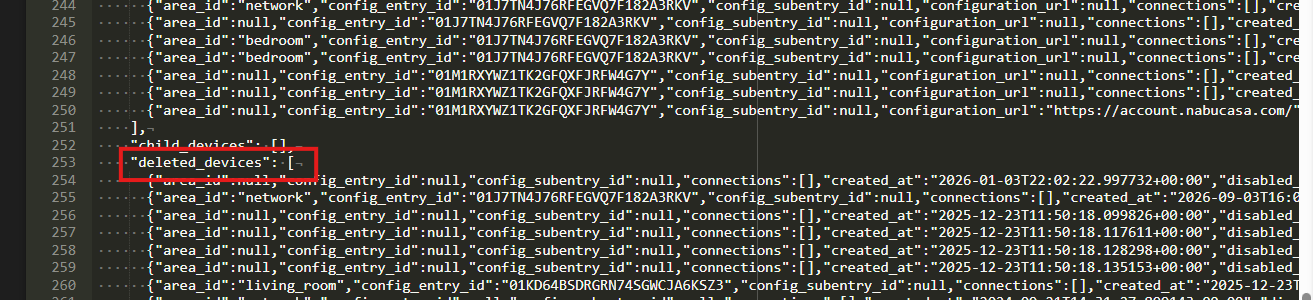
( Well maybe i actually did in this case( Topic) , but i have 30 deleted “devices” in my device.registry-file, some i can identify, some not ( Absolutely nothing i intend to do anything about)
Read “device.registry” , which btw is easy to edit in a txt-editor( You delete Entries, Not Entities ) If anything these Entries are “devices” ( If you know what is “grouped” into this “definition” in HA )( could be im lucky, because i started this Green in November, so nothing really piled up, or “bogus” integrations)
But as usual you Edit your Post’s to “adapt” to the facts you find in people responses, instead of “crossing over” your false statements and facts
I’m on 9.1 now and honestly ‘feels’ faster, snapper. Will do some timing later. But didn’t I read something in the relnotes where they actually clear out those deleteds for you? If so people don’t need to muck about in the device registry any more. Did I read that correctly?
ups, i just hit the update button, as i just read the “release note” update earlier, but first got the update minutes ago. But it’s should be an easy task to implement in a fix
( i actually have no idea why they save “deleted devices” entries )
Yes i does seems like it " Delete (deleted devices which have neither connections nor identifiers) " < from the github-fix
Edit: Nothing seems deleted in mine, thou they have identifiers,and most comes from HACS( and i know i have “tested” a few integrations, and removed them again) , 4 comes from hassio
I avoided 2026.9 because of reports of problems but the 2026.9.1 was fine for me on a PI5 with a USB data disk. Just a breadcrumb if you’re avoiding it because of issues previously reported.


 )
)