Controlling a flow using entity attribute?

Im using HA to control a heatpump for my hottub using the gecko integration. It has an attribute: hvac_action that I what to use to control a flow. But I cant find out how to read it.

An old thread in the forum suggested to create a sensor, so I tried:

template:

  • binary_sensor:
    • name: “hottub_heat_on_off”
      state: >
      {{is_state(‘climate.hottub_heater.hvac_action’, ‘heating’)}}
      off

Using the template developer tool it always return false. But I dont know how to get more detailed debug info.
Any suggestions how to debug or what Im doing wrong?

{{ states_attr('climate.hottub_heater', 'hvac_action') }}

Should give you the attribute.

Thank you so much!!! I have been pulling my hair for 3 hours. I did not know about state_attr

I made the sensor like this and it works like a charm:

template:

  • binary_sensor:
    • name: “hottub_heat_on_off”
      state: >
      {{ is_state_attr(‘climate.hottub_heater’, ‘hvac_action’, ‘heating’) }}

you don’t need to create a sensor in HA. With the events state node if you uncheck the Current state equals previous state the flow will trigger with any change of any of the attributes.

then you can filter your attribute with a switch node

image

[{"id":"1fedceed.0fe881","type":"server-state-changed","z":"b7ef5764.977e88","name":"Heater","server":"9405c3fe.d0a6c","version":1,"exposeToHomeAssistant":false,"haConfig":[{"property":"name","value":""},{"property":"icon","value":""}],"entityidfilter":"climate.hottub_heater","entityidfiltertype":"exact","outputinitially":false,"state_type":"str","haltifstate":"","halt_if_type":"str","halt_if_compare":"is","outputs":1,"output_only_on_state_change":false,"for":0,"forType":"num","forUnits":"minutes","ignorePrevStateNull":false,"ignorePrevStateUnknown":false,"ignorePrevStateUnavailable":false,"ignoreCurrentStateUnknown":false,"ignoreCurrentStateUnavailable":false,"x":190,"y":1780,"wires":[["8b9fc4f6.060958"]]},{"id":"8b9fc4f6.060958","type":"switch","z":"b7ef5764.977e88","name":"is Heating?","property":"data.new_state.attributes.hvac_action","propertyType":"msg","rules":[{"t":"eq","v":"heating","vt":"str"}],"checkall":"true","repair":false,"outputs":1,"x":350,"y":1780,"wires":[[]]},{"id":"9405c3fe.d0a6c","type":"server","name":"Home Assistant","addon":true}]

If you are concerned about the flow triggering too often due to other attributes updating, add this to your flow:

[{"id":"1fedceed.0fe881","type":"server-state-changed","z":"b7ef5764.977e88","name":"Heater","server":"9405c3fe.d0a6c","version":1,"exposeToHomeAssistant":false,"haConfig":[{"property":"name","value":""},{"property":"icon","value":""}],"entityidfilter":"climate.hottub_heater","entityidfiltertype":"exact","outputinitially":false,"state_type":"str","haltifstate":"","halt_if_type":"str","halt_if_compare":"is","outputs":1,"output_only_on_state_change":false,"for":0,"forType":"num","forUnits":"minutes","ignorePrevStateNull":false,"ignorePrevStateUnknown":false,"ignorePrevStateUnavailable":false,"ignoreCurrentStateUnknown":false,"ignoreCurrentStateUnavailable":false,"x":130,"y":1820,"wires":[["8a9c1b19.d3fab8"]]},{"id":"8b9fc4f6.060958","type":"switch","z":"b7ef5764.977e88","name":"is Heating?","property":"data.new_state.attributes.hvac_action","propertyType":"msg","rules":[{"t":"eq","v":"heating","vt":"str"}],"checkall":"true","repair":false,"outputs":1,"x":350,"y":1820,"wires":[[]]},{"id":"8a9c1b19.d3fab8","type":"switch","z":"b7ef5764.977e88","name":"","property":"data.new_state.attributes.hvac_action","propertyType":"msg","rules":[{"t":"neq","v":"data.old_state.attributes.hvac_action","vt":"str"}],"checkall":"true","repair":false,"outputs":1,"x":235,"y":1820,"wires":[["8b9fc4f6.060958"]],"l":false},{"id":"9405c3fe.d0a6c","type":"server","name":"Home Assistant","addon":true}]
4 Likes

That is a neat way of doing it. Thanks a lot!

1 Like

Is there a difference between using an events:all node and listening to the event bus? Is using the unchecked event: state an easier way to find the listener for a particular entity/device/etc.

I’m still trying to understand the event bus and I think I am over simplifying it by seeing it as similar to mqtt.

AFAIK, from what I can find in debug, you can more or less achive the same with both, specially when speaking about state_changed events. I’m just used to the event state node since it’s more compact to set one or various entities in substring, I can make use of the for field too, and there’s the if state field with all the logic comparators.

The unchecked event state node does behave 95% like the events: all node. The remaining 5% is some information missing in one or in the other msg.object.

For the most part it’s enough to use the event state node but the are some scenarios where it’s unavoidable to listen to events, like, for example, when you want to know the entity’s old_state. Or when a timer ends and you want to know whether it’s been finished or cancelled, the only way to distinguish that is by listening to the event bus.

1 Like

this helped me a lot. thanks

1 Like

is it possible to call all attributes to the switch?

like: data.new_state.attributes.* (everything)
so you can make a switch node with multiple attributes and go from there

now you have to make a new flow for every attribute

AFAIK every time any attribute changes, a new message is sent with all the info for every field, regardless of whether every attribute changed or not, so in order to distinguish whether a particular attribute has changed, you should filter them one by one in some way…

What are you trying to achieve? could you elaborate?

Never mind, while documenting and taking screenshots i saw that the change node is keeping changes on that specific attribute and not specifying the attribute and then say “contains” so the node is about 1 specific attributes and not in general…

i understand now thanks

Hello, @Hellis81

you mentioned in this thread to use

{{ states_attr('climate.hottub_heater', 'hvac_action') }}

for his device, and said that should give the attribute
i assume in Home Assistant

but, then in an example, you share a node-red flow (that’s what I’m using and led me here), and it just shows climate.hottub_heater

how can I get to the attribute in Node-red when it’s not shown as “entity”?
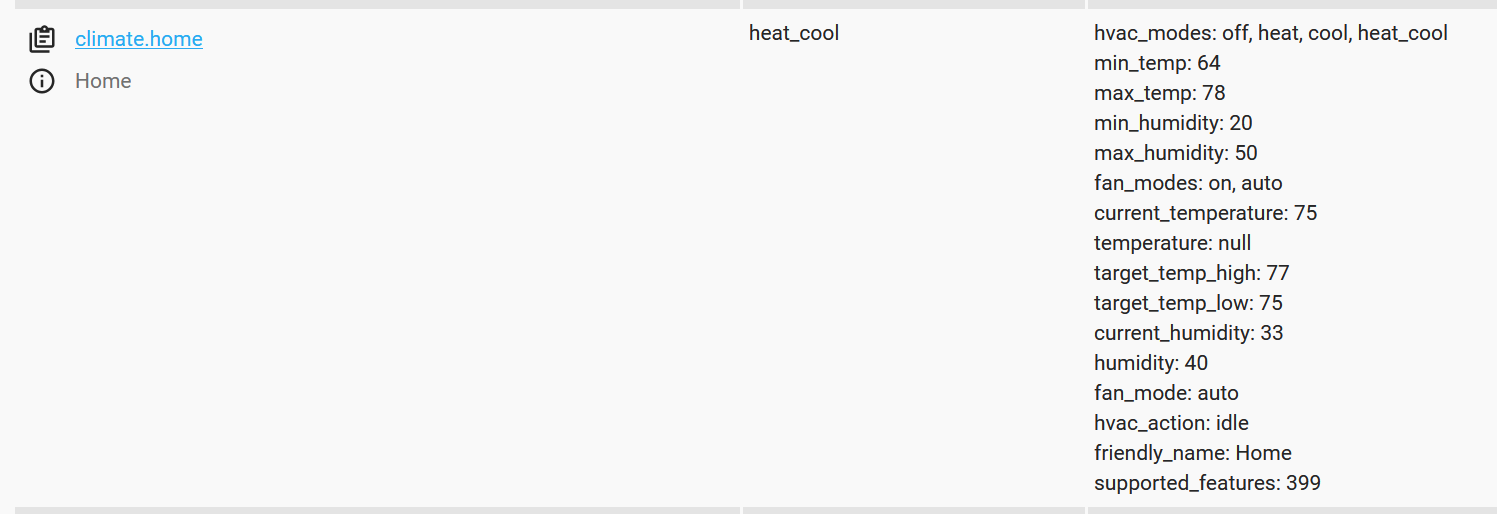
I have an ecobee (see dev tools screenshot:


and in node-red all I can add is
climate.home which doesn’t seem to give me the info of the “hvac_action” which appears to tell me if the system is “cooling” or “heating” or “idle”

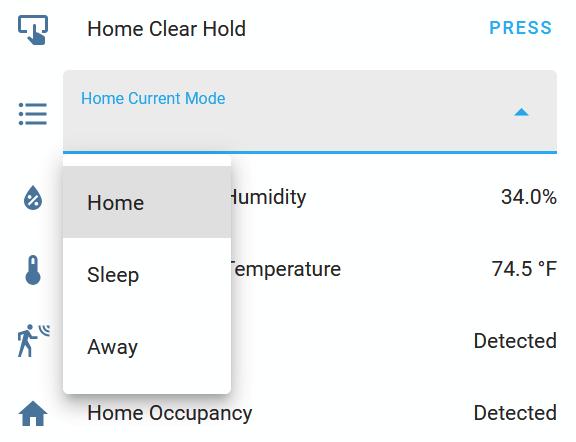
nor “friendly_name” which appears to tell me which “mode” (ecobee templates) Home, Sleep, Away (etc, or custom)

i can only see the “hvac_mode” attribute, which tells me if the system is off, or set to cool,heat, auto in the traditional sense of thermostats

he said he spent 3 hours on this, i been hunting the internet for a month or so
any tips would probably help me alot

if i can bring it up directly in Node-red that would be great (though i’m still learning about what is payload, topics and how to handle JSONata)

If it was an alternate method to make a Home Assistant template then use that ‘Entity’ in Node-red then that would maybe be OK too just to learn how to make the template sensor, but my preference would be to bring this directly into Node-red to potentially perform actions from these Attributes

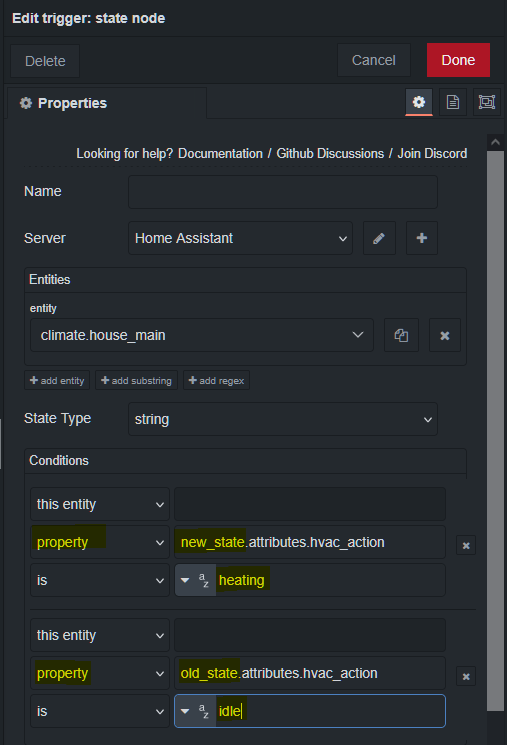
The easiest way to use attributes to trigger is to use the trigger state node. The setting below will trigger when going from idle to heating. Notice it is set to property and the old and new state.

thanks for replying, i appreciate any help.

allright, i’ll research that trigger:state node some,
but so in your example, it’s only going to “work” or detect a change if it was in the “idle” state and changes to “heating” as an example, but then so i’d have to have one of those for each state to trigger unique actions? I’d rather have it send the state to a switch and then trigger different actions.

Is there documentation somewhere that you know of to find that talks about the “new_state.attributes.x” and “old_state.attributes.x” that you used?

separately,
what if I want to “alter” one of the attributes’ states

for example, i make two Home modes on my thermostat with different target temp ranges, Home1 & Home2
then make a switch node where
if wife is home → attribute “friendly_name” : Home1
if wife is not home → attribute “friendly_name” : Home2

or using the attributes you used in your example, is it possible to ‘use node-red as my thermostat’ so to speak and actually set a temp range to tell it to call for cooling and toggle the hvac_action to cooling with my own conditions?

do you know how I would have Node-Red tell the device to switch the state of those attributes? I’m not necessarily really looking to do that, but if I wanted to, how could I? I’m using the “action node” for some things,
for example, I used climate.set_temperature with some J: {} data to modify the thermostat temp range with an inject node.

but maybe those “actions” in the action node are pre-defined (by home assistant?) and there may not be one specifically for modifying this attribute


image

new/old is the entity’s current state and it’s previous state. The attributes are part of an entity. If you go to dev tools → states in home assistant and look at any entity, you will see it’s states and a list of attributes.

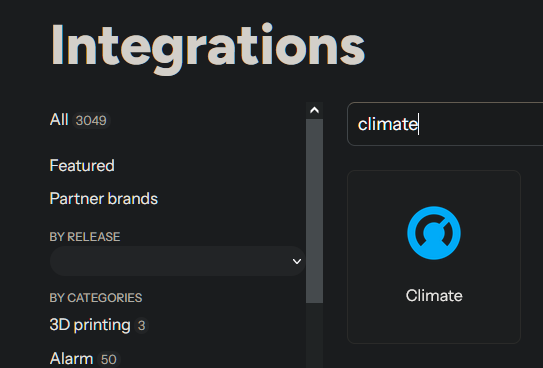
The first word in an entity is it’s domain. In an example climate.xyz it’s domain is climate. You can enter a domain in the integrations page of the documentation. You will find a link to it’s documentation and available actions.

image

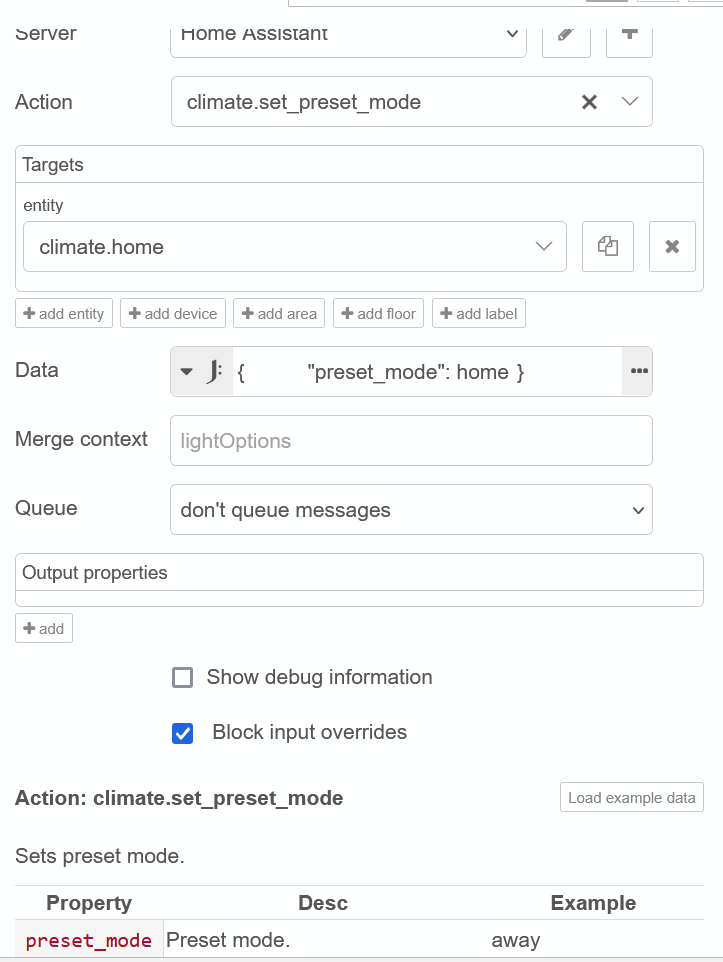
I assume home1 and home2 would be presets, so you could use the action climate.set_preset_mode. So in short, you can change attributes but they will have their own action.

To understand better how NR passes and uses information see the following, specifically action node, action tips and tricks, and jsonata.

https://zachowj.github.io/node-red-contrib-home-assistant-websocket/guide/first-automation.html

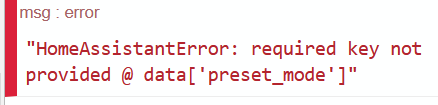
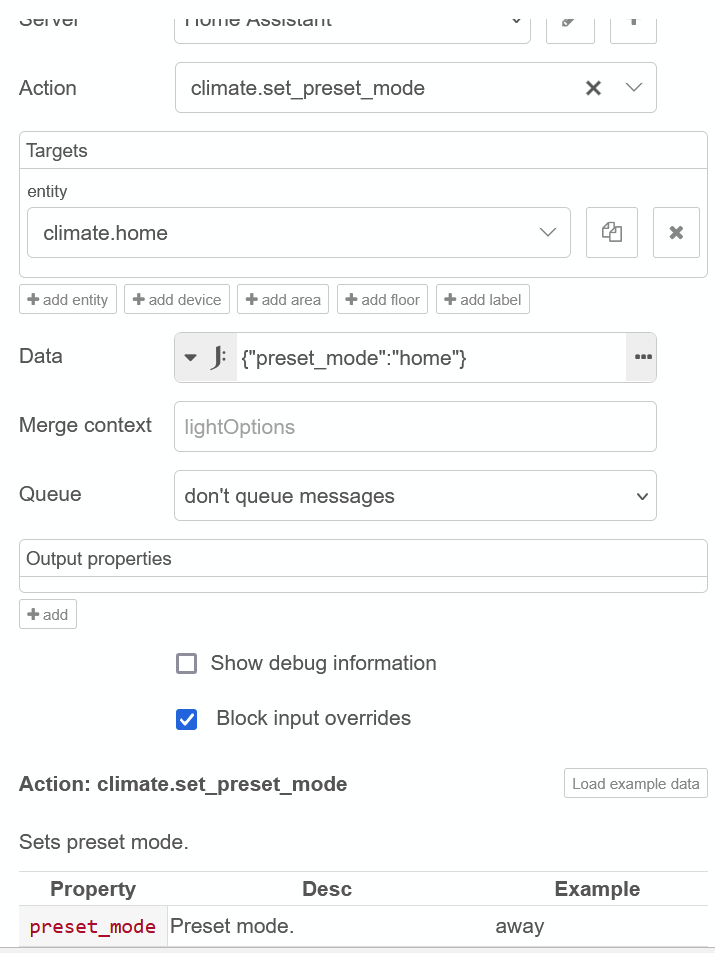
home needs to be in quotes "home"

image

^got the above in debug after adding the quotes

node settings ^

image

It’s adjustable in a dashboard card^

That’s helpful to see that about the domain, alot of search results point to threads that are 2015-2022 and don’t have this “newer” Action node, but these Service Call nodes that have Domain in it (and threads for this ecobee thermostat talk about a Developer API key that no longer exists, but i found some talking about using Homekit, which is how mine is added)

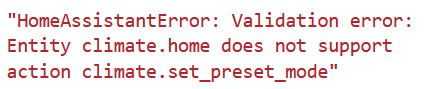
The climate.set_preset_mode didn’t work once I updated the syntax per your recommendation (see alternate response)

Thanks. I’ve got some states changed nodes for lights and various entities using some of this currently
*) room occupancy sensors turning on/off Tuya wifi lights or zigbee lights
*) dehumidifier turns on when outdoor Dewpoint from local weather station is above a threshold
*) esp32 gas fireplace turns on to supplement the heat pump under certain node-red conditions