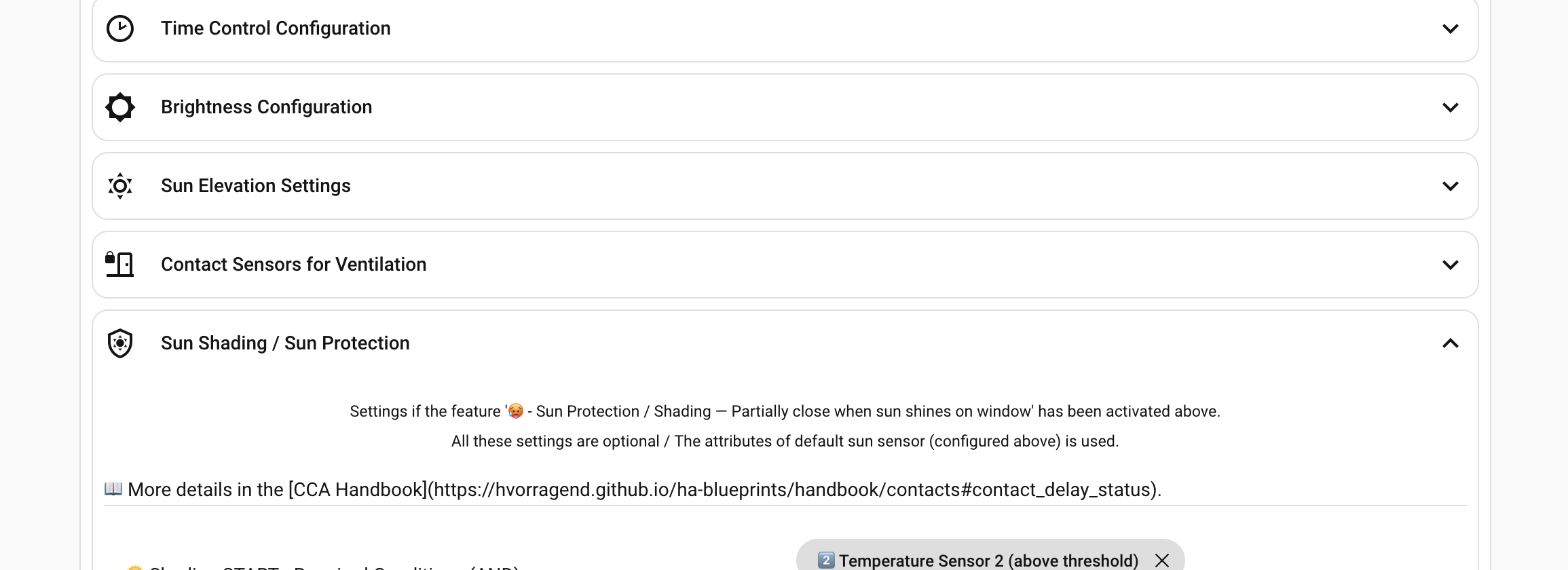
@Herr.Vorragend Please check the description under ‘Sun Shading’ – the link is incorrect
1 Like
hi, i am new in cca and I already maneged to shade my rooms.
there is one problem. how does it work to open shutters at sunrise or shut them at sunset?
What Settings did you use für Shading Options for and and or ? How workd good for you !!
I have all sensors they required.

I’ve been using CCA for a very long time and am actually really happy with it. However, the latest updates have been really problematic and have had a very negative impact on the WAF.
What’s working great right now is shading.
Unfortunately, since the last update, the evening closing and morning opening functions no longer work at all.
After reading here about the “Time Control” option—which wasn’t there before—I tried enabling it, but nothing happens anyway. I also don’t want anything to do with brightness when opening or closing. I just want the blinds to open and close at a fixed time. But apparently, that doesn’t work anymore. Up until the last update, the blinds would close exactly at the “Drive down early” event.
Don’t get me wrong, I’m very grateful to “Herr.Vorragend” for the cool blueprint, but right now I’m really starting to lose track of things. It’s just all too cluttered.
On top of that, the CCA Configuration Validator makes things worse—or rather, it flags issues caused by the updates. It marks configurations as error-prone because certain options no longer exist, even though they’re still present in the YAML file and were created by an older version.
If I understand the documentation and the YAML validator correctly, I wouldn’t need “Time Control” at all if I just wanted to close the blinds at 10:00 p.m., for example. But that just doesn’t work anymore.
Thanks for the feedback. I’ll have a look at that.
1 Like
Hi firebowl,
thanks for the honest feedback — the broken opening/closing is most likely the documented breaking change from 2026.07.12: for configurations created before ~2026.05, time control is disabled after the update until the “ Time Control” checkbox is enabled once and the automation is re-saved. But since you say enabling it didn’t help either, I’d like to understand exactly what happened. Three things:
-
Where did you enable Time Control? There are two spots that are easy to confuse: the “
Time Control” checkbox in the “ What should CCA control?” list (that one is the actual switch) and, below it, the “ Time Control Type” dropdown (which only selects the source and does nothing while the checkbox is off). Was the checkbox actually set after saving — and is it still set now?
 -
Could you post the two entries
auto_options:andtime_control:from your automation (three-dot menu → Edit in YAML)? From those I can immediately see whethertime_control_enabledwas stored, and whether an old leftover value liketime_control_disabledis still in there — that one would select no time source at all, even with the checkbox enabled. -
Most importantly: we need a trace. Open the automation → three-dot menu → Traces, and download the trace (download icon, top right) from an evening where the closing at “Drive down early” should have happened — then attach the JSON here or run it through the Trace Analyzer. A trace shows exactly which trigger fired and which condition stopped the run, which tells us far more than the config check. And if there is no trace at all around your closing time, that’s an answer too: the time trigger never fired, which points straight back to points 1 and 2.
One more note, since you wrote that you shouldn’t need Time Control at all: the texts really were misleading on this point — in a pure fixed-time setup without brightness/sun sensors, the Early/Late time fields are the only trigger. “Just close at 22:00” is Time Control; the checkbox has to stay enabled for it. And the validator messages about old options that no longer exist are harmless, by the way: those lines come from earlier versions, are ignored, and can simply be deleted.
With the YAML from point 2 and the trace from point 3 we’ll almost certainly find the rest.
Here’s an excerpt from the YAML file for now.
I won’t be able to post Trance until late tonight or early tomorrow morning.
auto_options:
  - auto_up_enabled
  - auto_down_enabled
  - auto_shading_enabled
  - time_control_enabled
How is that supposed to work? You can’t set the early and late closing time
to the same time. I’ve now set the late closing time to one minute later.
Am I understanding this correctly: the roller blinds should close at the “Drive Down Early” time via Time Control without any further settings?
What exactly do the two options “Morning Opening” and “Evening Closing” do, then?
Hi firebowl,
your auto_options excerpt looks correct now — time_control_enabled is stored, so the checkbox part is done. The one line I still need to see is time_control: itself (the “ Time Control Type” dropdown). It must say time_control_input. If a legacy value is stored there, the time fields stay dead even with the checkbox on — that’s the last non-trace suspect.
To your questions:
Early and late closing time can be identical — that error message was a bug, and you found it. The blueprint explicitly supports equal times: internally, the “Late” trigger disables itself when both times match, so the automation fires exactly once, at that time. Only the online validator wrongly rejected it, and that’s fixed as of today — it now confirms identical times as a valid configuration. Your one-minute offset does no harm, but you can set both back to the same time after the next update.
Yes, you understand it correctly: with your setup (no brightness, no sun elevation), the blinds close exactly at “Drive down early” and open exactly at “Drive up early” — no further settings needed. The Early/Late pair is only a window when Brightness or Sun Elevation triggers are supposed to fire inside it (Early = earliest allowed, Late = guaranteed fallback). Without those sensors, Early is simply the time, and Late is redundant — which is why identical times are exactly right for you.
“Morning Opening” and “Evening Closing” are the on/off switches for the two functions themselves — whether CCA opens in the morning and closes in the evening at all. Time Control (plus the time fields) defines when. The two work together: at 22:00 the time trigger fires, and “Evening Closing” decides whether CCA acts on it. Uncheck “Evening Closing” and nothing closes even with perfect time settings; uncheck “ Time Control” (without sensors) and nothing fires in the first place. That second case failing silently was the real gap here — the validator and the manual config check now report it explicitly.
No rush on the trace — tomorrow morning is fine. If time_control: time_control_input checks out, I expect tonight’s closing to just work, and the trace will simply confirm it.
Everything worked perfectly last night, just like this morning.
I’ll attach three traces:
- trace automation.cca_buro_mike_2 - The blind closed correctly
- trace automation.cca_badezimmer - The blind did not close because the window was open
- trace automation.cca_terrassentur - The blind opened correctly this morning
Everything seems to be working again.
Thank you very much for your support and explanations.
1 Like
hi, one question:
how is it possible to control the covers in case of sunset/sundown?
or do i have to use only the elevation of the sun?
thx
Hi firebowl,
thanks for the traces. I checked all three and they show exactly what should happen:
- cca_buro_mike_2: the trigger for your “Drive down early” time fired on the second and the blind was closed through the normal closing branch.
- cca_badezimmer: same trigger, but the automation saw the open window and kept the blind up. That is the lockout protection doing its job. CCA still recorded “closed” as the scheduled state in that run, so as soon as the window is closed the blind will close on its own. You don’t have to wait for the next trigger.
- cca_terrassentur: the trigger for “Drive up early” fired this morning and opened the blind through the normal opening branch.
So your configuration is fully working again, including the safety behavior.
Your criticism was justified and it led to a few changes that will be part of the next release. The validator will then accept identical Early/Late times, so you can set your closing times back to the same value. It will also state clearly that leftover options from older versions are harmless. A configuration that can never trigger (Time Control off without any sensors) will be reported by the validator and by the manual config check instead of failing silently. The help texts and the FAQ were also reworded so the next person updating an older installation doesn’t run into the same trap.
Thanks for taking the time to report back.
1 Like
Yes. That’s exactly right. It allows for much more precise control.
Ok - i think to use the “fixed mode”
closing sundown = -5
opening sunset = 0
Another question: i marked “morning opening” and “evening closing” - how i habe to understand this points?
do i have to use “time control”??
Force Close active during shading end — cover restores to shading position instead of open on recovery
Hi,
I’m using Force Close (via input_boolean) combined with auto_recover_after_force: enabled to implement an “away mode”: covers close when I leave and reopen automatically when I return.
The problem:
When I activate Force Close while shading is active, and the shading conditions expire during the Force Close period (sun moves out of azimuth/elevation range), the helper keeps shd: 1. When I deactivate Force Close on return, CCA restores the cover to the shading position (13%) instead of the open position (100%) — even though shading conditions are no longer met at that moment.
From the trace at 19:34 (Force Close deactivated):
bas: opn,shd: 1,frc: cls→ recovery target =shd- Sun elevation: 1.09° (well below shading threshold of 25°)
- Sun azimuth: 301° (outside shading range 110°–275°)
- CCA moves cover to 13% (shading position) — shading conditions clearly not met
Expected behavior:
When Force Close is deactivated, CCA should re-evaluate shading conditions at that moment. If they are no longer met, shd should be cleared and the cover should restore to the open position instead.
Setup:
- CCA version: 2026.07.13 V7
auto_down_force:input_boolean.cca_force_close_volets_rdcauto_recover_after_force: enabledreset_override_config: timeout (120 min)
Is there a recommended way to handle this, or is this a known limitation of the current recovery logic?
Thanks!
I’ve noticed a strange issue on my end. When all the conditions for shading occur in quick succession, the shading works perfectly. Right now, it’s relatively cool in the morning, so the outdoor temperature condition doesn’t kick in until a few hours after all the others. Now, all the conditions have been met for over half an hour, but according to the trace, the system is still waiting—I just don’t understand what it’s waiting for. Am I missing something here?
Hi guys, I’m very new to this blueprint. I have a problem where my cover opens at the very last moment and totally ignores the sun’s elevation. How’s that even possible?
My code:
alias: Roleta_Fix
description: ""
use_blueprint:
  path: hvorragend/cover_control_automation.yaml
  input:
    blind: cover.0x7cc6b6fffeca9aca
    cover_status_helper: input_text.rolety
    individual_config:
      - prevent_opening_multiple_times
      - prevent_closing_multiple_times
    time_up_early_non_workday: "06:00:00"
    time_up_late: "07:00:00"
    time_up_late_non_workday: "07:00:00"
    time_down_early: "20:00:00"
    time_down_early_non_workday: "20:00:00"
    time_down_late: "21:00:00"
    time_down_late_non_workday: "21:00:00"
    sun_elevation_down: 0
    default_sun_sensor: sun.sun
    sun_elevation_up: 10
    enable_logbook: true
    check_config: true
    auto_options:
      - auto_up_enabled
      - auto_down_enabled
      - time_control_enabled
      - auto_sun_enabled
I’m wondering why my covers close, when I close the door and my contact sensor changes to “off”. I have enabled lockout protection. From my troubleshooting this happens, when I have manually opened the cover. I checked the helper and found out, that “bas” is set to “cls”.
{"bas":"cls","shd":0,"pnd":"non","win":"cls","frc":"non","res":0,"man":0,"ts":{"opn":1784522702,"cls":1784577605,"shd":0,"due":0,"arm":0,"man":1784182387},"v":6,"t":1784647544}
Here is my config:
alias: EZ Rollladen
description: steuert den Rollladen im EZ mit Hilfe des CCA Blueprints
use_blueprint:
  path: hvorragend/cover_control_automation.yaml
  input:
    blind: cover.ez_rollladen
    auto_options:
      - auto_up_enabled
      - auto_down_enabled
      - auto_sun_enabled
      - auto_lockout_protection_enabled
      - auto_shading_enabled
      - auto_ventilate_enabled
      - time_control_enabled
    close_tilt_position: 0
    open_tilt_position: 100
    check_config: true
    check_config_debuglevel: info
    time_control: time_control_input
    time_up_early: "06:45:00"
    time_up_early_non_workday: "09:30:00"
    time_up_late_non_workday: "09:30:00"
    time_up_late: "09:00:00"
    cover_status_helper: input_text.hlp_ez_rollladen
    cover_status_options: cover_helper_enabled
    shading_azimuth_start: 78
    shading_azimuth_end: 230
    shading_elevation_min: 20
    shading_temperatur_sensor1: sensor.eg_temperature
    shading_temperatur_sensor2: sensor.drausen_temperature
    shading_min_temperatur1: 23
    shading_min_temperatur2: 23
    shading_forecast_temp: 23
    shading_position: 20
    shading_tilt_position: 20
    position_tolerance: 3
    shading_forecast_type: hourly
    shading_weather_conditions:
      - sunny
      - partlycloudy
      - clear
      - windy
    contact_sensor_lockout: binary_sensor.ez_fensterkontakt_contact
    contact_sensor: binary_sensor.ez_fensterkontakt_contact
    sun_elevation_down: -4
    workday_sensor: binary_sensor.workday
    auto_shading_start_condition:
      - condition: state
        entity_id: input_boolean.sonnenschutz
        state: "on"
      - condition: state
        entity_id: input_boolean.abwesenheit
        state:
          - "on"
    lockout_tilted_options:
      - lockout_tilted_shading_start
      - lockout_tilted_shading_end
      - lockout_tilted_closing
    contact_window_opened: binary_sensor.ez_fensterkontakt_contact
    auto_down_condition:
      - condition: state
        entity_id: input_boolean.x_mas
        state: "off"
    auto_up_condition:
      - condition: state
        entity_id: input_boolean.abwesenheit
        state: "off"
    ignore_after_manual_config:
      - ignore_closing_after_manual
      - ignore_shading_after_manual
    reset_override_config: reset_timeout
    reset_override_timeout: 120
    individual_config:
      - prevent_shading_multiple_times
    shading_temperature_hysteresis2: 1
    auto_down_force: input_boolean.xmas_force_close_cover
    reset_override_time: "12:00:00"
    auto_shading_end_condition:
      - condition: state
        entity_id: input_boolean.abwesenheit
        state:
          - "off"
    time_down_late: "22:30:00"
    time_down_late_non_workday: "22:30:00"
    trace_count: 12
    shading_conditions_start_and:
      - cond_azimuth
      - cond_elevation
      - cond_temp1
      - cond_temp2
    shading_conditions_end_or:
      - cond_azimuth
      - cond_elevation
      - cond_temp1
      - cond_temp2
What did I miss in the configuration?
Hi there, I’m following this blueprint since a long time but still there is one personal scenario I think that is not possible to manage. Am I missing any feature to realize the following?
I have blinds with Tilt positions. for my terrace window/door I do not drive the blind up, but only set the Tilt to 100% open. so my ‘open’ position is 0%, while tilt open position is 100%. Now, because it is also a door to step out on the terrace, I want to drive up to 100% (fully open) when the door sensor is active. This should trigger ‘full ventilation mode’ with lockout protection etc. But I find no way to configure, that for full ventilation, there is another ‘open’ position to use (drive up to 100%). the automation is only able to drive to the defined open position (0% in my case). any ideas? I was thinking to ‘misuse’ the partial ventilation position for this (because here you can define a dedicated blind/tilt position),but this only works if the blind is in the defined ‘close’ position (0%/0% in my case). I hope you understood my issue.
any suggestions? thanks a lot!
Please do have a look at the manual or the FAQs. Everything is explained there.
This looks like a known issue in older versions rather than a config problem. I am not able to download your traces.
How it should work: When the first conditions are met, a pending is armed. After the waiting time, all start conditions are re-checked. If the temperature is still too low, CCA retries every waiting interval until the “Maximum duration for shading start retry loop” (default 2 h) expires, then aborts. Since the temperature sensors are trigger sources themselves, crossing the threshold later should simply arm a new pending — that works fine in the current version.
What’s probably happening in your version: Older releases could leave a pending “stuck”: if an execution run ended without a status update, the helper kept pnd: "beg" with a ts.due in the past. That trigger can never fire again, and the stuck pending also blocks new arming — so the automation “waits” until the 23:55 reset. Version 2026.07.25 fixes exactly such a freeze scenario (#632).
To confirm, please check:
- Your status helper: does it show
"pnd":"beg"with ats.duetimestamp in the past? - The traces: is there any
t_shading_start_executionrun since then, or did the last one end in “Continue waiting” / “aborted”? - Keep in mind: the start condition only counts as met above threshold + hysteresis, not the threshold alone.
Please update to the latest version — if it still happens there, post your helper JSON and a trace and I’ll take a look.