Hi everyone,
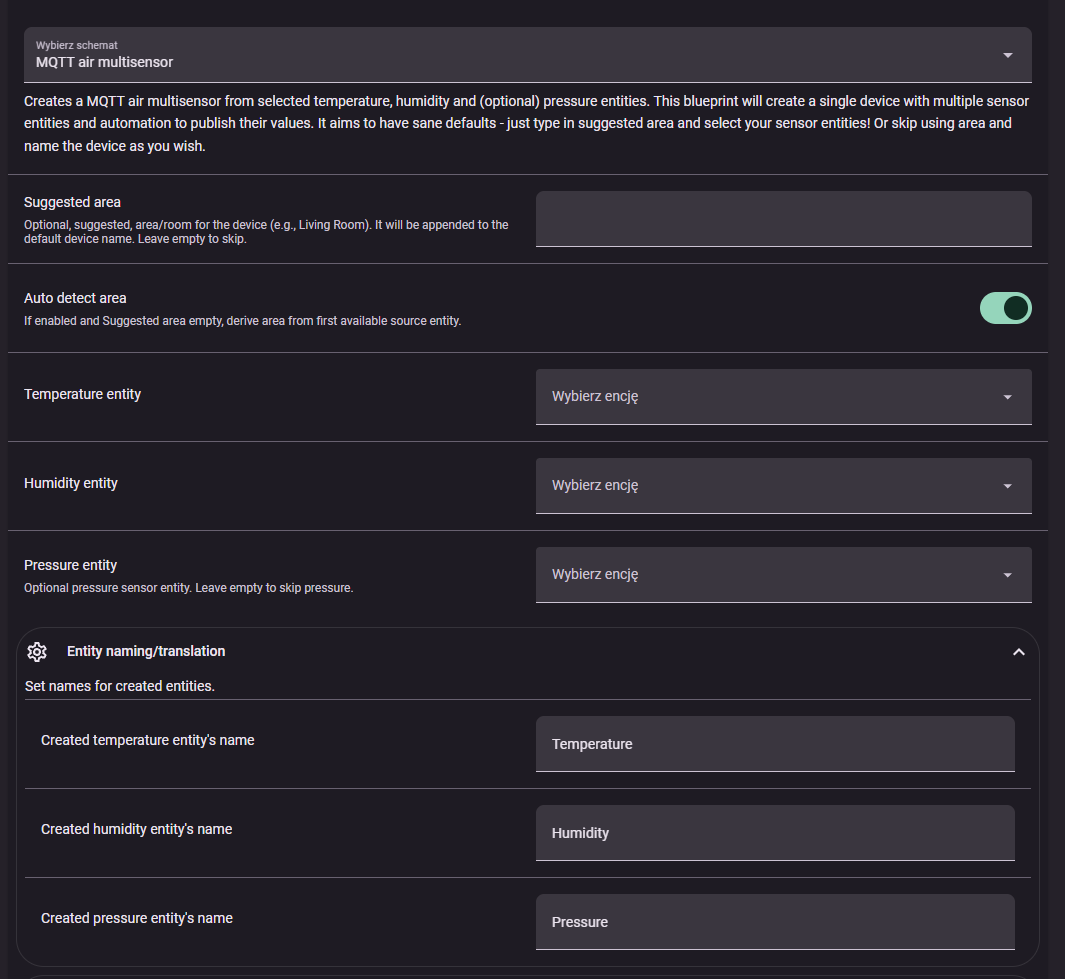
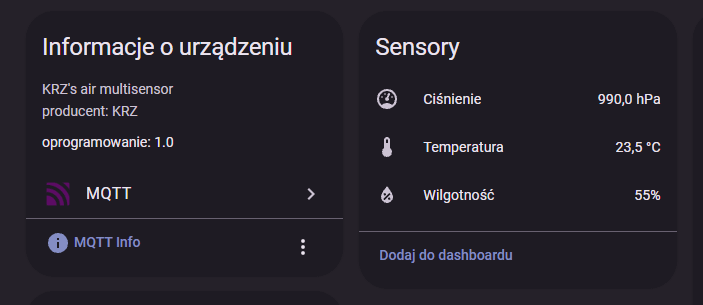
I’ve put together a new Blueprint that makes it easy to unify separate sensor entities into a single virtual air multisensor with MQTT Discovery - basically merging sensor entities into a new device!
If you’ve ever wanted to bundle your averaged temperature/humidity sensors into one neat device for each room (or to export via Matter, Node-RED, ESPHome, etc.), this might be useful for you.
Especially helpful to declutter stuff you are exporting from Home Assistant or making things that expected those sensors to be in one device actually work (Smartthings AirCare is one example)

 Blueprint link:
MQTT Air Multisensor (GitHub)
 What it does
- Publishes updates from linked entities to a single MQTT state topic for the new device.
- Automatically creates MQTT Discovery entities for temperature, humidity, and (optional) pressure.
- Has sane defaults and basically zero config needed, just select entities and it will figure out all the details
- Eliminates all the work and potential issues doing MQTT discovery manually or through HA’s MQTT device creation via subentry.
- Supports automatic or manual area detection (and optional appending area name to device).
- Lets you set custom/localized display names and individual precision per sensor.
- Configurable retain, QoS, update interval, and publish-on-change.
- Stable unique_id generation with optional manual prefix.
- Retained discovery + state ensures clean startup behavior.
 Quick Start
- Import the Blueprint:
- Go to Settings → Automations & Scenes → Blueprints → Import Blueprint
- Paste the GitHub link above
- Alternatively, use import badge!
- Create a new automation from the Blueprint.
- Select your temperature and humidity entities (pressure optional).
- Adjust naming, area, precision, and MQTT options as needed.
- Save. On startup or refresh, discovery configs are published and your new MQTT multisensor appears!
You will see the newly created device after the first update of underlying entities - if you do not want to wait just trigger automation manually 
 Why it might be useful
- Group helpers/averages into one “device” per room for cleaner dashboards.
- Easier and cleaner Matter export or use in Node-RED or other MQTT consumers.
- Consistent precision and naming while keeping raw payload full-precision for advanced uses.
- Area-aware naming to avoid clutter and keep devices organized.
 Feedback welcome
I’d love to hear how this works in your setup:
- Does it simplify your dashboards and automations?
- Any additional sensors or features you’d like to see (e.g. air quality, CO2, VOC)?
- Any issues with MQTT discovery or unusual broker setups?
Hope this helps streamline your HA environment! And hope someday HA will treat us with true virtual device creation for users Also, hi everyone! It is my first post here but I’ve been using HA for years now