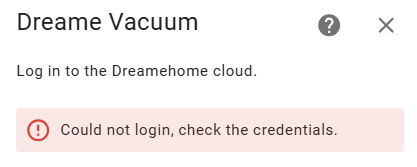
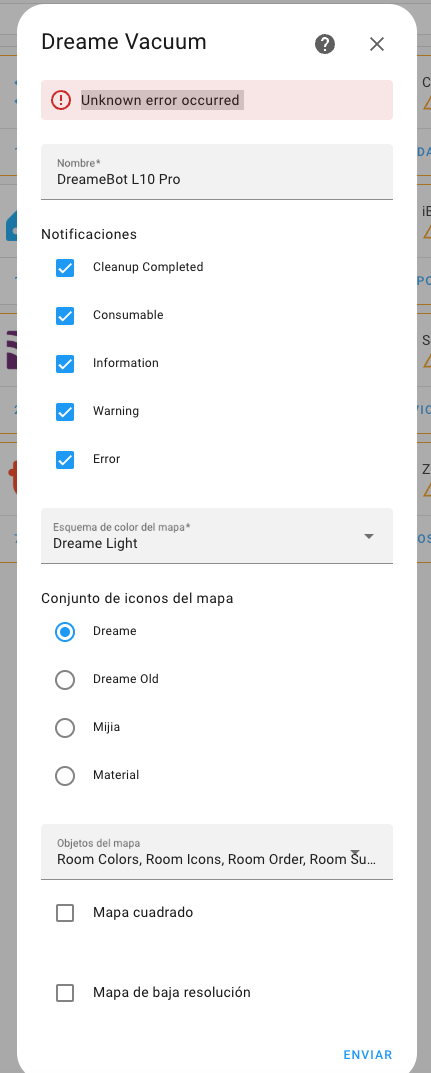
hi, i have dreame x40 ultra, and i got this massage
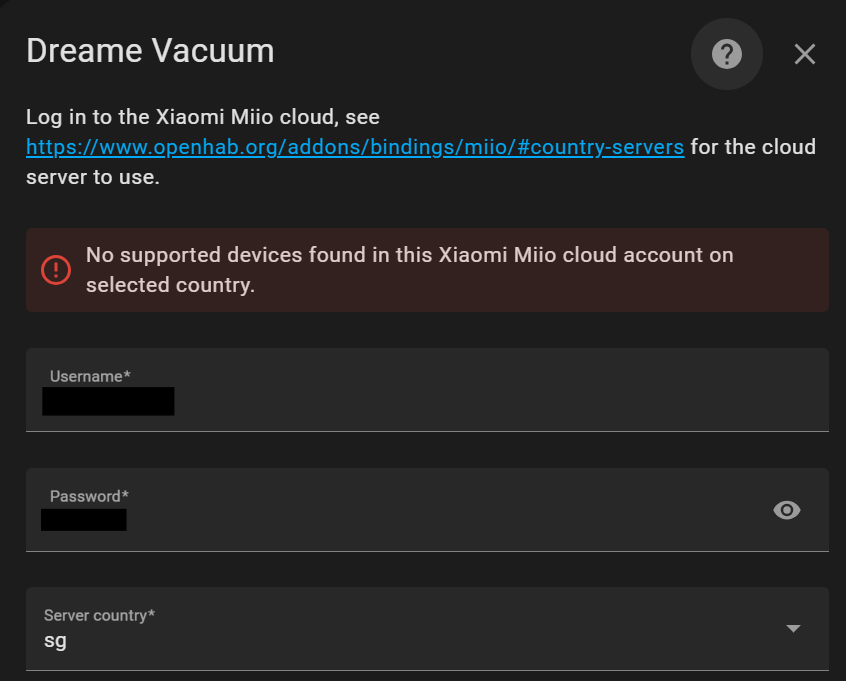
i did something wrong? the device is supported?
I have downloaded a map recovery file from:
/api/camera_recovery_map_proxy/camera.vacuum_map_1?token=xxx&index=2&v=yyy&file=1
But before doing so I created virtual walls, and no go zones as well as custom names for each room.
I then created a backup/snapshot (I took note of the datetime).
I did this in the Dreame App on android.
I waited a few minutes until the camera.vacuum_map_1 entity would reflect a map recovery link for me with the date time noted from above step.
There is always a certain delay before it polls the API it seems.
Anyways. Upon opening and inspecting the tbz2 archive, namely the human readable .json files it seems they do not carry any information regarding room names, virtual walls nor no go zones.
This essentially means that when I apply a local recovery file onto the vacuum (using the action ‘dreame_vacuum.vacuum_restore_map_from_file’) I then lose room names, virtual walls and no-go zones.
The map is indeed restored only I lose the above mentioned features.
This is clearly visible in the Dreame App as well as in home assistant camera entity.
No idea if this is a limitation on the Dreame API on their end.
It would be really nice if these datasets would be restored as well.
vacuum bot: l10s ultra
dreame integration: v2.0.0b16
Hey @tasshack, this integration is really incredible. I very recently bought an L10S Ultra ( r2228z) and I see that it is not yet supported. I am a developer and am wondering if there is anything I can do to help support that device. I have read you have some automations for part of the process as well. Let me know 
Hi @tasshack , I received this error after upgrading the Home Assistant Core to version 2025.2.3:
Did my robot change or did this integration change? I set my vacuum to sweep only on the card, I start the vacuum, I double check that the mode is sweeping, and then after some initial vacuuming my floors are also being mopped. I look at the attributes and they have changed to sweeping and mopping. I haven’t started any automations surrounding the vacuum.
This has been happening for about about a month after working and obeying the settings for over a year.
Hi, I’ve tried to log in but i get this message:
Anyone else who have the same problem. I’ve downloaded v2.0.0b16.
My inlog details are right, i’ve checked them several times. And im in Sweden so i have the EU server.
Any ideas?
x20 max Model: xiaomi.vacuum.d109gl, when will it be available? last week I had x20+ and it worked, now it gives me the device unsupported error
Any ideas when a release will come that will support this model?
xiaomi.vacuum.d109gl is not a Dreame device.
hi,
dreame.vacuum.r2416n
I bought the X40 robot and installed the latest version and after the installation I noticed that everything related to rooms and cameras is missing. I can’t see data or access these features like I did before.
Could you please help me solve this problem? Let me know if more information is needed.
Thanks in advance for your help!
Hello,
my Dreame X40 Ultra (dreame.vacuum.r2449a) (Firmware4.3.9_1683) has always worked great with the integration, but now suddenly it no longer shows many things, e.g. the current map.
If I keep restarting the integration, it occasionally shows the current things correctly again, but if I change the map again, everything is wrong again or a lot of things are no longer available.
Does anyone have a tip on how I can solve this?
What about the D10 Plus Gen 2, i see the regular D10 Plus, not sure if the Gen 2 comes as part of this. Also is it possible for the cloud access to give both the map and the control directions. I am waiting for a raspberry pi to use for a HA in one country, so i was asking if i can connect it over the cloud to my HA in another country which would give me access remotely, as well as connect to the phones for away and home.
Hello
I am using the dream x40 ultra and i want to automate his cleaning a bit. Is it possible to change his cleaning mode from vacuum and wipe to only vacuum or only wipe?
Thanks
Hi,
is there a possibility to set “return to station” to true/false? Afaik I can’t find it
It is not possible to prevent vacuum from returning to the station after a cleaning job is complete (except spot cleaning which is started from onboard button).
You can create an automation to send the stop command just after cleaning job has been completed using the charging_status and task_status entities.
I am sorry for this question, but I am not able to build a script, which only cleans one room.
I want to build an very simple UI, where is just for every room one button and with that button a script sends the vacuum to that room. Should be a simple task, but I am totally overwhelmed by all the options and probably overseeing some simple option to do that task. This is the last thing I tried:
alias: Reinigung Wohnzimmer starten
sequence:
Can anyone help with this?
You are sending a Roborock command to a Dreame device, that is why it is not working.
Checkout the docs…
Nice integration but the vaccum itself is $1000 oof