Hey everyone! I was in need of a simple way to see when the next trains from my local London tube / DLR station would leave (to minimise time spent waiting for a train).
None of the integrations I found did what I needed, so here I am having written my own.
It’s not HACS-ready yet, but will be at some point, once I’m happy with how it behaves.
Once dropped into your custom_components, you can add it via the Integrations menu (Search for ‘London TfL’). It automatically populates the lines list and the correct stations based on the line you need, and you can add as many stations as you’re interested in.
It updates once per minute, but doesn’t always hit the public API. It tries to maximise using the data it receives in a single call. Anecdotally it makes a remote call once every 10 minutes, for each sensor.
If you have any issues, please do share! I’ve already fixed quite a few originating from TfL API’s weird choices at times.
You can now add it via HACS as a custom component (not yet part of the default set advertised in HACS, but hopefully soon)! With more than a month of testing and actual usage, with a couple of bug fixes thanks to members of the community finding issues, I think it’s pretty stable now.
Hi, I’ve been using this integration and finding it, combined with the lovelace-departures card, very neat.
I can’t for the life of me work out how to add more stations/lines after the initial setup though. I’m sure it must be something obvious but I just can’t spot it. Cheers.
Cant seem to get this to work correctly with the latest HASL Departure Card. The Platform or Bus numbers do not come up.
Any ideas on what I may be missing here? This is what I get the number should show up next to the icon on the left.
Thank you so much about this. Really useful. Just installed it via HACS yesterday. One question though: Is it easy to filter for a particular bus number?
When I select a bus stop I seem to get departures from all the bus-lines stopping there and not only the one I selected via the UI.
Love the integration thanks! I see “river-tour” in the list and was hoping this was Thames Clippers, but it doesn’t seem to work (doesn’t have a field to enter any details after I select it).
No updates on river-tour. Seems weird on tfl’s list. Might remove it altogether to avoid confusion, for now. Or keep looking.
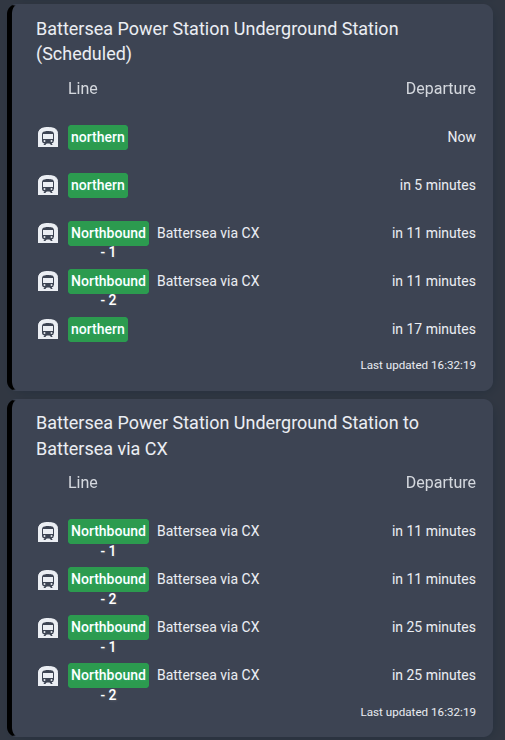
But news! The newest version 0.8.0 also pulls schedule data for your stop(s) and offers 2 new sensors, one with the scheduled data and one with a mix of realtime plus scheduled, attempting to fuse where sensible.
Would love it if people can stress test that and find bugs.
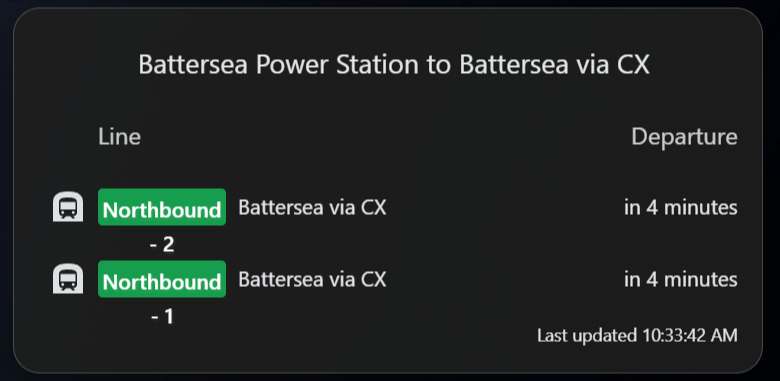
OK thanks for looking anyway! I’m not sure if I’ve configured it wrong, but I have a departures board for Battersea Power Station and it shows two platforms (correct) and different departure times… but only for a short time after restarting HA. After that, they both show identical data. It seems to happen once a train leaves a platform - it gets replaced with the data from the other line.
Yep, seems to be what TfL is reporting. I did find a niche scenario where the default sensor might have been wrong sometimes, but nothing obvious for Battersea