you can use the switch also in a HA automation
Thanks for an amazing integration!
Most things work for me – I can enable and disable charging and I get sensor readings. However saj_total_today_load (and also the other sensor with “today” in the name is always “0.00” – all other sensor reading returns >0 – any clue for why these do not?
Thanks in advance!
Please provide more details about the inverter.
Are you using the AIO3 or another TCP/Modbus converter?
A log would also be helpful…
Sorry. I am using the AIO3, the inverter is the: H2-10K-T2.
When you talk about the log is it then the debug log of the integration that you are referring to?
Because when I try to enable the debug log it and then disable it again (even if only enabled for a few seconds) then the browser immediately attempts to download a several MB large file and then it fails and there is 0-byte log file in my Downloads-folder. Anyone else who has experienced that?
There are two log variants in HA.
- Settings > System > Protocol.
Errors and warnings appear there.
- Integration log.
This must be activated in configuration.yml for integration.
However, HA has disabled logging in the latest version. You must first install a custom integration from Github.
In your case, I suspect that the inverter is not providing this data.
I have not yet received any reports of this problem.
My integration works without any problems on two HA instances.
Try reading the corresponding registers manually with Qmodbusmaster.
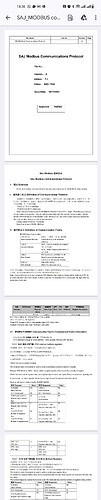
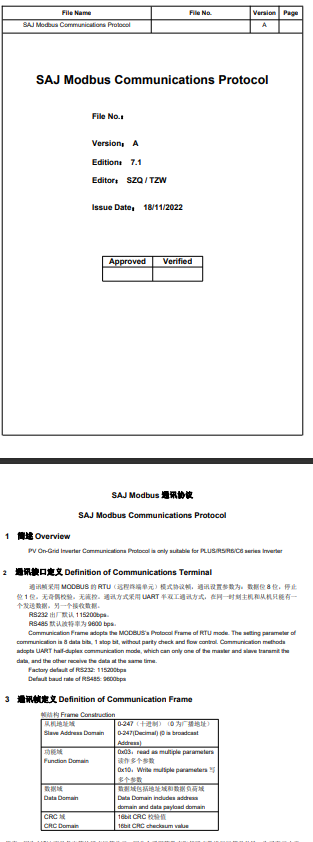
In the zip file on Github, you will find a PDF with the registers.
But only read > DO NOT write anything.
New Pre-Release
@stanus74 My new H2 will be installed this week and I am looking at connectivity. Is there any reason to buy a AIO3 or is the better option to buy a Elfin adapter? Will I need to the AIO3 to do the initial setup?
The initial setup should definitely be carried out by the installer.
Use the AIO3 if you also want to use the Elekeeper app.
That is my recommendation.
With the latest firmware, the AIO3 has a very stable Modbus connection. This was not the case with the older firmware.
New Release is online. Minor bug fix for pre-release fixed
1 Like
Thank you very much for this great integration! I am not sure what I have been doing wrong. I notice “SAJ Export Limit (Input)” doesn’t do anything to limit my export. no matter I set it to 10 or 100 or 1000, it it still dumping all the power to the grid after battery is 100% charged. Is there other setting or on/off switch need to triggered before that value will take action?
@mike_home_84 , I am looking at setup similar, did you get this working?
I haven’t had time to test again, but in next week I should have some time.
I think I use the passive mode to achieve what you wanted to do.
to dump power from battery to the grid,
APP Mode 3
Passive mode 1
Passive battery discharge power 1000
To charge up the battery at max (combine PV + draw from Grid)
APP Mode 3
Passive mode 2
Passive battery charge power 1000
To stop passive mode
APP Mode 1
Passive mode 0
resetting passive battery discharge/charge power to 0
OK I will try that combo out as it solves most scenarios.
Today is a great day to have it automated as the electricity grid is going mental because of a heat wave in eastern states, so they are desperate for power later on tonight…because no wind, no solar = no power! Looks like feed in price will be around $2/kwh later tonight! In the meantime, during the day our grid is going majorly negative because it’s a relatively cool day we have too much power. I feel sorry for all the tech’s trying to balance the grid.
If you are using the AIO3 is it the ip address and 502 for port?
I was considering getting a SAJ HS3, so naturally I asked SAJ for the MODBUS documentation. They wanted me to sign an NDA as they consider the documentation to be confidential information. So, I of course won’t be doing that. Just a heads up if there’s anyone like me who’s considering getting an HS3 and found this thread when looking for a Home Assistant integration.
control is direct to AIO3 module or by E-manager?
E-manager is the next step in smart controle of the system
Oh, if that is the case then the HS3 is back on the table.