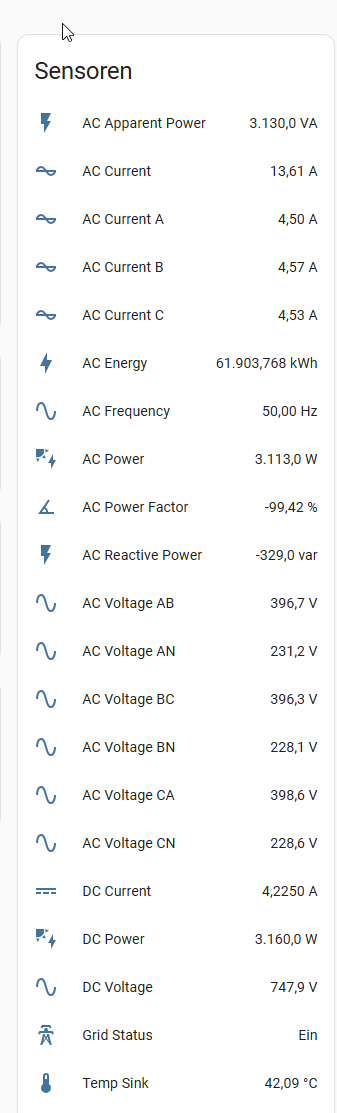
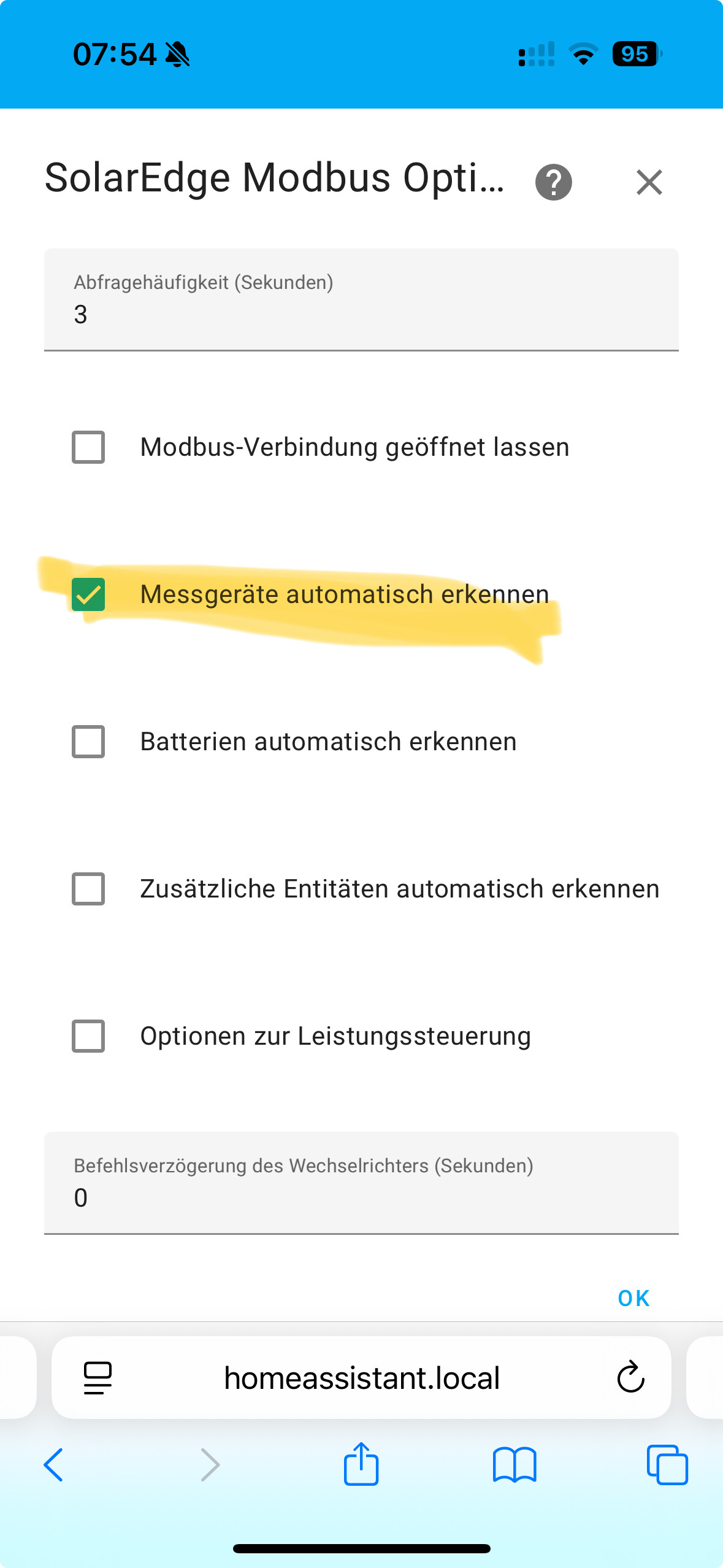
HI, Great integration but I am having a problem keeping it connected. I am running Home assistant Green, It was working for quite a while but then it started showing the modbus data as unavailable. I often get an error message asking to check the Modbus integration, The IP address is that same as used bu the router and the TCP Port number and Device ID hasn’t changed.
The data shows as “Unavailable”. If I reboot HA the data will “often” show for about 1 minute. A few days ago after a HA update the data worked for about 2 days (I thought the issue was over). Today the data is again “Unavailable”.
Can anyone direct me to where I should start fault finding?? (I am relatively new to HA! I used to be smart but I think age has taken away many brain cells :))
Thank you very much for this great integration. However, I don’t understand how to view the current consumption. I can see it in the SolarEdge app, but not in the integration. Am I doing something wrong?
Top one (device with i1 is your SE10K inverter, device i1-m1 is the associated smart meter (either solaredge inline meter (stand-alone) or internal in the SE10K.
In my case, I have separate devices, but have a different SE10K, the SE10K-RWB48 version (HomeHub, hybrid inverter for solar panels and home battery)
hi, thanks for your good working integration, I use it a lot. I do have a question:
When in a dynamic contract prices go negative people shut down their solar inverter. As they are told power from the grid is free. But… it is not free. Still you pay delivery costs, margin and taxes on that (avg 12ct). So what I would like to achieve is that my solar keeps working, but not returning to the grid, and start returning to the grid when power cost is positive (>0ct). Otherwise your solar is off and you pay for power… doesn’t make sense.
What settings do I need to set to keep using solar in my home and not exporting to the grid? I see several options and do not want to limit power or so but kee generating power enough to solve my internal needs of power (fridge and so on), but also want it so dynamic that when I turn on the airco, the solar gives me all power needed without getting from the grid. As said before, free is only free when the price is <-12ct / kWh…
anyone knows what settings I need to use for my automation to make this dynamic and easy working? I plan to use an automation check every 5mins and change setting automatically. For the appliances and such, I measure all consumption and I can use the P1 meter or the modbus sensors?
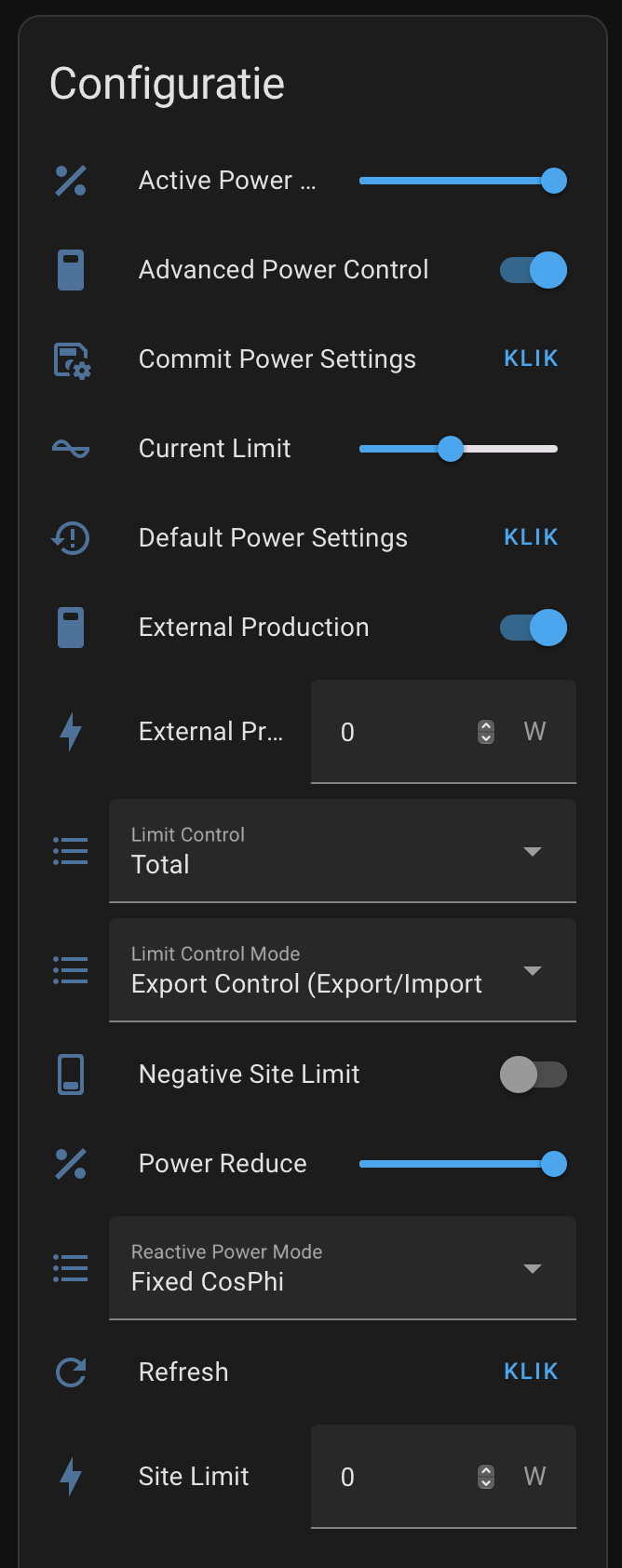
As far as I am aware Limit Control Mode in Export Control only works with the Export/Import meter or Consumption meter (since these are the two modes). The P1 meter is not listed as supported for export control mode.
You can probably do something in HA by adjusting active power limit with an automation, but you’d have to make all of that since I don’t have any sample yaml or templates for that. If you do make something we can add it to the wiki.
Great stuff! Thanks for this great integration. I will also require dynamically reducing via an automation the “active power limit” to avoid exporting to the grid (which is payable over here), I was wondering if the NAND memory is used to write the power limit value? I want to avoid having too much write cycles to the NAND memory. Or is this value stored in the RAM?
Could you please clarify, not stored in NAND or not in RAM??
I want to limit export by setting “active power limit” but I’m afraid to damage my SE10K-RWB.
There aren’t any SolarEdge docs that mention terms like NAND or RAM.
But the active power limit setting is noted as a dynamic command where “the value is not saved and when the inverter restarts, the command has to be re-entered.”
Hi,
as of today, I stopped using the “other” Solaredge modbus integration I used for several years and started using the modbus-multi integration.
because in the (near) future, it’s possible I have to pay a fee for exporting energy to the grid, therefore I’m trying to use the export control settings in the integration.
all the controls are exposed and available, but I’m not sure how to use them properly.
I’m trying to get 0 W export but still get the exact amount of solar production to meet the energy demand of my home.
what are the settings to achieve this, if possible?
another question I have is when fiddling around with the settings, I sometimes get an error message: " Error sending command to inverter ID 1: Modbus Error: [Input/Output] No response received after 3 retries, continue with next request."
any ideas why this is?