Hi everyone,
I've always loved the clean aesthetics of the original ha-fusion dashboard, but I found myself needing better information density and more flexible card layouts, especially for my wall-mounted tablets and iPads.
Over the past few days, I've developed a customized fork of the project. I wanted to share it with the community in case anyone else finds these additions useful for their smart home setups!
 What's New in this Custom Edition?
- Square Card (MapCard) Integration I added support for displaying proportional square cards on the frontend, complete with a dedicated UI configuration panel. This is perfect for displaying maps, floorplans, or large visual indicators without breaking the grid.
- Sensor Group Template To drastically improve information density, you can now group and display data from multiple sensors within a single card. Instead of wasting 4 separate cards for PM2.5, Temperature, Humidity, and CO2, you can combine them beautifully into one space-saving list.
- Enhanced Template Parsing Optimized and expanded the parsing capabilities for custom dashboard templates, giving you much more freedom in how your entity data is processed and displayed.
- Under-the-hood Fixes Fixed several missing TypeScript type definitions, resolved some edge-case rendering crashes caused by uninitialized variables, and unified the codebase formatting.
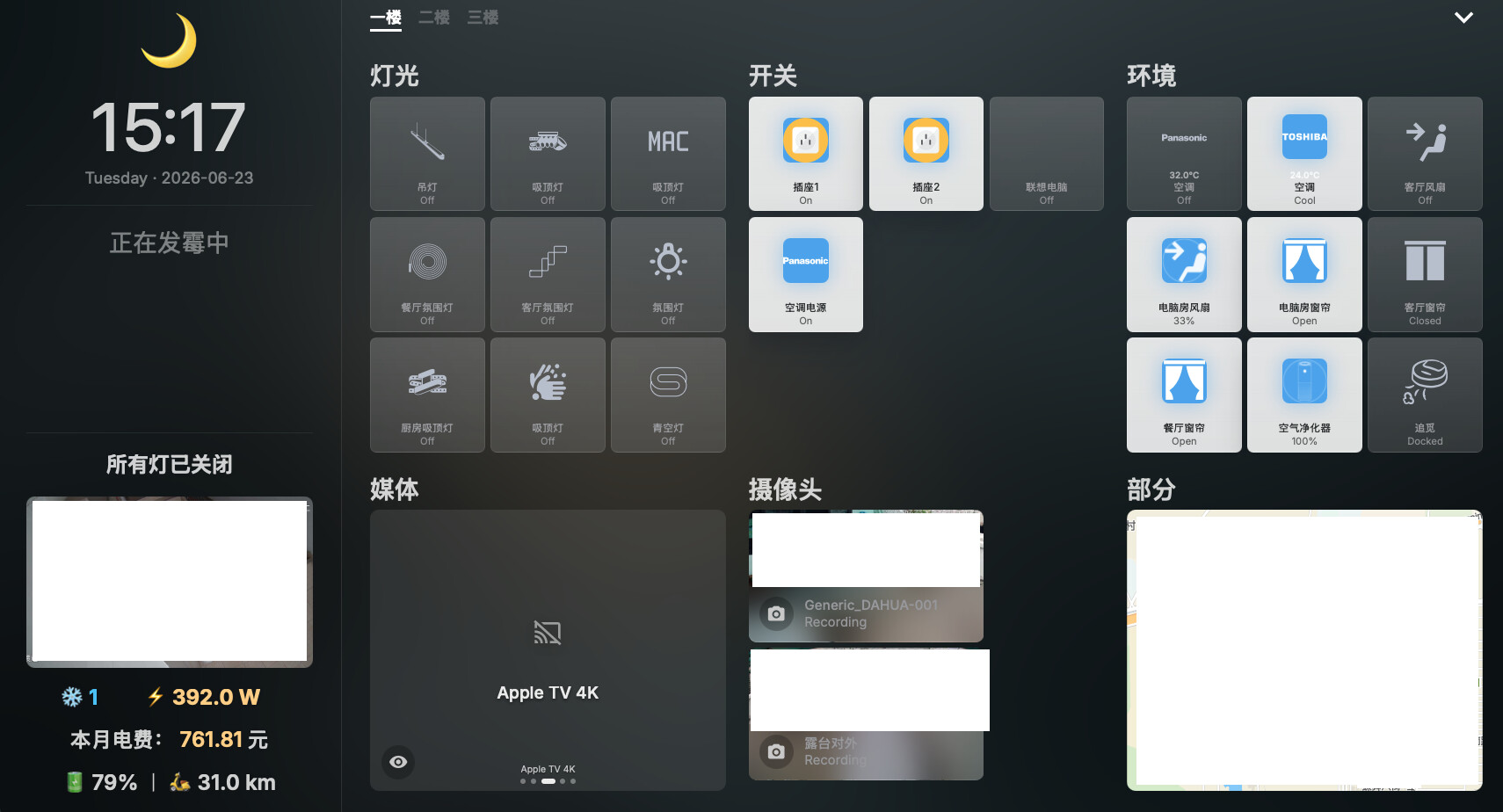
How to Install
I've simplified the installation process. You don't need to mess with separate add-on configuration repositories anymore.
Option A: Home Assistant Add-on Store (Native)
- Go to Settings > Add-ons > Add-on Store, click the three dots in the top right, and select Repositories.
- Paste this repository's URL:
https://github.com/xiehe1250/ha-fusion - Refresh, search for "Fusion (Custom Edition)", install and start!
Option B: Docker / NAS (Recommended for iPad PWA) If you want the ultimate full-screen experience on an iPad, deploying via Docker standalone is the best way. Simply open it in Safari and "Add to Home Screen" for a seamless, borderless PWA experience.
yaml
version: '3'
services:
ha-fusion:
container_name: ha-fusion
image: Package ha-fusion · GitHub
restart: always
ports:
- "5050:5050"
environment:
-
TZ=Asia/Shanghai
-
HASS_URL=http://YOUR_HA_IP:8123
volumes:
- ./data:/app/data
 Repository
You can find the source code, fork it, or star it here:  GitHub - xiehe1250/ha-fusion
I hope you enjoy these new features as much as I do. Let me know what you think, and feel free to drop any feedback or suggestions below!