The newer LD2450 also publishes data over bluetooth, however its protocol is totally different from the LD2410 one, so i modified the python class and the integration code to manage it.
Eventually, it works
The sensor only outputs coordinates of up to three targets and their speed, but those are not much useful so a big part of the available sensors in HA are calculated (distance, angle, moving, presence…)
The integration It is working both for the sensor part and for the control part. All over BT.
For what concerns sensors:
for each target (up to 3) the integration exposes a specific binary sensor so you can know how many targets are present
there is also a generic binary sensor for “someone” presence
for each target the integration calculates distance and angle. Original sensor values (coordinates of targets) are present, but normally hidden
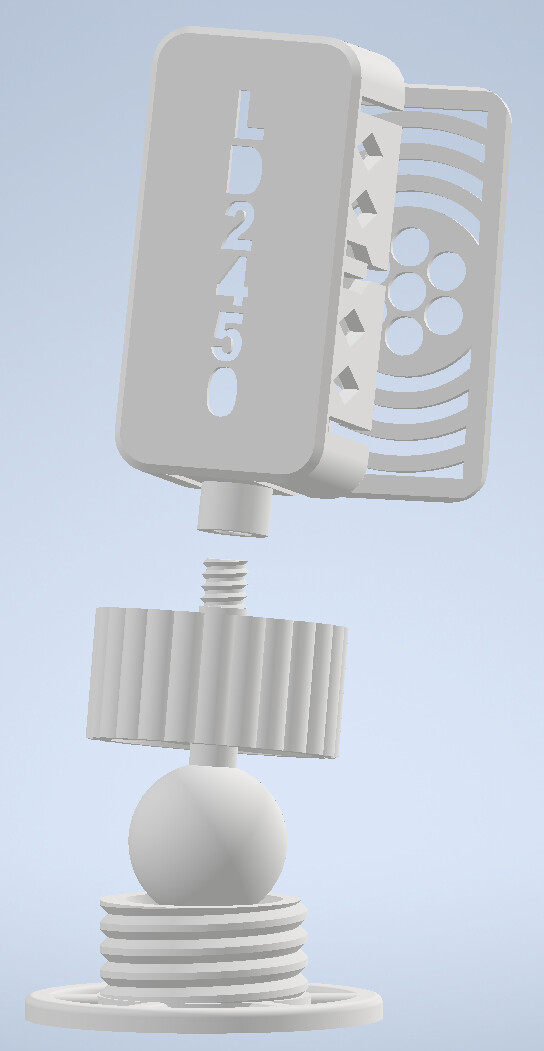
question for the makers out there any better idea for the support connection of the 3d model?
i printed it in pla and it tends to relax after some days giving no more solid block of the sensor
I could add another arm to the support, but i’m quite sure i’m just gaining some more time and not solving the issue
You create a ld2450_ble folder with inside all the files listed
what do you mean?
Sadly, somewhere in last months something in HA updates broke bluetooth discovery (also for official LD2410_ble integration) and afaik it hasn’t been fixed yet (i’m not using my ld2450 sensor atm)
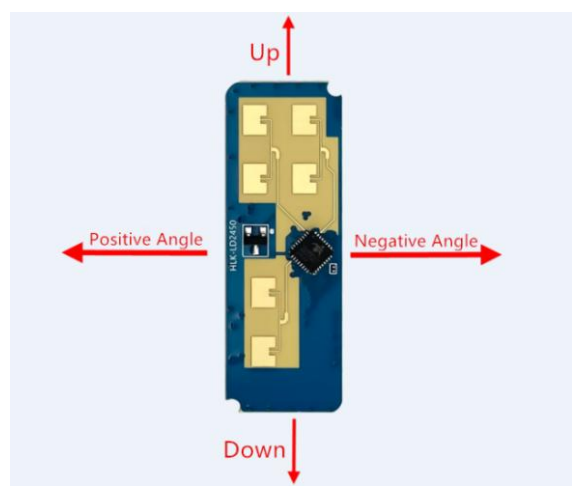
Is there a reason why you put the sensor sideways(3D Model)?
Usually the 4 “Antennas” are pointing upwards and the 2 Antennas downwards…
Or am i wrong?
M.
no reason, i didn’t even think about that, but in the datasheet it is as you say
i should probably create a full new model (in the old one if you print in PLA the support relaxes quite soon and you cant guarantee the sensor to be blocked anywhere…)
thanks for pointing this out
Another question:
I can make Areas/Zones and switch them on by setting the “Area Mode” on.
Is this correct?
But how do i use the “Areas”? I can´t find an entity with “Area 2 occupied” or something like that…
areas (when enabled) work as detect/no not detect zoned.
You enable the specific function with the dropdown.
for the second question, never thought about that, i think it can be implemented in post processing (the sensor itself does not consider where the subject is, it’s just a boolean)


 )
)